
1. Киришүү
Thank you for choosing the EBTOOLS Mini Camera. This compact and versatile device is designed for discreet video recording with high-definition clarity. Featuring a 120-degree wide-angle lens, automatic night vision, and PIR (Passive Infrared) motion detection, it offers reliable surveillance capabilities. This manual provides detailed instructions for setup, operation, and maintenance to ensure optimal performance.

1.1-сүрөт: The EBTOOLS Mini Camera, showcasing its compact design and the back clip attachment for discreet placement on clothing.
2. Продукт бүтүп калдыview
2.1 Негизги өзгөчөлүктөрү
- 1080P HD видео жаздыруу: Captures clear video at 1920x1080 resolution and 30 frames per second.
- 120 градустук кең бурчтуу линза: кенен чөйрөсүн камсыз кылат view ар тараптуу камтуу үчүн.
- Автоматтык түнкү көрүнүш: Equipped with 10 infrared lamps for clear recording in low-light conditions, automatically activating when needed.
- PIR Video Recording: Passive Infrared sensor detects motion, initiating recording to conserve battery and storage.
- Жогорку кубаттуулуктагы литий батареясы: Built-in 1200mAh battery offers approximately 8-10 hours of continuous recording.
- Арткы клиптин дизайны: Allows for easy and secure attachment to clothing or backpacks.
- Микро SD картаны колдоо: Supports up to 128GB Micro Memory Card storage (not included).

2.1-сүрөт: Visual representation of the camera's main features, including PIR motion detection, wide-angle lens, HD resolution, night vision, memory card support, battery capacity, video playback, and loop recording.
2.2 Пакеттин мазмуну
Пакетиңизде бардык буюмдар бар экенин текшериңиз:
- 1 x EBTOOLS Mini Camera Host
- 1 x Back Clamp
- 1 x Support Rack
- 1 x заряддоо кабели (USB)
- 1 x User Manual
3. Орнотуу
3.1 Батареяны заряддоо
- Connect the provided USB charging cable to the camera's USB port.
- Plug the other end of the USB cable into a DC 5V 1A or DC 5V 2A power adapter (not included) or a computer's USB port.
- The charging indicator light will illuminate. Charging typically takes about 3-5 hours for a full charge.
- Once fully charged, the indicator light may change color or turn off, depending on the camera's design.
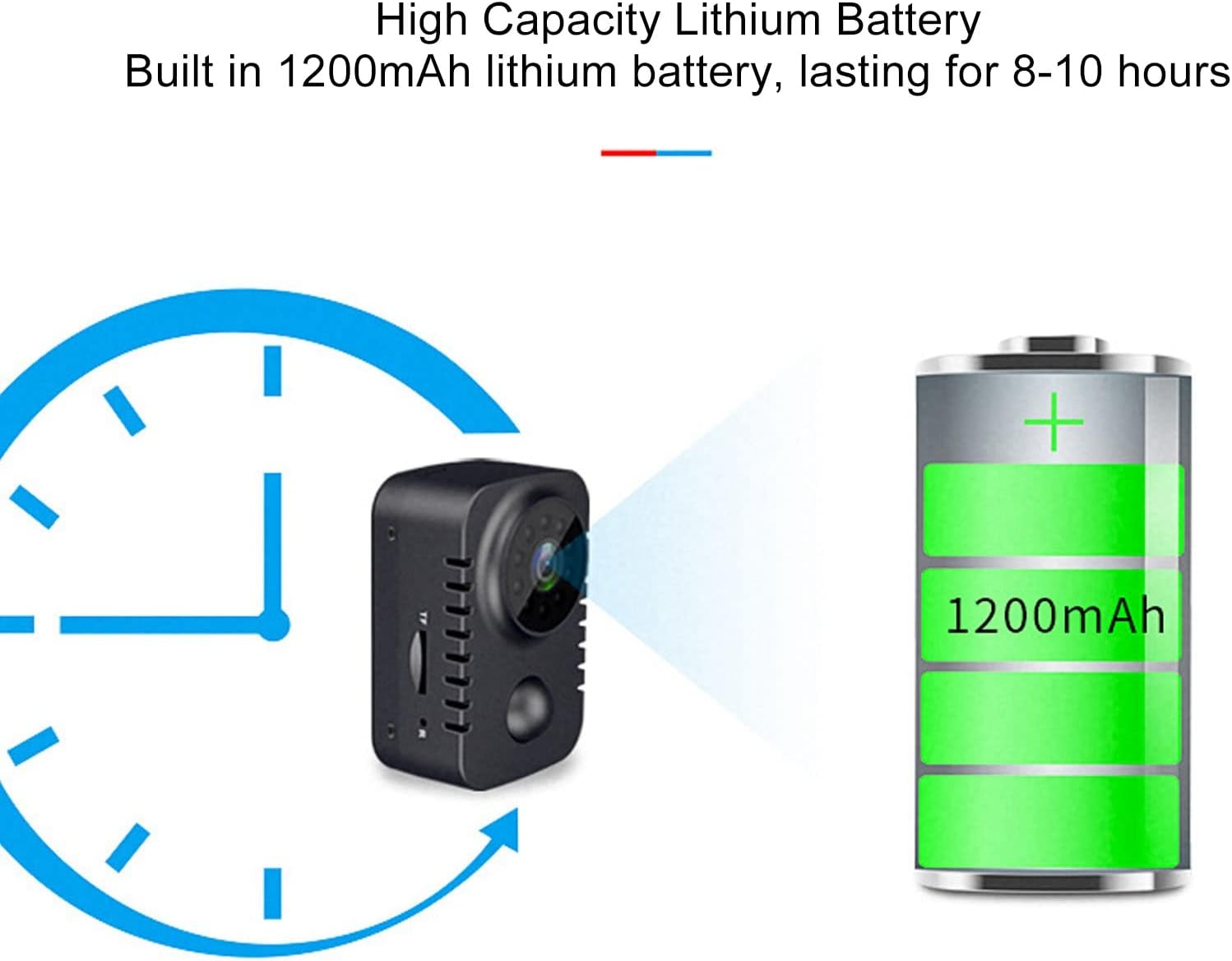
3.1-сүрөт: Illustration of the camera's high-capacity 1200mAh lithium battery, providing 8-10 hours of operation on a full charge.
3.2 Микро SD картаны салуу
The camera requires a Micro SD card (up to 128GB, not included) for storing recordings.
- Камераңыздын капталынан Micro SD карта уячасын табыңыз.
- Micro SD картаны алтын түстүү контакттары ылдый каратып, ордуна чыкылдаганча акырын салыңыз.
- Алып салуу үчүн, картаны сыртка чыкканча акырын ичкери түртүңүз.
4. Иштөө нускамалары
4.1 Күйгүзүү/өчүрүү
- Күйгүзүү: Индикатор жарыгы күйгөнгө чейин Кубат баскычын бир нече секунд басып туруңуз.
- Өчүрүү: Индикатор жарыгы өчкөнчө Кубат баскычын бир нече секунд басып туруңуз.

4.1-сүрөт: Деталдаштырылган view of the camera's controls, including the USB port and switches for power (shutdown), video recording, and PIR (human body induction) functions.
4.2 Video Recording Modes
The camera supports continuous video recording and PIR motion-activated recording.
- Тынымсыз жаздыруу: After powering on, switch the "Videotape" toggle to the ON position. The camera will begin recording continuously.
- PIR Motion-Activated Recording: After powering on, switch the "Human body induction" toggle to the ON position. The camera will enter standby mode and only record when motion is detected by the PIR sensor. This mode helps conserve battery and storage space.

4.2-сүрөт: Example of PIR video recording, showing how the camera detects and records when motion is present in its field of view.
4.3 Automatic Night Vision
The camera is equipped with automatic night vision. In low-light environments, the camera will automatically switch to night mode, utilizing its infrared lamps to capture clear video.

4.3-сүрөт: Demonstration of the automatic night vision feature, illustrating the camera's ability to capture images in both day and low-light conditions.
4.4 Viewжазууларды кабыл алуу
үчүн view recorded videos, remove the Micro SD card from the camera and insert it into a computer's card reader. The video files (AVI format) can then be played using standard media player software.
4.5 Using the Back Clip and Support Rack
The included back clip allows for versatile placement. Attach the clip to the camera and then secure it to clothing, a backpack, or other suitable surfaces. The support rack provides additional mounting options and angle adjustment.

4.4-сүрөт: Illustration of the back clip design, demonstrating how it attaches to the camera and can be used for discreet placement on clothing.

4.5-сүрөт: The universal bracket, detailing its 4mm screw head and adjustable angles for flexible camera positioning.
5. Техникалык тейлөө
- Тазалоо: Камера корпусун тазалоо үчүн жумшак, кургак чүпүрөктү колдонуңуз. Линза үчүн атайын линза тазалоочу чүпүрөктү жана эритмени колдонуңуз. Абразивдүү материалдардан же катуу химиялык заттардан алыс болуңуз.
- Сактагыч: Камераны салкын, кургак жерде күндүн тике тийген нурунан жана экстремалдык температурадан алыс сактаңыз.
- Батареяга кам көрүү: Батареянын иштөө мөөнөтүн узартуу үчүн, батареяны тез-тез толук зарядсыздандырбаңыз. Камераны көпкө чейин колдонбосоңуз да, үзгүлтүксүз кубаттап туруңуз.
- Программалык камсыздоонун жаңыртуулары: Өндүрүүчүнү текшериңиз webоптималдуу иштешин жана жаңы мүмкүнчүлүктөрдү камсыз кылуу үчүн бардык жеткиликтүү микропрограммаларды жаңыртуу үчүн сайтка мезгил-мезгили менен.
6. Кыйынчылыктарды
| Көйгөй | Мүмкүн себеп | Чечим |
|---|---|---|
| Камера күйбөйт. | Батареянын заряды аз; кубаттоочу кабель/адаптер бузук. | Charge the camera fully. Try a different charging cable or adapter. |
| Видео жаздыруу мүмкүн эмес. | No Micro SD card; Micro SD card full or corrupted; incorrect recording mode. | Insert a Micro SD card. Format or replace the Micro SD card. Ensure the correct recording toggle is selected. |
| Видеонун сапаты начар. | Dirty lens; insufficient lighting; camera movement. | Clean the lens. Ensure adequate lighting or use night vision. Stabilize the camera during recording. |
| PIR motion detection not working. | PIR mode not activated; sensor obstructed. | Ensure "Human body induction" toggle is ON. Clear any obstructions from the PIR sensor. |
7. Техникалык шарттар
| Өзгөчөлүк | Деталь |
|---|---|
| Продукт материалы | ABS (акрилонитрил бутадиен стирол) |
| Visual Angle | 120 градус |
| Video Resolution | 1920x1080 (1080P HD) |
| Video File Формат | AVI |
| Видео жээкчелери | 30 кадр/сек |
| Recording Time (Battery) | Болжол менен 8-10 саат |
| Night Vision Infrared Lamps | 10 даана |
| Заряддоо маалыматы | DC 5V 1A, DC 5V 2A |
| Эстутум картасын колдоо | Up to 128GB Micro Memory Card (Not Included) |
| Батареяны заряддоо убактысы | Approx. 3-5 Hours (with DC 5V 1A) |
| Батарея түрү | Литий-иондук батарея 1200 мАч (орнотулган) |
| Элемент Салмагы | Болжол менен 149г / 5.3 унция |
| Модель номери | EBTOOLSzreu941vs8 |
8. Кепилдик жана колдоо
For warranty information and customer support, please refer to the documentation included with your purchase or visit the official EBTOOLS webсайт. Сатып алуу квитанциясын кепилдик дооматтары үчүн сатып алуунун далили катары сактаңыз.
Өндүрүүчү: EBTOOLS
Биринчи жеткиликтүү болгон күнү: 22-сентябрь, 2023-жыл
For further assistance, you may contact EBTOOLS customer service through their official channels.