
1. Киришүү
Сатып алганыңыз үчүн рахматasing the AGPTEK G02PL 64GB Clip MP3 Player. This portable music player is designed for convenience and durability, especially for sports and outdoor activities. It features a clip-on design, FM radio, and a sweatproof silicone case. This manual provides detailed instructions on how to set up, operate, and maintain your device.
2. Продукт бүтүп калдыview
2.1 Пакеттин мазмуну
- AGPTEK G02PL 64GB Clip MP3 Player
- Sweatproof Silicone Case
- USB заряддоо кабели
- User Manual
- Note: Earphones are not included in the package.

Image: Contents of the AGPTEK G02PL package, including the MP3 player, silicone case, USB cable, and user manual.
2.2 Түзмөктүн өзгөчөлүктөрү
- Клиптин дизайны: Easily attachable for sports and outdoor activities.
- Sweatproof Silicone Case: Provides protection during workouts.
- 64 ГБ ички эс тутум: Ample storage for your music library.
- FM радиосу: Listen to your favorite radio stations (requires wired earphones).
- Аралаштыруу режими: Quick switch for randomized playback.
- Компакт жана жеңил: Weighs only 0.49 oz (14g), dimensions: 1.97 x 1.43 x 0.61 inches.
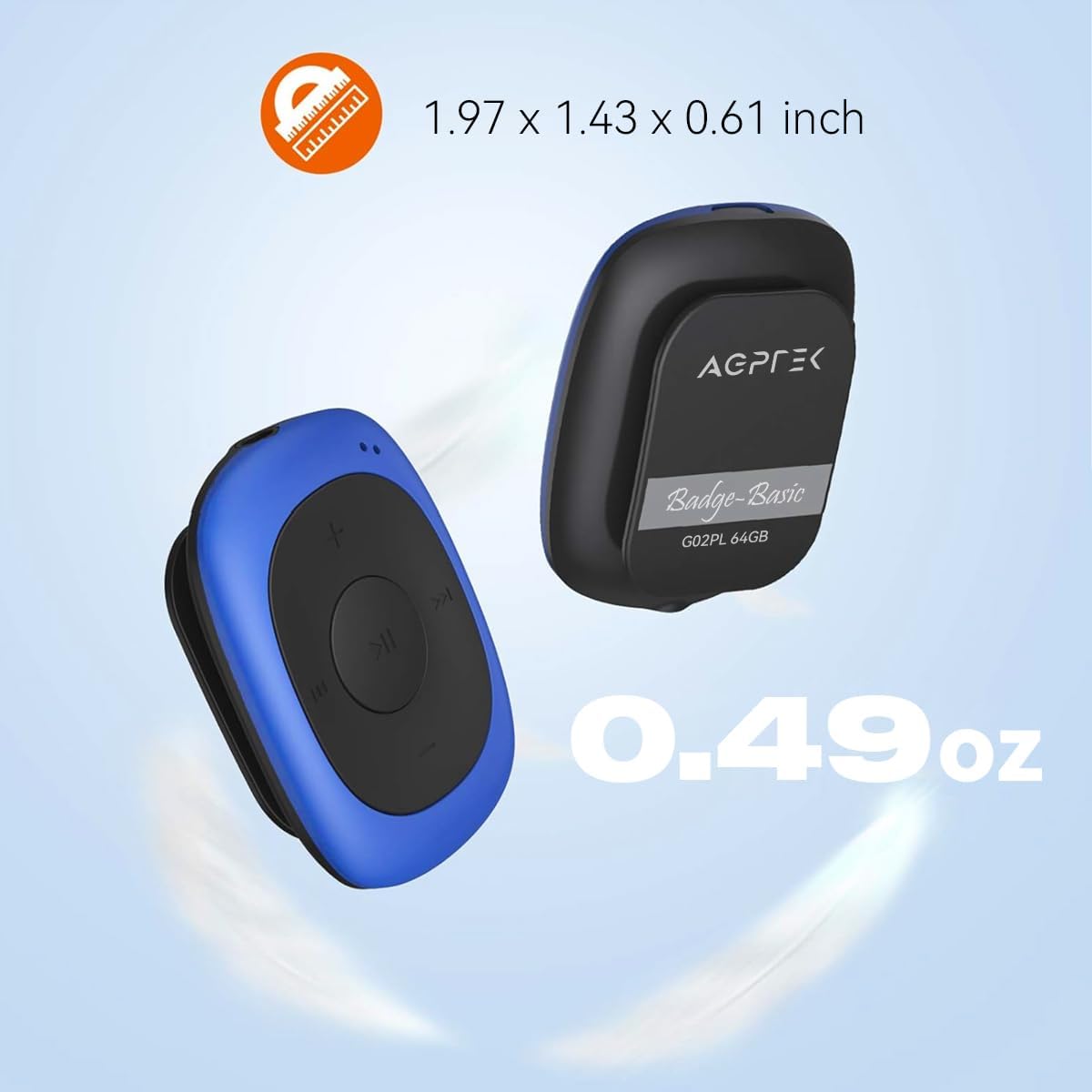
Image: Illustrates the compact size (1.97 x 1.43 x 0.61 inches) and light weight (0.49 oz) of the AGPTEK G02PL MP3 player.

Image: Shows the AGPTEK G02PL MP3 player inside its sweatproof silicone case, highlighting the portable clip feature.
3. Орнотуу
3.1 Аппаратты заряддоо
Before first use, fully charge the MP3 player. Use the included USB cable to connect the device to a computer's USB port or a compatible USB wall charger (not included).
- Толук кубаттоо болжол менен 2.5 саатты талап кылат.
- The built-in 160mAh rechargeable battery provides up to 10 hours of audio playback at medium volume. Battery life may be shorter when using FM radio.

Image: Depicts the AGPTEK G02PL MP3 player connected to a USB cable for charging, illustrating the internal components.
3.2 Музыканы өткөрүп берүү Files
To transfer music to your AGPTEK G02PL MP3 player:
- Берилген USB кабелин колдонуп, MP3 ойноткучту компьютериңизге туташтырыңыз.
- Түзмөк компьютериңизде алынуучу диск катары көрсөтүлөт.
- Каалаган музыкаңызды сүйрөп барып таштаңыз files (MP3, WMA, WAV formats supported) into the device's storage folder.
- Note: The player does not directly support iTunes music. Convert iTunes files to MP3 format before transferring.
- USB кабелин ажыратуудан мурун, түзмөктү компьютериңизден коопсуз сууруп алыңыз.

Image: Highlights the 64GB large memory capacity of the AGPTEK G02PL MP3 player.
4. Иштөө нускамалары
4.1 Негизги музыканы ойнотуу
- Күйгүзүү/өчүрүү: Locate the power switch (usually a slider or long press of the play button) and slide it to turn on the device.
- Ойнотуу/тындыруу: Press the central Play/Pause button.
- Кийинки / Мурунку трек: Use the forward (⏭) and backward (⏮) buttons to skip tracks.
- Үндү тууралоо: Үндү катуулатуу же азайтуу үчүн '+' жана '-' баскычтарын колдонуңуз.
4.2 FM радио функциясы
FM радио функциясын колдонуу үчүн:
- Connect Wired Earphones: Wired earphones must be connected to the MP3 player as they act as the antenna for the FM radio.
- FM режимине которулуу: Use the dedicated FM / Music switch slider to select FM mode.
- Түнкү станциялар: The device supports FM Frequency Range: 88MHz-108MHz. Use the track skip buttons to search for stations or initiate a quick search function if available.

Image: Shows the AGPTEK G02PL MP3 player connected to wired earphones, emphasizing the requirement for FM radio functionality. Icons for News, Sports, Music, and Weather are displayed.
4.3 Shuffle and Repeat Modes
The player features a dedicated slider for repeat and shuffle modes. Slide it to activate or deactivate shuffle playback for your music.
5. Техникалык тейлөө
- Түзмөктү кургак кармаңыз. Ашыкча температурага дуушар кылбаңыз.
- Аппаратты жумшак, кургак чүпүрөк менен тазалаңыз. Катуу химиялык заттарды же абразивдүү тазалагычтарды колдонбоңуз.
- Ensure the silicone case is properly fitted to maintain its sweatproof properties.
- Аппараттын бузулушуна жол бербөө үчүн колдонулбаган учурда коопсуз жерде сактаңыз.
6. Кыйынчылыктарды
6.1 Түзмөк күйбөй жатат
- Ensure the battery is charged. Connect the device to a power source and charge for at least 30 minutes.
- Кубат баскычынын абалын текшериңиз.
6.2 Өткөрүп берүү мүмкүн эмес Files
- USB кабелинин ойноткучка да, компьютерге да бекем туташтырылганын текшериңиз.
- Компьютериңиздеги башка USB портун колдонуп көрүңүз.
- Музыканы камсыз кылыңыз files are in a supported format (MP3, WMA, WAV).
- Restart your computer and the MP3 player.
6.3 Үн жок
- Check if earphones are properly connected.
- Adjust the volume level using the '+' button.
- Музыканы камсыз кылыңыз file is not corrupted. Try playing a different track.
6.4 FM радиосу иштебей жатат
- Confirm that wired earphones are plugged in, as they serve as the antenna.
- FM сигналы жакшы кабыл алынган аймакта экениңизди текшериңиз.
- Switch to FM mode using the dedicated slider.
7. Техникалык шарттар
| Өзгөчөлүк | Деталь |
|---|---|
| Бренд | AGPTEK |
| Модель аты | AGPTEK 64GB Clip MP3 Player With FM Shuffle (G02PL) |
| Эстутум сактоо сыйымдуулугу | 64 ГБ |
| Байланыш технологиясы | USB |
| Өзгөчө өзгөчөлүк | FM радиосу |
| Колдоого алынган музыка форматтары | MP3, WMA, WAV |
| FM жыштык диапазону | 88МГц-108МГц |
| Батареянын иштөө мөөнөтү | Up to 10 hours (audio playback at medium volume) |
| Заряддоо убактысы | Болжол менен 2.5 саат |
| Өлчөмдөр | 1.97 x 1.43 x 0.61 дюйм |
| Салмагы | 0.49 унц |
| Шайкеш түзмөктөр | Ноутбук, персоналдык компьютер |
8. Кепилдик жана колдоо
For product support, warranty information, or further assistance, please refer to the contact details provided on the AGPTEK official webсайт же сатып алуу менен кошо документтер. Кепилдик дооматтар үчүн сатып алуу дүмүрчөгүңүздү сактаңыз.