
1. Продукт бүтүп калдыview
The DAYBETTER Smart WiFi LED Strip Lights (Model DC50722020W-WAUS0) provide versatile and customizable lighting for indoor spaces. These 100ft LED strips offer 16 million colors, multiple scene modes, and can be controlled via a dedicated smartphone app, voice commands through Alexa or Google Assistant, or an included remote control. Designed for easy installation, they enhance the ambiance of bedrooms, kitchens, stairs, dining rooms, ceilings, and large party areas.
Негизги өзгөчөлүктөрү:
- Smart APP Control: Control via WiFi and Bluetooth with the Daybetter APP, offering 16 million colors and various scene modes.
- Үн менен башкаруу: Compatible with Alexa Echo and Google Assistant for hands-free operation.
- Музыка синхрондоштуруу: Activate music mode to synchronize light changes with audio.
- Таймер жана График: Program automatic on/off times and countdown timers.
- Оңой орнотуу: Self-adhesive backing allows for simple mounting on clean, dry surfaces. Cuttable design for custom lengths.
2. Орнотуу жана орнотуу
Follow these steps for proper installation of your DAYBETTER Smart WiFi LED Strip Lights:
- Компоненттерди таңгактан чыгаруу: Carefully remove all items from the packaging. Ensure you have the LED strip lights, power adapter, and remote control.
- Бетти даярдоо: Choose a clean, dry, and smooth surface for installation. Wipe down the area to remove any dust or debris.
- Өлчөө жана кесүү (кошумча): If a shorter length is desired, cut the LED strip along the designated cut marks (usually indicated by a copper line or scissor icon). Do not cut elsewhere, as this may damage the strip.
- Кубат адаптерин туташтыруу: Connect the LED strip to the power adapter. Ensure the connection is secure.
- LED тилкесин колдонуу: Peel off the adhesive backing from the LED strip. Carefully press the strip onto the prepared surface, ensuring firm contact along its entire length. For corners, gently bend the strip or use corner connectors (if included and desired for a cleaner look).
- Плагин: Кубат адаптерин стандарттуу электр розеткасына сайыңыз.
- Баштапкы сыноо: Use the remote control or the Daybetter app to turn on the lights and test various colors and modes.
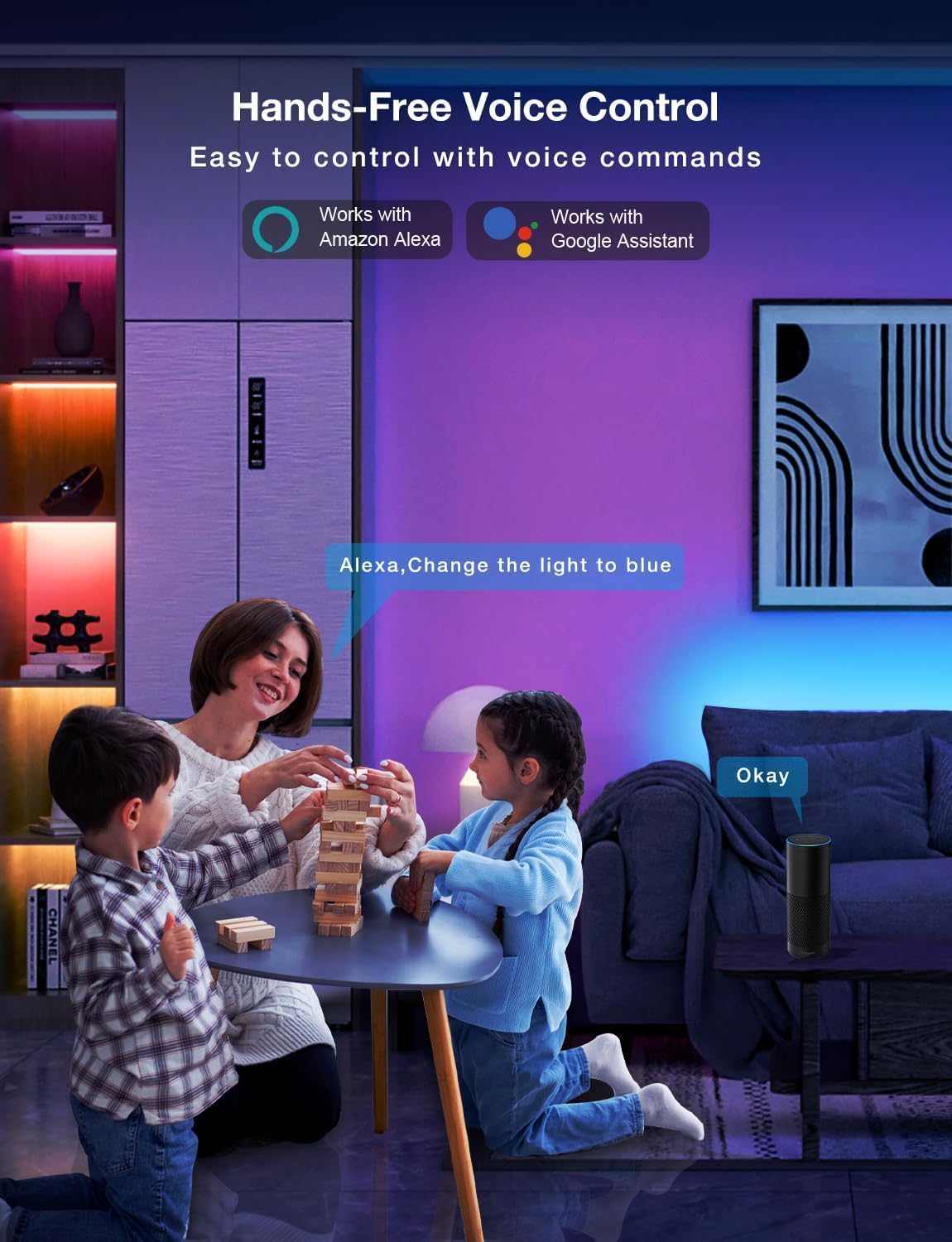
Image: Demonstrating the flexible LED strip and its adhesive backing for easy installation.

Сүрөт: бүттүview of the three easy setup methods: Voice Control, Daybetter App Control, and IR Remote Control.
Video: A user demonstrating the installation process and various color changes of the LED strip lights in a home setting.
3. Иштөө нускамалары
Your DAYBETTER LED Strip Lights offer multiple control options:
3.1. Daybetter App Control (WiFi & Bluetooth)
- Колдонмону жүктөп алуу: Издөө "Daybetter" in your smartphone's app store (iOS or Android) and install the application.
- Катталуу/Кирүү: Каттоо эсебин түзүңүз же сизде мурунтан эле бар болсо кириңиз.
- Түзмөк кошуу: Follow the in-app instructions to add your LED strip lights. This typically involves ensuring the lights are powered on and your phone's Bluetooth is enabled for initial pairing.
- Башкаруу өзгөчөлүктөрү:
- Түс тандоо: Choose from 16 million colors using the color wheel.
- Жарыктыкты жөндөө: Adjust the light intensity from 0-100%.
- Сахна режимдери: Select from pre-set dynamic lighting effects (e.g., Party, Valentine Day, Halloween, Christmas).
- Музыка синхрондоштуруу: Activate music mode to synchronize light changes with audio.
- Таймер жана График: Set specific times for lights to turn on/off or create countdown timers.

Image: The Daybetter app interface showing color selection and brightness control.
3.2. Үн менен башкаруу (Alexa жана Google Жардамчысы)
- Connect to Smart Assistant: Ensure your Daybetter app is linked to your Amazon Alexa or Google Assistant account. Follow the instructions provided by your smart assistant app to enable the Daybetter skill/service.
- Үн буйруктары: Мындай буйруктарды колдонуңуз:
- "Alexa/Hey Google, turn on [Light Name]."
- "Alexa/Hey Google, turn off [Light Name]."
- "Alexa/Hey Google, set [Light Name] to blue."
- "Alexa/Эй Google, [Жарыктын аталышын] 50% га чейин күңүрттө."

Image: Voice control in action, showing a user interacting with a smart assistant to control the LED lights.
3.3. Алыстан башкаруу
The included IR remote control allows for basic functions:
- Күйгүзүү/өчүрүү: Dedicated buttons for turning the lights on and off.
- Түс тандоо: Buttons for common colors (Red, Green, Blue, White, etc.).
- Жарыктыкты жөндөө: Жарыктыкты көбөйтүү же азайтуу.
- Динамикалык режимдер: Select from various pre-programmed modes like Jump, Fade, etc.
- Музыка режимдери: Activate music-reactive modes.

Image: The included IR remote control for direct light adjustments.
4. Техникалык тейлөө
To ensure the longevity and optimal performance of your LED strip lights:
- Тазалоо: Gently wipe the LED strips with a soft, dry cloth to remove dust. Avoid using harsh chemicals or abrasive cleaners.
- Жабышкак кам көрүү: If the adhesive begins to lose its stickiness, ensure the surface is clean and dry. For re-application, consider using additional adhesive clips or double-sided tape designed for light strips.
- Электр камсыздоо: Ensure the power adapter is not covered or placed in an area with poor ventilation to prevent overheating.
- Суу каршылык: These lights are rated IP20 and are суу өткөрбөйтСууга же нымдуулугу жогору чөйрөлөргө дуушар болбоңуз.
5. Кыйынчылыктарды
If you encounter issues with your LED strip lights, refer to the following common solutions:
| Көйгөй | Мүмкүн себеп | Чечим |
|---|---|---|
| Жарыктар күйбөйт. | Бош туташуу, электр кубатынын чыгышыtage, faulty adapter. | Check all connections (strip to adapter, adapter to outlet). Ensure the power outlet is functional. Try a different outlet. |
| Пульт иштебей жатат. | Батареясы түгөнгөн, пульт кабыл алгычка багытталбаган, тоскоолдук. | Replace remote battery. Ensure direct line of sight to the IR receiver on the controller. Remove any obstructions. |
| Колдонмону башкаруу иштебей жатат. | WiFi/Bluetooth issue, incorrect pairing, app glitch. | Ensure your phone's WiFi/Bluetooth is on and connected. Restart the app. Re-pair the device in the Daybetter app. Check your home WiFi network. |
| Жарыктар күңүрт же бүлбүлдөп турат. | Insufficient power, damaged strip, incorrect brightness setting. | Check power connections. Adjust brightness via app or remote. If only a section is affected, that section may be damaged. |
| Клей жабышпайт. | Surface not clean/dry, surface texture, old adhesive. | Clean and dry the surface thoroughly. For textured surfaces, use mounting clips or stronger double-sided tape. |
6. Продукттун спецификациялары
| Өзгөчөлүк | Деталь |
|---|---|
| Бренд | DAYBETTER |
| Модель номери | DC50722020W-WAUS0 |
| Элементтин узундугу | 100 Feet (2 Rolls of 50ft) |
| Ачык түс | Көп түстүү (RGB) |
| Жарык булагы түрү | LED |
| Ички/тышкы колдонуу | Ичинде гана |
| Сууга туруктуулук деңгээли | Сууга туруктуу эмес (IP20) |
| Power Source | Электр зымдары |
| Тtage | 12 вольт |
| Ватtage | 4.5 ватт |
| Башкаруу ыкмасы | App, Voice, Remote |
| Байланыш технологиясы | Bluetooth, WiFi |
| Smart Home шайкештиги | Alexa, Google Жардамчысы |
| Материалдын түрү | Пластик |
| Камтылган компоненттер | LED Lights, Power Adapter, Remote Control |
7. Кепилдик жана колдоо
Өндүрүүчүнүн Кепилдиги: Бул продукт өндүрүүчүнүн 2 жылдык кепилдиги менен келет.
Кайтаруу саясаты: Eligible for refund/replacement within 30 days of purchase.
For further assistance or technical support, please refer to the contact information provided in your product packaging or visit the official DAYBETTER webсайт.