Introduction
This manual provides instructions for the proper installation, operation, and maintenance of your Generic phone case and tempered glass screen protector for the INOI A151 and INOI A63 models. Please read this manual thoroughly before use to ensure optimal performance and protection for your device.
Продукт өзгөчөлүктөрү
- Frosted Surface: Provides a delicate feel and features a silver reflective light effect.
- Adhesive Metal Finger Ring Support: Can be attached to the case or used separately. Offers 360-degree rotation for versatile use and magnetic suction compatibility with car brackets.
- Эки катмарлуу коргоо: Constructed with a hard PC (Polycarbonate) back panel and a soft silicone frame.
- Shock Airbags: Four-corner shock airbags provide enhanced impact absorption.
- Advanced Back Panel Design: Composed of four layers: solid PC, ultra-high definition pattern layer, special process layer, and a clear, scratch-resistant surface layer.
- Elevated Protection: The case design is higher than both the camera and the screen, offering improved flat surface protection.

Image: Illustration of the shockproof design with reinforced corners and shock airbags for impact protection.

Image: Depiction of the silver reflective plating style and the multi-layered construction of the case's back panel, highlighting the frosted, scratch-free, and fingerprint-free surface.
Пакеттин мазмуну
Пакетиңизде бардык буюмдар бар экенин текшериңиз:
- 1 x Phone Case (for INOI A151 / A63)
- 1 x Tempered Glass Screen Protector
Орнотуу жана орнотуу
1. Телефондун корпусун орнотуу
- Ensure your phone is clean and free of dust or debris.
- Align the phone with the soft silicone frame of the case.
- Gently press the phone into the case, starting from one corner and working your way around, ensuring all edges are securely seated within the frame.
- Бардык порттордун, баскычтардын жана камера кесиндилеринин телефонуңузга туура келгенин текшериңиз.
2. Чыңалган айнек экран коргоочусун орнотуу
For best results, perform this installation in a dust-free environment.
- Экранды тазалоо: Use the provided alcohol wipe to thoroughly clean your phone's screen. Remove any smudges, dust, or fingerprints.
- Экранды кургатыңыз: Use the microfiber cloth to dry the screen completely. Ensure no lint or dust particles remain.
- Коргоочу пленканы алып салуу: Carefully peel off the protective film from the adhesive side of the tempered glass screen protector. Avoid touching the adhesive surface.
- Коргоочуну тегиздөө: Carefully align the screen protector with your phone's screen, paying attention to the edges, speaker, and camera cutouts.
- Колдонуу: Once aligned, gently lower the screen protector onto the screen. It will begin to adhere automatically.
- көбүкчөлөрдү алып салуу: If any air bubbles appear, gently push them towards the edges of the screen using the microfiber cloth or a soft card.

Image: Features of the tempered glass screen protector, including 9H high hardness, perfect adhesion, shatterproof, 99.9% super transparency, case friendly design, and anti-fingerprint properties.
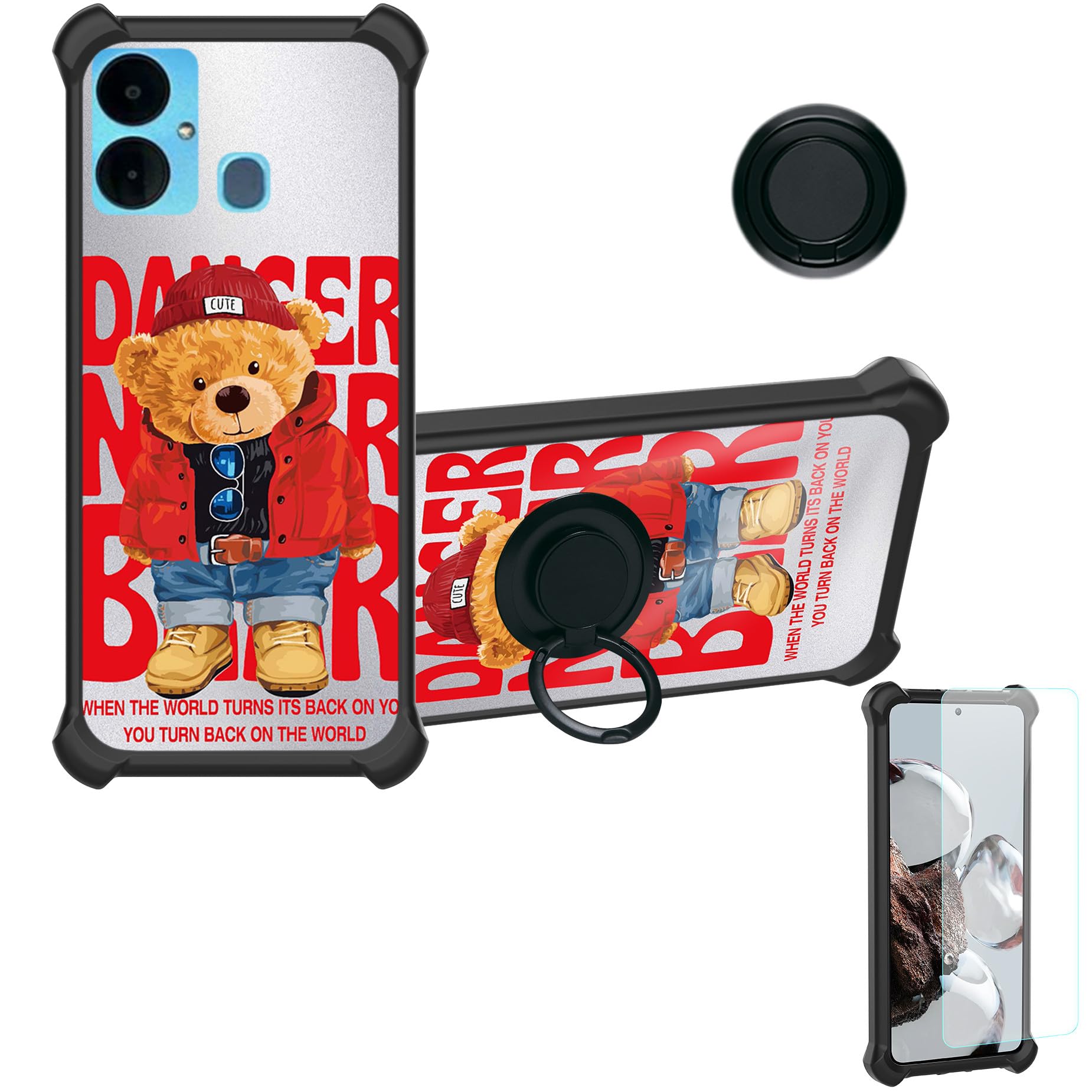
Image: Demonstration of the screen protector's scratch-proof capability, showing resistance to sharp objects.
Иштөө нускамалары
1. Using the Ring Support
- The adhesive metal finger ring can be attached to the back of the phone case or directly to your phone, depending on your preference.
- Once attached, the ring can be rotated 360 degrees to provide a comfortable grip for one-hand operation or to function as a kickstand for hands-free viewing.
- To use as a kickstand, pull out the ring and rotate it to your desired angle.

Image: Illustration demonstrating improved one-hand operation and reach across the screen when using the integrated ring support.
2. Магниттик унаага бекиткичтин шайкештиги
- The metal plate integrated into the ring support allows the case to be compatible with magnetic car mounts (car mount not included).
- Simply attach the back of the case to a magnetic car mount for secure hands-free navigation or calls while driving.
- Эскертүү: This case does not support wireless charging due to the metal ring component. Please remove the case or charge your phone via cable.

Image: Depiction of the case's compatibility with magnetic car mounts, showing the ring support attaching to a car vent mount. Note: Magnetic car mount is not included.
Техникалык тейлөө
- Ишти тазалоо: Wipe the phone case with a soft, damp cloth to remove dust and smudges. For stubborn dirt, a mild soap solution can be used, followed by rinsing and thorough drying. Avoid harsh chemicals or abrasive materials.
- Экран коргоочусун тазалоо: Use a microfiber cloth to gently wipe the screen protector. For fingerprints or smudges, a screen cleaner spray designed for electronics can be applied to the cloth (not directly to the screen) and then wiped.
- Ашыкча температурадан сактаныңыз: Do not expose the case or screen protector to extreme heat or cold, as this may affect their material integrity.
Проблемаларды чечүү
- Корпус туура эмес орнотулган: Ensure you have the correct case model for your INOI A151 or A63 phone. Remove and re-install the case, ensuring all corners are properly seated.
- Screen Protector Bubbles: Small bubbles often disappear within 24-48 hours. For larger bubbles, gently lift the nearest edge of the protector and re-apply, pushing the bubble out with a soft card or cloth. Ensure the screen is completely clean before application.
- Ring Support Loosening: If the adhesive ring support feels loose, ensure the surface it is attached to is clean and dry. Re-apply pressure for a few seconds. If it continues to loosen, the adhesive may be compromised.
Техникалык шарттар
| Өзгөчөлүк | Деталь |
|---|---|
| Шайкеш телефон моделдери | INOI A151, INOI A63 |
| Материал | PC hard back panel + soft silicone frame + metal support finger ring |
| Өзгөчөлүктөр | 360 Rotating Ring, Car Magnetic Fixing, Finger ring + support + car bracket magnetic suction |
| Color/Style Identifier | DYH-KX |
| Элемент Салмагы | 2.46 унция |
| Продукциянын өлчөмдөрү | 0.39 x 0.39 x 0.39 дюйм (болжолдуу таңгактоо өлчөмдөрү) |
| Screen Protector Hardness | 9H (Tempered Glass) |
Кепилдик жана колдоо
This product is manufactured by Generic. For any questions, concerns, or support needs regarding your phone case or screen protector, please refer to the retailer where the product was purchased or contact Generic customer service if available through their official channels. Please retain your proof of purchase for any warranty claims.


