
Introduction
Сатып алганыңыз үчүн рахматasing the Emerson EPD-1001 Portable 10-inch DVD Player. This manual provides essential information for setting up, operating, and maintaining your device. Please read these instructions carefully before use to ensure proper functionality and to maximize your viewтажрыйбасы.
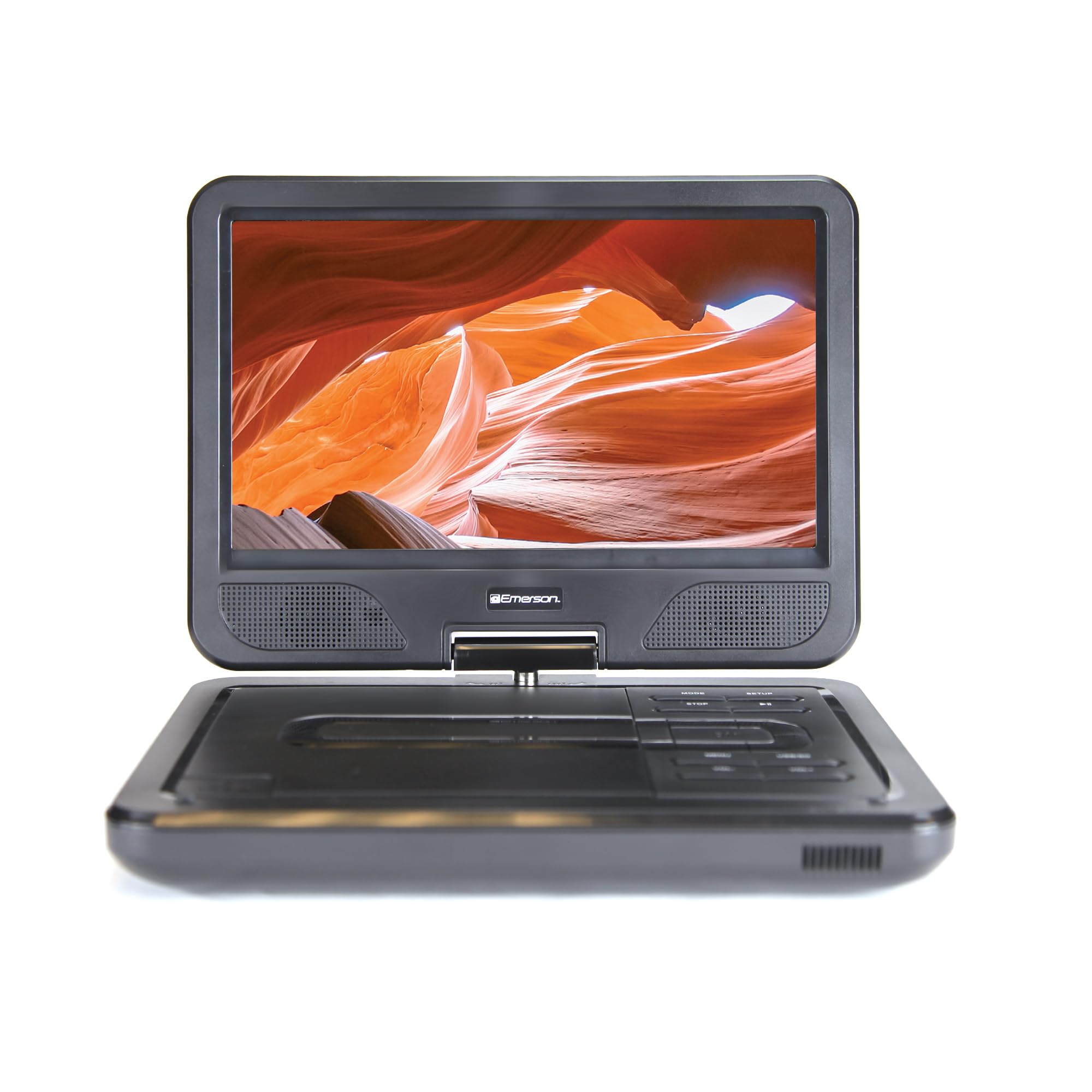
Image: The Emerson EPD-1001 Portable 10-inch DVD Player shown with its screen open, displaying a vibrant image.
Кутуда эмне бар
Таңгакта бардык буюмдар бар экенин текшериңиз:
- Emerson EPD-1001 Portable 10-inch DVD Player
- Алыстан башкаруу
- AC кубат адаптери
- DC унаа шнуру
- AV Cable
- Колдонуучунун Колдонмосу (бул документ)
- Кепилдик картасы

Image: The Emerson EPD-1001 Portable 10-inch DVD Player displayed alongside its remote control.
Продукт өзгөчөлүктөрү
- 10 дюймдук айлануучу экран: The large 10-inch screen swivels 180 degrees, allowing for flexible viewбурчтар.
- Камтылган динамик: Integrated speaker provides clear audio for an immersive experience.
- Кайра заряддалуучу батарея: Enjoy portable viewing with the built-in rechargeable battery, offering hours of playback.
- Алыстан башкаруу: Navigate menus and control playback effortlessly with the included remote.
- Компакт дизайн: Lightweight and compact for easy transport during travel.
- Multi-Format Compatibility: Supports a wide range of DVD formats, as well as media from USB flash drives and SD cards.
Video: A 360-degree product overview of the Emerson EPD-1001 Portable DVD Player, showcasinанын дизайны жана өзгөчөлүктөрү ар кандай бурчтардан каралат.
Жайгашуу
- Пакеттен чыгаруу: Таңгактан бардык компоненттерди этияттык менен алып салыңыз. Келечекте сактоо же жөнөтүү үчүн таңгакты сактап коюңуз.
- Батареяны заряддоо: Before first use, fully charge the internal rechargeable battery. Connect the AC power adapter to the DC IN 9-12V port on the DVD player and plug it into a standard wall outlet. The charging indicator light will illuminate. A full charge typically takes several hours.
- Унаанын кубаттуулугу (милдеттүү эмес): For in-car use, connect the DC car cord to the DC IN 9-12V port and plug the other end into your vehicle's 12V accessory socket.
- External Display Connection (Optional): To connect to an external display (e.g., TV), use the provided AV cable. Connect the AV OUT port on the DVD player to the corresponding AV IN ports on your television.

Image: A hand plugging a 12V car adapter into a vehicle's power outlet, demonstrating how to power the DVD player on the go.
Иштөө нускамалары
Күйгүзүү/өчүрүү
- Күйгүзүү үчүн, басып, кармап туруңуз КҮЧ экран жарык болгонго чейин баскычты басыңыз.
- Өчүрүү үчүн, басып туруңуз КҮЧ экран өчкөнгө чейин баскычын кайра басыңыз.
Inserting and Playing a DVD
- Open the disc cover by gently lifting the АЧУУ бекитүү.
- Place a DVD disc onto the spindle with the label side facing up. Gently press the center of the disc to secure it.
- Диск капкагын жабыңыз.
- Ойноткуч дискти автоматтык түрдө аныктап, ойнотууну баштайт. Эгер андай болбосо, баскычын басыңыз ОЙНОО/ТЫНЫТТЫРУ баскычы.
Using the Swivel Screen
The screen can be rotated up to 180 degrees. Gently swivel the screen to your desired viewing angle. You can also fold the screen flat against the base for a tablet-like viewтажрыйбасы.

Image: A woman using the Emerson EPD-1001 Portable DVD Player, demonstrating the swivel screen feature for comfortable viewing.
Media Playback (USB/SD Card)
- USB флэш-дискти салыңыз USB портуна же SD картага SD CARD уяча.
- колдонуу РЕЖИМ button on the player or remote to select the appropriate input (USB or SD).
- Navigate through your media files using the arrow buttons and press ENTER ойноо.

Image: A hand inserting a USB flash drive into the side port of the portable DVD player, illustrating media playback from external storage.
Алыстан башкарууну колдонуу
Point the remote control directly at the infrared sensor on the DVD player. The remote allows access to functions such as Play, Pause, Stop, Fast Forward, Rewind, Chapter Skip, Volume Control, Menu Navigation, and Input Selection.
Аудио чыгаруу
- Камтылган динамиктер: Audio will play automatically through the integrated speakers. Adjust volume using the VOL+ жана VOL- баскычтар.
- Гарнитура уячасы: For private listening, plug standard 3.5mm headphones into the НАУШНИК jack. This will mute the built-in speakers.
Техникалык тейлөө
- Тазалоо: Use a soft, dry cloth to clean the exterior of the DVD player. For the screen, use a soft, lint-free cloth specifically designed for electronics screens. Do not use liquid cleaners or abrasive materials.
- Дискке кам көрүү: Handle discs by their edges. Keep discs clean and free of scratches. Use a soft, lint-free cloth to wipe discs from the center outwards if cleaning is necessary.
- Батареяга кам көрүү: To prolong battery life, avoid fully discharging the battery frequently. If storing the device for an extended period, charge the battery to approximately 50% and store in a cool, dry place. Recharge every few months to prevent deep discharge.
- Сактагыч: Store the DVD player in a cool, dry environment away from direct sunlight, extreme temperatures, and excessive dust.
Проблемаларды чечүү
| Көйгөй | Мүмкүн себеп | Чечим |
|---|---|---|
| Оюнчу күйбөйт. | Батарея түгөндү же кубат адаптери туташтырылган эмес. | Connect the AC power adapter and allow the battery to charge. Ensure the power button is pressed and held. |
| Экранда сүрөт жок. | Disc is dirty/scratched, incorrect input selected, or screen is folded incorrectly. | Clean the disc. Ensure the screen is properly opened and swiveled. If connected to an external display, verify AV cable connections and TV input selection. |
| Үн жок. | Volume is too low, headphones are connected, or disc has no audio track. | Increase the volume. Disconnect headphones if using built-in speakers. Check disc for audio content. |
| Диск ойнобойт же өткөрүп жибербейт. | Диск кир, чийилген же форматы шайкеш келбейт. | Clean the disc thoroughly. Try a different disc. Ensure the disc format is supported by the player. |
| Пульт иштебей жатат. | Batteries are dead or remote is not pointed at sensor. | Replace remote control batteries. Ensure direct line of sight to the player's IR sensor. |
Техникалык шарттар
| Өзгөчөлүк | Деталь |
|---|---|
| Бренд | Эмерсон |
| Модель номери | EPD-1001 |
| Screen Size | 10 дюйм |
| Дисплей түрү | LCD |
| Native Resolution | 1280x720 |
| Байланыш технологиясы | USB |
| Шайкеш түзмөктөр | Mobile Phone, Television (via AV out) |
| Медиа түрү | DVD, CD, MP3, USB, SD Card |
| Элементтин өлчөмдөрү (L x W x Y) | 10"L x 1.8"W x 7.35"H |
| Элемент Салмагы | 2.2 фунт |
| Түс | Кара |
| Кубат параметрлери | Built-in rechargeable battery, AC adapter, 12V car adapter |

Image: A diagram illustrating the dimensions (length, width, height) and weight of the Emerson EPD-1001 Portable DVD Player.
Кепилдик жана колдоо
The Emerson EPD-1001 Portable 10-inch DVD Player comes with a warranty covering 1 Year for Parts жана 90 Days for Labor сатып алынган күндөн тартып.
For technical support, warranty claims, or service inquiries, please contact the manufacturer, Naxa Electronics, Inc. Refer to the warranty card included in your product packaging for specific contact details and procedures.
Кепилдикти текшерүү үчүн сатып алганыңыздын далилин сактап коюңуз.