
1. Продукт бүтүп калдыview
The THINKCAR THINKSCAN 641 is a wireless OBD2 diagnostic tool designed for comprehensive vehicle system analysis. It provides diagnostic functions for Engine, Transmission, ABS, and SRS Airbag systems, along with full OBD2 modes and 10 essential maintenance reset services. The device features a touchscreen interface and connects wirelessly via Bluetooth to the vehicle's OBD-II port.
1.1 Пакеттин мазмуну
- THINKCAR THINKSCAN 641 OBD2 Scanner (x1)
- Bluetooth Connector (x1)
- Продукция боюнча колдонмо (x1)
1.2 Аппараттын компоненттери
Familiarize yourself with the main components of your THINKSCAN 641 device:

Image: THINKCAR THINKSCAN 641 device layout with labeled buttons and ports.
- 4.8 дюймдук сенсордук экран: Main display for navigation and data viewing.
- Кубат/Экранды кулпулоо баскычы: Күйгүзүү же өчүрүү үчүн 3 секунд басып туруңуз.
- Ырастоо баскычы: Used to select options or confirm actions.
- Up, Down, Left, Right Toggle Key: Менюларда жана параметрлерде навигациялоо үчүн.
- Кайтаруу ачкычы: To go back to the previous screen or menu.
- TF карта уячасы: Кеңейтилүүчү сактагыч үчүн.
- Заряддоо порту: Заряддоо кабелин туташтыруу үчүн.
- OBD Interface: Port for the Bluetooth connector.
2. Орнотуу
2.1 Баштапкы туташуу
To begin using your THINKSCAN 641, follow these steps to establish a connection with your vehicle:
- Унааңыздын OBD-II портун табыңыз, адатта айдоочу тараптагы аспаптар тактасынын астынан табылат.
- Plug the included Bluetooth 5.0 VCI Dongle into the vehicle's OBD-II port.
- Turn on the vehicle's ignition (engine off, key on).
- Power on the THINKSCAN 641 handheld unit by pressing and holding the Power/Screen Lock Button for 3 seconds.
- The device will automatically attempt to connect via Bluetooth. A stable connection should be established within 3 seconds.
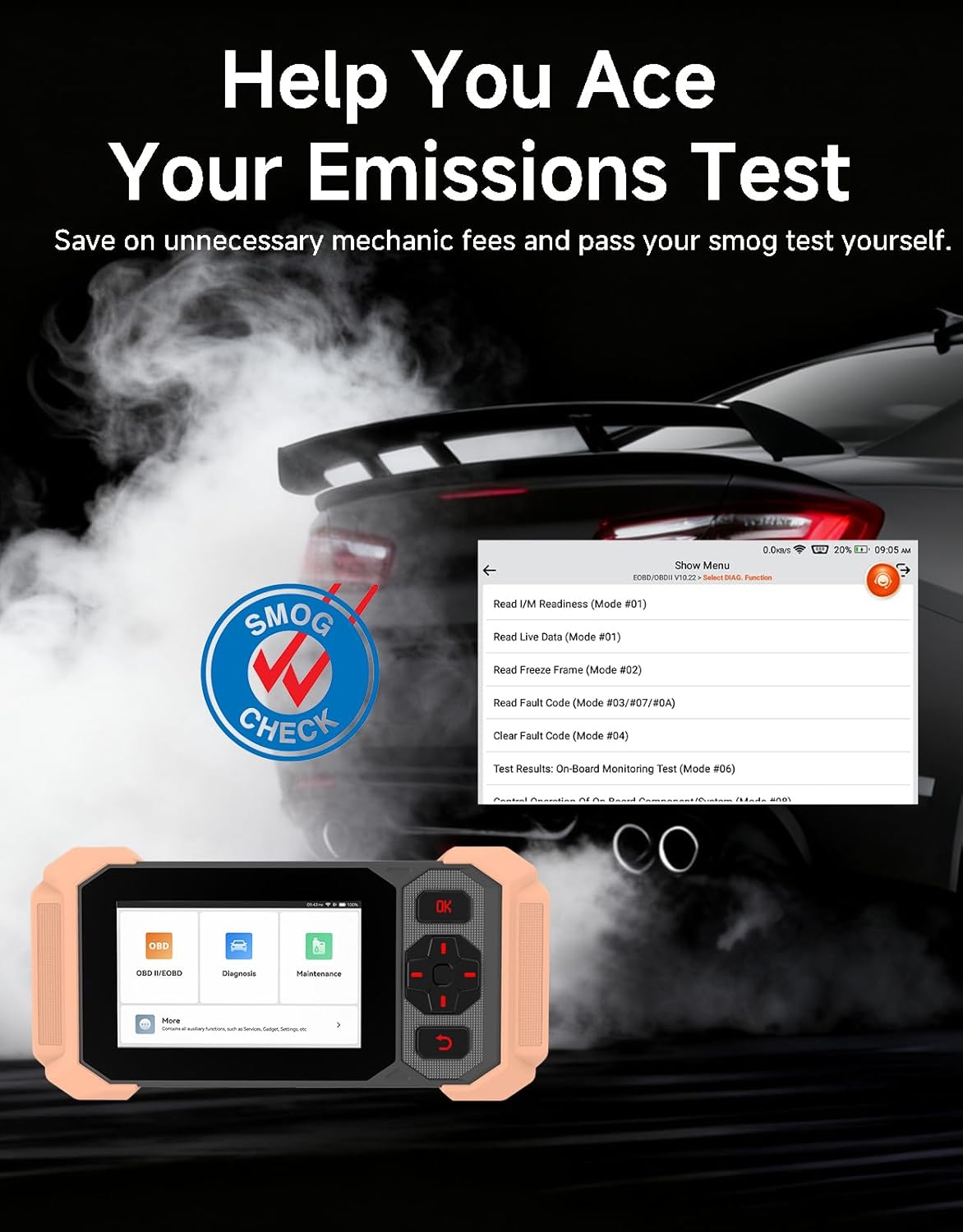
Image: Bluetooth VCI Dongle connected to the vehicle's OBD-II port.
2.2 Automatic Vehicle Identification (AutoVIN)
The THINKSCAN 641 supports AutoVIN functionality, which automatically identifies your vehicle's information upon connection. If AutoVIN fails for your specific vehicle model, you can manually enter the vehicle information to proceed with diagnostics.
2.3 Программалык камсыздоо жаңыртуулары
The device supports lifetime free software updates via Wi-Fi. Ensure your device is connected to a stable Wi-Fi network to download and install the latest software versions, which include new vehicle models and improved functionalities.

Image: Lifetime Free Update icon.
2.4 Instructional Video: How to Use
Video: This video demonstrates the basic steps for connecting and using the THINKCAR THINKSCAN 641 diagnostic tool, including menu navigation and initiating a scan.
3. Иштөө нускамалары
3.1 4-Системалык диагностика
The THINKSCAN 641 provides in-depth diagnostics for four core vehicle systems:
- Кыймылдаткыч системасы: Reads and clears engine fault codes, views live data, and performs various engine-related tests.
- Антиблокировкалык тормоз системасы (ABS): Diagnoses ABS issues, reads and clears ABS fault codes, and performs ABS bleeding.
- Кошумча чектөө системасы (SRS/коопсуздук жаздыкчасы): Detects and clears airbag system fault codes, and performs SRS resets.
- Трансмиссия системасы: Analyzes transmission performance, reads and clears transmission fault codes.

Сүрөт: бүттүview of 4-System Diagnostic capabilities.
3.2 Толук OBD2 режимдери
The device supports all 10 OBD2 test modes, offering comprehensive diagnostic capabilities:
- Окуу коддору: Диагностикалык ката коддорун (DTC) көрсөтөт.
- Таза коддор: DTCлерди тазалап, мониторлорду баштапкы абалга келтирет.
- Жандуу маалыматтар: Shows real-time data stream from vehicle sensors.
- Фреймди тоңдуруу: Stores a snapshot of vehicle operating conditions when an emission-related fault occurs.
- I/M даярдыгы: Чыгарылыштарга байланыштуу мониторлордун абалын текшерет.
- O2 сенсор тести: O2 сенсор монитордун тестинин жыйынтыктарын чыгарат.
- Борттогу монитор тести: Чыгарууларга байланыштуу кыймылдаткычтын компоненттери жана системалары боюнча жыйынтыктарды алат.
- EVAP системасы сыноо: Буулануучу эмиссияны көзөмөлдөө системасын сыноодон өткөрөт.
- Унаа жөнүндө маалымат: Унаанын идентификациялык номерин (VIN), калибрлөө IDсин жана калибрлөөнү текшерүү номерин (CVN) алат.
- DTC издөө: Provides detailed explanations for diagnostic trouble codes.

Image: Full OBD2 Modes functions display.
3.3 10 Maintenance Reset Functions
The THINKSCAN 641 includes 10 specialized maintenance and reset functions:
- ABS кан агуу: Bleeds air from the brake system.
- Коопсуздук жаздыкчасын (SRS) баштапкы абалга келтирүү: Resets the airbag system after repairs.
- Батареяга дал келүү: Унаанын ЭБУсуна жаңы батареяны каттайт.
- Тормоз колодкасын баштапкы абалга келтирүү: Resets the brake pad life after replacement.
- DPF калыбына келтирүү: Дизель бөлүкчөлөрүнүн чыпкасын калыбына келтирүү процессин баштайт.
- Electronic Throttle Adaptation: Дроссельдин корпусунун абалын кайрадан үйрөнөт.
- Инжектор коддоо: Жаңы инжектор номерлерин ECUга коддойт.
- Май кызматын баштапкы абалга келтирүү: Май алмаштырылгандан кийин майдын тейлөө жарыгын баштапкы абалга келтирет.
- Руль бурчун баштапкы абалга келтирүү: Руль бурчу сенсорун баштапкы абалга келтирет.
- TPMS баштапкы абалга келтирүү: Дөңгөлөк басымын көзөмөлдөө системасын баштапкы абалга келтирет.

Image: 10 Maintenance Reset Functions.
3.4 Live Data Graphing
The device allows for real-time graphing of multiple sensor readings simultaneously, aiding in the diagnosis of intermittent issues and performance analysis.

Image: Live Data Stream icon.
3.5 Унаа шайкештиги
The THINKSCAN 641 is compatible with all OBDII-compliant vehicles manufactured in 1996 or later, covering over 118 automotive brands. It also supports the CAN FD protocol and FCA AutoAuth certification. Note that access to FCA AutoAuth requires a separate purchase and is currently supported for Renault, Nissan, and Chrysler brands.

Image: Wide compatibility with various car brands and regions.
4. Техникалык тейлөө
4.1 Routine Maintenance Resets
Utilize the 10 maintenance reset functions to perform routine service tasks and clear corresponding indicator lights after repairs. This includes tasks such as oil service resets, brake pad replacements, and battery registrations.
4.2 Программалык камсыздоо жаңыртуулары
Regularly check for and install software updates via Wi-Fi to ensure your device has the latest vehicle coverage and diagnostic capabilities. Updates are provided free for life.
5. Кыйынчылыктарды
5.1 Ката коддорун тазалоо
When a fault code is detected, it is crucial to diagnose and fix the underlying issue before clearing the code. Clearing codes without addressing the root cause will likely result in the fault code reappearing.
Image: Reminder to fix vehicle faults before clearing codes.
5.2 AutoVIN Failure
If the AutoVIN feature does not automatically identify your vehicle, proceed by manually entering the vehicle's information (make, model, year) to continue with the diagnostic process.
5.3 Колдонуучу интерфейсинин навигациясы
While the device is designed for ease of use, some advanced functions may require familiarity with diagnostic procedures. Refer to the built-in DTC Lookup Library for code definitions and consult the online customer service for further assistance if needed.
6. Техникалык шарттар
| Өзгөчөлүк | Спецификация |
|---|---|
| Бренд | ThinkCAR |
| Модель номери | THINKSCAN 641 |
| Power Source | Батарея менен иштейт |
| Операция системасы | Android 8.1 |
| Screen Size | 4.3 дюйм |
| Тил | Англисче (23 тилди колдойт) |
| Automotive Fit түрү | Universal Fit |
| Элемент Салмагы | 0.9 фунт |
| Байланыш | Bluetooth 5.0 (Зымсыз) |
| Жаңыртуулар | Lifetime Free Updates via Wi-Fi |
| Колдоого алынган протоколдор | OBDII, CAN FD, FCA AutoAuth (separate purchase for specific brands) |
7. Кепилдик жана колдоо
7.1 Өндүрүүчүнүн кепилдиги
The THINKCAR THINKSCAN 641 comes with a 3-year manufacturer's warranty, ensuring coverage for potential defects or malfunctions.
7.2 Техникалык колдоо
Lifetime free technical support is provided for the THINKSCAN 641. For assistance, you can access the built-in online customer service feature directly from the device. This allows for direct communication with professional support staff to resolve any queries or issues.

Image: Timely Online Feedback and Support.