
Introduction
Thank you for choosing the HBEZON Flora LED Medicine Cabinet. This manual provides essential information for the safe installation, operation, and maintenance of your new medicine cabinet. Please read these instructions thoroughly before installation and keep them for future reference.
The HBEZON Flora LED Medicine Cabinet (Model 6036) is designed to enhance your bathroom with its integrated LED lighting, smart touch controls, anti-fog function, and ample storage. It features adjustable brightness, three color lighting modes, and convenient electrical outlets with USB ports.

Figure 1: HBEZON Flora LED Medicine Cabinet (Model 6036)
Коопсуздук маалыматы
- Электр коопсуздугу: Installation must be performed by a qualified electrician in accordance with all local electrical codes. Ensure power is disconnected at the circuit breaker before beginning any installation or maintenance.
- Колдонуу: The mirror is made of glass and can be fragile. Handle with care to prevent breakage and injury.
- Монтаждоо: Ensure the wall structure can support the weight of the cabinet (approximately 120 pounds) and its contents. Use appropriate mounting hardware for your wall type.
- Курчап турган чөйрө: This product is designed for bathroom use and is moisture-resistant. However, avoid direct water spray or prolonged exposure to excessive humidity.
- Балдар: Таңгактоочу материалдарды жана кичинекей бөлүктөрүн балдардан алыс кармаңыз.
Пакеттин мазмуну
Орнотууну баштоодон мурун бардык компоненттер бар экендигин текшериңиз:
- HBEZON Flora LED Medicine Cabinet (Model 6036)
- Монтаждоочу жабдык
- Жөнгө салынуучу текчелер (3 комплектте)
Техникалык шарттар
| Өзгөчөлүк | Деталь |
|---|---|
| Бренд | HBEZON |
| Модель аты | Флора |
| Модель номери | 6036 |
| Өлчөмдөр (D x W x H) | 5.5" x 60" x 36" |
| Материал | Acrylic, Aluminum, Glass (Top), Mirror (Back) |
| Түс | Кара |
| Монтаж түрү | Дубалга орнотуу |
| Эшиктердин саны | 3 |
| Текчелердин саны | 3 |
| Weight Capacity (Maximum) | 60 фунт |
| Жарыктандыруу | LED, Dimmable, 3 Color Modes (Warm/Natural/Cold White), Max 6000 Lumens |
| Кошумча функциялар | Hardwired, Illuminated, Moisture Resistant, Rust Resistant, Water-proof, Anti-fog, Electrical Outlet, USB Port, Smart Touch Control, Memory Function |
Орнотуу жана орнотуу
This medicine cabinet is designed for wall-mount installation and requires hardwiring for electrical connection. Professional installation by a licensed electrician is strongly recommended to ensure safety and compliance with local building codes.
Орнотуу кадамдары:
- Даярдоо: Turn off the main power supply at the circuit breaker. Carefully unpack the cabinet and inspect for any damage.
- Жайгашкан жерди тандоо: Choose a suitable wall location, ensuring it is structurally sound and free from obstructions (e.g., pipes, electrical wires). Mark the desired mounting height and width.
- Монтаждык кронштейнди орнотуу: Securely attach the provided mounting hardware to the wall according to the instructions included with the hardware. Ensure it is level and capable of supporting the cabinet's weight.
- Электр байланышы: Connect the cabinet's electrical wiring to your home's electrical system. This step must be performed by a qualified electrician. Ensure all connections are secure and insulated.
- Кабинетти орнотуу: Carefully lift and hang the medicine cabinet onto the installed mounting brackets. Secure the cabinet to the wall using any additional fasteners provided.
- Текче орнотуу: Install the three adjustable shelves inside the cabinet to your desired heights.

2-сүрөт: Интерьер view with adjustable shelves
Иштөө нускамалары
The HBEZON Flora LED Medicine Cabinet features smart touch controls located on the mirror surface.
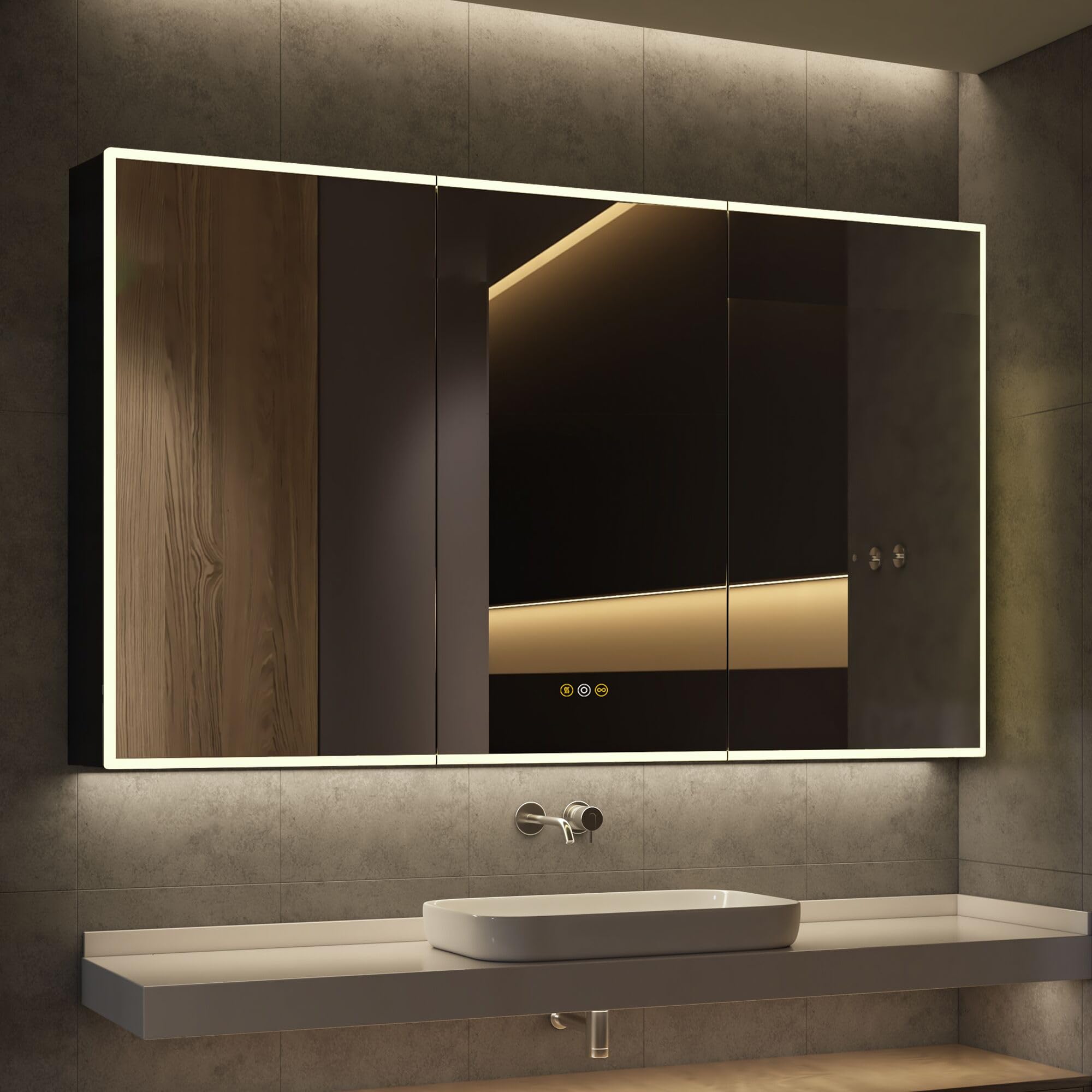
Figure 3: Smart Touch Control Panel
Сенсордук башкаруу функциялары:
- Middle Button (Power/Brightness):
- Short press to turn the LED light ON or OFF.
- Long press to adjust the brightness from 0% to 100%. The light will cycle through brightness levels; release when the desired brightness is reached.
- Right Button (Color Temperature):
- Short press to cycle through the three color lighting modes: Warm White (3000K), Natural White (4000K), and Cold White (6000K).
- Left Button (Anti-fog):
- Short press to activate or deactivate the anti-fog function. This function operates independently for energy efficiency.
Эстутум функциясы:
The cabinet's lighting system includes a memory function. It will recall the last used brightness and color temperature settings when the light is turned on again.
Электр розетка жана USB порт:
The built-in electrical outlets and USB ports provide convenient access to power for charging devices or operating small appliances within the cabinet. Ensure devices are compatible with the power output.

Figure 4: Adjustable Color Temperature

Figure 5: Dimmable Brightness Range

Figure 6: Spacious Interior Storage
Техникалык тейлөө
To ensure the longevity and optimal performance of your medicine cabinet, follow these maintenance guidelines:
- Күзгү тазалоо: Wipe the mirror surface with a soft, damp cloth. For stubborn spots, use a mild glass cleaner applied directly to the cloth, not the mirror. Avoid abrasive cleaners or harsh chemicals that could damage the mirror coating or LED components.
- Кабинетти тазалоо: Сырткы жана ички беттерин жумшак, гamp кездеме. кылдат кургатуу.
- Электр компоненттери: Do not attempt to clean or service any internal electrical components. Refer to a qualified technician for any electrical issues.
- Текчеге кам көрүү: The glass shelves can be removed for cleaning. Wash with mild soap and water, then dry completely before reinserting.
Проблемаларды чечүү
If you encounter any issues with your HBEZON Flora LED Medicine Cabinet, refer to the following common problems and solutions:
| Көйгөй | Мүмкүн себеп | Чечим |
|---|---|---|
| LED жарыгы күйбөйт. | No power supply; loose electrical connection; faulty LED driver. | Check circuit breaker. Ensure all electrical connections are secure (consult an electrician). Contact customer support if the issue persists. |
| Light brightness or color temperature cannot be adjusted. | Incorrect touch operation; touch sensor malfunction. | Ensure you are long-pressing for brightness and short-pressing for color temperature. Clean the touch sensor area. If unresponsive, contact customer support. |
| Anti-fog function is not working. | Anti-fog function not activated; electrical issue. | Press the dedicated anti-fog touch button to activate. Check power supply. Contact customer support if the issue persists. |
| Electrical outlets/USB ports are not working. | No power supply; internal wiring issue. | Check circuit breaker. Ensure the cabinet is properly hardwired. Contact customer support or a qualified electrician. |
For issues not listed above or if troubleshooting steps do not resolve the problem, please contact HBEZON customer support.
Кепилдик жана колдоо
HBEZON products are manufactured to high-quality standards. For warranty information, technical support, or to report any issues with your product, please refer to the contact information provided at the point of purchase or visit the official HBEZON webсайт.
Колдоо кызматына кайрылганда, моделиңиздин номерин (6036) жана сатып алуу жөнүндө маалыматты даярдап коюңуз.