
1. Киришүү
The DETONGER P2 is a portable Bluetooth thermal label printer designed for various labeling needs in small businesses, retail, offices, and homes. This device utilizes inkless thermal technology, providing clear and cost-effective label printing. It supports connection via Bluetooth for smartphones and tablets, and USB for PC, offering versatile editing and printing capabilities through dedicated applications.

Сүрөт 1: Алдыңкы view of the DETONGER P2 Portable Bluetooth Thermal Machine.
2. Баштоо
2.1 Пакеттин мазмуну
Пакетиңизде бардык буюмдар бар экенин текшериңиз:
- Тонзилизатор P2 машинасы
- 1 Roll of 1.57'' x 1.18'' Labels (200 pcs)
- Type-C USB кабели
- Көрсөтмө (бул документ)
2.2 Аппаратты заряддоо
Before first use, ensure the P2 machine is fully charged. Connect the provided Type-C USB cable to the printer and a suitable power source (e.g., USB wall adapter, computer USB port). The charging indicator light will show the charging status.
2.3 App Installation (Mobile Devices)
For smartphone and tablet connectivity, install the "WePrint" колдонмо:
- App Store (iOS түзмөктөрү үчүн) же Google Play Store (Android түзмөктөрү үчүн) ачыңыз.
- Издөө "WePrint".
- Тиркемени жүктөп алып, орнотуңуз.

Figure 2: WePrint App download instructions for mobile devices.
2.4 Software Installation (PC)
For PC connectivity (Windows 10/11 and above), download the "WeiDa" software and P2 Series Label Printer Windows Driver:
- Visit the official DETONGER webсайт.
- Locate and download the "WeiDa" программалык камсыздоо.
- Download the P2 Series Label Printer Windows Driver.
- Install both the software and the driver on your PC.
2.5 этикеткаларды жүктөө
The P2 printer uses thermal labels. To load a new roll:
- Принтердеги этикетка бөлүмүнүн капкагын ачыңыз.
- Insert the label roll, ensuring the labels feed correctly through the printing mechanism.
- Капкагын бекем жабыңыз.
The included labels are waterproof, oil-proof, tear-proof, and wear-resistant. For optimal longevity, avoid exposing thermal paper to bright light, as this can cause fading.
3. Операция
3.1 Мобилдик түзмөктөргө туташуу (Bluetooth)
- Ensure your P2 printer is powered on.
- Смартфонуңузда же планшетиңизде Bluetooth иштетүү.
- ачыңыз "WePrint" колдонмо.
- Within the app, search for and select your P2 printer to establish a Bluetooth connection.
3.2 Connecting to PC (USB)
- Ensure your P2 printer is powered on.
- Connect the P2 printer to your PC using the provided Type-C USB cable.
- ишке киргизүү "WeiDa" software on your PC. The software should detect the connected printer.
3.3 Designing and Printing Labels
The WePrint app and WeiDa software offer extensive tools for label design:
- Text and Numbers: Create custom text, numbers, and symbols.
- Graphics and Logos: Import or design graphics and logos.
- Barcodes and QR Codes: Штрихкоддордун жана QR коддордун ар кандай түрлөрүн жаратыңыз.
- Акылдуу таануу: Utilize voice and picture recognition features for quick label creation.
After designing your label, select the correct label size within the application to prevent printing errors, then initiate the print command.
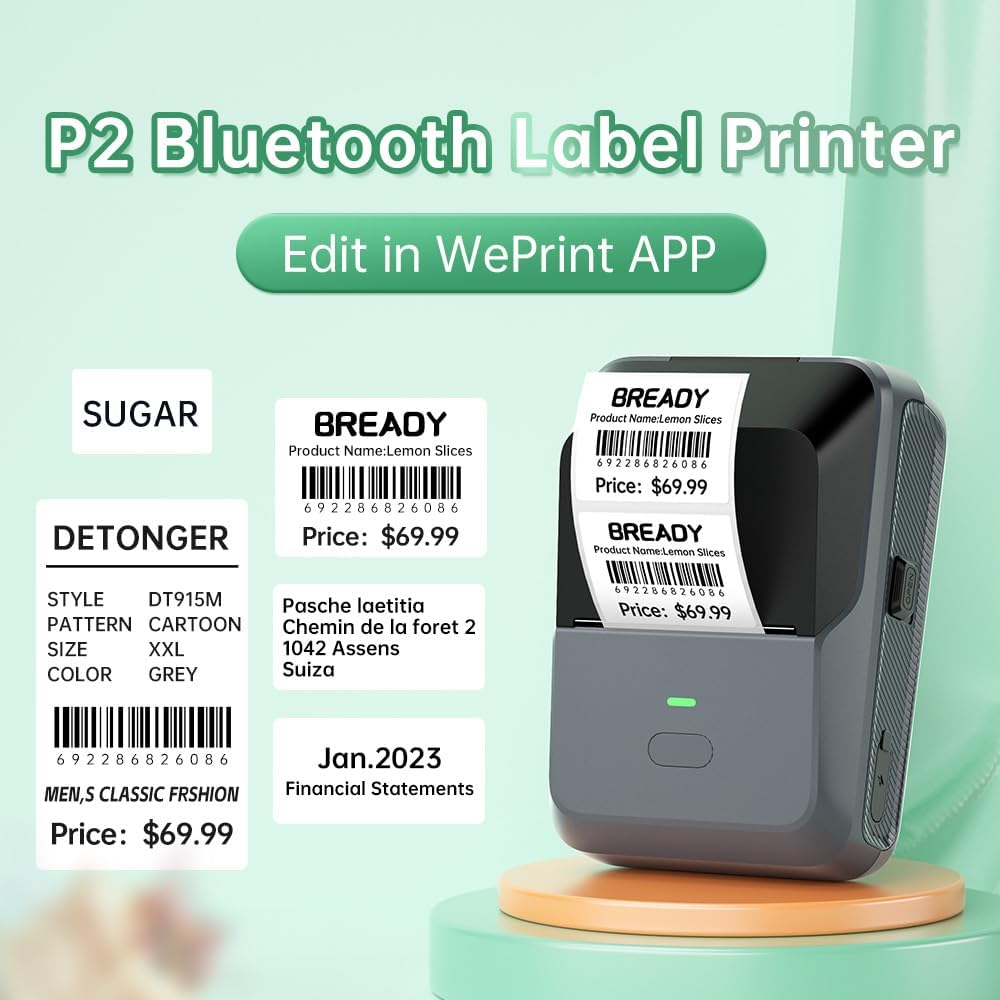
3-сүрөт: Мисample labels created and printed using the WePrint App.
3.4 Белгилердин колдонулушу
The DETONGER P2 is suitable for creating a wide range of labels, including:
- Price labels for retail and supermarkets.
- Expiration date labels for food products.
- Cable labels for organization.
- Name labels for personal or office use.
- Brand logos and stickers for small businesses.
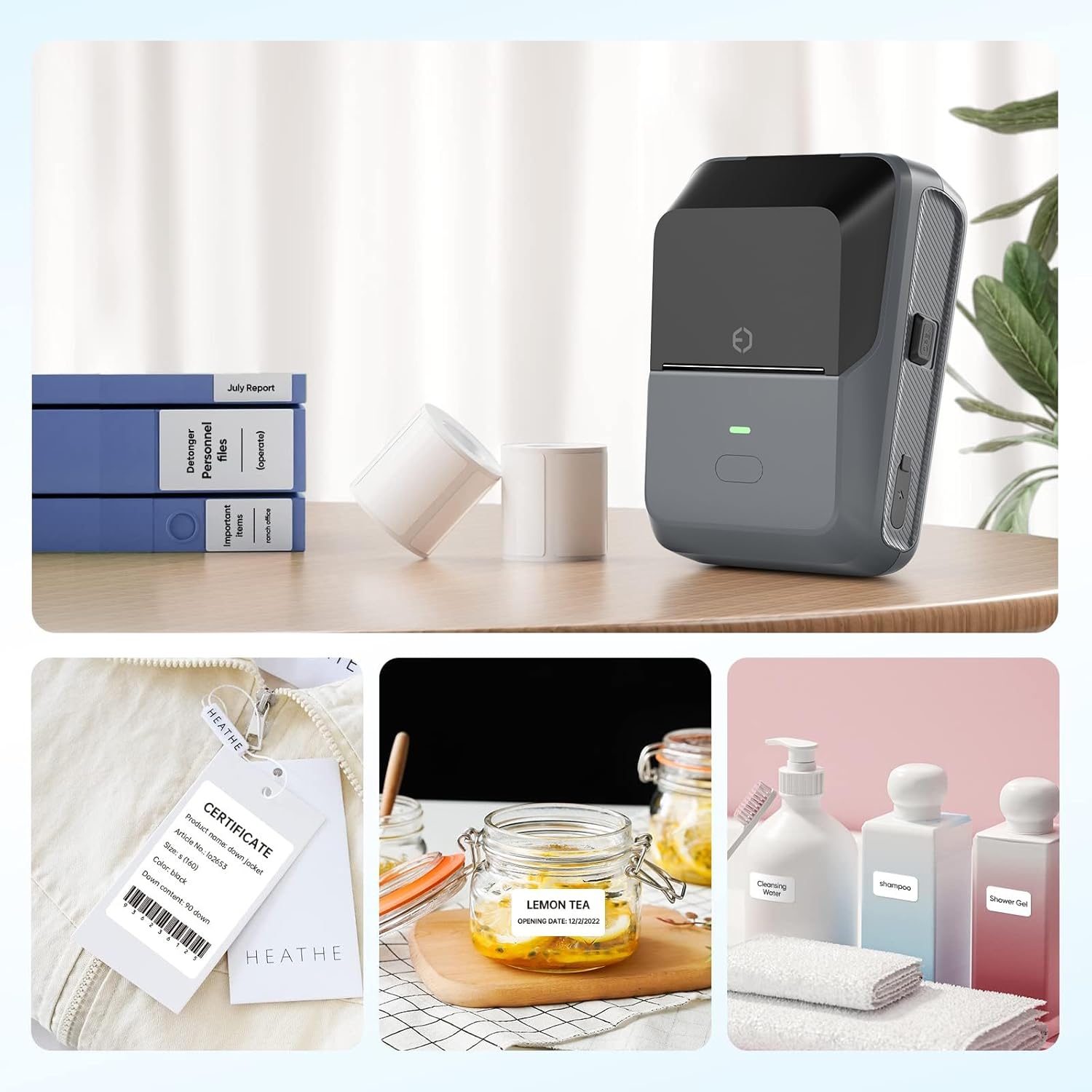
Figure 4: The P2 printer in use, demonstrating various label applications.

Figure 5: Commercial price tag examples for various products.

6-сүрөт: Мисamples of transparent label options.

7-сүрөт: Мисamples of colored label options.
4. Техникалык тейлөө
4.1 Жалпы кам көрүү
To ensure the longevity and optimal performance of your DETONGER P2 printer:
- Түзмөктү таза жана чаңсыз кармаңыз. Сыртын тазалоо үчүн жумшак, кургак чүпүрөк колдонуңуз.
- Принтерге экстремалдык температурага же тике күн нуруна жол бербеңиз.
- Абразивдүү тазалагычтарды же эриткичтерди колдонбоңуз.
4.2 Этикеткаларды сактоо
Thermal labels are sensitive to light and heat. Store unused label rolls in a cool, dry place away from direct sunlight to prevent premature fading.
5. Кыйынчылыктарды
5.1 Жалпы маселелер жана чечимдер
- Принтер Bluetooth аркылуу туташпай жатат:
Ensure Bluetooth is enabled on your mobile device and the P2 printer is powered on. Connect through the "WePrint" app, not directly through your device's Bluetooth settings, to avoid incompatibility issues. - Poor print quality or blank labels:
Check if the label roll is loaded correctly and that the thermal paper is facing the print head. Ensure the printer has sufficient battery charge. - Labels not printing correctly (e.g., cut off, misaligned):
Verify that you have selected the correct label size within the "WePrint" or "WeiDa" application before printing. - Компьютер принтерди таппай жатат:
Ensure the USB cable is securely connected and that the "WeiDa" software and P2 Series Label Printer Windows Driver are correctly installed on your PC.
6. Техникалык шарттар
| Өзгөчөлүк | Деталь |
|---|---|
| Бренд | DETONGER |
| Модел | P2 |
| Байланыш технологиясы | Bluetooth, USB |
| Басма технологиясы | Термикалык |
| Принтердин чыгышы | Монохромдуу |
| Макс. Монохром басып чыгаруу ылдамдыгы | 70 промилле |
| Максималдуу медиа өлчөмү | 1.77 x 2.16 дюйм (45 мм x 55 мм) |
| Басма маалымат каражаттары | Энбелгилер |
| Сканер резолюциясы | 203 DPI |
| Шайкеш түзмөктөр | Laptop Computer, PC, Smartphones |
| Операциялык системалар | Android, Windows, iOS |
| Батарея сыйымдуулугу | 1800 мАч (литий-ион) |
| Элемент Салмагы | 310.5 грамм |
| Продукциянын өлчөмдөрү | 6.2 x 8.59 x 12.78 см |
| Дисплей түрү | OLED |
7. Кепилдик жана колдоо
7.1 Free Replacement Service
DETONGER offers a free replacement service for your P2 Label Printer for up to 12 months if the machine fails to start or is too faulty to fix. This service covers manufacturing defects and significant operational failures.
7.2 Кардарларды тейлөө
You can enjoy lifetime prime customer service and technical support. For any inquiries, technical assistance, or to create a cloud account for managing and sharing labels, please contact DETONGER customer service through their official webсайт же продукт таңгагында көрсөтүлгөн байланыш маалыматы.