
Introduction
Thank you for choosing the Contixo F21 Pro Drone. This manual provides essential information for the safe operation, setup, and maintenance of your drone. Please read this manual thoroughly before operating the device to ensure proper usage and to prevent damage.
1. Орнотуу
1.1 Кутуда эмне бар
Пакетте бардык компоненттер бар экенин текшериңиз:
- Contixo F21 Pro Drone
- Remote Control (with 4.3" integrated screen)
- 2 x 3.7V 1200mAh Batteries
- 8 x Propeller Replacements
- 4 х пропеллер сакчылары
- USB заряддоо кабели
- 16 ГБ SD карта
- Screwdriver
- Landing Pad
- Ташуу кутусу
- Instruction Manual
- Quick колдонмо

1.2 Батареяны заряддоо жана орнотуу
The drone is powered by two 3.7V 1200mAh Lithium-Ion batteries. Ensure both batteries are fully charged before first use.
- USB кубаттоочу кабелди батареяга жана ылайыктуу USB кубат адаптерине (кошулмага кирбейт) туташтырыңыз.
- The charging indicator on the battery will show its status (refer to the Quick Guide for specific light patterns).
- Толук заряддалгандан кийин, батареяны ажыратыңыз.
- Insert the charged battery into the drone's battery compartment until it clicks securely into place.

1.3 Пропеллерди орнотуу
The drone comes with pre-installed propellers. If replacement is needed:
- Ар бир мотор үчүн туура пропеллерди аныктаңыз (А же В менен белгиленген).
- Use the provided screwdriver to remove the screw holding the old propeller.
- Place the new propeller onto the motor shaft, aligning it correctly.
- Secure the propeller with a screw. Ensure all propellers are firmly attached before flight.
1.4 Алыстан башкарууну жөндөө
The remote control features an integrated 4.3-inch screen for live video feed and flight data.
- Алыстан башкаруу пульту заряддалганын текшериңиз.
- Пультту күйгүзүңүз.
- Дрондогу кубат.
- The remote control and drone should automatically pair. If not, refer to the Quick Guide for pairing instructions.

1.5 Дронду даярдоо
The F21 Pro drone features a foldable design for portability.
- Дрондун колдору өз ордуна бекитилгенге чейин акырын жайыңыз.
- Attach the propeller guards if flying indoors or in crowded areas for added protection.

2. Иштөө нускамалары
2.1 Учууну башкаруунун негизги каражаттары
Familiarize yourself with the remote control sticks and buttons for basic flight maneuvers:
- Учуп-конуу: Use the dedicated one-key take-off/landing button or manually control with the throttle stick.
- Бийиктикти кармоо: The drone maintains a stable altitude automatically, allowing for easier control.
- Багыттык көзөмөл: Use the directional stick to move the drone forward, backward, left, and right.
- Айлануу: Use the rotation control to turn the drone left or right.
2.2 Учуунун интеллектуалдык режимдери
The F21 Pro drone includes several intelligent flight features to enhance your experience:
- Тоскоолдуктан качуу: Equipped with 270° environmental perception, the drone can sense obstacles and automatically stop to prevent collisions. This feature is primarily for indoor use.

- Оптикалык агымдын жайгашуусу: This system helps the drone hover steadily, improving stability, especially for beginners.
- Бийиктикти кармоо: Учууну башкарууну жөнөкөйлөтүп, туруктуу бийиктикти сактайт.

- Жаңсоо менен селфи: Activate camera functions with simple hand gestures.
- Follow Object/Palm Follow: The drone can track and follow a designated object or your palm.
- Гравитацияны көзөмөлдөө: Control the drone's movement by tilting your remote.
- 360° оодаруулар жана тоголоктоолор: Execute aerial acrobatics with a dedicated button.


2.3 Камеранын иштеши
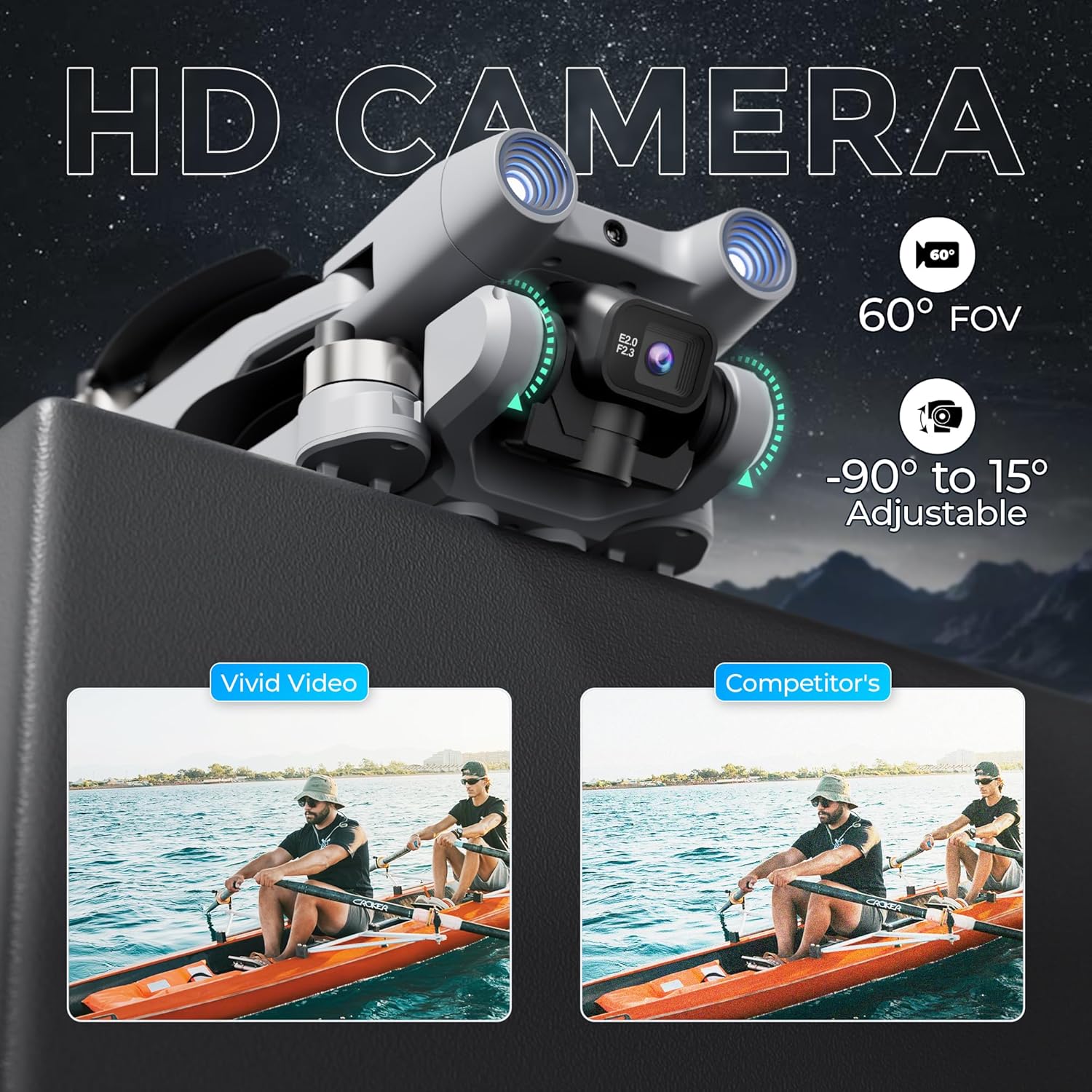
The F21 Pro features a dual camera system with adjustable angles.
- The main camera offers a 60° Field of View (FOV) and can be adjusted from -90° to 15°.
- Video capture resolution is 480p, with an output resolution of 1920x1080 pixels.
- Images are captured in JPEG format, and videos in MP4.
- Use the controls on the remote to adjust the camera angle and initiate recording or photo capture.
2.4 Учуунун натыйжалуулугу
- Учуу убактысы: Each battery provides approximately 15 minutes of flight, totaling up to 30 minutes with both included batteries.
- Учуу диапазону: The drone has a maximum flight range of up to 300 feet and video transmission up to 240 feet.
- Brushless Motors: Equipped with efficient and quiet 1503 brushless motors for stable flight.
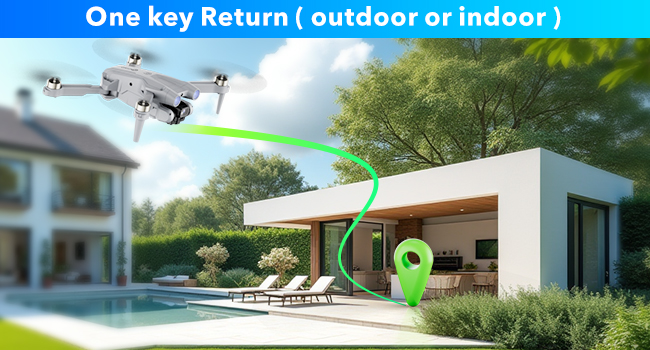
- Бир ачкыч менен кайтаруу: The drone features a one-key return function for easy recall.
2.5 Иштөө видеосу
Watch this video for a visual guide on operating your Contixo F21 Pro Drone.
3. Техникалык тейлөө
3.1 Пропеллерди алмаштыруу
Inspect propellers regularly for damage. Replace any bent, cracked, or chipped propellers immediately using the provided replacements and screwdriver. Ensure correct propeller type (A or B) is installed on the corresponding motor.
3.2 Батареяга кам көрүү
- Ар дайым оригиналдуу кубаттоочу кабелди колдонуңуз.
- Батареяларды ашыкча заряддабаңыз же ашыкча разрядтабаңыз.
- Батареяларды күн нурунан жана экстремалдык температурадан алыс салкын, кургак жерде сактаңыз.
- If not used for an extended period, charge batteries to approximately 50% capacity.
3.3 Тазалоо
Use a soft, dry cloth to clean the drone and remote control. Avoid using liquids or solvents that could damage electronic components.
4. Кыйынчылыктарды
If you encounter issues with your Contixo F21 Pro Drone, refer to the following common problems and solutions:
| Көйгөй | Мүмкүн себеп | Чечим |
|---|---|---|
| Дрон күйбөйт | Батарея заряддалган эмес же туура эмес орнотулган | Батарея толук заряддалганын жана туура салынганын текшериңиз. |
| Drone is unstable or veers during flight | Propellers damaged; Drone not calibrated; Environmental interference | Check and replace damaged propellers. Perform drone calibration as per Quick Guide. Fly in calm conditions away from strong winds or magnetic interference. |
| Кыска учуу убактысы | Battery not fully charged; Old or damaged battery | Батареялар толук заряддалганын текшериңиз. Эски батареяларды алмаштырууну ойлонуп көрүңүз. |
| Loss of control or unresponsive remote | Drone out of range; Signal interference; Low remote battery | Keep drone within specified range. Avoid areas with strong Wi-Fi or radio signals. Ensure remote control battery is charged. |
| Camera not recording or taking photos | SD card full or not inserted; Camera malfunction | Check if the 16GB SD card is correctly inserted and has free space. Format the SD card if necessary. |
5. Техникалык шарттар
| Өзгөчөлүк | Деталь |
|---|---|
| Бренд | Contixo |
| Модель аты | F21 Pro |
| Өзгөчөлүктөр | 360 Degree Flip, Foldable, Integrated GPS, Obstacle Avoidance, Portable |
| Жаш аралыгы (сүрөттөө) | бойго жеткен |
| Түс | Боз |
| Видео тартуунун резолюциясы | 480p |
| Байланыш технологиясы | Wi-Fi |
| Камтылган компоненттер | Drone, Remote Control, 2 Batteries, 8 Propellers, USB Cable, Landing Pad, 16GB SD Card, Screwdriver, Carrying Case |
| Skill Level | Beginner |
| Элемент Салмагы | 5.8 унция (болжол менен 164г) |
| Батарея сыйымдуулугу | 1200 миллионamp Сааттар (ар бир батарея үчүн) |
| Видео тартуу форматы | MP4 |
| Алыстан башкаруу технологиясы | 2.4 ГГц |
| Башкаруу түрү | Алыстан башкаруу |
| Максималдуу диапазон | 350 Feet (Flight), 240 Feet (Video Transmission) |
| Зымсыз байланыш технологиясы | Wi-Fi |
| Батарея клеткасынын курамы | Литий ион |
| Колдоого алынган сүрөт форматы | JPEG |
| Video Output токтому | 1920x1080 пиксел |
| Оптикалык сенсор технологиясы | Оптикалык агым, CMOS |
| Материал | Пластик |
| Элементтин өлчөмдөрү L x W x H | 5.28"L x 5.28"W x 1.02"H (бүктөлгөн) |
6. Кепилдик маалыматы
Contixo products are covered by a limited warranty against manufacturing defects. For specific warranty terms and conditions, please refer to the warranty card included in your product packaging or visit the official Contixo webсайт. Кепилдик дооматтар үчүн сатып алганыңыздын далилин сактаңыз.
7. Кардарларды колдоо кызматы
For technical assistance, troubleshooting, or any questions regarding your Contixo F21 Pro Drone, please contact Contixo customer support. Contact details can be found on the official Contixo website or in the Quick Guide provided with your product.