
1. Киришүү
This manual provides detailed instructions for the installation, operation, maintenance, and troubleshooting of the Fydun ZL-7901A Incubator Controller. This device is designed for precise and automatic control of temperature and humidity in various incubation environments, ensuring optimal conditions for successful hatching.
2. Продукт бүтүп калдыview
The Fydun ZL-7901A is a high-precision digital incubator controller capable of managing both temperature and humidity. It features a clear display and intuitive controls for easy programming and monitoring.
Негизги өзгөчөлүктөрү:
- Так башкаруу: High-accuracy temperature and humidity regulation for stable incubator environments.
- Strong Anti-interference: Designed for reliable operation in various conditions.
- High Stability and Accuracy: Ensures consistent performance for critical incubation processes.
- Кеңири колдонуу: Suitable for a variety of eggs including chicken, duck, goose, pigeon, quail, parrot, and peacock.
- Автоматтык иштетүү: Fully automatic control reduces manual intervention.
Компоненттери:

2.1-сүрөт: Фронт view of the Fydun ZL-7901A Incubator Controller, showing the display and control buttons.

2.2-сүрөт: The ZL-7901A controller packaged with its temperature and humidity sensors and connecting cables.

2.3-сүрөт: The ZL-7901A controller shown in an incubator environment, demonstrating its application for egg incubation.
3. Коопсуздук маалыматы
- Орнотуудан жана иштетүүдөн мурун бардык нускамаларды кылдат окуп чыгыңыз.
- электр менен жабдууну камсыз кылуу voltage matches the controller's requirements (100V-240V).
- All wiring should be performed by a qualified professional to prevent electrical hazards.
- Контроллерди сууга же ашыкча нымдуулукка дуушар кылбаңыз.
- Аппаратты күйүүчү материалдардан алыс кармаңыз.
- Техникалык тейлөө же зымдарды өзгөртүүдөн мурун электр энергиясын өчүрүңүз.
- Бул шайман оюнчук эмес. Балдар жетпеген жерде сактаңыз.
4. Орнотуу жана орнотуу
4.1 Контроллерди орнотуу
The ZL-7901A controller is designed for panel mounting. Ensure a secure and stable location within your incubator setup.

4.1-сүрөт: Side view illustrating the mounting bracket for panel installation.
4.2 Зымдарды туташтыруу
Carefully connect the power supply, sensors, and output devices (heater, humidifier, fan, egg turner) to the appropriate terminals on the back of the controller. Refer to the wiring diagram provided with your product for specific connections. Ensure all connections are tight and secure.

4.2-сүрөт: Арткы view of the controller, showing the terminal blocks for electrical connections.
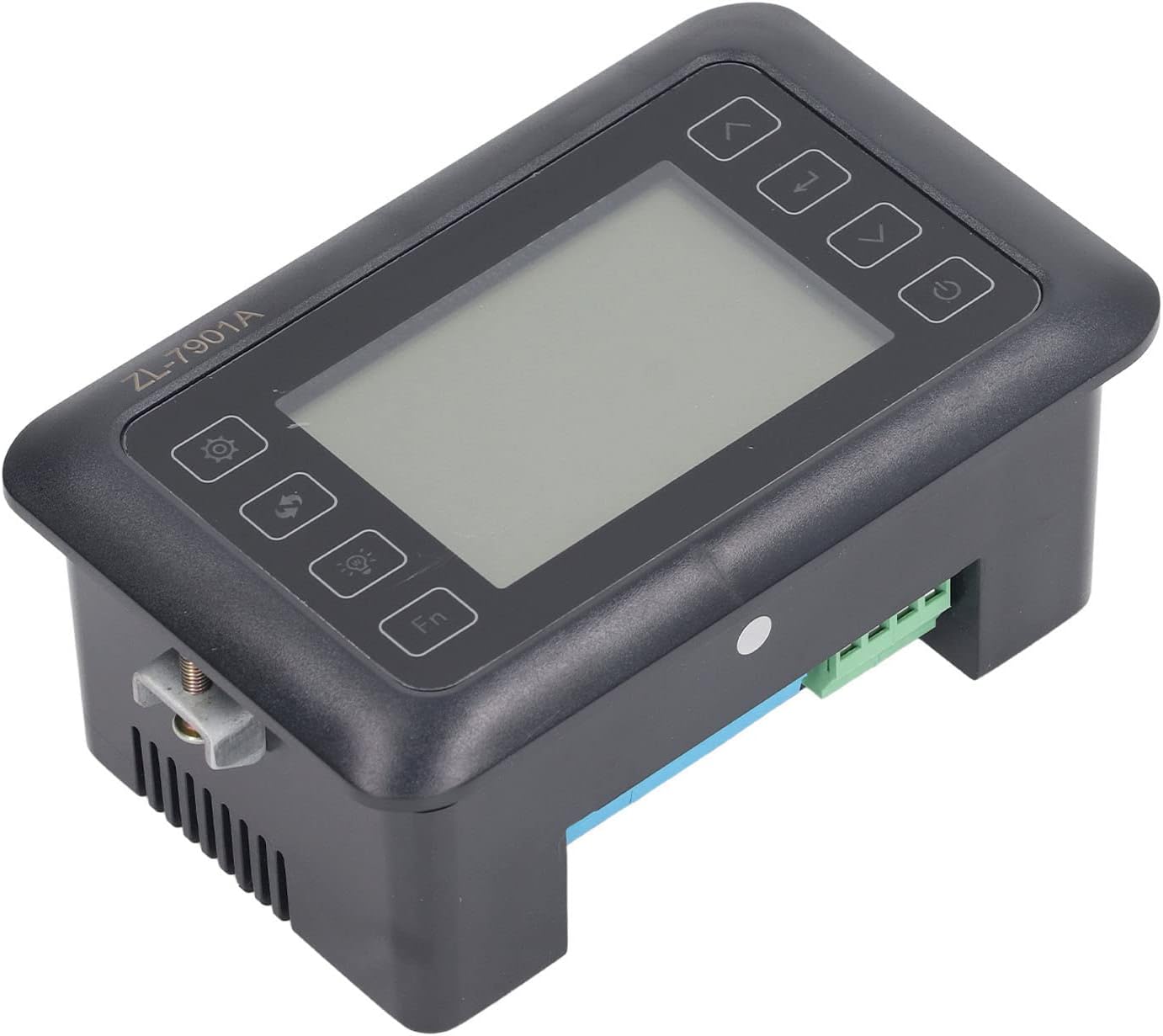
4.3-сүрөт: Бурчтуу view highlighting the various connection points on the controller's side.
After all connections are made, double-check them for correctness before applying power.
5. Иштөө нускамалары
5.1 Күйгүзүү/өчүрүү
басыңыз Кубат баскычы to turn the controller on or off. The display will illuminate upon power-on. The power button is located on the right side of the controller's front panel.
5.2 Дисплейview
The main display shows the current temperature and humidity readings. Additional indicators may show the status of heating, humidifying, and turning functions.
5.3 Параметрлерди орнотуу
- басыңыз Орнотуулар баскычы (gear icon) to enter the parameter setting mode. This button is on the left side of the controller's front panel.
- колдонуу Up (өйдө жебе) жана Төмөн (down arrow) buttons to navigate through different parameters (e.g., target temperature, target humidity, egg turning interval). These buttons are on the right side of the controller's front panel.
- басыңыз Кирүү баскычы (return arrow icon) to select a parameter for editing. This button is on the right side of the controller's front panel.
- колдонуу Up жана Төмөн маанисин тууралоо үчүн баскычтар.
- басыңыз Кирүү баскычы жаңы маанини ырастоо үчүн кайра.
- Repeat for all desired parameters.
- Exit the setting mode by pressing the Орнотуулар баскычы again or waiting for a timeout.
Эскертүү: Consult the full product manual (if provided separately) for a complete list of parameters and their functions.
5.4 Функция баскычтары
- Жарык баскычы (light bulb icon): Controls the internal light of the incubator (if connected). This button is on the left side of the controller's front panel.
- Fn баскычы: Activates special functions or enters advanced settings. Refer to the detailed manual for specific Fn button operations. This button is on the left side of the controller's front panel.
6. Техникалык тейлөө
6.1 Тазалоо
- Ensure the controller is powered off and disconnected from the power source before cleaning.
- Wipe the exterior of the controller with a soft, dry cloth.
- Do not use abrasive cleaners, solvents, or immerse the unit in water.
- Keep the sensor probes clean and free from debris to ensure accurate readings.
6.2 Сенсорго кам көрүү
Handle the temperature and humidity sensors with care. Avoid bending or damaging the cables. If readings appear inaccurate, gently clean the sensor tips. Do not attempt to disassemble the sensors.
7. Кыйынчылыктарды
| Көйгөй | Мүмкүн себеп | Чечим |
|---|---|---|
| Контроллер күйбөйт. | Электр менен камсыздоо жок; байланыштын үзгүлтүккө учурашы; электр кабели бузук. | Check power outlet; ensure all connections are secure; test power cable. |
| Температура/нымдуулуктун көрсөткүчтөрү так эмес. | Sensor dirty or damaged; sensor not properly placed; calibration needed. | Clean sensor; reposition sensor away from direct airflow/heat; refer to advanced settings for calibration (if available). |
| Heater/Humidifier not activating. | Output device not connected; setpoint not reached; faulty output device. | Verify wiring connections; check setpoint values; test heater/humidifier independently. |
| Дисплей ката кодун көрсөтөт. | Sensor fault; internal error. | Note the error code and consult the full product manual or contact support. |
8. Техникалык шарттар
| Өзгөчөлүк | Деталь |
|---|---|
| Модел | ZL-7901A |
| Бренд | Fydun |
| Киргизүү көлөмүtage | 100V-240V AC |
| Башкаруу түрү | Fully Automatic Digital Temperature and Humidity Control |
| Тактык | High precision for both temperature and humidity |
| Колдонмо | Incubators for various poultry and bird eggs |
| Монтаждоо | Панел орнотуу |
9. Кепилдик жана колдоо
Fydun is committed to providing quality products and excellent customer service. If you encounter any issues or have questions regarding your ZL-7901A Incubator Controller, please contact our customer service team.
For support, please refer to the contact information provided with your purchase or visit the official Fydun store on Amazon: Fydun Amazon Store.
Our professional customer service team is ready to assist you promptly.