
Introduction
Thank you for choosing the BOROFONE BW37 BT 5.3 Wireless Noise Reduction Earphones. This manual provides essential information for the proper setup, operation, and maintenance of your new earphones. Please read this guide thoroughly before use to ensure optimal performance and longevity of your device.
Пакеттин мазмуну
- BOROFONE BW37 Wireless Earphones (Left and Right)
- Заряддоо кутусу
- USB заряддоо кабели
- User Manual
Продукт бүттүview
The BOROFONE BW37 earphones are designed for a superior audio experience with true wireless stereo sound and effective noise reduction. Their compact and portable design makes them ideal for daily use and travel.
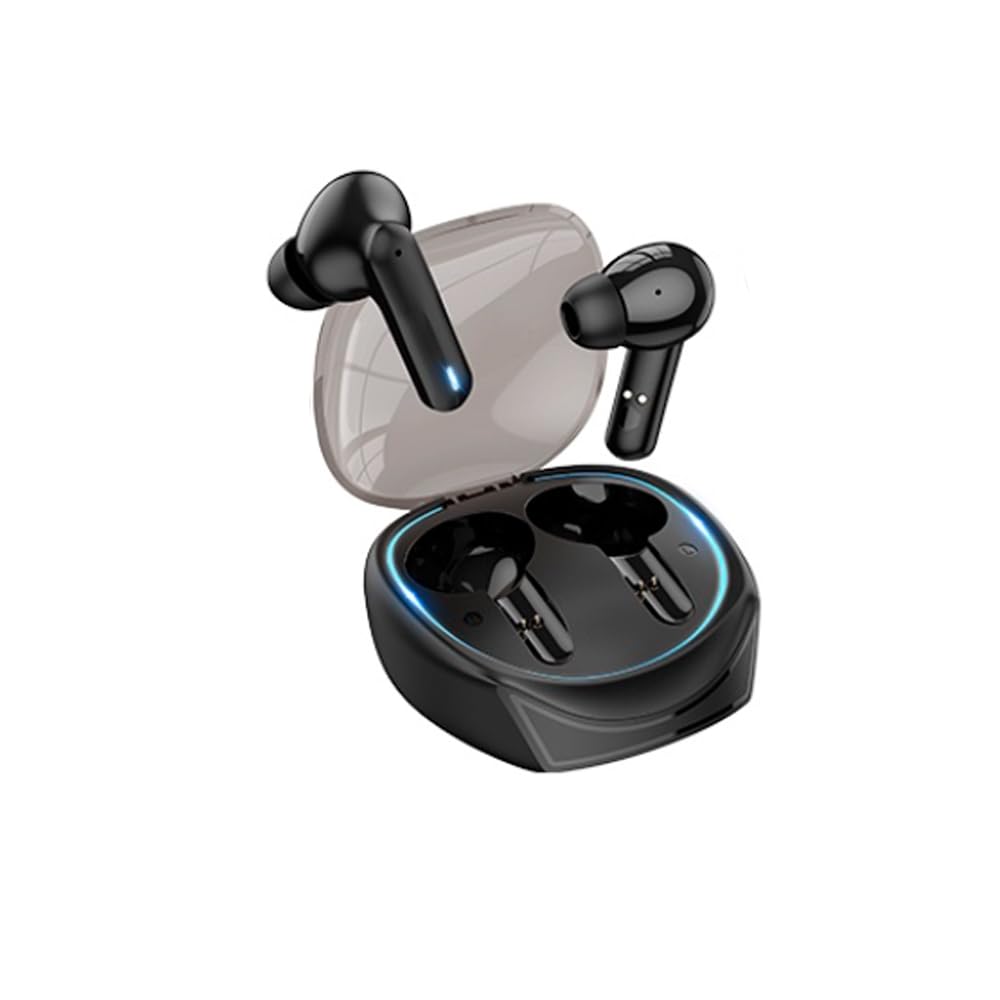
Image: The BOROFONE BW37 wireless earphones are shown nestled within their compact charging case. The case is black, sleek, and designed for portability, with the two individual earbuds visible inside.
Жайгашуу
1. Баштапкы заряддоо
Before first use, fully charge the earphones and the charging case. Place the earphones into the charging case and connect the USB charging cable to the case and a power source. The indicator lights on the case will show the charging status.
2. Түзмөк менен жупташтыруу
- Заряддоо кутучасын ачыңыз. Кулакчындар автоматтык түрдө күйүп, жупташтыруу режимине кирет.
- Түзмөгүңүздө (смартфон, планшет ж.б.) Bluetooth иштетиңиз.
- Издөө "BOROFONE BW37" in the list of available Bluetooth devices.
- Select "BOROFONE BW37" to connect. Once connected, you will hear an audible confirmation.
The earphones support automatic pairing. After the initial pairing, they will automatically connect to the last paired device when removed from the case.
Иштөө нускамалары
Күйгүзүү/өчүрүү
- Күйгүзүү: Open the charging case, or long-press the touch area on both earphones for 3 seconds.
- Өчүрүү: Place the earphones back into the charging case and close the lid, or long-press the touch area on both earphones for 5 seconds.
Музыканы ойнотуу
- Ойнотуу/тындыруу: Кулакчындын биринин тийүү аймагын бир жолу таптаңыз.
- Кийинки трек: Оң кулакчындын тийүү аймагын эки жолу таптаңыз.
- Мурунку трек: Сол кулакчындын тийүү аймагын эки жолу таптаңыз.
Чалууларды башкаруу
- Чалууга жооп берүү/аяктоо: Кулакчындын биринин тийүү аймагын бир жолу таптаңыз.
- Чакырууну четке кагуу: Кулакчындын тийүү аймагын 2 секунд басып туруңуз.
Үн жардамчысы
- Үн Жардамчысын жандыруу: Triple tap the touch area on either earphone.
Master-Slave Switching Technology
The earphones support master-slave switching, allowing either earphone to be used independently. Simply remove one earphone from the case to use it in mono mode. To switch back to stereo, remove the other earphone.
Заряддоо
Наушниктерди заряддоо
Place the earphones into the charging case. They will automatically begin charging. The charging time for the earphones is approximately 1 hour.
Ишти заряддоо
Connect the provided USB charging cable to the charging port on the case and a 5V DC power adapter. The indicator lights on the case will show the charging status. The charging case has a battery capacity of 250mAh.
Техникалык тейлөө
- Кулакчындарды жана кубаттоочу кутучаны жумшак, кургак чүпүрөк менен үзгүлтүксүз тазалап туруңуз.
- Тазалоо үчүн катуу химиялык заттарды же абразивдүү материалдарды колдонуудан алыс болуңуз.
- Keep the charging contacts on both the earphones and the case clean to ensure proper charging.
- Кулакчындарды колдонбогон учурда коргоо жана батареясынын иштөө мөөнөтүн сактоо үчүн кубаттоочу кутучасында сактаңыз.
Проблемаларды чечүү
| Көйгөй | Мүмкүн чечим |
|---|---|
| Наушник күйбөйт. | Кулакчындардын жана кубаттоочу кутучанын толук заряддалганын текшериңиз. |
| Түзмөк менен жупташтыруу мүмкүн эмес. | Make sure Bluetooth is enabled on your device. Ensure earphones are in pairing mode. Try forgetting the device in your Bluetooth settings and re-pairing. |
| Бир гана наушник иштейт. | Place both earphones back into the charging case, close the lid, then open it again to reset the connection. Ensure both earphones are charged. |
| Үн сапаты начар же ажыратылган. | Ensure earphones are within the 10m operating range of your device. Check for interference from other wireless devices. |
| Кулакчындар заряддалбай жатат. | Clean the charging contacts on both earphones and the case. Ensure the charging cable is securely connected and the power source is active. |
Техникалык шарттар
| Өзгөчөлүк | Деталь |
|---|---|
| Модел | BW37 |
| Bluetooth версиясы | V5.3 |
| Иштөө диапазону | 10 метрге чейин |
| Динамик өлчөмү | 13мм |
| Берүү жыштыгы | 2.4 ГГц |
| Колдоого алынган протоколдор | Hands-free headset, A2DP, AVRCP |
| Наушниктин заряддоо убактысы | Болжол менен 1 саат |
| Сезимталдуулук | 95±3дБ |
| Заряддоо Voltage | DC 5V |
| Продукттун таза салмагы | 29.5г |
| Single Earphone Net Weight | 3g |
| Күтүү убактысы | 120 саат |
| Музыканы ойнотуу убактысы | Болжол менен 4 саат |
| Talk Time | Болжол менен 4 саат |
| Импеданс | 320Ω ± 15% |
| Заряддоо корпусунун батареясынын сыйымдуулугу | 250mAh |
| Продукциянын өлчөмдөрү | 50 x 40 x 25 мм |
| Noise Control | Активдүү ызы-чууну жокко чыгаруу |
| Сууга туруктуулук деңгээли | Суу өткөрбөйт |
| Башкаруу ыкмасы | тийүү |
Коопсуздук маалыматы
- Кулакчындарды же кубаттоочу кутучаны өтө жогорку температурага, түз күн нуруна же отко тийгизбеңиз.
- Түзмөктү түшүрүп алуудан, бөлүктөргө бөлүп алуудан же өзгөртүүдөн алыс болуңуз.
- Балдар жана үй жаныбарлары жетпеген жерде сактаңыз.
- Угуунун бузулушун алдын алуу үчүн кулакчындарды узак убакыт бою катуу үн менен колдонбоңуз.
- Берилген заряддоо кабелин же тастыкталган эквивалентти гана колдонуңуз.
Кепилдик жана колдоо
BOROFONE products are designed and manufactured to the highest quality standards. For warranty information and customer support, please refer to the warranty card included in your package or visit the official BOROFONE webсайт. Бул колдонмодо каралбаган кандайдыр бир маселелерге туш болсоңуз, жардам алуу үчүн кардарларды тейлөө кызматына кайрылыңыз.