
Introduction
The Callez C502A RJ9 Phone Headset is designed for clear and comfortable communication in office and call center environments. Featuring a noise-cancelling microphone and an adjustable design, this headset provides a reliable solution for landline phone systems. This manual provides instructions for setup, operation, and maintenance to ensure optimal performance.
Пакеттин мазмуну
Пакетиңизде бардык буюмдар бар экенин текшериңиз:
- Callez C502A RJ9 Phone Headset
- Cable (integrated with headset)
- Кулак жаздыкчалары (алдын ала орнотулган)
- Колдонуучунун Колдонмосу (бул документ)
Продукт бүттүview
The Callez C502A headset is engineered for clarity and user comfort during extended use.
Негизги өзгөчөлүктөрү
- Ызы-чууну жок кылуучу микрофон: Reduces background noise for clear voice transmission.
- Acoustic Shock Protection: Safeguards hearing from sudden loud sounds.
- Жөнгө салынуучу баш боосу: Ар кандай өлчөмдөгү баштар үчүн ыңгайлуу жана коопсуз отурууну камсыздайт.
- Soft Leatherette Ear Cushions: Designed for comfort during long periods of wear.
- 330° Rotatable Microphone Boom: Allows for precise microphone positioning and use on either ear.
- Inline Controls: Easy access to volume adjustment and microphone mute functions.
- RJ9 Jack Connectivity: Specifically designed for compatibility with a wide range of landline phones.
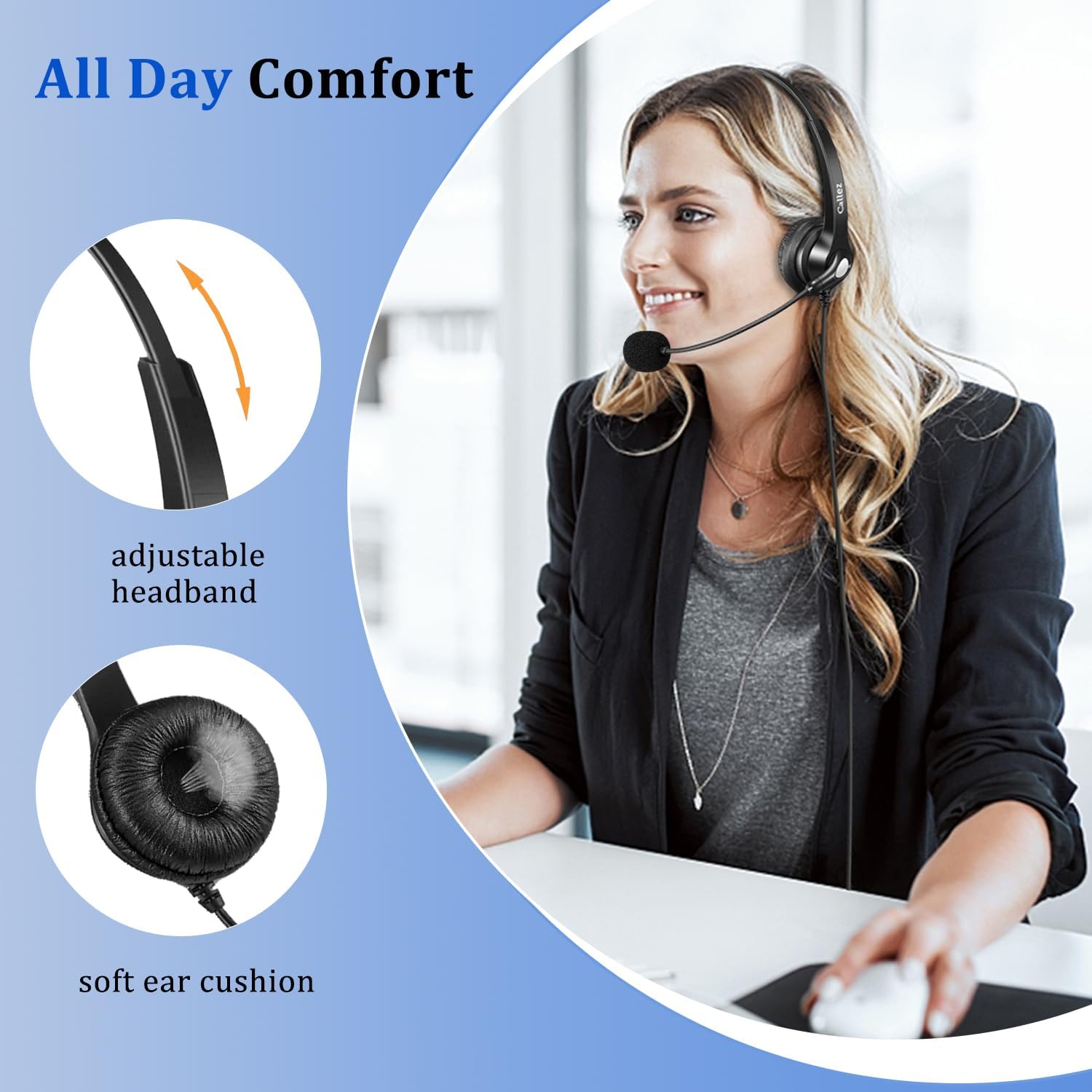
Image: The headset features an adjustable headband and soft ear cushions for enhanced comfort.

Image: The noise-cancelling microphone ensures clear communication by reducing ambient sound.

Image: Inline controls for volume and mute, along with a 330° rotatable and flexible microphone boom.
Шайкештик
This RJ9 wired phone headset is designed for specific landline phone models. It is ЖОК compatible with cell phones or computers.
Compatible Phone Brands: Polycom, Avaya, Mitel, Plantronics, ShoreTel, NEC, Nortel, Allworx, Toshiba, Aastra, Zultys, InterTel, Altigen, Digium, Siemens.
Specific Polycom IP Phone Models: VVX411, VVX311, VVX410, VVX500, VVX400, VVX300, VVX301, VVX310, VVX501, VVX401, VVX201, VVX601, VVX250, VVX350, VVX450, VVX101, VVX150, VVX330, VVX600, CX300, CX500, CX600, CX700, SoundPoint 300, 301, 335, 430, 450, 500 (rev. E or later), 501, 550, 560, 600, 601, 650, 670.
NOT Compatible with Polycom SoundPoint Models: IP320, 321, 330, 331, Pro SE-220, SE-225.
For other phone models not listed, please contact Callez support for compatibility guidance.
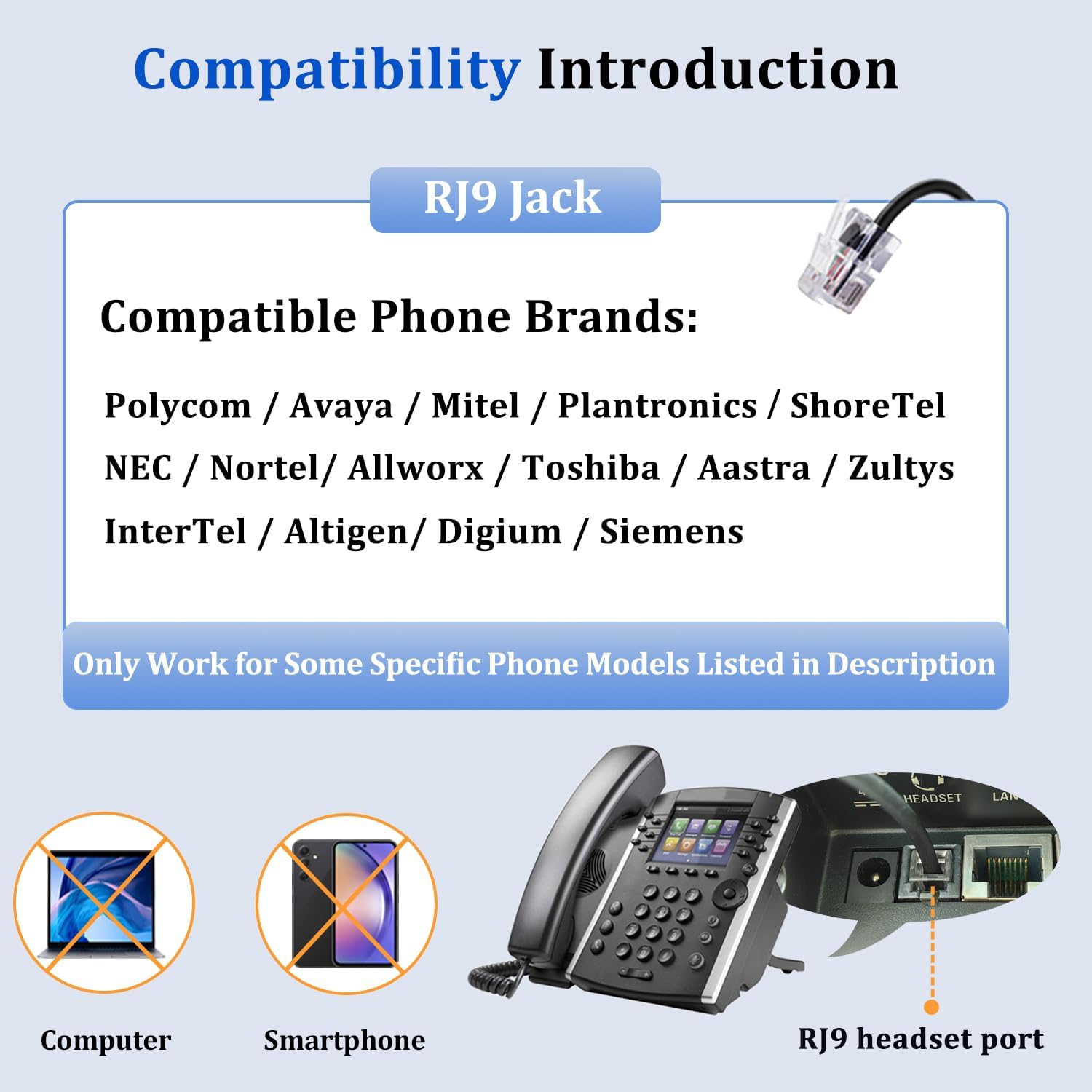
Сүрөт: Шайкештик бүттүview for the RJ9 jack, highlighting supported phone brands and non-compatibility with computers and smartphones.
Жайгашуу
Setting up your Callez C502A headset is a simple plug-and-play process.
- Locate the RJ9 headset port on your compatible landline phone. This port is typically labeled "Headset" or has a headset icon.
- Insert the RJ9 jack of the headset cable firmly into the headset port on your phone.
- Once connected, press the "Headset" button on your phone (if available) to activate the headset for calls.
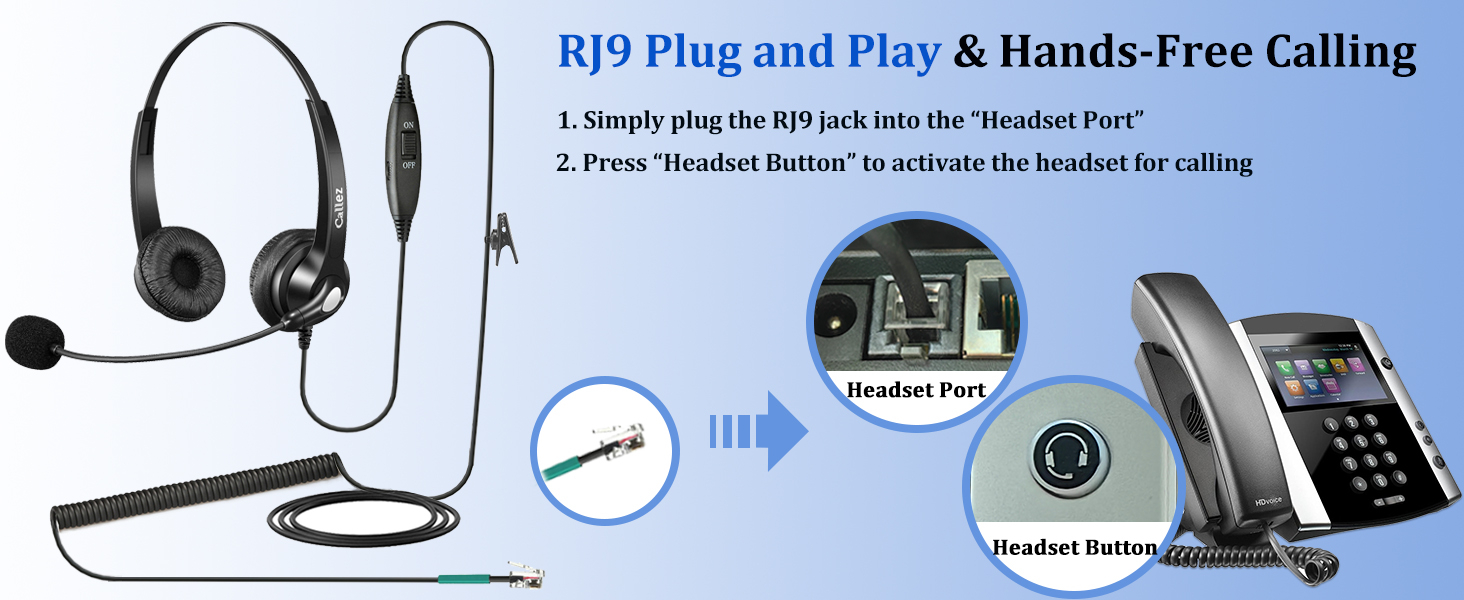
Image: Step-by-step guide for connecting the RJ9 headset to a landline phone.
Иштөө нускамалары
Familiarize yourself with the headset's controls for optimal call management.
Гарнитураны тагынуу
- Башыңыздын үстүнкү боосун башыңызга ыңгайлуу кылып тууралаңыз.
- Кулакка илинүүчү жаздыкчаларды кулагыңыздын үстүнө коюңуз.
- Rotate the microphone boom to bring the microphone close to your mouth, approximately 1-2 inches away, for best voice pickup. The microphone can be worn on either the left or right side.
Inline Controls
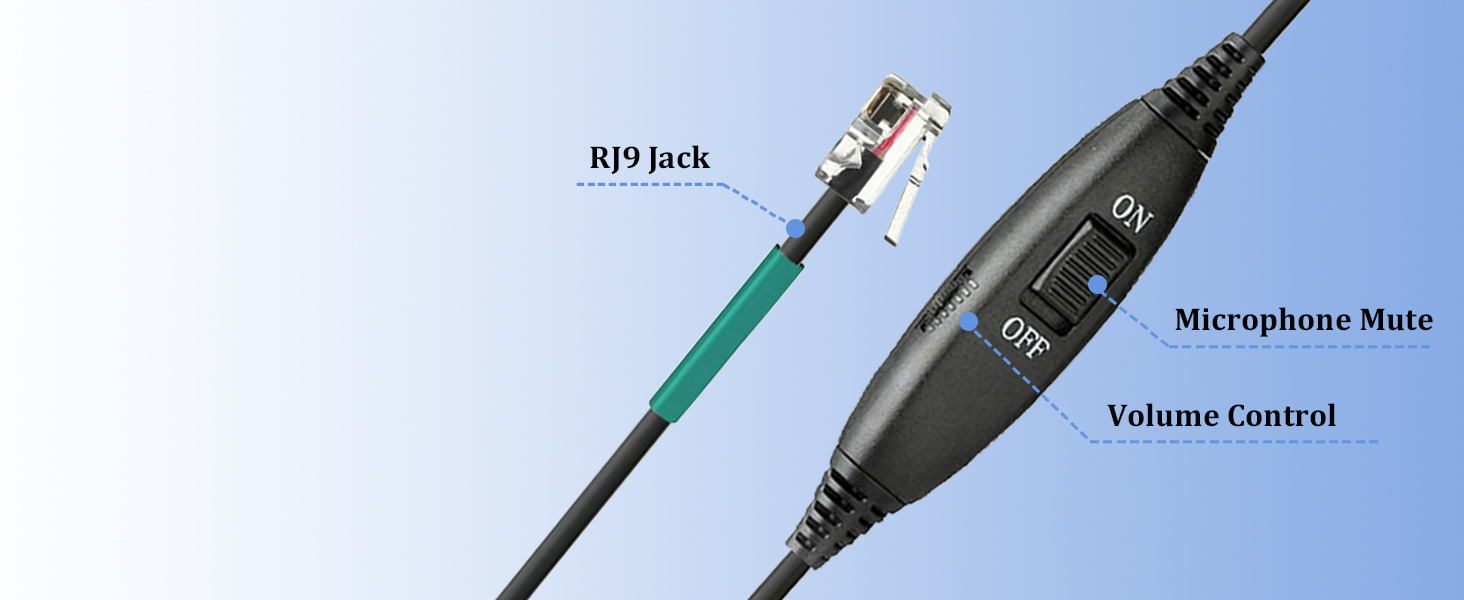
Image: The inline control unit provides easy access to volume and mute functions.
- Үндү көзөмөлдөө: Use the slider switch on the inline control unit to adjust the listening volume.
- Микрофондун үнүн өчүрүү: Flip the "ON/OFF" switch on the inline control unit to mute or unmute your microphone. "OFF" typically indicates mute, and "ON" indicates the microphone is active.
Техникалык тейлөө
Тийиштүү кам көрүү жана техникалык тейлөө гарнитураңыздын иштөө мөөнөтүн узартат.
- Тазалоо: Wipe the headset and ear cushions with a soft, dry cloth. Do not use liquid cleaners or immerse the headset in water.
- Сактагыч: Гарнитураны таза, кургак жерде, өтө жогорку температурадан жана түз күн нурунан алыс сактаңыз.
- Кабельге кам көрүү: Зыяндын алдын алуу үчүн кабелди курч ийилүүдөн же ашыкча тартуудан качыңыз.
- Кулак жаздыктары: Replace ear cushions if they become worn or damaged to maintain comfort and hygiene.
Проблемаларды чечүү
Гарнитураңызга байланыштуу көйгөйлөргө туш болсоңуз, төмөнкү жалпы чечимдерди караңыз:
| Көйгөй | Мүмкүн себеп | Чечим |
|---|---|---|
| Гарнитурадан үн жок |
|
|
| Other party cannot hear me / Low microphone volume |
|
|
| Статикалык же түшүнүксүз аудио |
|
|
Техникалык шарттар
| Өзгөчөлүк | Деталь |
|---|---|
| Модель аты | C502A |
| Байланыш технологиясы | Wired (RJ9 Jack) |
| Noise Control | Үн изоляциясы, ызы-чууну жокко чыгаруу (микрофон) |
| Импеданс | 150 Ом |
| Кулак жайгаштыруу | On Ear |
| Материал | Leather (ear cushions), Plastic |
| Элемент Салмагы | 4.8 унция (болжол менен 136 г) |
| Өзгөчөлүктөр | Adjustable Headband, Lightweight, Noise Cancellation, Volume Control |
| Сунушталган Колдонуулар | Calling (Business, Call Center, Work) |
Кепилдик жана колдоо
Callez provides comprehensive support for your product.
- Кепилдик: This Callez telephone headset is backed by a 2-Year Worry-Free Guarantee.
- Акчаны кайтарып берүү кепилдиги: 45 күндүк акчаны кайтарып берүү кепилдиги сунушталат.
- Кардарларды колдоо: For any questions regarding compatibility, troubleshooting, or warranty claims, please contact Callez customer support. Refer to the product packaging or the Callez webбайланыш маалыматы үчүн сайт.
Продукт видеолору
Headset Demonstration
Video: A demonstration of the Callez RJ9 Phone Headset, showcasing its features and how it is worn.
Callez Binaural Telephone Headset Overview
Видео: Бүттүview of the Callez Binaural Telephone Headset, highlighting its design and components.