
Lazmin112 K21+
YEEMI K21+ 4G Flip Phone User Manual
Model: K21+ | Brand: Lazmin112
1. Киришүү
This user manual provides comprehensive instructions for the operation and maintenance of your YEEMI K21+ 4G Flip Phone. Please read this manual carefully before using the device to ensure proper functionality and safety.
Пакеттин мазмуну:
- 1 x YEEMI K21+ Flip Phone
- 1 x Lithium-ion Battery (4800 mAh)
- 1 x заряддоо кабели (микро USB)
- 1 x User Manual
2. Продукттун спецификациялары
| Өзгөчөлүк | Спецификация |
|---|---|
| Модел | YEEMI K21+ |
| Материал | Металл, ABS |
| Салмагы | Болжол менен 208 г / 7.3 унция |
| Негизги экран | 2.6 дюйм |
| Тышкы экран | 1.77 дюйм |
| Эстутум (RAM/ROM) | 32 MB RAM, 32 MB ROM |
| Сактоо картасын колдоо | 32 ГБ чейин (кошулбайт) |
| SIM Card Slot Type | Dual SIM (supports up to 3 Nano SIM cards) |
| Network Bands | GSM: B3, B5, B8; CDMA: BCO; WCDMA: B1, B5, B8; FDD: B1, B3, B5, B7, B8, B20; TDD: B38, B39, B40, B41 |
| Батарея түрү | 4800 мАч литий-иондук батарейка |
| Медиа колдоо | MP3, MP4 |
| USB интерфейси | Микро USB |
| Негизги өзгөчөлүктөрү | Voice, Camera, Recording, MP3, MP4, Radio, Games, Calculator, Ebook, Calendar, Flashlight, SOS, Timer, GPS, Large Buttons, Family Numbers |
| Колдоого алынган тилдер | Vietnamese, Thai, Spanish, Arabic, Russian, French, English, Indonesian, Hebrew, Turkish, Portuguese |
3. Орнотуу жана биринчи колдонуу
3.1. Installing the Battery and SIM Card(s)
To begin using your phone, you need to install the battery and your SIM card(s).
- Арткы капкакты ачыңыз: Телефондун арткы капкагын акырын ачыңыз.
- SIM-карталарды салыңыз: Locate the SIM card slots. This phone supports dual SIM cards and up to three Nano SIMs. Carefully insert your Nano SIM card(s) into the designated slots with the gold contacts facing down.
- Insert memory card (optional): If you wish to expand storage, insert a microSD card (up to 32GB, not included) into the memory card slot.
- Батареяны салыңыз: Align the battery contacts with the phone's contacts and gently press the 4800 mAh lithium-ion battery into place.
- Арткы капкакты жабыңыз: Арткы капкакты кайра ордуна коюп, анын бекем чыкылдаганын текшериңиз.

Figure 3.1: The YEEMI K21+ flip phone in its open position, displaying the main screen and the large, easy-to-use keypad. This view helps in understanding the layout for battery and SIM card installation.
3.2. Телефонду заряддоо
Биринчи жолу колдонуудан мурун, телефондун батарейкасын толугу менен заряддаңыз.
- Connect the Micro USB charging cable to the phone's charging port.
- Connect the other end of the cable to a compatible USB power adapter or computer USB port.
- The charging indicator on the screen will show the charging status. Disconnect the charger once the battery is full.

Сүрөт 3.2: Жакын пландан view of the phone's speaker, illustrating its powerful audio capabilities. While not directly showing charging, this image highlights a key feature of the phone's design.
3.3. Күйгүзүү / Өчүрүү
- Күйгүзүү үчүн: Экран күйгөнгө чейин Күйгүзүү/Чалууну бүтүрүү баскычын (адатта кызыл) басып туруңуз.
- Өчүрүү үчүн: Өчүрүү менюсу пайда болгонго чейин Күйгүзүү/Чалууну аяктоо баскычын басып туруңуз, андан кийин "Өчүрүү" дегенди тандаңыз же ырастаңыз.
4. Иштөө нускамалары
4.1. Understanding the Dual Screens
The YEEMI K21+ features both an internal main screen (2.6 inches) and an external color screen (1.77 inches).
- The external screen displays essential information like time, date, battery status, and incoming call notifications without needing to open the phone.
- The main internal screen is used for all primary operations, including dialing, navigating menus, viewing messages, and using applications.
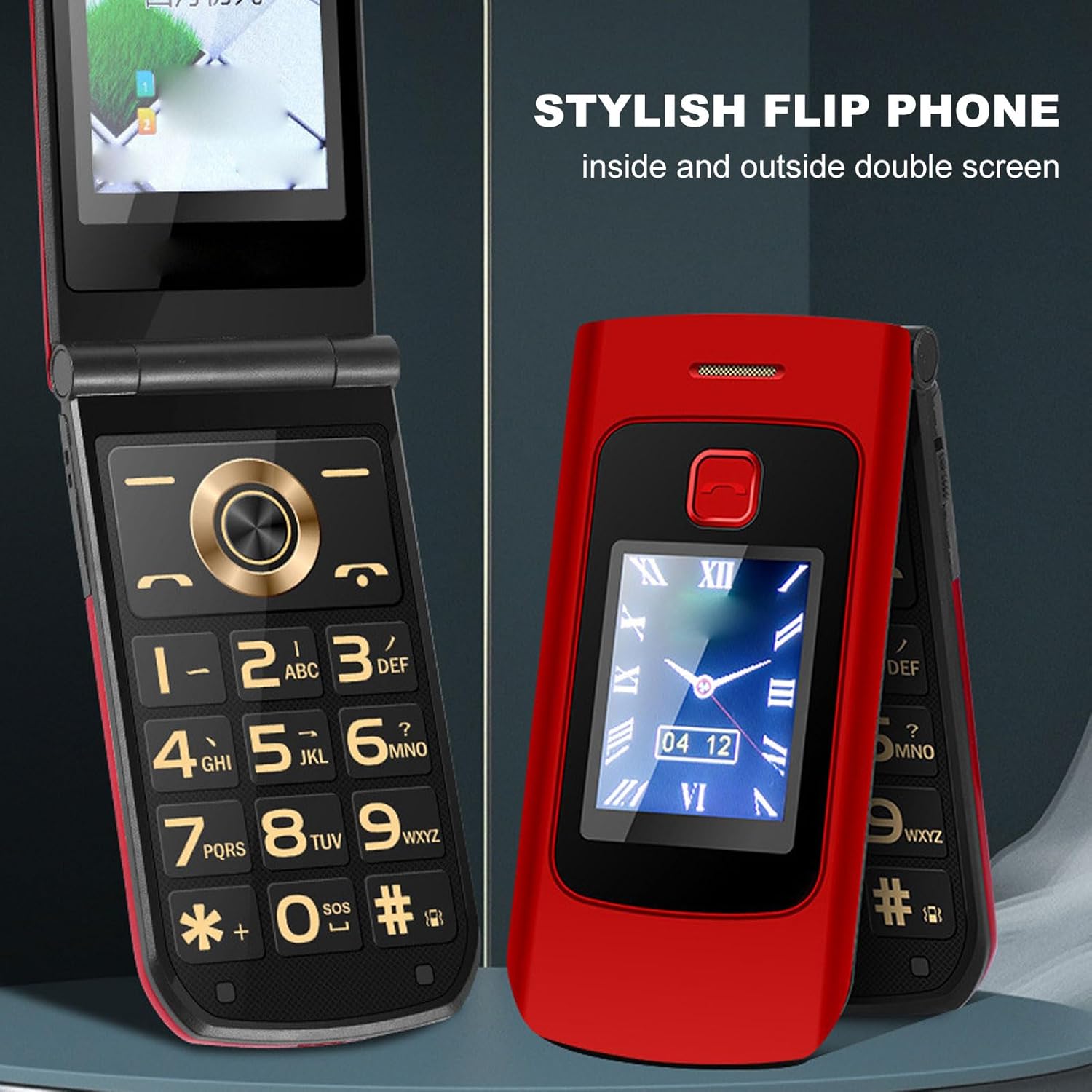
Figure 4.1: This image showcases both the internal and external screens of the YEEMI K21+ flip phone, highlighting its dual-screen design for convenience and ease of use.
4.2. Чалууларды кабыл алуу жана кабыл алуу
- Чалуу үчүн: Open the phone, dial the number using the large keypad, and press the Green Call button.
- Чакырууну кабыл алуу үчүн: When the phone rings, open the phone (if closed) and press the Green Call button. You can also answer directly by pressing the Green Call button if the phone is already open.
- Чалууну аяктоо үчүн: Press the Red End Call button or close the phone.
4.3. SOS Function and GPS Positioning
The phone is equipped with a dedicated SOS button for emergencies and GPS positioning for location tracking.
- Setting up SOS: Navigate to the SOS settings in the phone's menu. Add up to 5 emergency contacts.
- SOS колдонулууда: In an emergency, press and hold the SOS button (located on the back or side of the phone). The phone will automatically dial the emergency contacts one by one until one answers, and send an emergency SMS with your GPS location.

Figure 4.2: The external screen of the phone, displaying essential information and highlighting its 4G Dual SIM Dual Standby capability, which is crucial for connectivity and emergency services.
4.4. Негизги өзгөчөлүктөр бүттүview
The YEEMI K21+ comes with several features designed for convenience and accessibility.
- Чоң баскычтар: The keypad features large, easy-to-read buttons for effortless dialing and navigation.
- Күчтүү спикер: Ensures clear and loud audio for calls and notifications.
- Үн берүү: Announces incoming calls and dialed numbers for users with visual impairments.
- Кол чырак: A built-in flashlight for convenience in low-light conditions.
- Дирилдөө эскертүүсү: Strong vibration ensures you don't miss important calls.

Figure 4.3: The phone's external display, emphasizing the strong vibration feature that helps users not miss calls, especially useful for those with hearing difficulties.
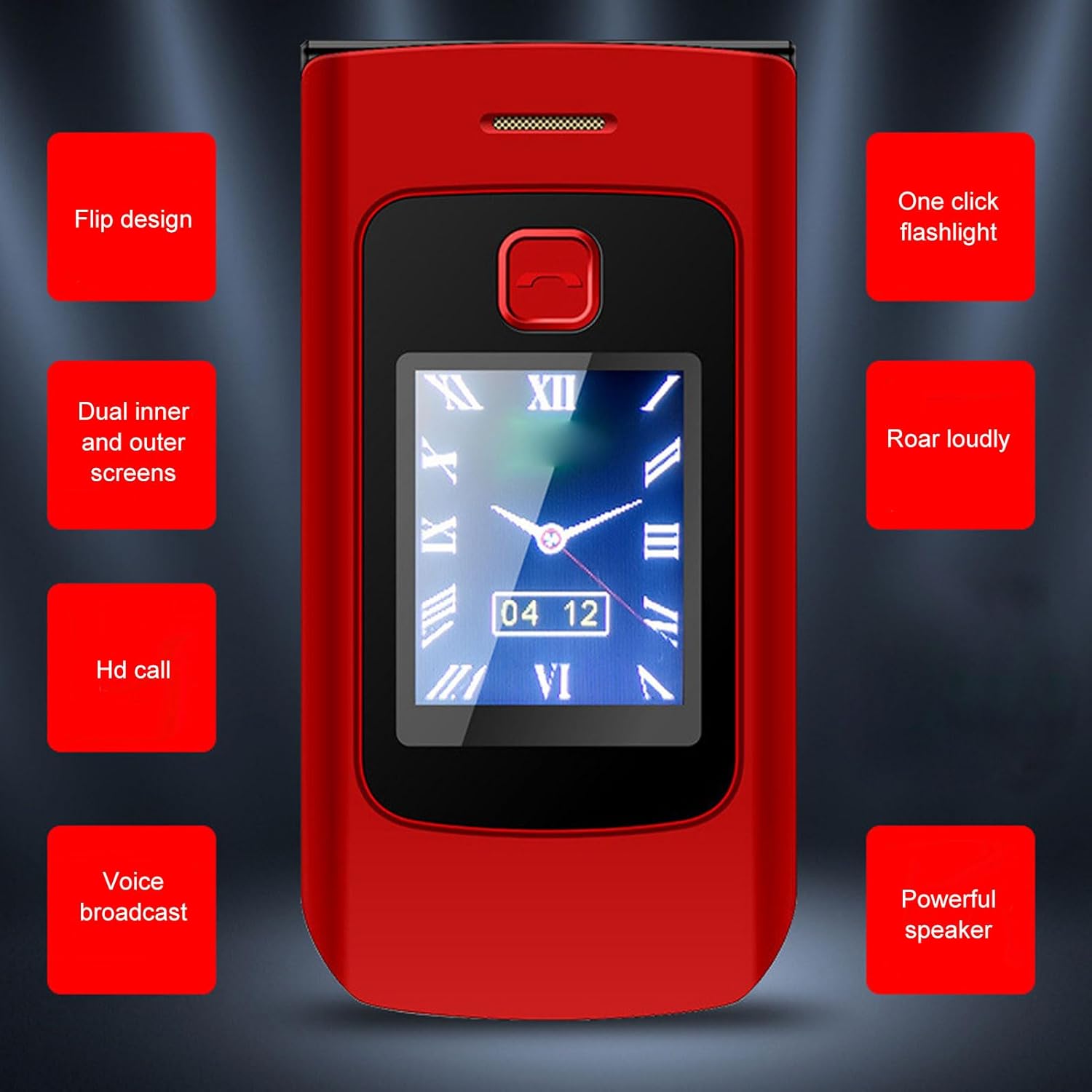
Figure 4.4: A visual summary of the phone's key features, including its flip design, dual screens, HD call quality, voice broadcast, one-click flashlight, and powerful speaker.
5. Техникалык тейлөө жана кам көрүү
Proper care will extend the life of your YEEMI K21+ flip phone.
- Тазалоо: Телефондун бетин тазалоо үчүн жумшак, кургак чүпүрөктү колдонуңуз. Суюк тазалоочу каражаттарды же аэрозольдорду колдонуудан алыс болуңуз.
- Сактагыч: Телефонду түз күн нурунан жана экстремалдык температурадан алыс салкын, кургак жерде сактаңыз.
- Батареяга кам көрүү: Avoid fully discharging the battery frequently. Charge the phone regularly to maintain battery health.
- Hinge Durability: The phone features a durable alloy shaft designed for repeated opening and closing.

Figure 5.1: This image illustrates the robust hinge design of the phone, capable of 170-degree rotation, ensuring durability even with frequent opening and closing.
6. Кыйынчылыктарды
Телефонуңузда көйгөйлөргө туш болсоңуз, төмөнкү жалпы көйгөйлөрдү жана чечимдерди караңыз:
| Көйгөй | Мүмкүн себеп | Чечим |
|---|---|---|
| Телефон күйбөйт | Аз батарея; Батарея туура орнотулган эмес | Батареяны заряддаңыз; Батареяны туура кайра орнотуңуз. |
| Чалууларды жасоо/кабыл алуу мүмкүн эмес | No SIM card; SIM card not inserted correctly; Out of network coverage | Insert SIM card; Reinsert SIM card; Move to an area with network coverage. |
| Чалуу сапаты начар | Weak signal; Obstruction to speaker/microphone | Move to an area with better signal; Ensure speaker/microphone are not blocked. |
| Батарея бат эле түгөнөт | Too many background applications; Old battery | Close unused applications; Consider replacing the battery if it's old. |
7. Кепилдик жана колдоо
Кепилдик жөнүндө маалымат жана кардарларды колдоо кызматы үчүн, сатып алуу учурунда берилген документтерди караңыз же сатуучуга кайрылыңыз. Сатып алуунун далили катары сатып алуу дүмүрчөгүңүздү сактап коюңуз.
Ask a question about this manual
Ask about setup, troubleshooting, compatibility, parts, safety, or missing instructions. Manuals+ will review the question and use this page’s manual context to help answer it.