
Эркин карышкыр RK-K8
FREEWOLF RK-K8 зымсыз механикалык оюн клавиатурасы Колдонуучунун колдонмосу
Model: RK-K8
1. Киришүү
This manual provides detailed instructions for the FREEWOLF RK-K8 Wireless Mechanical Gaming Keyboard. Please read this manual thoroughly before using the product to ensure proper operation and to maximize your user experience.
Негизги өзгөчөлүктөрү:
- Triple-Mode Connectivity: Supports Type-C wired, 2.4GHz wireless, and Bluetooth 5.0 connections.
- Hot-Swappable Switches: Compatible with most 3-pin mechanical switches for customization.
- Gasket Mounted Structure: Enhances typing feel and reduces hollow sound.
- Customizable Rainbow Backlight: Features 18 backlight effects.
- Long-Lasting Battery: Equipped with a 4000mAh battery.
- 96% Layout: 100-key design that saves space while retaining essential keys.
- Wide Compatibility: Supports Windows and Mac operating systems.
2. Пакеттин мазмуну
Пакетиңизде бардык буюмдар бар экенин текшериңиз:
- 1 x FREEWOLF RK-K8 Mechanical Keyboard
- 1 x USB Receiver (2.4Ghz)
- 1 x Type-C to USB-A Braided Coiled Cable
- 1 x Баскыч капкагын тарткыч
- 1 x Которгуч тарткыч
- 2 x Original Switches (spare)
- 1 х Колдонуучунун колдонмосу (бул документ)

Image 2.1: Contents of the FREEWOLF RK-K8 package, showing the keyboard, coiled USB-C cable, USB 2.4G receiver, keycap puller, switch puller, and two spare switches.
3. Орнотуу жана туташуу
3.1 Баскычтопту заряддоо
Before first use, it is recommended to fully charge the keyboard. Connect the provided Type-C cable to the keyboard's Type-C port and the USB-A end to a power source (e.g., computer USB port, USB wall adapter). The keyboard features a 4000mAh battery.
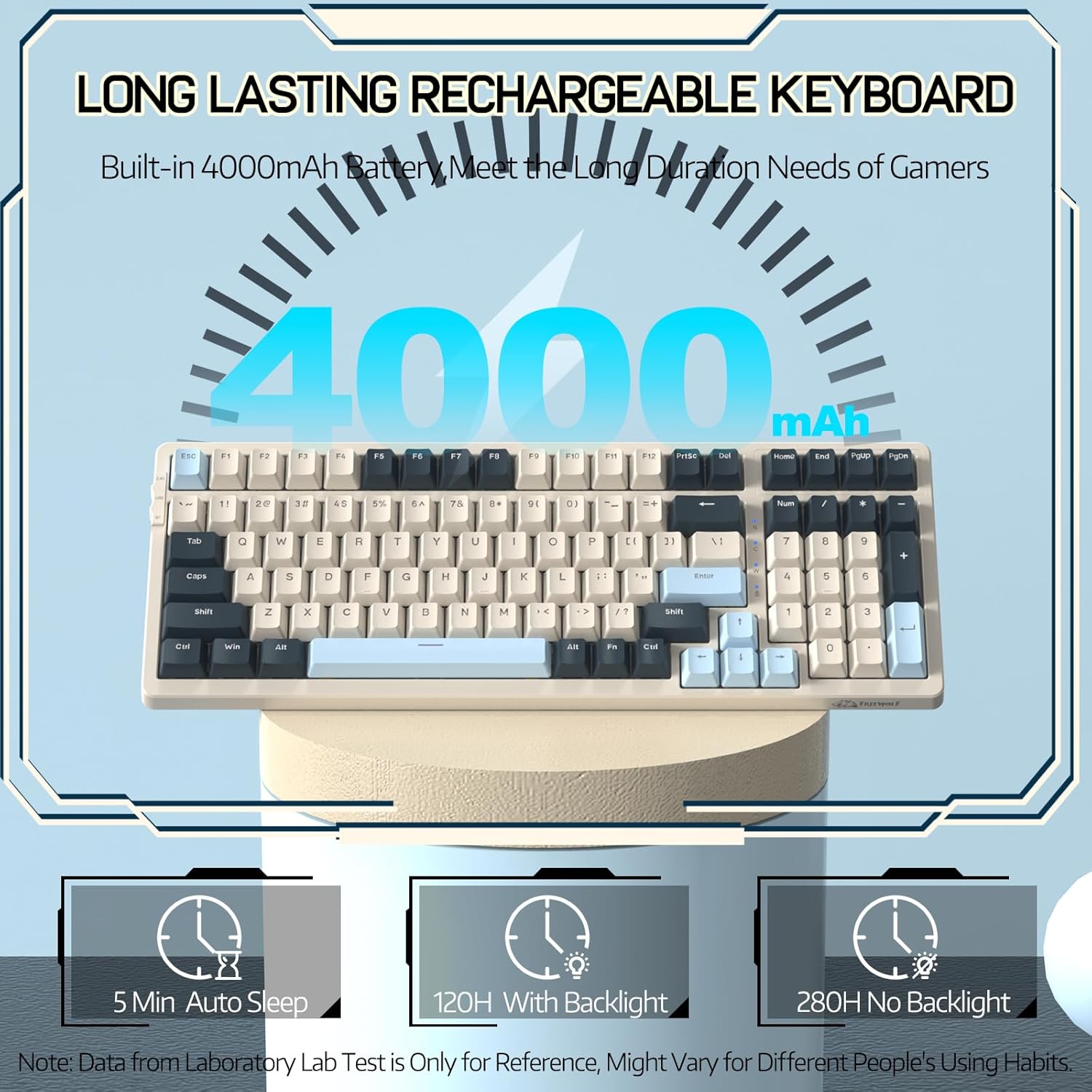
Image 3.1: The keyboard's 4000mAh battery capacity, indicating extended usage time.
3.2 Туташуу режимдери
The RK-K8 keyboard supports three connection modes: Wired, 2.4GHz Wireless, and Bluetooth 5.0.

Image 3.2: Visual guide for switching between 2.4G wireless, wired, and Bluetooth connection modes.
3.2.1 Зымдуу режим
- Connect the provided Type-C coiled cable to the keyboard's Type-C port.
- Кабелдин USB-A учун компьютериңиздин USB портуна туташтырыңыз.
- Ensure the mode switch on the keyboard is set to "USB" (or wired mode indicator).
- Баскычтоп системаңыз тарабынан автоматтык түрдө таанылат.

Image 3.3: The Type-C to USB-A braided coiled cable, featuring a metal aviation connector for wired connection.
3.2.2 2.4 ГГц зымсыз режим
- Locate the 2.4GHz USB receiver, typically stored in a slot on the keyboard.
- USB ресиверди компьютериңиздеги жеткиликтүү USB портуна сайыңыз.
- Toggle the mode switch on the keyboard to "2.4G".
- Баскычтоп автоматтык түрдө туташуу керек.
3.2.3 Bluetooth 5.0 режими
Баскычтоп үч Bluetooth түзмөгүнө чейин туташууну колдойт.
- Toggle the mode switch on the keyboard to "BT".
- Жупташтыруу режимине өтүү үчүн басып, кармап туруңуз FN + Q, FN + W, же FN + E for 3-5 seconds. The corresponding key's backlight will flash rapidly, indicating it's ready to pair.
- On your device (PC, Mac, tablet, phone), open Bluetooth settings and search for "RK-K8" or a similar device name.
- Select the keyboard to pair. Once connected, the backlight on the chosen key (Q, W, or E) will stop flashing and remain steadily lit.
- Жупташтырылган Bluetooth түзмөктөрүнүн ортосунда которулуу үчүн, жөн гана басыңыз FN + Q, FN + W, же FN + E.
3.3 Системанын шайкештиги
The RK-K8 keyboard is compatible with both Windows and Mac operating systems. Use the appropriate FN key combinations for specific functions on each system.
Видео 3.1: Бүттүview of the FREEWOLF K8 mechanical keyboard, showcasing its features including customizable keycaps, lighting effects, hot-swappable design, compact layout, and multi-device compatibility across Windows, Mac, and mobile devices.
4. Операция
4.1 Жарыкты башкаруу
The RK-K8 features 18 customizable rainbow backlight effects.
- FN + |: 18 арткы жарык эффекттеринин ортосунда которулуу.
- FN + ↑ / ↓: Арткы жарыктын жарыктыгын тууралоо.
- FN + ← / →: Adjust the flowing speed of dynamic backlight effects.
- FN + X: Turn on/off backlight.
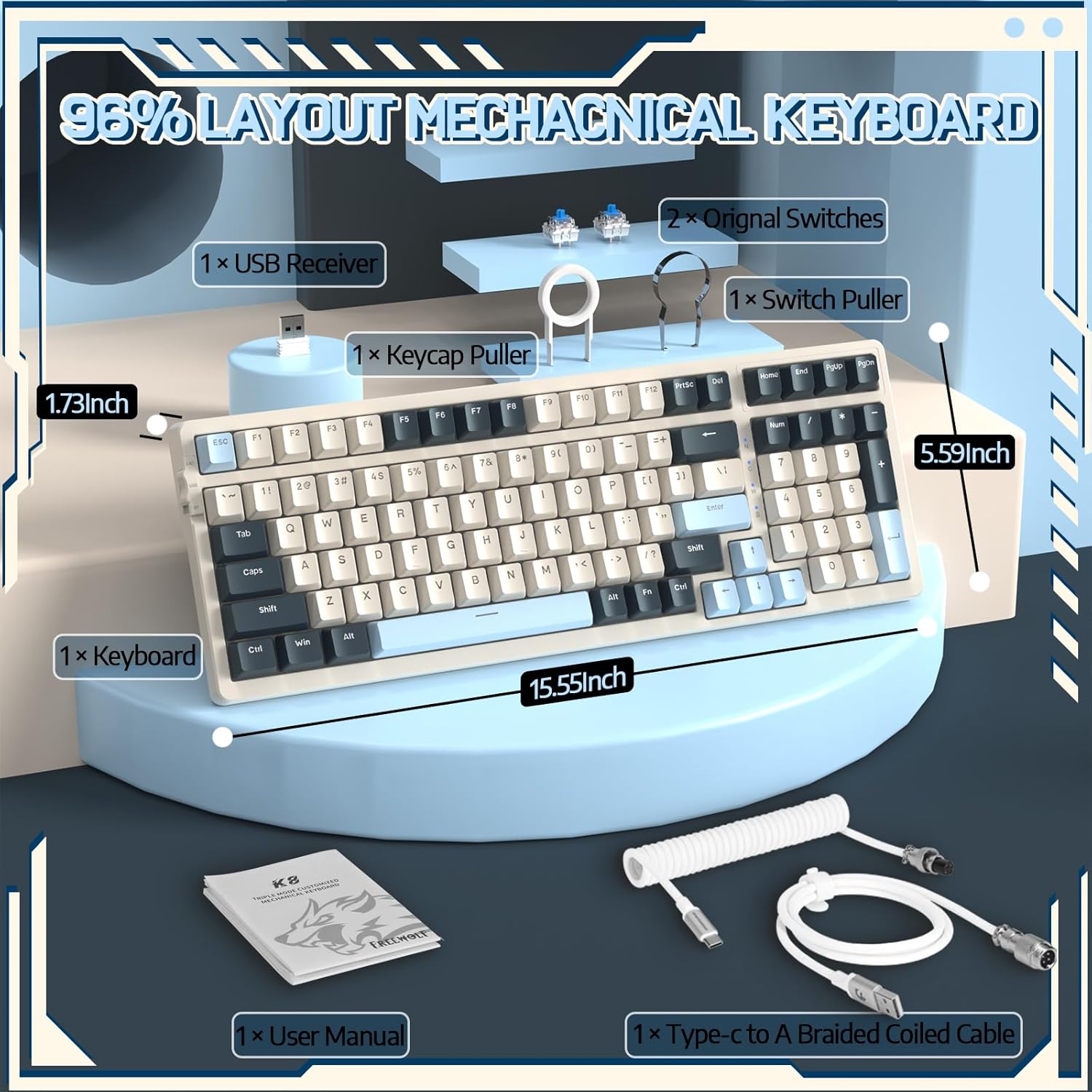
Image 4.1: The RK-K8 keyboard displaying various customizable rainbow backlight patterns.
4.2 Ыкчам алмаштыруучу которгучтар
The keyboard is equipped with a hot-swappable PCB, allowing you to change switches without soldering. It is compatible with most 3-pin mechanical switches (e.g., Cherry MX, Gateron, Kailh Box, AKKO, Epomaker, Glorious switches).
- Use the provided switch puller to carefully remove the existing switch. Grip the switch firmly and pull straight up.
- Жаңы 3-пиндүү которгучтун төөнөгүчтөрүн платадагы тешиктер менен тегиздеңиз.
- Gently press the new switch into place until it clicks. Ensure the switch is seated properly and the pins are not bent.
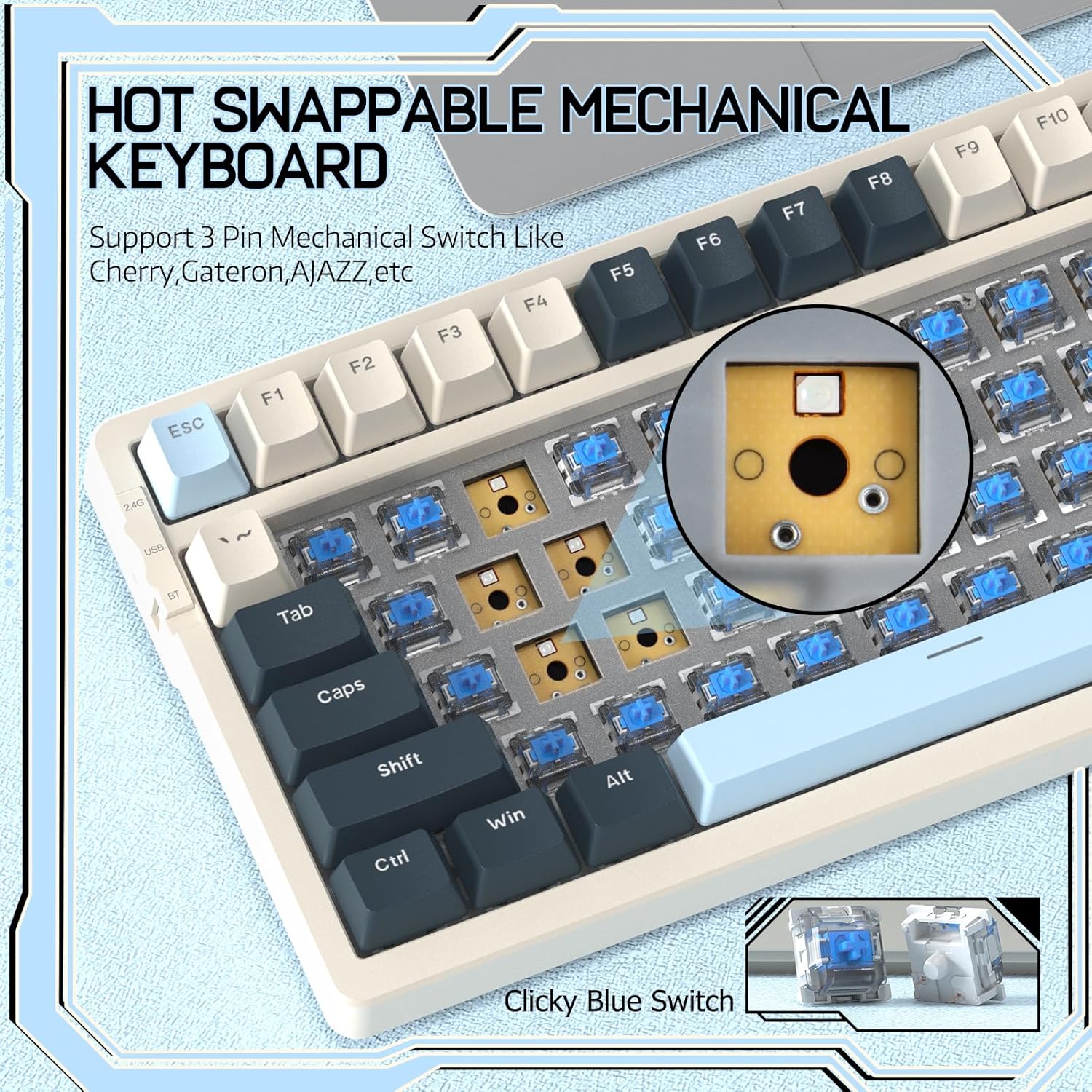
Image 4.2: Demonstrating the hot-swappable feature, showing a switch being removed from the keyboard.
4.3 Прокладка орнотулган конструкция
The keyboard features a gasket-mounted design with sound-dampening materials between the plate and the housing. This construction reduces hollow sounds and provides a more consistent and comfortable typing experience.

Image 4.3: Diagram illustrating the internal layers of the gasket-mounted keyboard structure, designed for improved acoustics and feel.
4.4 Негизги функциялары жана жайгашуусу
The RK-K8 utilizes a 96% layout with 100 keys, retaining essential modifiers, arrow keys, a separate numpad, and function row while maintaining a compact form factor.
Refer to the keyboard layout for specific key placements. Many keys have secondary functions accessible via the FN ачкыч.
- FN + F1-F12: Multimedia and system control functions (e.g., volume, play/pause).
- FN + Win: Lock/unlock Windows key.
- FN + A: Switch to Windows layout.
- FN + S: Switch to Mac layout.
5. Техникалык тейлөө
5.1 Тазалоо
Клавиатуранын көрүнүшүн жана функционалдуулугун сактоо үчүн:
- Тазалоодон мурун клавиатураны компьютерден ажыратыңыз.
- Бир аз жумшак, түксүз кездемени колдонуңуз dampачкыч капкактарын жана шассиди сүртүү үчүн суу же жумшак тазалоо эритмеси менен жабыңыз.
- Баскычтардын капкактарынын ортосундагы чаң жана таштандыларды алып салуу үчүн, кысылган абаны же берилген ачкыч капкактарын тартуучу каражатты колдонуп, ачкычтардын капкактарын алып, астын тазалаңыз.
- Катуу химиялык заттарды, абразивдерди же эриткичтерди колдонуудан алыс болуңуз.
5.2 Баскычтын капкагын жана которгучту алмаштыруу
The provided keycap and switch pullers facilitate easy replacement of keycaps and switches. Refer to section 4.2 for switch replacement instructions.
6. Кыйынчылыктарды
If you encounter issues with your FREEWOLF RK-K8 keyboard, please refer to the following common solutions:
- Баскычтоп жооп бербей жатат:
- Баскычтоп кубатталганын текшериңиз.
- Check the connection mode switch (Wired, 2.4G, BT) matches your intended connection.
- For wired mode, ensure the cable is securely connected to both the keyboard and the computer.
- For 2.4G wireless, ensure the USB receiver is plugged in and the keyboard is in 2.4G mode.
- For Bluetooth, re-pair the device if necessary (see section 3.2.3).
- Keys repeating or not registering:
- This can sometimes occur with wireless connections. Try switching to wired mode to see if the issue persists.
- Ensure the switches are properly seated. If a switch is loose, carefully remove and re-insert it.
- Жабыр тарткан ачкычтын тегерегиндеги калдыктарды тазалаңыз.
- Арткы жарык иштебей жатат же тыгылып калган:
- Ensure the backlight is not turned off (press FN + X).
- жардамы менен жарыктыгын тууралаңыз FN + ↑ / ↓.
- Try cycling through backlight effects with FN + |.
- Bluetooth байланышы көйгөйлөрү:
- Ensure the keyboard is in Bluetooth mode and sufficient battery.
- Forget the device on your computer/phone and re-pair it.
- Ensure your device's Bluetooth is enabled and working correctly.
7. Техникалык шарттар
| Өзгөчөлүк | Деталь |
|---|---|
| Бренд | FREEWOLF |
| Модел | RK-K8 |
| Байланыш технологиясы | Bluetooth 5.0 / 2.4GHz Wireless / Wired (Type-C) |
| Keyboard Description | Механикалык |
| Которуу түрү | Tactile Blue Switch (Hot-Swappable 3-pin) |
| Батарея сыйымдуулугу | 4000mAh |
| Арткы жарык | Радуга арткы жарыгы (18 эффект) |
| Макет | 96% (100 ачкыч) |
| Шайкеш түзмөктөр | PC, Mac, PS4 (via USB) |
| Материал | Акрилонитрил бутадиен стирол (ABS) |
| Элемент Салмагы | 2.25 фунт (болжол менен 1.02 кг) |
| Пакеттин өлчөмдөрү | 16.14 x 6.69 x 2.01 дюйм |
8. Кепилдик жана колдоо
For warranty information or technical support, please refer to the contact details provided with your purchase or visit the official FREEWOLF webсайт. Кепилдик дооматтары үчүн сатып алуу дүмүрчөгүңүздү сактаңыз.
Ask a question about this manual
Ask about setup, troubleshooting, compatibility, parts, safety, or missing instructions. Manuals+ will review the question and use this page’s manual context to help answer it.