
1. Киришүү
The ambie Sound Earcuffs are innovative open-ear earbuds designed to provide a unique audio experience. Unlike traditional in-ear earbuds, these ear cuffs allow you to enjoy your favorite music or calls while remaining fully aware of your surroundings. This design is ideal for activities such as jogging, hiking, cycling, or using public transportation, ensuring both entertainment and safety. Featuring a built-in CVC8.0 compatible microphone, the earcuffs effectively reduce wind and environmental noise for crystal-clear calls. The high-quality driver unit delivers excellent acoustic performance. Lightweight and comfortable, they weigh only 0.16oz (4.6g) and stay securely in place even during strenuous activities. They are also waterproof, making them suitable for various outdoor conditions. The mechanical switch prevents accidental operations, and the earphones offer 6 hours of continuous playback on a single charge, with the charging case providing an additional 12 hours of power.

Figure 1: Ambie Sound Earcuffs (Lemon Sorbet)
2. Кутуда эмне бар
Your ambie Sound Earcuffs package includes the following items:
- Ambie Sound Earcuffs (Left and Right)
- Заряддоо кутусу
- USB Type-C кубаттоочу кабель
- Instruction Manual (English, Japanese, Chinese)
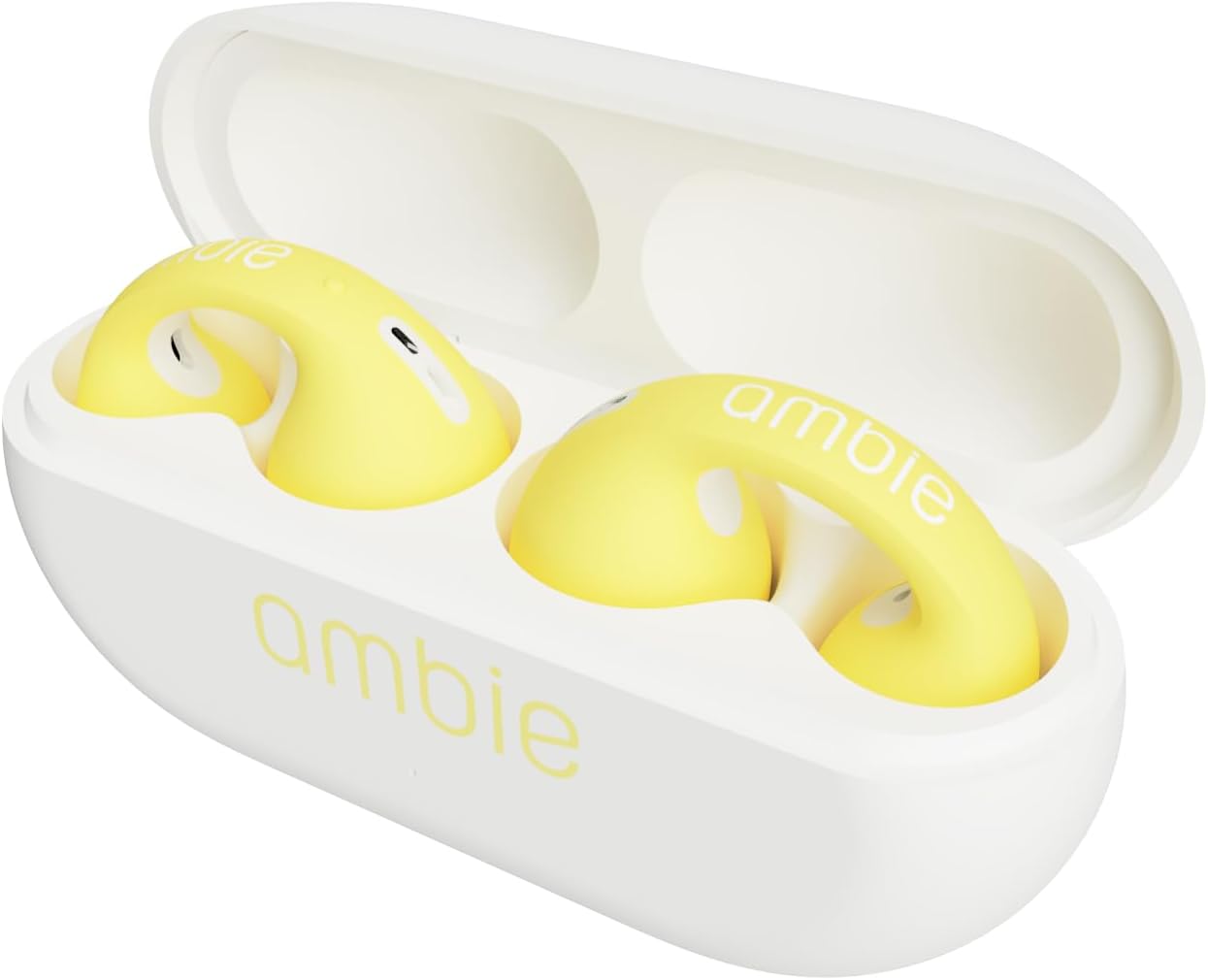
Figure 2: Earcuffs in Charging Case
3. Орнотуу колдонмосу
3.1 Алгачкы заряддоо
Before first use, ensure your ambie Sound Earcuffs are fully charged.
- Place both earcuffs into their charging case.
- Connect the USB Type-C charging cable to the charging port on the back of the case.
- USB кабелинин экинчи учун шайкеш келген USB кубат булагына (мисалы, компьютер, дубал адаптери) сайыңыз.
- Корпустагы индикатор кубаттоо абалын көрсөтөт. Толук заряддалгандан кийин жарык өзгөрөт же өчөт.
3.2 Bluetooth жупташтыруу
To connect your earcuffs to a device:
- Ensure the earcuffs are in the charging case and the case lid is open.
- Түзмөгүңүздө (смартфон, планшет, компьютер) Bluetooth жөндөөлөрүнө өтүп, Bluetooth'ду иштетиңиз.
- Select "ambie Sound Earcuffs" from the list of available devices.
- Once connected, a confirmation sound or indicator will confirm successful pairing.
3.3 Wearing the Earcuffs
The unique ear cuff design ensures a secure and comfortable fit:
- Gently pull your earlobe down.
- Slide the earcuff onto your ear, ensuring the speaker portion is positioned just outside your ear canal.
- Adjust for a snug and comfortable fit. The earcuffs are designed to stay on securely during movement.
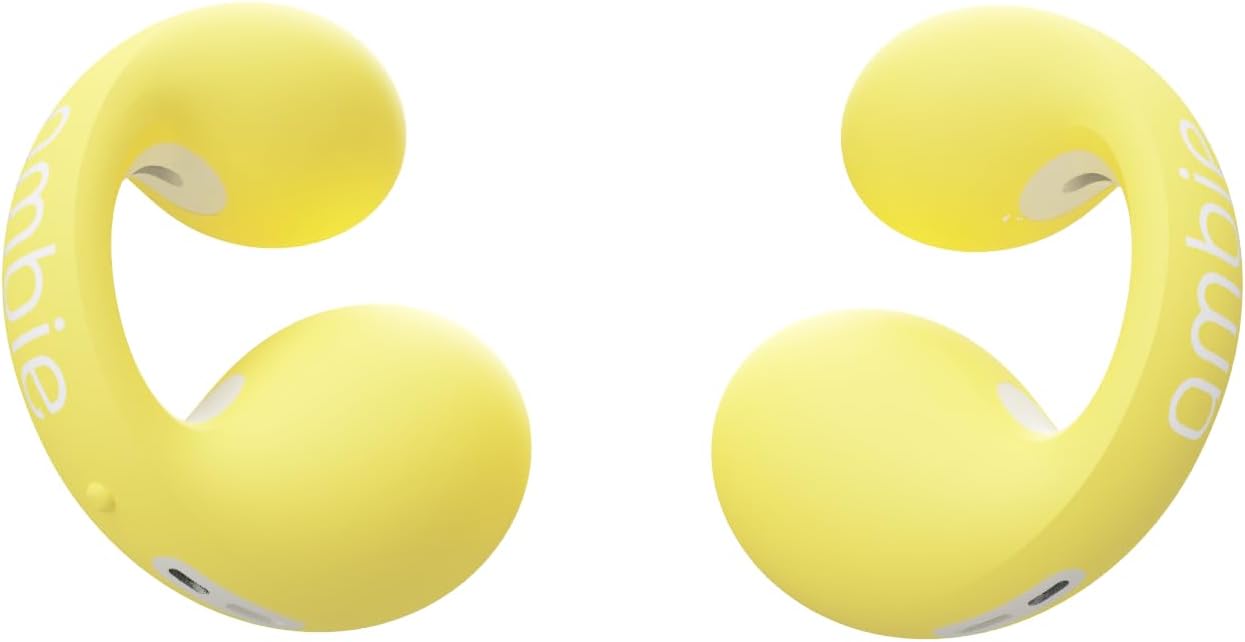
3-сүрөт: Каптал view of an Ambie Earcuff
4. Иштөө нускамалары
4.1 Негизги башкаруу каражаттары
The ambie Sound Earcuffs feature clickable mechanical switches for easy control:
- Ойнотуу/тындыруу: Click either button once.
- Кийинки ыр: Double-click the button on the right earcuff.
- Мурунку ыр: Double-click the button on the left earcuff.
- Көлөмү: Press and hold the button on the right earcuff.
- Үнүн азайтуу: Press and hold the button on the left earcuff.
4.2 Чалууларды башкаруу
Manage your calls with ease using the earcuff controls:
- Чалууга жооп берүү/аяктоо: Click either button once.
- Чакырууну четке кагуу: Press and hold either button.
5. Техникалык тейлөө
To ensure the longevity and optimal performance of your ambie Sound Earcuffs, follow these maintenance guidelines:
- Тазалоо: After each use, especially after strenuous activity or if exposed to moisture, wipe off any dirt or sweat from the charging terminals and the earcuffs with a dry, soft cloth or cotton swab.
- Сактагыч: Always store the earcuffs in their charging case when not in use to protect them and keep them charged.
- Суу таасири: While waterproof, avoid prolonged submersion in water. If they get wet, ensure they are completely dry before placing them back in the charging case or attempting to charge.
6. Кыйынчылыктарды
If you encounter issues with your ambie Sound Earcuffs, try the following solutions:
| Көйгөй | Мүмкүн болгон себеп / Чечим |
|---|---|
| Үн жок / ажыратуу |
|
| Начар үн сапаты |
|
| Earcuffs Not Charging |
|
| Ыңгайсыз Fit |
|
7. Техникалык шарттар
| Өзгөчөлүк | Деталь |
|---|---|
| Модель аты | AM-TW01 |
| Байланыш технологиясы | Зымсыз, Bluetooth |
| Камтылган компоненттер | USB cable, Storage charger case |
| Материал | Пластик |
| Элемент Салмагы | 0.16oz (4.6g) per earbud, 0.882 ounces total (25 Grams) |
| Жыштык диапазону | 20 Гц - 20 000 Гц |
| Батареянын иштөө мөөнөтү (наушник) | 6 саат |
| Батареянын иштөө мөөнөтү (корпусу менен) | Up to 12 hours additional recharge power |
| Bluetooth диапазону | 10 метр |
| Суу өткөрбөйт | Ооба |
| Микрофон | Built-in CVC 8.0 compatible microphone |
| Башкаруу түрү | Mechanical Switch (Media Control) |
| Кулак жайгаштыруу | Ачык кулак |
| Форма фактору | Чыныгы зымсыз |
8. Кепилдик жана колдоо
For warranty information and customer support, please refer to the official ambie webсайтка же түздөн-түз кардарларды тейлөөгө кайрылыңыз. Ар кандай кепилдик дооматтары үчүн сатып алганыңыздын далилин сактаңыз.
Эскертүү: Кепилдиктин конкреттүү шарттары жана шарттары аймакка жараша өзгөрүшү мүмкүн.