
1. Киришүү
This manual provides detailed instructions for the installation, operation, and maintenance of your Mars Gaming MC-MAG ATX Gaming Case. The MC-MAG case is designed for advanced gaming setups, featuring a tempered glass side panel, dual magnetic dust filters, and efficient cooling capabilities. Please read this manual thoroughly before beginning installation to ensure proper setup and optimal performance.
Key features of the MC-MAG case include:
- Full tempered glass side panel for component visibility.
- Dual magnetic grilles on the front and top panels with removable dust filters.
- Three pre-installed 120mm Fixed RGB front fans.
- Support for liquid cooling systems up to 360mm.
- Dual-chamber design for optimized cooling and space management.
- Front panel connectivity: 2x USB 2.0, 1x USB 3.0, HD Audio, Microphone.
2. Пакеттин мазмуну
Пакетте бардык компоненттер бар экенин текшериңиз:
- Mars Gaming MC-MAG ATX Gaming Case
- Accessory kit (screws, cable ties, standoffs)
- Колдонуучунун Колдонмосу (бул документ)
3. Case Overview
Familiarize yourself with the main components and features of the MC-MAG case.
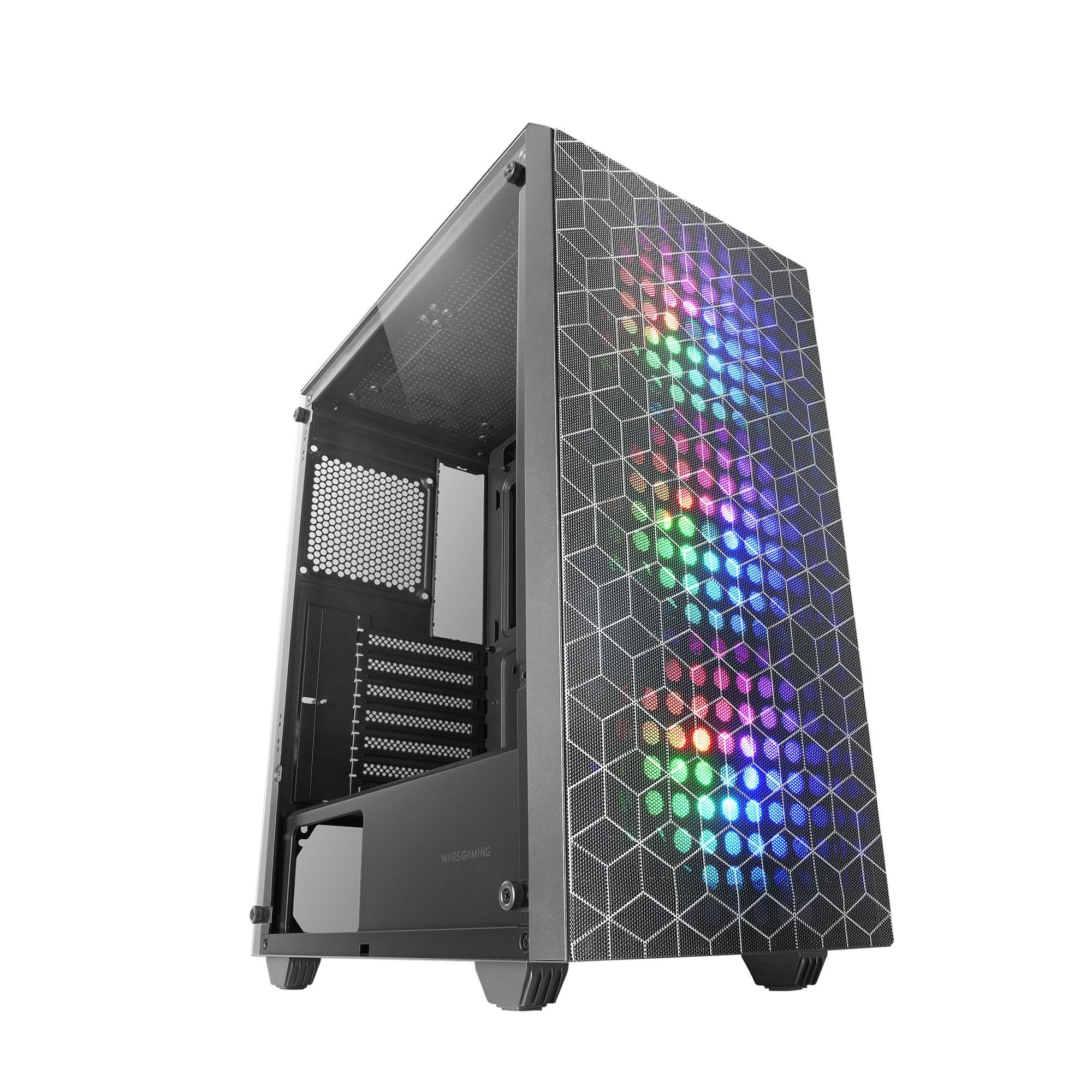
Figure 3.1: Mars Gaming MC-MAG ATX Gaming Case (Front-side view).

Figure 3.2: Tempered Glass Side Panel. This panel provides a clear view of internal components and is secured with thumbscrews.

Figure 3.3: Double Magnetic Front + Top Mesh. These removable grilles facilitate airflow and dust filtration.

Figure 3.4: Internal Layout Diagram. Illustrates fan and radiator mounting points, CPU cooler clearance (max 160mm), and VGA card length (max 350mm, 290mm with front radiator/fan).
4. Орнотуу жана орнотуу
Follow these steps to install your PC components into the MC-MAG case.
4.1 Ишти даярдоо
- Корпусту тегиз, туруктуу бетке коюңуз.
- Remove the tempered glass side panel by unscrewing the thumbscrews at the rear of the case and carefully sliding the panel off. Set it aside on a soft, protected surface.
- Кабелди башкаруу аймагына жетүү үчүн арткы каптал панелди алып салыңыз.
4.2 Motherboard орнотуу
- The MC-MAG case supports ATX, MicroATX, and Mini-ITX motherboards.
- Ensure the correct standoffs are installed for your motherboard size. Adjust if necessary.
- Киргизүү/чыгаруу калканчын корпустун арткы тешигине орнотуңуз.
- Этияттык менен энелик платаңызды буроо тешикчелерин тегиздеп, стендтерге жайгаштырыңыз.
- Берилген бурамалар менен энелик тактаны бекитиңиз.
4.3 Электр менен камсыздоо блогун (PSU) орнотуу
- The PSU mounts in the bottom rear chamber of the case.
- Slide the PSU into its designated bay from the rear of the case.
- PSUну корпустун сырткы артындагы бурамалар менен бекитиңиз.
4.4 Сактоочу дискти орнотуу
- The case supports up to 2x 3.5" HDDs and 4x 2.5" SSDs.
- 3.5" HDD: Locate the drive cage in the PSU shroud area. Slide the HDD into the drive tray and secure it with screws.
- 2.5" SSD: Mount SSDs to the designated brackets on the rear of the motherboard tray or within the PSU shroud area. Secure with screws.
4.5 Graphics Card (VGA) Installation
- Корпустун артындагы керектүү кеңейтүү уячасынын капкактарын алып салыңыз.
- Insert your graphics card into the PCIe slot on the motherboard.
- Secure the graphics card with the expansion slot screw.
- Note: Maximum VGA length is 350mm (290mm with front radiator/fan installed).
4.6 Cooling System Installation (Fans & Liquid Cooling)
The MC-MAG case comes with 3x 120mm Fixed RGB fans pre-installed in the front.
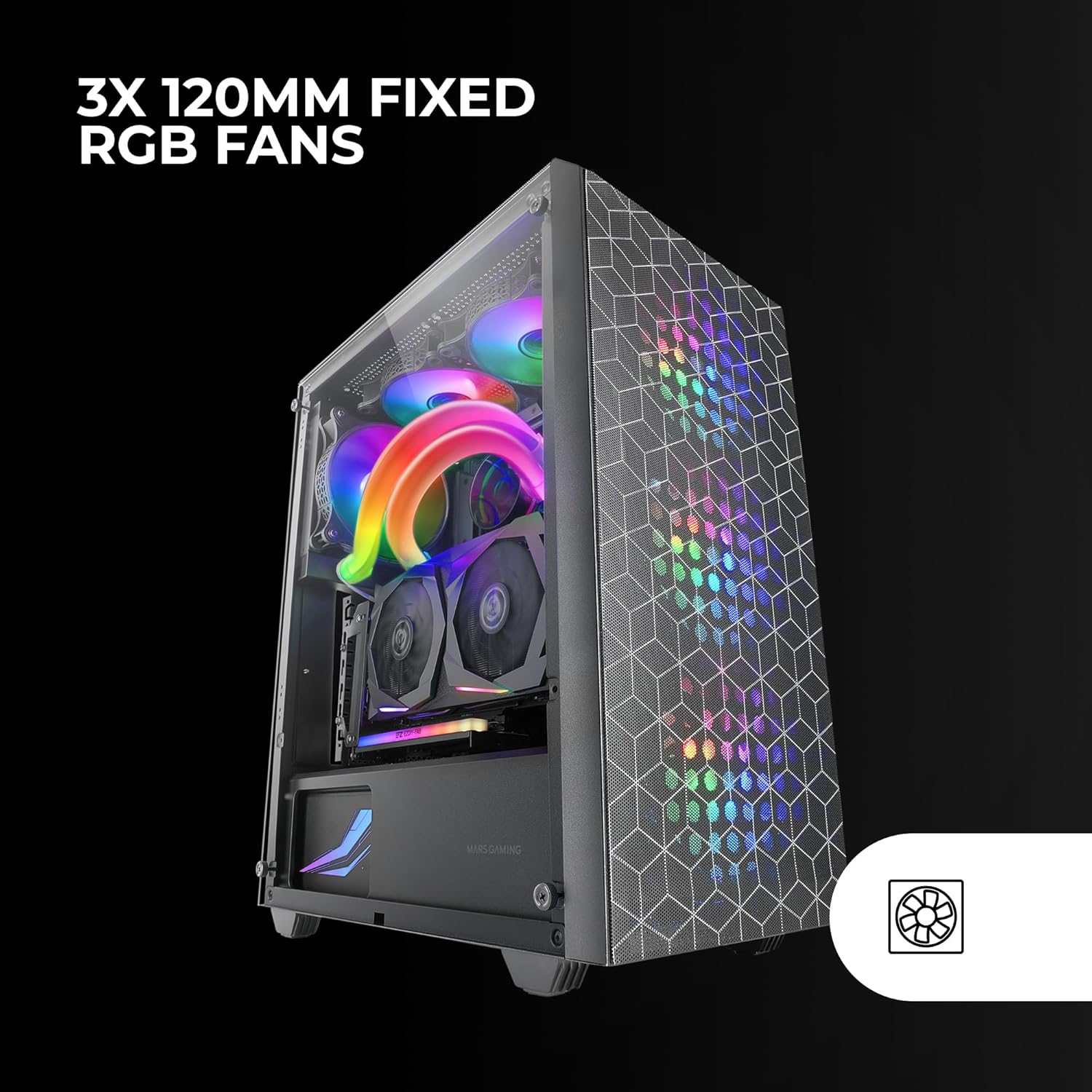
Figure 4.1: Pre-installed 3x 120mm Fixed RGB Fans.
- Additional Fans: The case supports up to 6x 120mm fans or a combination of 4x 120mm and 2x 140mm fans. Refer to Figure 3.4 for fan mounting locations.
- Суюктук муздатуу: The case supports liquid cooling radiators up to 360mm.

Figure 4.2: Liquid Cooling Installation. The case supports radiators up to 360mm.
- Install radiators and fans according to their respective manufacturer's instructions.
4.7 Кабелди башкаруу
Кабельдерди уюштуруу үчүн энелик плата лотоктун артындагы кабелдик маршруттук кескичтерди жана байлоо пункттарын колдонуңуз. Бул аба агымын жана эстетиканы жакшыртат.
4.8 Алдыңкы панелдин киргизүү/чыгаруу тутумун туташтыруу
Connect the front panel cables (USB 2.0, USB 3.0, HD Audio, Microphone, Power Switch, Reset Switch, Power LED, HDD LED) to the corresponding headers on your motherboard. Refer to your motherboard manual for specific header locations.
4.9 Жыйынтыктоочу Ассамблея
- Бардык компоненттер орнотулуп, кабелдер башкарылгандан кийин, арткы каптал панелди кайра бекитиңиз.
- Carefully reattach the tempered glass side panel and secure it with the thumbscrews.
5. Иштөө нускамалары
After successful installation, your MC-MAG case is ready for operation.
- Күйгүзүү: Press the power button located on the top panel of the case.
- USB порттору: Use the front USB 2.0 and USB 3.0 ports for connecting peripherals and external devices.
- Аудио уячалары: Connect your headphones and microphone to the front panel HD Audio and Microphone jacks.
- RGB Fans: The pre-installed fans feature Fixed RGB lighting. Their lighting pattern is static and does not require software control from the case itself.
6. Техникалык тейлөө
Үзгүлтүксүз тейлөө сиздин PC компоненттеринин оптималдуу иштешин жана узак иштөөсүн камсыз кылууга жардам берет.
- Чаң чыпкалары: The front and top panels feature magnetic dust filters. Regularly remove these filters and clean them with compressed air or by rinsing them with water (ensure they are completely dry before reattaching).
- Температуралуу айнек панели: Clean the tempered glass side panel with a soft, lint-free cloth and a glass cleaner. Avoid abrasive materials that could scratch the glass.
- Ички тазалоо: Periodically open the case and use compressed air to remove dust from internal components, especially fans and heatsinks.
7. Кыйынчылыктарды
Эгерде сиз көйгөйлөргө туш болсоңуз, төмөнкү жалпы көйгөйлөрдү чечүү кадамдарын караңыз.
- Кубат жок:
- Ensure the PSU is switched on and properly connected to a power outlet.
- Бардык кубат кабелдери энелик платага жана анын компоненттерине туура туташкандыгын текшериңиз.
- Check the front panel power switch cable connection to the motherboard.
- Күйөрмандар айланбай жатат / RGB күйбөйт:
- Ensure fan power cables are securely connected to the motherboard or fan controller.
- For RGB, ensure the RGB cables are correctly connected (if applicable, for the fixed RGB fans, they should light up upon power).
- Алдыңкы панелдеги USB/аудио иштебейт:
- Verify that the USB and HD Audio cables from the front panel are correctly connected to the motherboard headers.
- Ашыкча ысып кетүү:
- Ensure all case fans are spinning correctly and oriented for optimal airflow (intake/exhaust).
- Clean dust filters and internal components to prevent dust buildup.
- CPU муздаткычы жана GPU муздаткычы туура орнотулганын жана иштеп жатканын текшериңиз.
8. Техникалык шарттар
| Өзгөчөлүк | Деталь |
|---|---|
| Модель аты | MCMAG |
| Иштин түрү | Ара Tower |
| Motherboard шайкештиги | ATX, MicroATX, Mini-ITX |
| Материал | Жылууланган айнек, болот, пластик |
| Түс | Кара |
| Алдын ала орнотулган күйөрмандар | 3x 120mm Fixed RGB (Front) |
| Күйөрмандардын колдоосу | Up to 6x 120mm or 4x 120mm + 2x 140mm |
| Суюк муздатуу колдоо | Up to 360mm radiator |
| CPU муздаткычтын максималдуу бийиктиги | 160мм |
| Max VGA картасынын узактыгы | 350mm (290mm with front radiator/fan) |
| Drive Bays | 2x 3.5" HDD, 4x 2.5" SSD |
| Кеңейтүү уячалары | 7 |
| Алдыңкы I / O порттору | 2x USB 2.0, 1x USB 3.0, HD Audio, Mic |
| Элемент Салмагы | 3.96 килограмм |
9. Кепилдик жана колдоо
Mars Gaming products are manufactured to high-quality standards. For information regarding warranty coverage, terms, and conditions, please refer to the warranty card included with your product or visit the official Mars Gaming webсайт.
For technical support, troubleshooting assistance beyond this manual, or to inquire about replacement parts, please contact Mars Gaming customer support through their official channels.
Mars Gaming Official Webсайт: www.marsgaming.eu