
Micool Y30
Micool Y30 ачык кулакчындары үчүн колдонуучу колдонмосу
Модели: Y30
1. Киришүү
Thank you for choosing the Micool Y30 Open Ear Headphones. These wireless Bluetooth 5.3 earbuds are designed to provide a comfortable and safe listening experience by resting gently on your ears without blocking the ear canal. This design allows you to remain aware of your surroundings while enjoying high-quality audio, making them ideal for sports and daily activities.
2. Кутуда эмне бар
- Micool Y30 Open Ear Headphones (Left and Right)
- Зымсыз кубаттоо кутусу
- USB-C заряддоо кабели
- User Manual
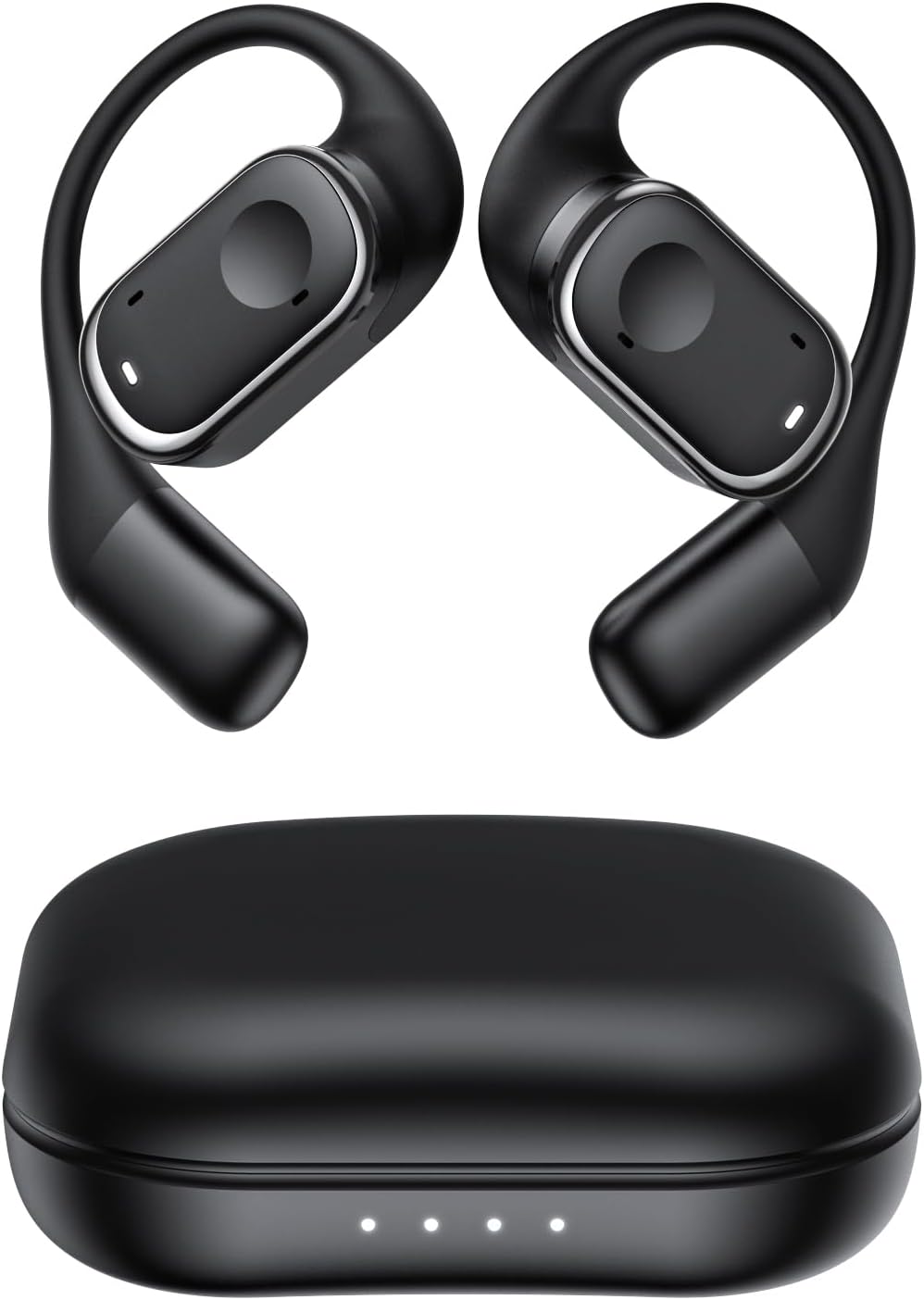
2.1-сүрөт: Micool Y30 Open Ear Headphones and their charging case. The image shows two black open-ear earbuds with ear hooks, positioned above a sleek black charging case with four LED indicator lights on the front.
3. Продукт бүтүп калдыview
3.1 Кулакчындын компоненттери
Each earbud features an ergonomic design with a soft silicone ear hook for secure and comfortable placement. The main body houses the speaker and touch control area.

3.1-сүрөт: Жакын план view illustrating the ergonomic design of the Micool Y30 earbud. The image highlights the curved ear hook and the soft silicone material designed for comfort and secure fit, conforming to the ear's contour.
3.2 Заряддоо кутусу
The charging case protects the earbuds and recharges them. It has a USB-C charging port and LED indicators to show battery status.

3.2-сүрөт: Ички view of the Micool Y30 charging case, showcasing the earbuds nestled inside. The image highlights the Bluetooth 5.3 technology and the digital display indicating battery levels, emphasizing fast response and stable connection.
4. Орнотуу
4.1 Аппаратты заряддоо
Биринчи колдонуудан мурун, кулакчындарды жана заряддоо кутучасын толук заряддаңыз.
- Ишти заряддоо: Connect the provided USB-C cable to the charging port on the case and to a USB power adapter (not included). The LED indicators on the case will show the charging status. A full charge takes approximately 1-2 hours.
- Кулакчындарды заряддоо: Place the earbuds into the charging case. Ensure they are correctly seated. The earbuds will automatically begin charging. The case can charge the earbuds 4-5 times, providing up to 6 hours of playback per single earbud charge.
4.2 Bluetooth жупташтыруу
To connect your Micool Y30 headphones to your device:
- Кулакчындардын кубатталганын текшериңиз.
- Заряддоо кутучасын ачыңыз. Кулакчындар жупташтыруу режимине автоматтык түрдө кирет.
- Түзмөгүңүздө (мисалы, смартфон, планшет) Bluetooth жөндөөлөрүнө өтүп, Bluetooth'ту күйгүзүңүз.
- Издөө available devices. Select "Micool Y30" from the list.
- Туташкандан кийин, сиз ырастоо үнүн угасыз жана кулакчындар колдонууга даяр болот.
The headphones support Bluetooth 5.3 for stable and efficient connection.
5. Иштөө нускамалары
5.1 Күйгүзүү/өчүрүү
- Күйгүзүү: Заряддоо кутучасын ачсаңыз, кулакчындар автоматтык түрдө күйөт.
- Өчүрүү: Кулакчындарды кайра заряддоо кутусуна салып, капкагын жабыңыз. Алар автоматтык түрдө өчүп, кубаттай башташат.
5.2 Музыканы ойнотуу
The Micool Y30 headphones feature touch controls for media management.
- Ойнотуу/тындыруу: Кулакчындын бирин басыңыз.
- Кийинки трек: Оң кулакчынды эки жолу таптаңыз.
- Мурунку трек: Сол кулакчынга эки жолу басыңыз.
- Көлөмү: Оң кулакчынды үч жолу таптаңыз.
- Үнүн азайтуу: Сол кулакчынды үч жолу таптаңыз.
5.3 Чалууларды башкаруу
- Чалууга жооп берүү/аяктоо: Кулакчындын бирин басыңыз.
- Чакырууну четке кагуу: Кулакчындардын бирин 2 секунд басып туруңуз.
5.4 Single and Dual Earbud Mode
The Micool Y30 headphones support seamless switching between using a single earbud or both earbuds.
- Жалгыз кулакчын режими: You can use either the left or right earbud independently. Simply take one earbud out of the case, and it will connect to your device.
- Кош кулакчын режими: Take both earbuds out of the case, and they will automatically connect to each other and then to your device for a stereo audio experience.

5.1-сүрөт: Illustration of the Micool Y30's flexible usage modes. The diagram shows how the earbuds can be used independently in "Single Earphone Mode" or together in "Dual Headphone Mode" for a synchronized connection.
6. Техникалык тейлөө
6.1 Тазалоо
- Кулакчындарды жана кубаттоочу кутуну тазалоо үчүн жумшак, кургак, түксүз чүпүрөктү колдонуңуз.
- Катуу химиялык заттарды, тазалоочу эриткичтерди же күчтүү жуучу каражаттарды колдонбоңуз.
- The earbuds have an IPX6 waterproof rating, meaning they are resistant to strong jets of water. However, they are not designed for submersion. Wipe them dry after exposure to sweat or water.
6.2 Сактоо
- Кулакчындарды коргоо жана кубаттоо үчүн колдонулбаган учурда кубаттоо кутучасында сактаңыз.
- Avoid storing the device in extreme temperatures (hot or cold) or in highly humid environments.
7. Кыйынчылыктарды
| Көйгөй | Чечим |
|---|---|
| Кулакчындар түзмөк менен жупташкан жок. |
|
| Бир наушниктен үн жок. |
|
| Кулакчындар заряддалбай жатат. |
|
| Үн сапаты начар же байланыш үзүлөт. |
|
8. Техникалык шарттар
| Өзгөчөлүк | Деталь |
|---|---|
| Модель аты | Y30 |
| Байланыш технологиясы | Зымсыз (Bluetooth) |
| Bluetooth версиясы | 5.3 |
| Кулак жайгаштыруу | Ачык кулак |
| Кулакчындын батареянын кубаттуулугу | 100 мАч (ар бири) |
| Заряддоо корпусунун батареясынын сыйымдуулугу | 450mAh |
| Ойнотуу убактысы (бир жолу кубаттоо) | 6 саатка чейин |
| Жалпы ойнотуу убактысы (кеп менен) | Up to 30 hours (4-5 full charges from case) |
| Заряддоо убактысы (корпусу) | 1-2 саат |
| Заряддоо порту | USB Type-C |
| Суу өткөрбөйт рейтинги | IPX6 |
| Материал | Пластик |
| UPC | 776584469303 |
9. Кепилдик жана колдоо
Micool products are designed with quality and reliability in mind. For warranty information or technical support, please refer to the warranty card included in your product packaging or visit the official Micool webсайт. Жардам алуу үчүн сатуучуга да кайрылсаңыз болот.
Кошумча жардам алуу үчүн, сураныч, баш багыңыз Micool Store on Amazon.
Ask a question about this manual
Ask about setup, troubleshooting, compatibility, parts, safety, or missing instructions. Manuals+ will review the question and use this page’s manual context to help answer it.