
1. Продукт бүтүп калдыview
The YUHANUS Electric Drop Bolt Lock is designed for use in access control systems, providing enhanced security for various door types. This model operates in NO Mode (Fail-Security), meaning the lock is in a locked state by default when power is off. It will only unlock when power is applied and an authorized signal (e.g., from a push button or remote controller) is received. It features a time delay function for controlled access.
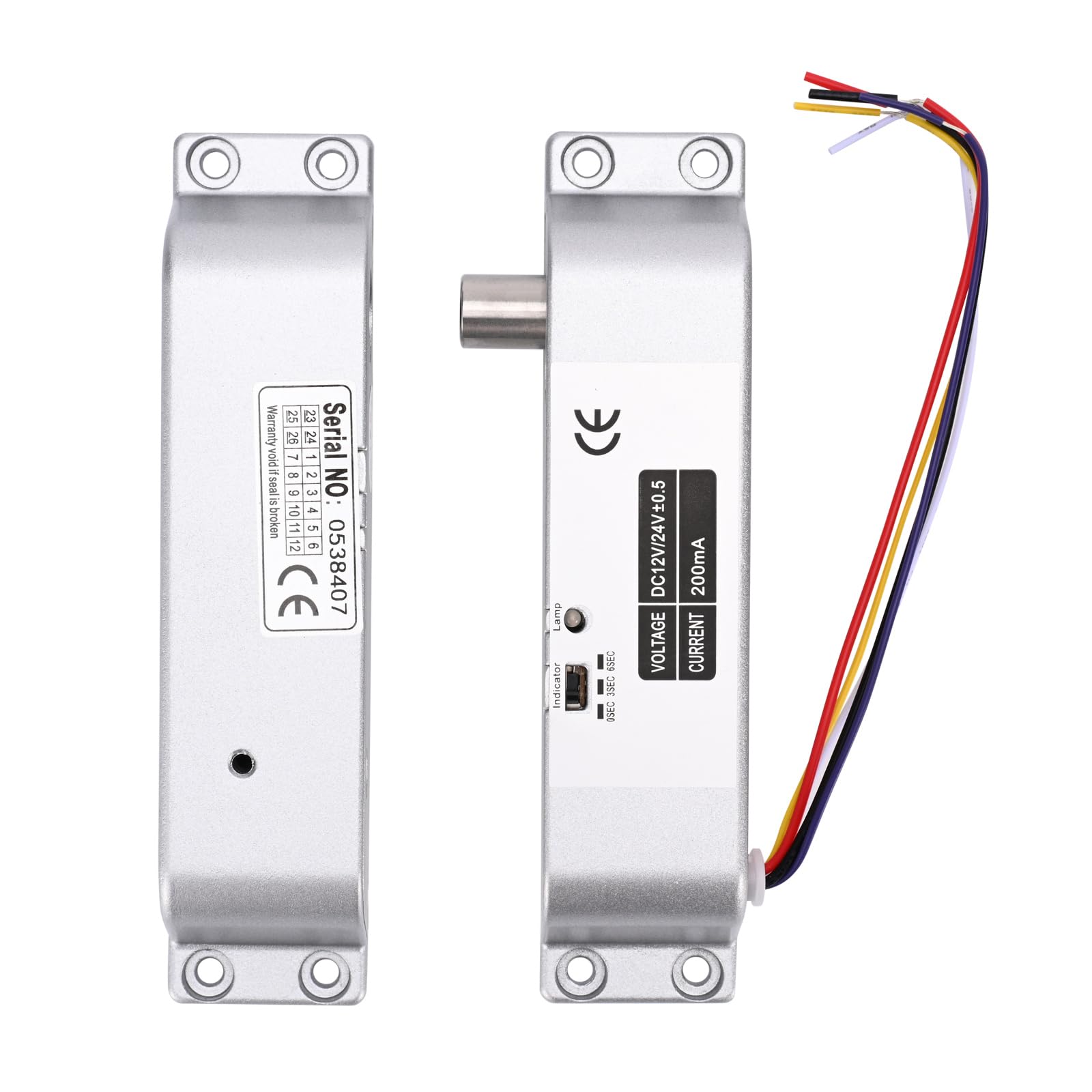
Image 1.1: The YUHANUS Electric Drop Bolt Lock, showcasing its compact design and wiring.
2. Коопсуздук маалыматы
- Ensure all power is disconnected before installation or maintenance to prevent electrical shock.
- Installation should be performed by qualified personnel or under professional supervision.
- Туура томду текшериңизtage (DC 12V) and current specifications before connecting to a power source. Incorrect voltage аппаратты бузушу мүмкүн.
- Do not expose the lock to excessive moisture or extreme temperatures.
- Ар дайым жергиликтүү электр эрежелерин жана эрежелерин сактаңыз.
3. Пакеттин мазмуну
Сураныч, бардык буюмдар бар экенин текшерүү үчүн пакетти текшериңиз:
- Electric Mortise Lock Unit
- Панел капкагы
- Induction Lock Component
- Mounting Screws (Set)
- Көрсөтмө (бул документ)
- Шайкештик сертификаты
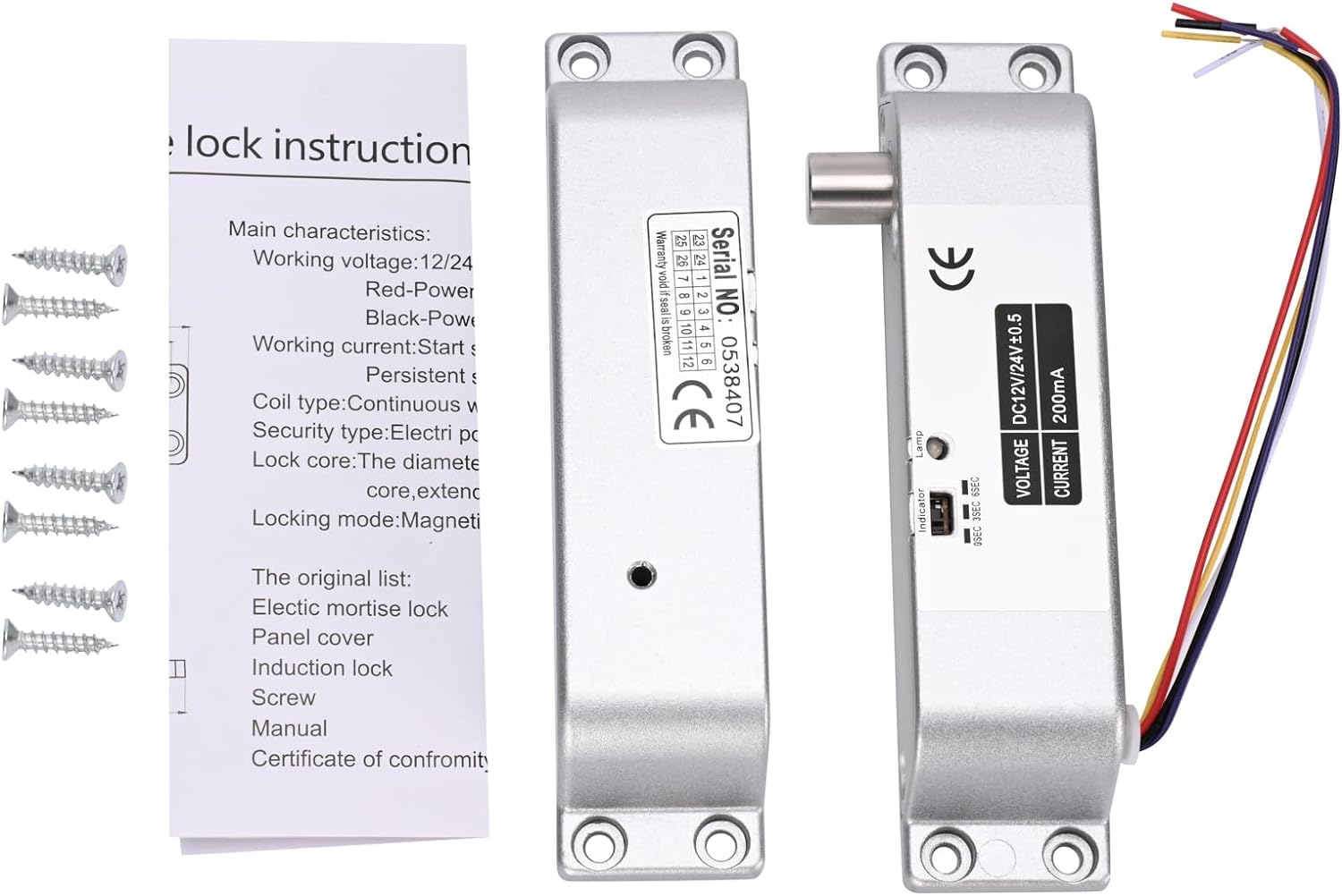
Image 3.1: Contents typically included in the product package, showing the lock units, screws, and a small instruction sheet.
4. Техникалык шарттар
| Өзгөчөлүк | Спецификация |
|---|---|
| Модель аты | Electric-Bolt-Lock01-NO |
| Operating Voltage | DC 12V |
| Иштөө агымы | 200мА |
| Кулпу түрү | Drop Bolt, Fail-Security (NO Mode) |
| Убакыт кечигүү | 0s / 3s / 6s (Adjustable) |
| Материал | Алюминий |
| Өлчөмдөрү (L x W x Y) | 6 x 1.3 x 1 дюйм (болжол менен 150 мм x 33 мм x 27 мм) |
| Монтаж түрү | Үстүнө орнотулган |
| Suitable Door Types | Wooden door, metal door, fireproof door, etc. |

Image 4.1: Detailed dimensions of the electric drop bolt lock for installation planning.
5. Орнотуу жана орнотуу
5.1 Кулпуну орнотуу
- Эшикти жана анын рамасын даярдоо: Identify the desired mounting location on the door frame and the corresponding position on the door for the bolt to engage. The lock is surface-mounted.
- Бургулоо пункттарын белгилөө: Use the lock unit as a template to mark the screw holes on both the door frame and the door.
- Бургулоочу тешиктер: Бекитүүчү бурамаларды орнотуу үчүн тиешелүү тешиктерди бургулаңыз.
- Кулпуну камсыз кылуу: Attach the main lock unit to the door frame and the induction lock component to the door using the provided screws. Ensure proper alignment for smooth bolt operation.
5.2 Электр зымдары боюнча нускамалар
The electric drop bolt lock requires connection to a DC 12V power supply and an access control system. Refer to the wiring diagram below for proper connections.
- Кызыл кабель: менен туташуу +12V terminal of your power supply control.
- Кара кабель: менен туташуу GND (Ground) terminal of your power supply control.
- Purple Cable: менен туташуу ЖОК (Normally Open) terminal in your power supply control or access control panel. This connection is crucial for the Fail-Security (NO Mode) operation.
- Other Cables: Yellow and White cables are typically for door status feedback (NC/COM), which may or may not be used depending on your access control system's requirements. Consult your access control system manual for these connections.

Image 5.1: Wiring diagram illustrating connections for the electric bolt lock within a typical access control system, including power supply, keypad, and exit button.
6. Иштөө нускамалары
6.1 NO Mode (Fail-Security) Operation
This electric drop bolt lock operates in NO Mode (Fail-Security). This means:
- When there is no power, or in case of a power failure, the lock remains in a locked state.
- The lock will only unlock when power is supplied to the lock and an authorized signal is received from the access control system (e.g., pressing a push button, using a remote controller, or entering a code on a keypad).
6.2 Time Delay Function
The lock features an adjustable time delay function, which controls how long the door remains unlocked after an authorized signal is received. The delay can be set to 0 seconds, 3 seconds, or 6 seconds.
To adjust the time delay, locate the small switch or jumper on the side of the lock unit (refer to Image 6.1). Move the switch or adjust the jumpers to select the desired delay setting (0s, 3s, or 6s).

Сүрөт 6.1: Жакын пландан view of the time delay adjustment switch on the lock unit, allowing selection between 0, 3, and 6 seconds.
7. Техникалык тейлөө
- Тазалоо: Wipe the lock's exterior with a soft, dry cloth. Avoid using abrasive cleaners or solvents that could damage the finish or internal components.
- Текшерүү: Periodically check all mounting screws to ensure they are tight. Inspect wiring for any signs of wear, fraying, or loose connections.
- Функционалдык тест: Regularly test the lock's operation with your access control system to ensure it locks and unlocks correctly and that the time delay functions as expected.
8. Кыйынчылыктарды
| Көйгөй | Мүмкүн себеп | Чечим |
|---|---|---|
| Lock does not engage (stay locked) | No power to the lock; Incorrect wiring for NO Mode. | Check power supply (DC 12V). Verify Red and Black wire connections. Ensure Purple wire is correctly connected to NO terminal. |
| Lock does not disengage (unlock) | No signal from access control; Insufficient power; Faulty access control component. | Confirm access control system is functioning. Check power supply voltage. Inspect Purple wire connection. |
| Time delay not working correctly | Incorrect time delay setting. | Adjust the time delay switch/jumper on the lock unit to the desired setting (0s, 3s, or 6s). |
| Lock is loose or misaligned | Loose mounting screws; Improper initial installation. | Tighten all mounting screws. If misalignment persists, re-evaluate mounting positions and re-install if necessary. |
9. Кепилдик жана колдоо
Кепилдик жөнүндө маалымат алуу же техникалык колдоо алуу үчүн, сатуучуга же өндүрүүчүгө түздөн-түз кайрылыңыз. Кепилдик боюнча дооматтар үчүн сатып алуунун далили катары сатып алуу дүмүрчөгүңүздү сактап коюңуз.
Manufacturer: YuHan
Модель номери: 769894490600