
1. Киришүү
This manual provides essential information for the safe and efficient operation of your KIVI 55U740NB 55-inch Smart TV. Please read it thoroughly before using the device and retain it for future reference.
The KIVI 55U740NB Smart TV offers sharp, high-contrast images and excellent sound quality, powered by Dolby Audio technology. Its frameless design integrates seamlessly into any space. Featuring the Google TV system, it allows interaction with Google Assistant, access to Netflix, Google Chromecast, and content from external sources via USB and HDMI ports. The integrated KIVI Media app provides access to free cinema, games, and TV channels, while the DVB-T2 tuner ensures access to digital terrestrial television.
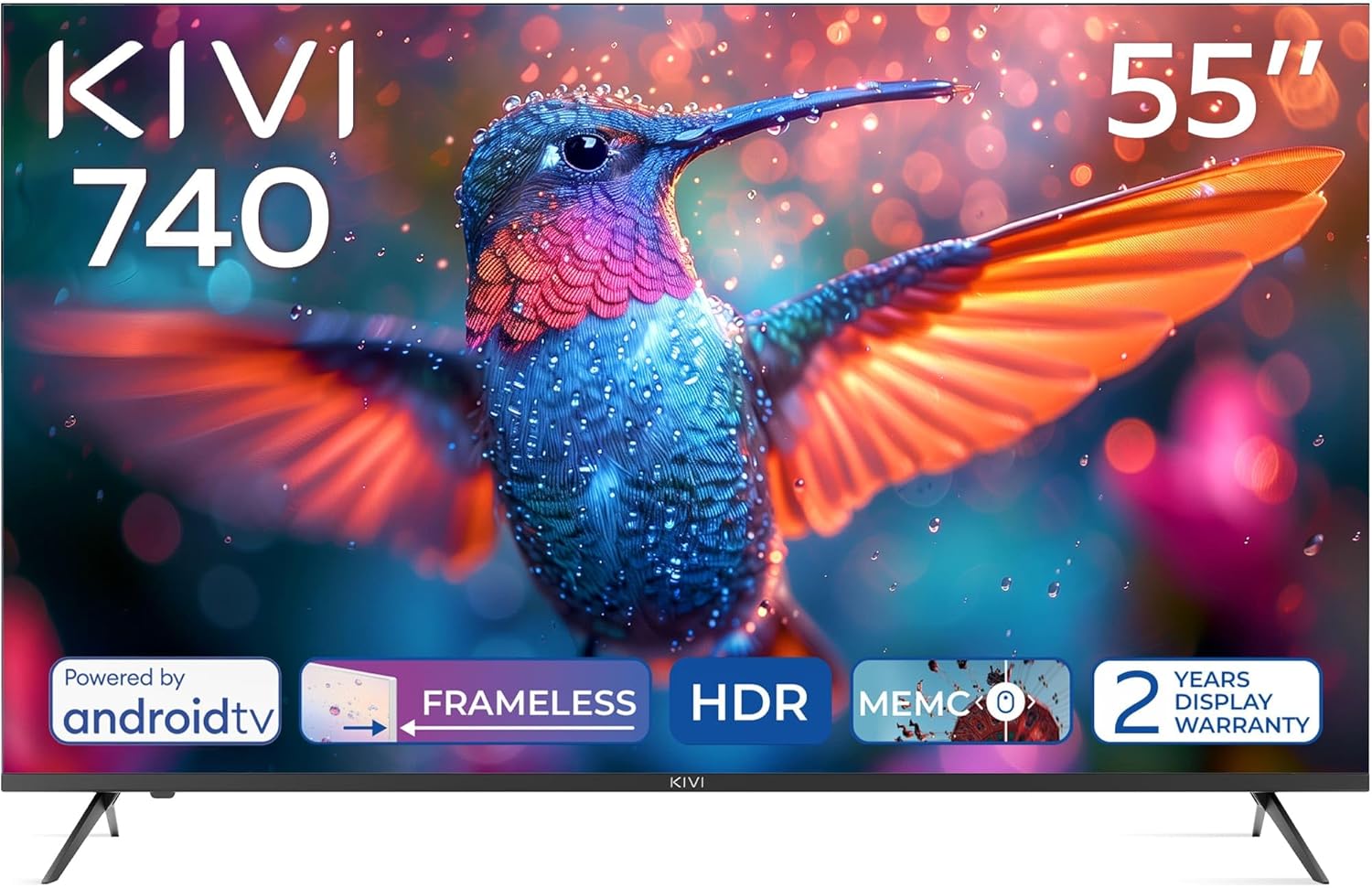
Фронт view of the KIVI 55U740NB 55-inch Smart TV, showcasing its frameless design and vivid display capabilities.
2. Пакеттин мазмуну
Ensure all items listed below are present in the packaging:
- KIVI 55U740NB Television
- Орнотуу боюнча колдонмо
- User Manual
- Кепилдик картасы
- Energy Label
- Микрофибр кездеме
- Алыстан башкаруу
- 2 x AAA батареялары
- 4 x Screws (for stand attachment)
- Composite Adapter
3. Орнотуу
3.1. Стенд орнотуу
- Телевизордун экранын кылдаттык менен ылдый каратып жумшак, тегиз жерге коюңуз.
- Align the TV stands with the corresponding slots on the bottom of the TV.
- Берилген бурамалар менен стенддерди бекитиңиз. Алардын бекем кысылганын текшериңиз.
3.2. Дубалга орнотуу
The TV supports VESA 400x300 wall mounts (sold separately). Follow the instructions provided with your wall mount bracket for proper installation. Ensure the wall can support the weight of the TV.
3.3. Перифериялык түзүлүштөрдү туташтыруу
Refer to the rear panel image for port locations:

Деталдаштырылган view of the rear panel of the KIVI 55U740NB Smart TV, illustrating the various input and output ports for external devices.
- HDMI: Connect external devices such as Blu-ray players, game consoles, or set-top boxes. This TV includes HDMI (eARC) for enhanced audio return channel functionality.
- USB: Медиа ойнотуу үчүн USB дисктерин салыңыз.
- Antenna (75Ω): Connect a DVB-T2 antenna for digital terrestrial television reception. Note: This model does not include a satellite tuner.
- Ethernet: Зымдуу интернет байланышы үчүн.
- Оптикалык: Саундбарларга же үй кинотеатрынын системаларына санарип аудио чыгаруу үчүн.
- Mini RCA: For connecting older analog devices using the composite adapter.
- Наушник: Наушниктерди туташтыруу үчүн.
- CI (Жалпы интерфейс): For inserting a CAM module and smart card to access encrypted digital TV services.
3.4. Power On and First-Time Setup
- Электр шнурду сыналгыга, андан кийин розеткага туташтырыңыз.
- Пульттун же сыналгыдагы кубат баскычын басыңыз.
- Баштапкы орнотууну аяктоо үчүн экрандагы көрсөтмөлөрдү, анын ичинде тилди тандоону, тармакка туташууну (Wi-Fi же Ethernet) жана Google аккаунтуна кирүүнү аткарыңыз.
4. Сыналгыңызды иштетүү
4.1. Алыстан башкаруу
The TV comes with an IR/Bluetooth remote control. Insert the two AAA batteries (included) into the remote control, ensuring correct polarity. If you encounter difficulty inserting batteries, refer to the diagram inside the battery compartment.
4.2. Google TV системасы
Your KIVI Smart TV runs on Android TV 11, providing access to a vast ecosystem of apps and services:

The KIVI 55U740NB Smart TV showcasing its Android TV 11 operating system, highlighting the wide range of available applications and user interface.
- Google Жардамчысы: Мазмун издөө, акылдуу үй түзмөктөрүн башкаруу жана маалымат алуу үчүн үн буйруктарын колдонуңуз.
- Netflix & Other Streaming Apps: Access popular streaming services directly from your TV.
- Google Chromecast: Cast content from your smartphone or tablet to the TV screen.
- Google Play дүкөнү: Кошумча колдонмолорду, оюндарды жана мазмунду жүктөп алыңыз.
4.3. KIVI Media App
The integrated KIVI Media app offers a curated selection of free cinema, games, and TV channels, expanding your entertainment options.
4.4. Негизги навигация
Use the directional buttons on your remote to navigate menus and select options. The 'Back' button returns to the previous screen, and the 'Home' button takes you to the main Google TV interface.
5. Сүрөт жана үн орнотуулары
5.1. Picture Enhancement Features
The KIVI 55U740NB incorporates several technologies to optimize your viewтажрыйбасы:

Visual representation of the KIVI 55U740NB's advanced picture technologies, including Max Vivid, Super Contrast Control, Ultra Clear, and ALLM & Game Mode.
- Max Vivid: Enhances SDR content to be as colorful as possible.
- Super Contrast Control: Makes SDR content more vibrant by optimizing contrast.
- Ultra Clear: Provides a clear picture with maximum detail.
- Automatic HDR Detection: The TV automatically detects and processes HDR content for improved dynamic range.
5.2. Үн орнотуулары
The TV features Dolby Audio technology for an immersive sound experience. You can adjust sound modes and equalizer settings through the TV's audio menu. It supports a 5.1 surround sound channel configuration for compatible audio systems.
5.3. Оюн функциялары
For an optimized gaming experience, the TV includes:
- ALLM (Авто аз күтүү режими): Оюн консолу аныкталганда, киргизүү кечигүүсүн азайтып, автоматтык түрдө аз кечигүү режимине өтөт.
- Оюн режими: Further optimizes picture and sound settings for gaming.
6. Байланыш
The KIVI 55U740NB offers a variety of connectivity options:

Close-up of the KIVI 55U740NB Smart TV's rear panel, clearly labeling all available connection ports including HDMI, USB, Ethernet, and antenna input.
- HDMI порттору: Multiple HDMI 2.1 ports, including one with eARC support.
- USB порттору: Three USB 2.0 ports for connecting storage devices.
- Wi-Fi: Integrated Wi-Fi for wireless internet connection (supports 5G).
- Ethernet (LAN): Туруктуу зымдуу интернет байланышы үчүн.
- Оптикалык аудио чыгышы: For high-quality digital audio output.
- Антенна киргизүү: For DVB-T2 terrestrial digital TV.
- Гарнитура уячасы: Стандарттык 3.5 мм аудио чыгышы.
- CI Slot: Шарттуу кирүү модулдары үчүн жалпы интерфейс уячасы.
7. Техникалык тейлөө
7.1. Телевизорду тазалоо
- Экран: Gently wipe the screen with the provided microfiber cloth or a soft, lint-free cloth. For stubborn marks, lightly dampчүпүрөккө суу же атайын экран тазалоочу каражат. Эч качан суюктукту түздөн-түз экранга чачпаңыз.
- Телевизордун корпусу: Телевизордун алкагын сүртүп, жумшак, кургак чүпүрөк менен туруңуз. Абразивдүү тазалагычтарды же эриткичтерди колдонуудан алыс болуңуз.
Тазалоодон мурун телевизорду розеткадан сууруп алыңыз.
7.2. Программалык камсыздоону жаңыртуу
To ensure optimal performance and access to the latest features, regularly check for software updates:
- Сыналгыңыз интернетке туташып турганын текшериңиз.
- Navigate to the 'Settings' menu on your Google TV.
- Select 'System' or 'About' and then 'Software Update' or 'System Update'.
- Жеткиликтүү жаңыртууларды текшерүү жана орнотуу үчүн экрандагы көрсөтмөлөрдү аткарыңыз.
8. Кыйынчылыктарды
Телевизоруңузда көйгөйлөргө туш болсоңуз, төмөнкү жалпы көйгөйлөрдү жана аларды чечүү жолдорун караңыз:
- Кубат жок:
• Check if the power cord is securely connected to both the TV and the power outlet.
• Ensure the power outlet is functional by testing it with another device. - Сүрөт жок, бирок үн бар:
• Check the input source. Press the 'Source' button on your remote to cycle through inputs.
• Ensure all HDMI or other video cables are securely connected. - Үн жок, бирок сүрөт бар:
• Check the volume level and ensure the TV is not muted.
• If using external audio devices, ensure they are properly connected and powered on. Check the TV's audio output settings. - Алыстан башкаруу жооп бербейт:
• Ensure the AAA batteries are correctly inserted and not depleted. Replace if necessary.
• Point the remote directly at the TV's IR sensor.
• For Bluetooth remote, ensure it is paired with the TV. Re-pair if connection is lost. - Тармакка туташуу маселелери:
• For Wi-Fi, ensure your router is on and within range. Re-enter the Wi-Fi password if needed.
• For Ethernet, ensure the cable is securely connected to both the TV and your router. - No Satellite TV Channels:
• The KIVI 55U740NB is equipped with a DVB-T2 tuner for digital terrestrial television. It does not have an integrated satellite tuner (DVB-S2). To receive satellite channels, an external satellite receiver is required.
If the problem persists, consult the KIVI support webсайтка же кардарларды тейлөөгө кайрылыңыз.
9. Техникалык шарттар
Key technical specifications for the KIVI 55U740NB Smart TV:
| Өзгөчөлүк | Спецификация |
|---|---|
| Бренд | STONE |
| Модел | 55U740NB |
| Screen Size | 55 дюйм |
| Дисплей технологиясы | LED, VA панели |
| Резолюция | 3840 x 2160 пиксель (4K UHD) |
| Жаңыртуу ылдамдыгы | 60 Гц |
| Операция системасы | Android TV |
| Ички сактагыч | 8 ГБ |
| Tuner Technology | DVB-T2 (Terrestrial Digital TV) |
| Өзгөчөлүктөр | Google TV, KIVI Media App, Super Contrast Control, Voice Assistant |
| Аудио чыгаруу режими | Surround (Dolby Audio) |
| Байланыш | Wi-Fi (5G), 3x USB ports, HDMI (eARC), Ethernet |
| Энергияны керектөө | 83 Ватт |
| Энергия эффективдүүлүгү классы | F |
| Продукциянын өлчөмдөрү (DxWxH) | 8.2 x 123.1 x 72 см |
| Салмагы | 15 кг |
| Батареялар талап кылынат | 2 AAA (кошулган) |

Official product data sheet providing detailed technical specifications and compliance information for the KIVI 55U740NB Smart TV.

The EU energy efficiency label for the KIVI 55U740NB Smart TV, indicating its energy consumption rating and other relevant energy data.
For more detailed energy information, please visit the EPREL database: https://eprel.ec.europa.eu/qr/1320388
10. Кепилдик жана колдоо
10.1. Кепилдик маалыматы
The KIVI 55U740NB Smart TV comes with a 2-year display warranty жана а 3-year product support guarantee. Кепилдик дооматтары үчүн сатып алганыңыздын далилин сактап коюңуз. Кепилдик нормалдуу колдонуу шарттарында өндүрүштүк кемчиликтерди камтыйт.
10.2. Кардарларды колдоо кызматы
For technical assistance, warranty claims, or further inquiries, please refer to the contact information provided on your warranty card or visit the official KIVI webколдоо булактары үчүн сайт.