
Introduction
Thank you for choosing the KIVI 43U750NB 43-inch UHD 4K Smart TV. This television combines advanced display technology with the versatility of Android 11, offering a superior entertainment experience. This manual provides essential information for setting up, operating, and maintaining your new TV. Please read it thoroughly before use and keep it for future reference.
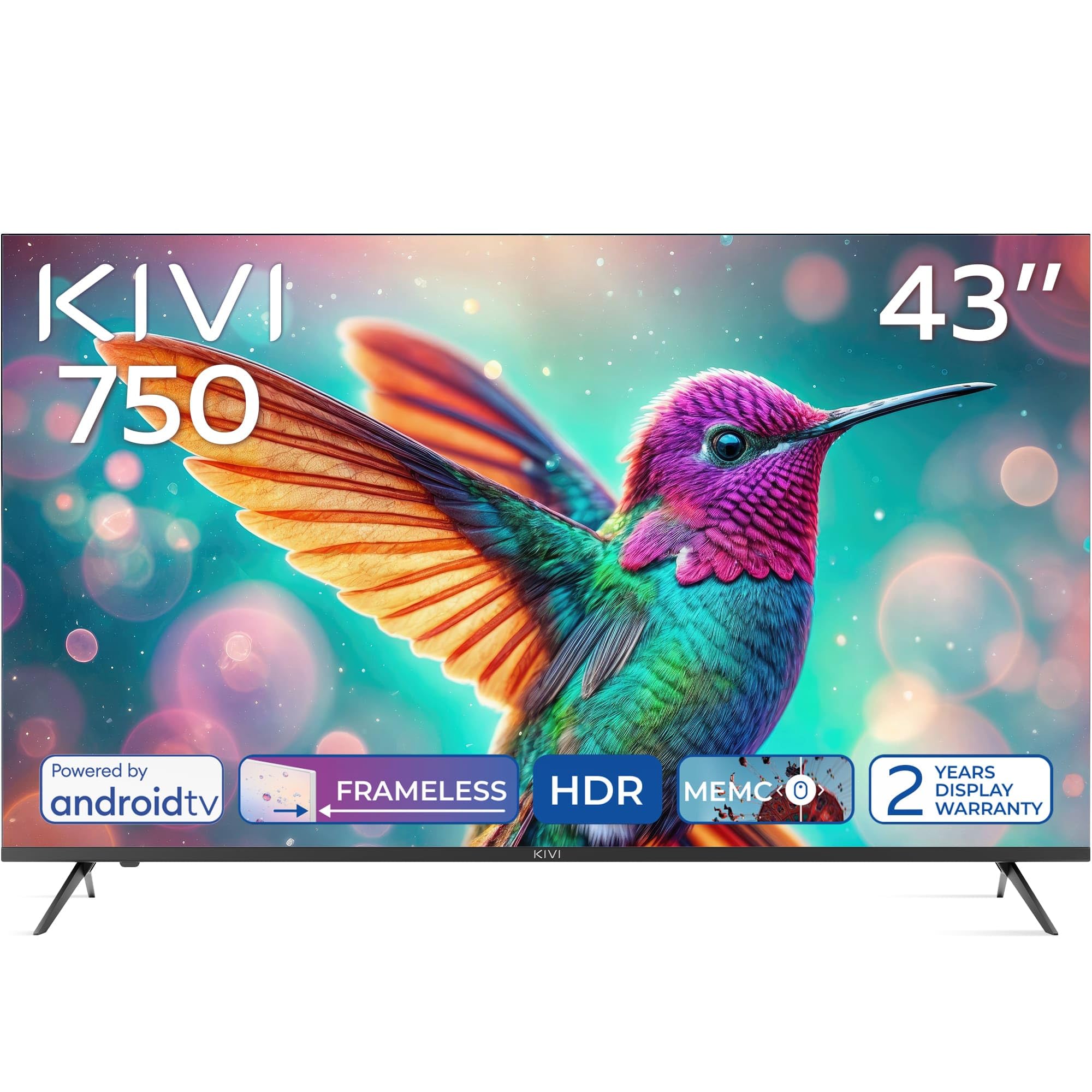
Фронт view of the KIVI 43U750NB 43-inch UHD 4K Smart TV.
Коопсуздук маалыматы
Коопсуз эксплуатацияны камсыз кылуу жана зыян келтирбөө үчүн төмөнкү коопсуздук чараларын сактаңыз:
- Телевизорду жамгырга же нымга тийгизбеңиз.
- Телевизорду ачпаңыз casing; бардык тейлөөлөрдү квалификациялуу кызматкерлерге тапшырыңыз.
- Телевизордун айланасын туура желдетүүнү камсыз кылыңыз.
- Телевизорду жылуулук булактарынын жанына же күндүн түз тийген жерине койбоңуз.
- Телевизор менен кошо берилген кубат шнурын гана колдонуңуз.
- Батареяларды балдар жетпеген жерде сактаңыз.
- Чагылган бороондо же көпкө колдонулбаганда электр сайгычын ажыратыңыз.
Пакеттин мазмуну
Пакетте бардык буюмдар бар экенин текшериңиз:
- KIVI 43U750NB 43-inch UHD 4K Smart TV
- Алыстан башкаруу
- 2 x AAA батарейкалар (алыстан башкаруу үчүн)
- Электр кабели
- Колдонуучунун Колдонмосу (бул документ)
- TV Stands (if included for tabletop setup)
- Телевизор стенддери үчүн бурамалар
Жайгашуу
1. Телевизордук стенддерди орнотуу
If you are placing the TV on a flat surface, attach the included stands to the bottom of the TV using the provided screws. Ensure the stands are securely fastened before placing the TV upright.
2. Дубалга орнотуу
For wall mounting, use a VESA-compatible wall mount (not included) that supports a 200 x 200 mm pattern. Follow the instructions provided with your wall mount. Ensure the wall can support the weight of the TV.
3. Тышкы түзмөктөрдү туташтыруу
Connect your external devices such as Blu-ray players, game consoles, or sound systems to the TV's ports.
- HDMI порттору (x3): For high-definition audio and video. Supports HDMI (eARC) for enhanced audio return channel.
- USB 2.0 порттору (x2): USB сактагыч түзмөктөрүн медиа ойнотуу же тейлөө үчүн туташтыруу үчүн.
- Ethernet порту: Зымдуу интернет байланышы үчүн.
- Antenna (75Ω) Input: Жер үстүндөгү же кабелдик антеннаны туташтыруу үчүн.
- Оптикалык аудио чыгаруу: For connecting to an external audio receiver or soundbar.
- Гарнитура уячасы: Наушниктерди туташтыруу үчүн.
- Mini RCA: Эски аналогдук түзүлүштөрдү туташтыруу үчүн.

Арткы view of the KIVI 43U750NB TV, illustrating the various connection ports including HDMI, USB, Ethernet, and audio outputs.
4. Power Connection
After all connections are made, plug the power cord into the TV and then into a wall outlet (220 VAC, 50 Hz).
Иштөө нускамалары
1. Алыстан башкаруу
Insert the two AAA batteries into the remote control. The remote uses Bluetooth technology for enhanced control.

The KIVI Smart TV remote control, powered by two AAA batteries.
2. Initial Setup (Android TV 11)
Биринчи жолу күйгүзгөндө, телевизор сизге баштапкы орнотуу процессин көрсөтөт.
- Тил тандоо: Өзүңүзгө жаккан тилди тандаңыз.
- Тармак туташуусу: Connect to your Wi-Fi network or use the Ethernet cable.
- Google аккаунтуна кирүү: Sign in with your Google account to access Android TV features, apps, and voice control.
- Каналды сканерлөө: Scan for available TV channels (DVB-T2 tuner).
- Купуялык жөндөөлөрү: Configure your privacy preferences.

The Android TV 11 interface, providing access to a wide range of applications and services.
3. Smart TV өзгөчөлүктөрү
- Тиркемелер: Access popular streaming services like Netflix and HBO directly from the Android TV home screen. Download more apps from the Google Play Store.
- Үн менен башкаруу: Use the built-in voice control feature (via the remote) to search for content, control playback, and manage TV settings.
- Google Cast: Wirelessly cast content from your compatible smartphone, tablet, or computer to the TV screen.
4. Сүрөт орнотуулары
Adjust picture settings to optimize your viewтажрыйбасы.
- HDR10 жана HLG: The TV supports HDR10 and HLG for enhanced contrast and color reproduction with compatible content.
- MEMC: Motion Estimation, Motion Compensation technology reduces motion blur in fast-moving scenes.
- Сүрөт режимдери: Select from various preset picture modes (e.g., Standard, Vivid, Movie, Game) or customize your own.

Visual representation of KIVI TV's picture quality features, including Max Vivid, Super Contrast Control, Ultra Clear, and ALLM & Game Mode.
5. Үн орнотуулары
Оптималдуу үн сапаты үчүн аудио чыгарууну ыңгайлаштырыңыз.
- Dolby Audio: The TV features Dolby Audio for clear and powerful sound.
- Үн режимдери: Choose from preset sound modes (e.g., Standard, Music, Movie, Speech) or adjust equalizer settings.
- Аудио чыгаруу: Select between TV speakers, optical output, or Bluetooth audio devices.
Техникалык тейлөө
Regular maintenance helps prolong the life of your TV.
- Экранды тазалоо: Экранды жумшак, мамыксыз чүпүрөк менен акырын сүртүңүз. Эгерде өжөр тактар пайда болсо, телевизорлор үчүн атайын иштелип чыккан, экранды тазалоочу эритмени колдонуңуз, аны түздөн-түз экранга эмес, кездемеге сүйкөңүз.
- Тазалоо Casing: Телевизорду сүртүү үчүн жумшак, кургак чүпүрөктү колдонуңуз casinг. Абразивдүү тазалагычтарды же эриткичтерди колдонбоңуз.
- Вентиляция: Ашыкча ысып кетүүнүн алдын алуу үчүн телевизордун артындагы желдетүү тешиктери жабылбагандыгын текшериңиз.
Проблемаларды чечүү
Телевизоруңузда көйгөйлөргө туш болсоңуз, төмөнкү жалпы көйгөйлөрдү жана аларды чечүү жолдорун караңыз:
| Көйгөй | Мүмкүн болгон себеп / Чечим |
|---|---|
| Күч жок | Кубат шнуру телевизорго жана розеткага бекем сайылганын текшериңиз. Розетка иштеп жатканын текшериңиз. |
| Сүрөт жок, бирок Үн бар | Киргизүү булагын текшериңиз. Туташкан аппараттын күйгүзүлгөнүн жана туура иштегенин текшериңиз. Башка HDMI кабелин колдонуп көрүңүз. |
| Үн жок, бирок Сүрөт бар | Check the volume level. Ensure the TV is not muted. Verify audio output settings (TV speakers, optical, etc.). |
| Пульт иштебейт | Replace the AAA batteries. Ensure there are no obstructions between the remote and the TV. Re-pair the Bluetooth remote if necessary. |
| Wi-Fi'га туташпай жатат | Ensure your Wi-Fi router is on and working. Re-enter the Wi-Fi password. Try restarting the TV and your router. |
| Колдонмолор жүктөлбөй жатат / Жай иштеши | Check your internet connection speed. Clear app cache or data. Restart the TV. Ensure sufficient storage space. |
Техникалык шарттар
| Өзгөчөлүк | Деталь |
|---|---|
| Модель номери | 43U750NB |
| Screen Size | 43 дюйм |
| Резолюция | UHD 4K (3840 x 2160) |
| Дисплей технологиясы | LED (Direct LED backlight, VA-panel) |
| Жаңыртуу ылдамдыгы | 60 Гц |
| HDR колдоо | HDR10, HLG |
| Операция системасы | Android 11.0 |
| Аудио технологиясы | Dolby Audio (2.0 channels) |
| HDMI порттору | 3 (анын ичинде eARC) |
| USB порттору | 2 2.0 (USB XNUMX) |
| Байланыш | Wi-Fi, Bluetooth 5.1, Ethernet |
| Өзгөчөлүктөр | Voice Control, Google Cast, MEMC |
| Энергияны керектөө | 53 Ватт |
| Электр камсыздоо | 220 VAC 50 Гц |
| Продукциянын өлчөмдөрү (DxWxH) | 6.4 x 96 x 55.6 см |
| Продукт Салмагы | 9.7 кг |
| VESA орнотуу стандарты | 200 x 200 мм |

Energy label for KIVI 43U750NB, indicating energy efficiency class G and power consumption.
For detailed energy information, visit: https://eprel.ec.europa.eu/qr/1326921
Кепилдик жана колдоо
Your KIVI 43U750NB Smart TV comes with a limited warranty. KIVI offers a 3-year display warranty. Please retain your proof of purchase for warranty claims.
For technical support, troubleshooting assistance, or warranty inquiries, please contact KIVI customer service through their official webсайт же сатып алуу менен камсыз болгон байланыш маалыматы.