
1. Киришүү
This manual provides detailed instructions for the installation, operation, and maintenance of your Hikvision 2-Wire Video Intercom Kit, Model 38084. This system is designed for single-family homes, offering enhanced security and convenience through its 7-inch touchscreen monitor, FullHD outdoor camera, and seamless integration with the Hik-Connect mobile application. Please read this manual thoroughly before installation and use to ensure proper functioning and safety.
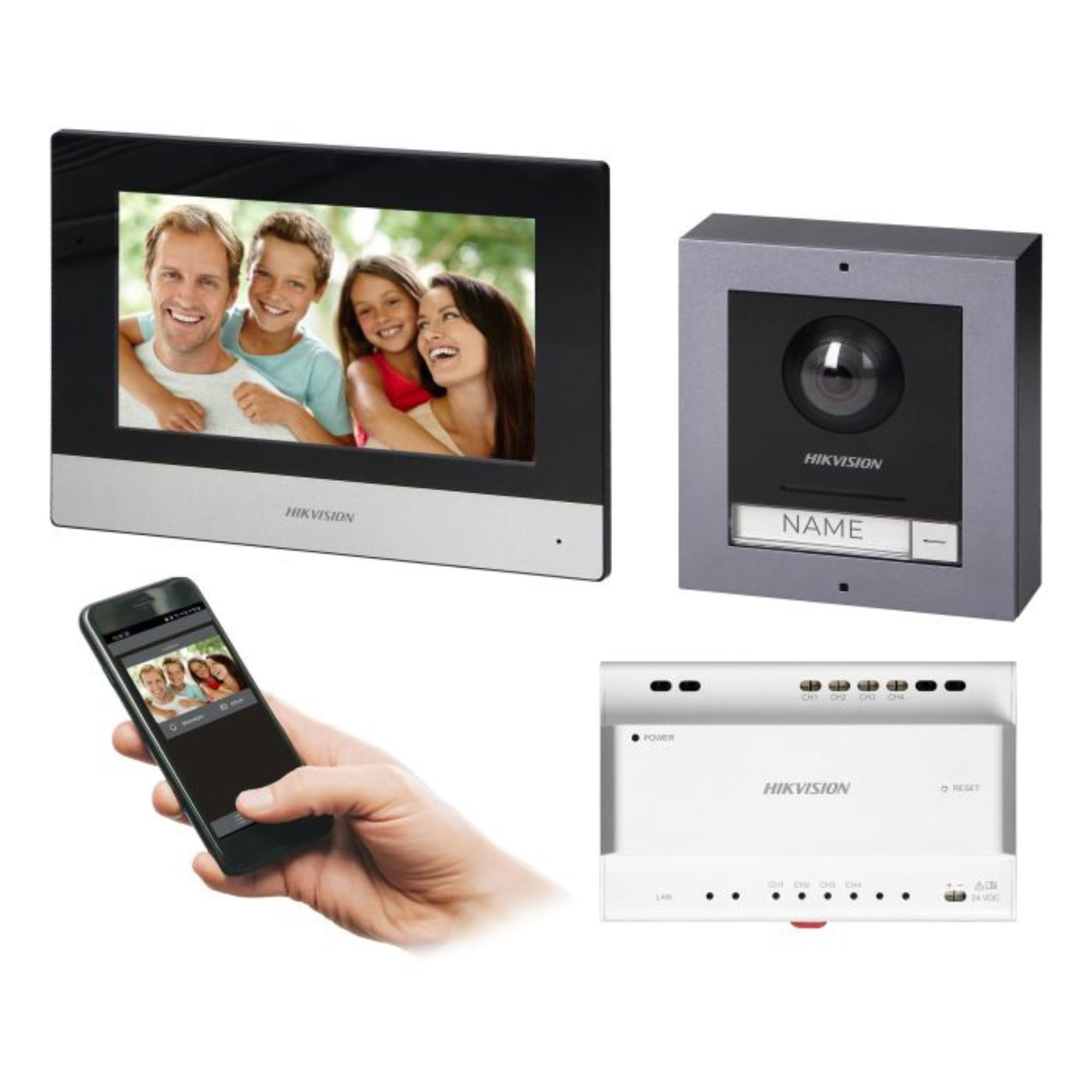
Figure 1: Hikvision 7-inch Video Intercom Monitor (Front View)
The image displays the front view of the Hikvision 7-inch video intercom monitor, featuring a large screen and the Hikvision logo at the bottom.
2. Коопсуздук маалыматы
Өрт, электр тогуна урунуу жана адамдардын жаракат алуу коркунучун азайтуу үчүн ар дайым негизги коопсуздук чараларын сактаңыз.
- Электр коопсуздугу: Installation must be performed by qualified personnel in accordance with all local electrical codes. Disconnect power before installation or servicing.
- Суу жана ным: Do not expose the indoor monitor to rain or moisture. The outdoor panel is IP65 rated for weather resistance but should not be submerged.
- Температура: Operate the device within the specified temperature range.
- Тазалоо: Тазалоо үчүн жумшак, кургак чүпүрөктү колдонуңуз. Суюк же аэрозольдук тазалагычтарды колдонбоңуз.
- Интерференция: Avoid installing near sources of strong electromagnetic interference.
3. Пакеттин мазмуну
Пакетте бардык компоненттер бар экенин текшериңиз:
- 7-inch Indoor Monitor (with WiFi)
- FullHD Outdoor Panel (with Camera and Night Vision)
- 4-Channel Distributor
- Монтаждык аксессуарлар (бурамалар, дубал сайгычтар)
- Колдонуучунун Колдонмосу (бул документ)
- 16 GB MicroSD Card (pre-installed or included for video storage)

Figure 2: Hikvision Outdoor Panel and Mounting Accessories
This image shows the Hikvision outdoor panel alongside its rain shield and a flush-mount box, illustrating the various mounting options available.
4. Орнотуу жана орнотуу
The Hikvision video intercom system utilizes a 2-wire installation method, simplifying wiring. Both the indoor monitor and outdoor panel are designed for surface mounting.
4.1 Сырткы панелди орнотуу
- Жайгашкан жерди тандоо: Select a suitable location near the entrance, ensuring the camera has a clear view of visitors. The panel is IP65 rated for outdoor use.
- Монтаждоо: Use the provided mounting bracket to mark drill holes on the wall. Drill holes, insert wall plugs, and secure the bracket.
- Зымдар: Connect the 2-wire cable from the distributor to the outdoor panel terminals. Ensure correct polarity.
- Коопсуздук панели: Attach the outdoor panel to the mounting bracket.

Figure 3: Hikvision Outdoor Panel (Front View)
This image shows the front of the Hikvision outdoor panel, featuring the FullHD camera, speaker grille, call button, and nameplate area.
4.2 Ички мониторду орнотуу
- Жайгашкан жерди тандоо: Select an indoor location where the monitor is easily accessible and visible.
- Монтаждоо: Use the provided mounting plate to mark and drill holes. Secure the mounting plate to the wall.
- Зымдар: Connect the 2-wire cable from the distributor to the indoor monitor terminals.
- Кубат туташуу: Connect the monitor to a power source (mains electricity).
- Коопсуз монитор: Attach the indoor monitor to the mounting plate.

Figure 4: Hikvision Indoor Monitor (Back View) and Mounting Plate
The image displays the rear of the Hikvision indoor monitor, showing its connection ports and the separate mounting plate used for installation.
4.3 System Wiring Diagram (General)
The 2-wire system connects the outdoor panel, indoor monitor, and the 4-channel distributor. The distributor manages power and data communication between the devices.
- Connect the outdoor panel to the distributor using a 2-wire cable.
- Connect the indoor monitor to the distributor using a 2-wire cable.
- Ensure the distributor is powered.
- For electric lock control, additional power may be required for the lock itself, connected via the outdoor panel.
4.4 WiFi туташуу
After physical installation, power on the monitor. Navigate to the network settings on the 7-inch touchscreen to connect to your 2.4 GHz Wi-Fi network (802.11 b/g/n standard). This enables smartphone communication via the Hik-Connect app.
5. Иштөө нускамалары
5.1 Үй ичиндеги монитордун функциялары
- Сенсордук экран: Navigate menus and control functions using the 7-inch touch screen.
- Домофон функциясы: Communicate with visitors at the outdoor panel or other indoor monitors (if expanded).
- Эстутум функциясы: The monitor supports a memory function, likely for capturing images or short video clips of visitors.
- SD картаны окугуч: A 16GB MicroSD card is included for storing recorded video streams.
- Ringtone Management: Choose from 3 available ringtones. Adjust volume or mute the ringtone as needed.
- Эшик башкаруу: Use the monitor to remotely open an electric lock connected to the system.
- CCTV Camera Integration: The system can be expanded to integrate up to 16 CCTV cameras.
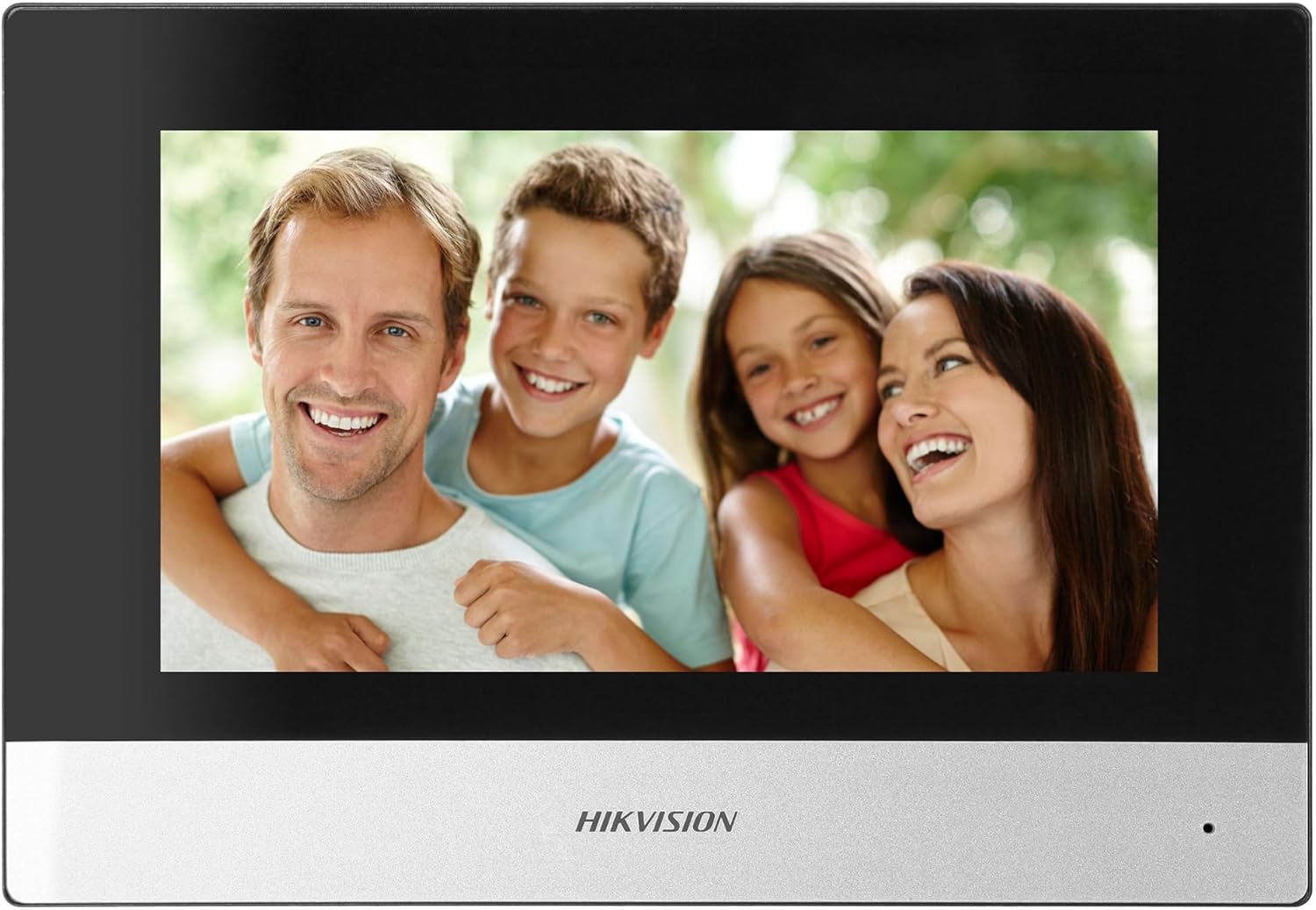
Figure 5: Hikvision Indoor Monitor (Front View)
This image shows the Hikvision 7-inch indoor monitor from the front, highlighting its sleek design and large display area.
5.2 Outdoor Panel Operation
- Чалуу баскычы: Visitors press the single call button to initiate a call to the indoor monitor.
- FullHD Camera: Provides a 2MP (1920x1080p) video feed with a wide viewing angle (96°/180°).
- Түнкү көрүнүш: Integrated IR illumination ensures clear visibility even in low-light conditions.
- Фамилия тактасы: A space is provided for a nameplate or label.

Figure 6: Hikvision Outdoor Panel (Angled View)
Бурчтуу view of the Hikvision outdoor panel, showcasing its robust construction and integrated camera and call button.
5.3 Hik-Connect Mobile Application
Download the Hik-Connect app from your smartphone's app store. Once installed and configured with your system, you can:
- Receive calls from the outdoor panel on your smartphone.
- View live video from the outdoor camera.
- Remotely open the door.
- Жаздырылган видео фудга кирүүtage.
6. Техникалык тейлөө
Үзгүлтүксүз тейлөө сиздин домофон системасынын узак мөөнөттүү жана оптималдуу иштешин камсыз кылат.
- Тазалоо: Wipe the monitor screen and outdoor panel with a soft, damp кездеме. Абразивдүү тазалагычтардан алыс болуңуз.
- Программалык камсыздоонун жаңыртуулары: Periodically check for firmware updates via the Hik-Connect app or Hikvision's official webсистемаңызда эң акыркы функциялар жана коопсуздук жаңыртуулары бар экенине ынануу үчүн сайт.
- Кабелдик текшерүү: Periodically inspect all wiring for any signs of wear or damage.
- Outdoor Panel Lens: Keep the camera lens on the outdoor panel clean for clear video quality.
7. Кыйынчылыктарды
Көйгөйгө туш болсоңуз, төмөнкү жалпы көйгөйлөрдү чечүү кадамдарын караңыз:
- Кубат жок: Check all power connections and ensure the distributor is receiving power.
- Видео/аудио жок: Verify the 2-wire connections between the outdoor panel, monitor, and distributor. Ensure correct polarity.
- WiFi туташуу маселелери: Ensure your router is operating on 2.4 GHz. Re-enter WiFi credentials on the monitor. Check signal strength.
- Door Lock Not Opening: Confirm the electric lock has its own power supply if required. Check wiring from the outdoor panel to the lock.
- Түнкү көрүү начар: Сырткы камеранын линзасынын таза жана тоскоолдуксуз экенин текшериңиз.
8. Техникалык шарттар
| Type | Single-family |
| Видео функциясы | Ооба |
| Электр камсыздоо | Электрлештирилээрин |
| Трансмиссия түрү | Зымдуу (2-зым) |
| Smartphone Communication | Yes (via Hik-Connect app) |
| Wi-Fi жыштыгы | 2.4 ГГц |
| Wi-Fi стандарты | 802.11 б/г/н |
| Орнотуу ыкмасы | 2-wire, Surface Mount |
| Max. Monitors | 3га чейин кеңейет |
| Max. Outdoor Panels | 1га чейин кеңейет |
| Max. CCTV Cameras | 16га чейин кеңейет |
| Электр кулпусун башкаруу | Yes (requires additional power for lock) |
| Күн / түн Function | Ооба |
| Монтаждоо ыкмасы | Surface Mount |
| Hands-free System | Ооба |
| Экран диагоналы | 7 дюйм |
| Резолюция | 1024 x 600 |
| Сенсордук экран | Ооба |
| Видео системасы | PAL, Color |
| Memory Function | Ооба |
| SD Card Reader | Yes (16GB card included) |
| Интерком функциясы | Ооба |
| Ringtones | 3 |
| Материал | Пластик |
| Түс | Кара |
| Өлчөмдөрү (W x Y x D) | 140 мм x 200 мм x 15 мм |
| Чакыруу баскычтары | 1 |
| Монтаждоо ыкмасы | Surface Mount |
| Камеранын чечилиши | 2MP, 1920x1080 (FullHD) |
| Камера Viewбурч | 96°/180° |
| Түнкү жарыктандыруу | IR (Инфракызыл) |
| PTZ функциясы | Жок |
| Proximity Card Reader | Жок |
| Nameplate Space | Ооба |
| Вандалга каршы | Жок |
| Коргоо рейтинги | IP65 |
| Материал | Болот |
| Түс | Silver |
| Өлчөмдөрү (W x Y x D) | 98 мм x 99.8 мм x 43.9 мм |
| Продукциянын өлчөмдөрү | 20 x 15 x 10 см |
| Элемент Салмагы | 1 кг |
| Модель номери | 38084 |
9. Кепилдик жана колдоо
Кепилдик жөнүндө маалымат жана техникалык колдоо алуу үчүн, сураныч, расмий Hikvision сайтына кайрылыңыз. webсайтына кириңиз же жергиликтүү дистрибьюторуңузга кайрылыңыз. Кепилдик талаптары үчүн сатып алуу дүмүрчөгүңүздү сактап коюңуз.
- Онлайн колдоо: Visit www.hikvision.com for product documentation, FAQs, and support resources.
- Кардарларды тейлөө: Contact your retailer or authorized Hikvision service center for assistance.