
1. Киришүү
The Universal Audio SC-1 Standard Condenser Microphone is designed to capture vocals and instruments with exceptional sound quality. When paired with the Hemisphere Microphone Modeling Plug-In, it can emulate the sound and character of popular studio microphones, offering versatile recording options.

Figure 1.1: Universal Audio SC-1 Condenser Microphone (Front View)
2. Кутуда эмне бар
Your Universal Audio SC-1 package includes the following components:
- Universal Audio SC-1 Condenser Microphone
- Ташуу кутусу
- Колдонуу Stand тоосуна
- 5/8" to 3/8" Thread Adapter

Figure 2.1: SC-1 Microphone with Included Stand Mount
3. Орнотуу
Follow these steps to set up your SC-1 microphone:
- Микрофонду орнотуу: Attach the SC-1 microphone to the included microphone stand mount. If your stand requires it, use the 5/8" to 3/8" thread adapter.
- Connecting to Audio Interface: Connect the SC-1 to your audio interface or mixer using a standard XLR cable. The SC-1 requires 48V phantom power, which must be enabled on your audio interface or mixer for the microphone to function.
- Программалык камсыздоону орнотуу: Install the Universal Audio Hemisphere Microphone Modeling Plug-In on your computer. Refer to the software's documentation for detailed installation instructions and system requirements.
- Драйверди орнотуу: Ensure all necessary drivers for your audio interface and the SC-1 are installed and up to date.
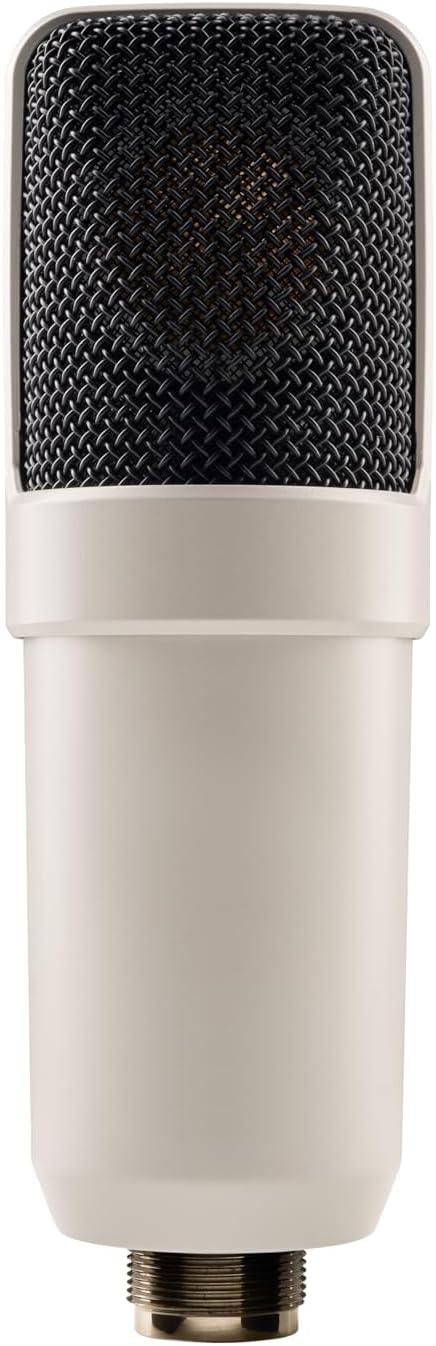
Figure 3.1: SC-1 Microphone XLR Connector
Note: Official product videos from the seller are not available for this product.
4. Operating the SC-1
The SC-1 can be used as a standard condenser microphone or enhanced with the Hemisphere modeling software.
Стандарттык операция:
- Position the microphone appropriately for your sound source (e.g., vocals, acoustic instruments).
- Adjust the gain on your audio interface to achieve an optimal recording level, avoiding clipping.
- The SC-1 features a Unidirectional polar pattern, making it ideal for capturing sound directly in front of the microphone while minimizing off-axis noise.
Using Hemisphere Mic Modeling:
The Hemisphere Plug-In allows you to apply various microphone models and adjust parameters digitally:
- Үлгүнү тандаңыз: Choose from a range of classic condenser microphone emulations within the Hemisphere software.
- Чыпка: Apply high-pass or low-pass filters to shape the microphone's frequency response.
- Жакындык: Adjust the simulated proximity effect, which alters the low-frequency response based on distance to the sound source.
- Ок: Control the simulated off-axis response, allowing for fine-tuning of the microphone's directional characteristics.
5. Техникалык тейлөө
Proper care will ensure the longevity and performance of your SC-1 microphone:
- Тазалоо: Микрофондун корпусун сүртүү үчүн жумшак, кургак чүпүрөктү колдонуңуз. Суюк тазалоочу каражаттарды же эриткичтерди колдонуудан алыс болуңуз, анткени алар микрофондун сырткы көрүнүшүнө же ички компоненттерине зыян келтириши мүмкүн.
- Сактагыч: When not in use, store the microphone in its included carrying case to protect it from dust, moisture, and physical damage.
- Колдонуу: Микрофонду этияттык менен кармаңыз. Аны түшүрүп албоо же катуу сокку уруудан алыс болуңуз.
6. Кыйынчылыктарды
If you encounter issues with your SC-1 microphone, consider the following:
- Үн чыгышы жок:
- Аудио интерфейсиңизде/миксериңизде 48V фантом кубаты күйгүзүлгөнүн текшериңиз.
- Бардык XLR кабелдик туташууларынын туура отургузулушун жана бүтүндүгүн текшериңиз.
- Verify input gain levels on your audio interface are set correctly.
- Бурмаланган үн:
- Reduce the input gain on your audio interface to prevent clipping.
- Ensure the microphone is not placed too close to the sound source, especially for loud signals.
- Hemisphere Software Issues:
- Verify that the Hemisphere Plug-In is correctly installed and updated.
- Check your Digital Audio Workstation (DAW) settings to ensure the plug-in is properly loaded on the microphone track.
7. Техникалык шарттар
| Өзгөчөлүк | Деталь |
|---|---|
| Бренд | Universal Audio |
| Модел | SC-1 |
| Микрофон форма фактору | Чоң диафрагма |
| Полярдык үлгү | Бир багыттуу |
| Байланыш технологиясы | XLR |
| Туташтыргыч түрү | XLR |
| Power Source | Зымдуу электр (48V фантомдук кубат талап кылынат) |
| Ызы-чуунун катышы | 78 дБ |
| Каналдардын саны | 1 |
| Элемент Салмагы | 2.75 фунт (1.25 килограмм) |
| Түс | Ак |
| Өзгөчө өзгөчөлүк | Hemisphere Mic Modeling |
| Сунушталган Колдонуулар | Ырдоо, видео жазуу, үн жаздыруу |
8. Кепилдик жана колдоо
For detailed warranty information and technical support, please refer to the official Universal Audio webсайтка же түздөн-түз кардарларды тейлөөгө кайрылыңыз. Ар кандай кепилдик дооматтары үчүн сатып алганыңыздын далилин сактаңыз.
Additional protection plans may be available from your retailer. Please consult your retailer for details on extended coverage options.