
Introduction
Thank you for choosing the VOLT PLUS TECH Pro Earbuds YD03. These wireless earbuds feature Bluetooth 5.3 connectivity, an LED digital display charging case, and are designed for a comfortable audio experience. This manual provides instructions for setup, operation, maintenance, and troubleshooting to ensure optimal performance.

Image: The VOLT PLUS TECH Pro Earbuds YD03, showing both earbuds and the charging case with its LED display.
Пакеттин мазмуну
Пакетиңизде бардык буюмдар бар экенин текшериңиз:
- Зымсыз кубаттоо кутусу
- Эки кулакчын (сол жана оң)
- USB-C заряддоо кабели
- Колдонуучунун Колдонмосу (бул документ)
- Ear Cushions (multiple sizes: Small, Medium, Large)
Орнотуу жана баштапкы колдонуу
1. Кулакчындарды жана кутуну кубаттоо
Before first use, fully charge the earbuds and the charging case. The charging case features an LED digital display that shows the battery level of the case and each earbud.
- Place both earbuds into the charging case. Ensure they are correctly seated to initiate charging.
- Connect the provided USB-C cable to the charging port on the case and to a compatible USB power source.
- The LED display on the case will indicate charging status. A full charge typically takes approximately 2 hours.

Image: The charging case with a USB-C cable inserted into its charging port, indicating the charging process.

Image: A close-up of the charging case's LED digital display, showing the battery percentages for the left earbud, the case, and the right earbud.
2. Түзмөгүңүз менен жупташтыруу
Кулакчындар кубаттоочу кутудан чыгарылганда автоматтык түрдө жупташтыруу режимине өтөт.
- Open the charging case and remove both earbuds. They will automatically power on, and a blue indicator light will flash. If they do not power on automatically, press and hold the touch area on each earbud for 3-5 seconds until the blue indicator light flashes.
- Смартфонуңузда же башка Bluetooth иштетилген түзмөгүңүздө Bluetooth жөндөөлөрүнө өтүңүз.
- Bluetooth иштетилгенин текшериңиз.
- Издөө available devices and select "YD03" from the list.
- Once connected, the earbuds will provide a voice prompt stating "Connected".
The earbuds support independent use, allowing you to use either the left or right earbud individually. Simply remove one earbud from the case, and it will connect to your device.
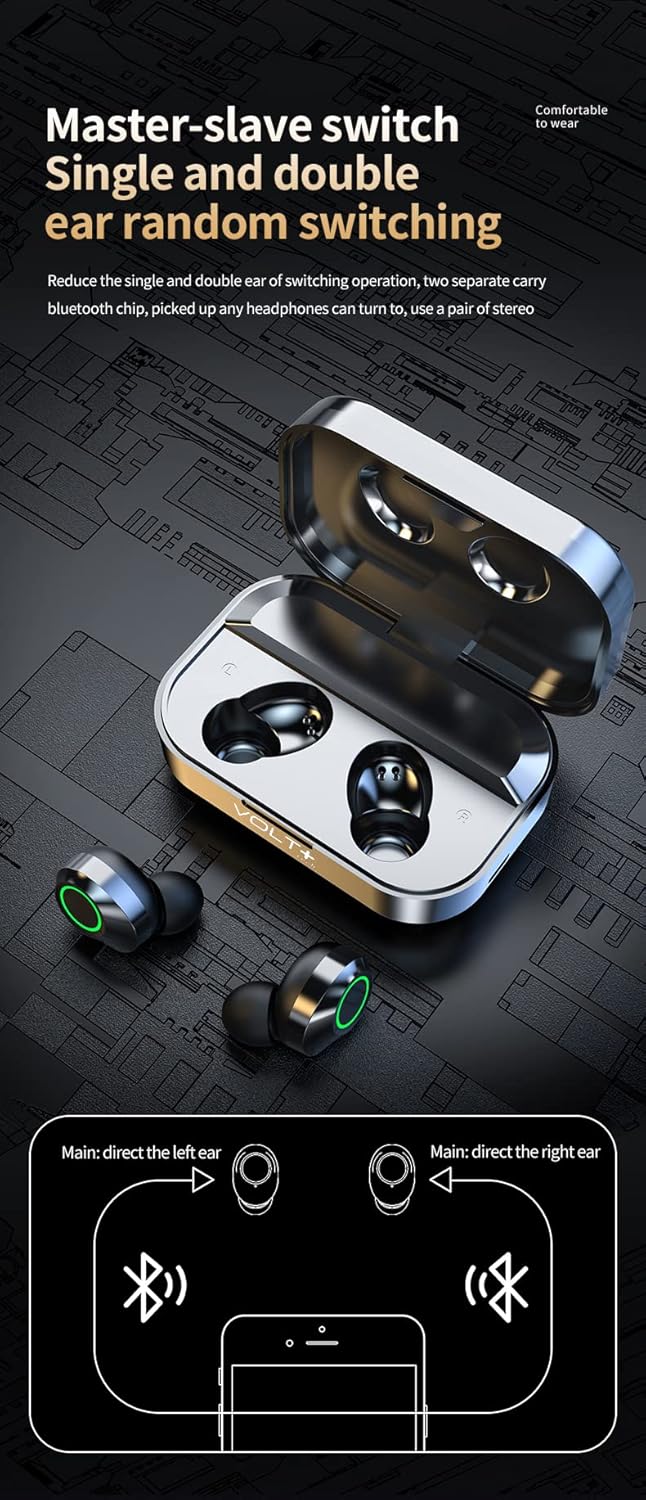
Image: The VOLT PLUS TECH Pro Earbuds YD03 resting inside their open charging case, ready for removal and pairing.
3. Кулактын учтарын тандоо
For optimal sound quality and comfort, choose the ear tips that best fit your ears. The package includes small, medium, and large ear tips. Experiment with different sizes to find the most secure and comfortable fit.
Иштөө нускамалары
Touch Controls
The earbuds feature touch-sensitive controls on their outer surface. Refer to the following table for common functions:
| Акция | Сол кулакчын (L) | Оң кулакчын (R) |
|---|---|---|
| Ойнотуу/Тыныгуу | Бир таптоо | Бир таптоо |
| Кийинки ыр | Эки жолу таптаңыз | |
| Мурунку ыр | Эки жолу таптаңыз | |
| Үндү көтөрүү | Үч жолу таптоо | |
| Үндү төмөндөтүү | Үч жолу таптоо | |
| Чалууга жооп берүү/аяктоо | Кыска басуу | Кыска басуу |
| Чакырууну четке кагуу | 2 секунд узак басуу | 2 секунд узак басуу |
| Үн жардамчысын иштетүү (Siri/Google Жардамчы) | 1.5 секунд узак басуу | 1.5 секунд узак басуу |
| Game/Video Mode | Touch switch under 4 (specific gesture not fully detailed, refer to device for exact activation) | |

Image: A visual guide illustrating the touch control actions for the left and right earbuds, including play/pause, track skipping, volume adjustment, and call management.
Күйгүзүү/өчүрүү
- Күйгүзүү: Remove earbuds from the charging case. They will power on automatically. Alternatively, press and hold the touch area for 3-5 seconds.
- Өчүрүү: Place earbuds back into the charging case. They will power off automatically and begin charging. Alternatively, disconnect from Bluetooth and they will power off after a few minutes of inactivity.
Техникалык тейлөө
Туура тейлөө кулакчындардын узак мөөнөттүү иштешин жана жакшы иштешин камсыз кылат.
- Тазалоо: Кулакчындарды жана кубаттоочу кутучаны дайыма жумшак, кургак, түксүз чүпүрөк менен тазалап туруңуз. Абразивдүү тазалагычтарды же эриткичтерди колдонбоңуз. Кичинекей, жумшак щетка же кебез тампондун жардамы менен кулактын учтары менен динамик торчосунан ар кандай кулагын же калдыктарын акырын алып салыңыз.
- Суу каршылык: The earbuds are rated IPX4 water resistant, meaning they are protected from splashing water from any direction. They are suitable for light rain and sweat during exercise. The charging case is NOT waterproof. Кулакчындарды же кубаттоочу кутучаны сууга салбаңыз.
- Сактагыч: Колдонулбаганда, кулакчындарды коргоо жана кубаттоо үчүн кубаттоочу кутучага сактаңыз. Салкын, кургак жерде, экстремалдык температурадан алыс сактаңыз.
- Батареяга кам көрүү: Батареянын кубатын сактоо үчүн, кулакчындарды жана кубаттоочу кутучаны тез-тез толук зарядсыздандырбаңыз. Аларды дайыма колдонбосоңуз да, үзгүлтүксүз кубаттап туруңуз.
Проблемаларды чечүү
Эгер кулакчыныңызда көйгөйгө туш болсоңуз, төмөнкү чечимдерди колдонуп көрүңүз:
- Кулакчындар жупташтырылбай жатат:
- Эки кулакчындын тең кубатталганын текшериңиз.
- Place both earbuds back into the charging case, close the lid, wait a few seconds, then open the lid and remove them again to re-initiate pairing mode.
- Түзмөгүңүздүн Bluetooth'ун өчүрүп, андан кийин күйгүзүңүз.
- Forget "YD03" from your device's Bluetooth list and attempt to pair again.
- Бир гана кулакчын иштейт:
- Эки кулакчындын тең кубатталганын текшериңиз.
- Эки кулакчынды тең кубаттоочу кутуга салып, капкагын жаап, анан аларды бир убакта алып салыңыз.
- Эгер көйгөй чечилбесе, кулакчындарды баштапкы абалга келтирип көрүңүз (өндүрүүчүнүн көрсөтмөсүн караңыз) web(эгер бул жерде кеңири маалымат берилбесе, баштапкы абалга келтирүү боюнча конкреттүү көрсөтмөлөрдү бул жерден таба аласыз).
- Үн жок же үнү төмөн:
- Туташкан түзмөгүңүздүн жана кулакчындардын үн деңгээлин текшериңиз.
- Кулакчындар кулагыңызга туура орноштурулганын текшериңиз.
- Кулакчын динамигинин торундагы калдыктарды тазалаңыз.
- Заряддоо кутучасы заряддалбай жатат:
- USB-C кабелинин корпуска жана кубат булагына бекем туташтырылганын текшериңиз.
- Башка USB-C кабелин жана/же кубат адаптерин колдонуп көрүңүз.
- Кубат булагынын иштешин текшериңиз.
Техникалык шарттар
| Өзгөчөлүк | Деталь |
|---|---|
| Модель аты | YD03 |
| Бренд | VOLT PLUS TECH |
| Bluetooth версиясы | 5.3 |
| Bluetooth диапазону | 33 фут (10 метр) чейин |
| Батареянын иштөө мөөнөтү (наушник) | 5+ hours per charge |
| Жалпы ойноо убактысы (заряддоо кутусу менен) | 25 саатка чейин |
| Заряддоо убактысы | Болжол менен 2 саат |
| Сууга туруктуулук деңгээли | IPX4 (Earbuds only, charging case is not waterproof) |
| Noise Control | Активдүү ызы-чууну жокко чыгаруу, пассивдүү ызы-чууну жокко чыгаруу, үн изоляциясы |
| Микрофондор | Quad Microphones (2 per earbud) with CVC 8.1 Noise Reduction |
| Башкаруу ыкмасы | тийүү |
| Наушник уясы | USB-C (заряддоо кутусу үчүн) |
| Шайкеш түзмөктөр | Android, iOS, Mac, Windows, iPhone SE 2 |
| Элемент Салмагы | 4 Ounces (total product) |
| Продукциянын өлчөмдөрү | 1.5 x 1 x 1.5 дюйм |
| Ташуу кутусунун өлчөмдөрү | 2.7 x 1.3 x 1.2 дюйм |
| Аудио драйверинин өлчөмү | 26 миллиметр |
| Аудио кечигүү | 9 Миллисекунд |
Кепилдик жана колдоо
For warranty information or technical support, please refer to the documentation included with your purchase or contact the seller directly through the platform where the product was purchased. You may also visit the official VOLT PLUS TECH webкошумча жардам үчүн сайт.