
Introduction
Thank you for choosing the August EP410 Bone Conduction Headphones. These open-ear wireless headphones utilize advanced bone conduction technology to deliver audio directly to your inner ear, allowing you to remain aware of your surroundings. Designed for comfort and durability, the EP410 is ideal for sports, daily commutes, and hands-free communication. This manual provides essential information for setting up, operating, and maintaining your headphones.
Кутуда эмне бар
- 1 x August EP410B Bone Conduction Headphones
- 1 x USB Type-C заряддоо кабели
- 1 x User Manual

Продукт өзгөчөлүктөрү
- Сөөк өткөргүч технологиясы: Delivers sound through your cheekbones, keeping your ears open to ambient sounds.
- Bluetooth 5.3 туташуусу: Provides a stable and fast wireless connection with low latency (40ms) and a range of up to 15 meters. Supports automatic switching between two connected devices.
- Интегралдык микрофон: Allows for hands-free calls with echo and wind reduction for clear communication.
- Жеңил жана ыңгайлуу: Weighing only 31 grams, the flexible design ensures a secure and comfortable fit for extended wear.
- Батареянын узак иштөө мөөнөтү: Up to 9 hours of playtime at 30% volume on a single charge. Quick charging via Type-C port.
- Суу өткөрбөйт дизайн: Resistant to sweat and water, making them suitable for various activities and weather conditions.
- Үн жардамчысын колдоо: Compatible with Google Assistant and Apple Siri for convenient voice control.


Жайгашуу
1. Наушниктерди заряддоо
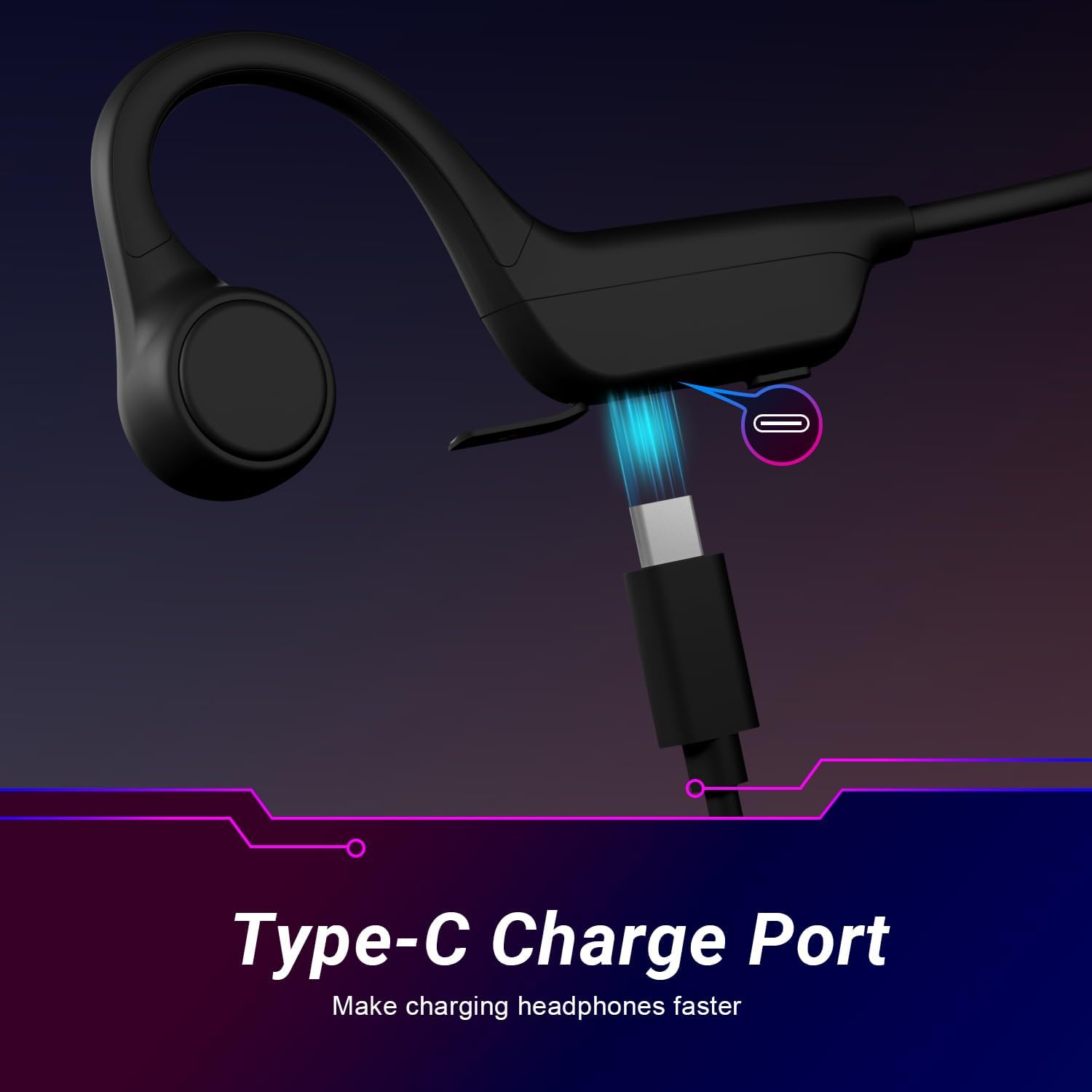
Before first use, fully charge your EP410 headphones. Connect the supplied USB Type-C charging cable to the charging port on the headphones and the other end to a USB power source (e.g., computer, wall adapter). A full charge takes approximately 1.5 hours. The LED indicator will show charging status.
2. Күйгүзүү / Өчүрүү
- Күйгүзүү үчүн: Press and hold the Power button for 3 seconds until the LED indicator flashes blue.
- Өчүрүү үчүн: Press and hold the Power button for 3 seconds until the LED indicator flashes red and then turns off.
3. Bluetooth Жупташтыруу
- Наушниктердин өчүрүлгөнүн текшериңиз.
- Press and hold the Power button for 5-7 seconds until the LED indicator flashes red and blue alternately. This indicates pairing mode.
- Түзмөгүңүздө (смартфон, планшет ж.б.) Bluetooth иштетиңиз жана жеткиликтүү түзмөктөрдү издеңиз.
- Select "August EP410" from the list of found devices.
- Жупташтырылгандан кийин, кулакчындардагы LED индикатору жай көк түстө күйүп-өчөт.
The headphones will automatically reconnect to the last paired device when powered on, if it is within range. The EP410 can also connect to two devices simultaneously, allowing for seamless switching.

Иштөө нускамалары
Музыканы ойнотуу
- Ойнотуу/тындыруу: Көп функциялуу баскычты бир жолу басыңыз.
- Кийинки трек: Үнүн жогорулатуу баскычын басып, кармап туруңуз.
- Мурунку трек: Үндү азайтуу баскычын басып, кармап туруңуз.
- Көлөмү: Үндү жогорулатуу баскычын кыска басыңыз.
- Үнүн азайтуу: Үндү азайтуу баскычын кыска басыңыз.
Чалууларды иштетүү
- Чалууга жооп берүү/аяктоо: Көп функциялуу баскычты бир жолу басыңыз.
- Чакырууну четке кагуу: Көп функциялуу баскычты 2 секунд басып туруңуз.
- Акыркы номерди кайра терүү: Көп функциялуу баскычты эки жолу басыңыз.

Үн жардамчысы
To activate your device's voice assistant (Siri, Google Assistant), triple-press the Multi-function button. You can then issue commands through the headphone's microphone.

Техникалык тейлөө
- Тазалоо: Наушниктерди жумшак менен сүртүңүз, гamp кездеме. Абразивдүү тазалагычтарды же эриткичтерди колдонбоңуз.
- Сактагыч: Наушниктерди салкын, кургак жерде күндүн тике тийген нурунан жана экстремалдык температурадан алыс сактаңыз.
- Суу каршылык: Суу өткөрбөй турган учурда, сууда көпкө чөмүлбөңүз. Заряддоодон мурун заряддоо порту кургак экенин текшериңиз.
- Батареяга кам көрүү: To prolong battery life, avoid fully discharging the headphones frequently. Charge regularly, even if not in use for extended periods.

Проблемаларды чечүү
| Көйгөй | Мүмкүн себеп | Чечим |
|---|---|---|
| Күйгүзүлбөй жатат | Батарея аз | Наушниктерди толук заряддаңыз. |
| Түзмөк менен жупташтыруу мүмкүн эмес | Кулакчындар жупташтыруу режиминде эмес; түзмөктө Bluetooth өчүк; түзмөк өтө алыс | Ensure headphones are in pairing mode (red/blue flashing LED). Turn on Bluetooth on your device. Move device closer to headphones (within 1 meter for pairing). |
| Үн жок | Not connected; volume too low; audio source issue | Check Bluetooth connection. Increase headphone and device volume. Test with another audio source. |
| Чалуу сапаты начар | Сигнал начар; микрофон тосулуп калган | Сигнал жакшыраак аймакка жылыңыз. Микрофон жабылбаганын текшериңиз. |
| Наушник ыңгайсыз | Туура эмес жайгашуу | Adjust the headphones to sit comfortably over your ears and cheekbones. |
Техникалык шарттар
| Модель аты | EP410B |
| Байланыш технологиясы | Зымсыз (Bluetooth) |
| Bluetooth версиясы | 5.3 |
| Bluetooth диапазону | 15 метр |
| Аудио кечигүү | 40 Миллисекунд |
| Аудио драйвер түрү | Сөөк өткөргүч айдоочу |
| Батареянын иштөө мөөнөтү | 9 саатка чейин (30% үн менен) |
| Заряддоо убактысы | Болжол менен 1.5 саат |
| Заряддоо порту | USB Type-C |
| Элемент Салмагы | 31 грамм (1.09 унция) |
| Сууга туруктуулук деңгээли | Суу өткөрбөйт |
| Кулак жайгаштыруу | Ачык кулак |
| Камтылган компоненттер | Headphones, Power Cable, User Manual |
Кепилдик
No specific warranty information is provided within the product data. Please refer to the August official website or contact your retailer for details regarding warranty coverage and terms for the EP410 Bone Conduction Headphones.
Колдоо
For further assistance, technical support, or inquiries about your August EP410 Bone Conduction Headphones, please visit the official August webсайтка же кардарларды тейлөө бөлүмүнө кайрылыңыз. Байланыш маалыматы, адатта, өндүрүүчүнүн сайтынан тапса болот webсайтында же таңгактоо материалдарында.