
1. Киришүү
The DEWIN AC220V Automatic Voltage Protection Plug is designed to safeguard your electrical appliances from damage caused by voltage fluctuations, including overvoltage, undervolvoltage, and overcurrent conditions. This device features adjustable voltage settings and an intuitive LCD display for monitoring and control. Its plug-and-play design ensures easy installation and use, making it suitable for a wide range of household appliances.
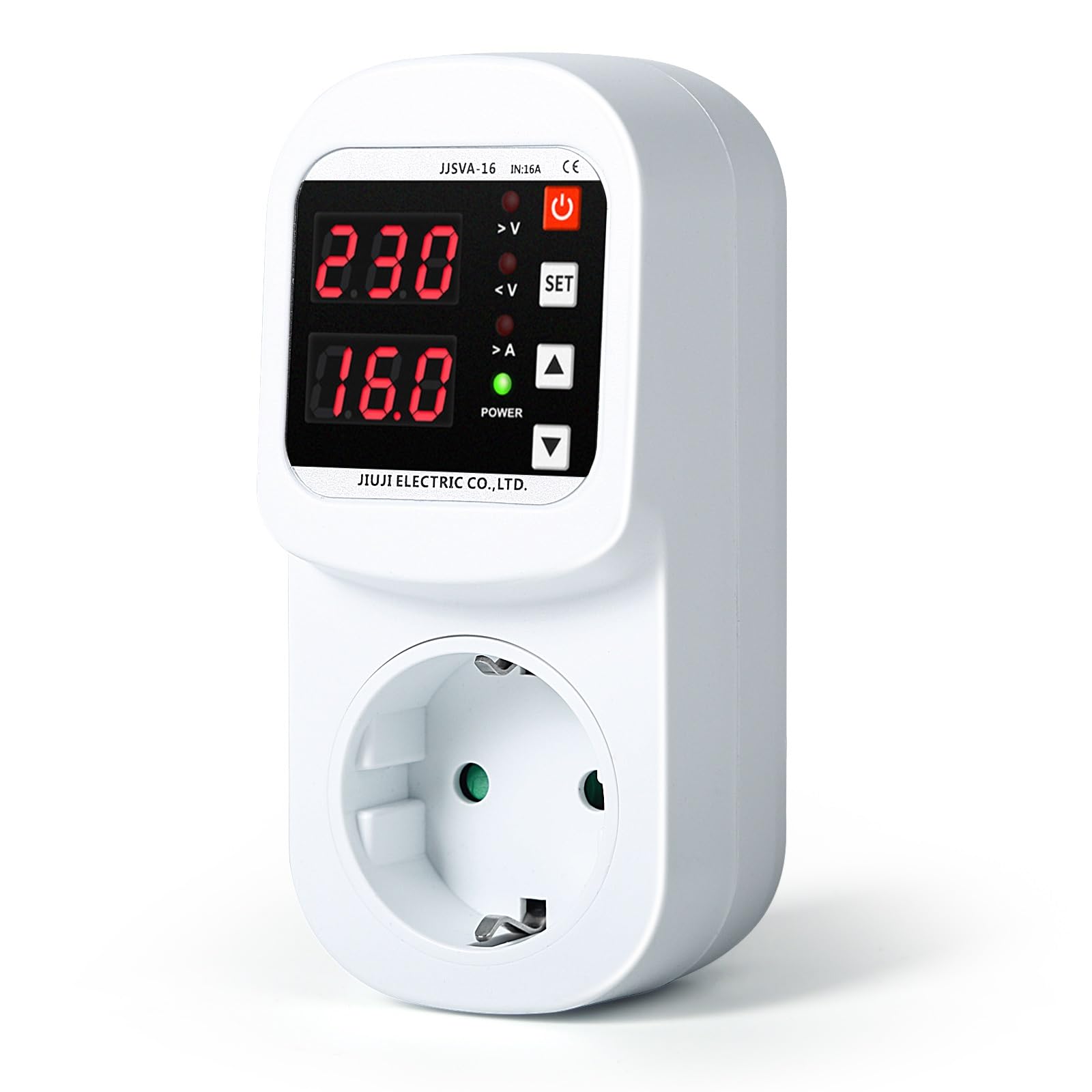
Figure 1: DEWIN Automatic Voltage Protection Plug with LED display.
2. Коопсуздук маалыматы
Please read all safety instructions before using the device. Failure to follow these instructions may result in electric shock, fire, or serious injury.
- Ensure the device is used with a compatible AC220V power supply.
- Аппаратты ажыратпаңыз же өзгөртпөңүз.
- Keep out of reach of children. The safety socket is designed to prevent accidental contact by inserting fingers or small objects.
- Аппаратты сууга же ашыкча нымдуулукка дуушар кылуудан алыс болуңуз.
- Эгерде түзмөк бузулгандай көрүнсө, аны колдонбоңуз.
- Always unplug the device from the wall socket before cleaning or if it will be unused for an extended period.
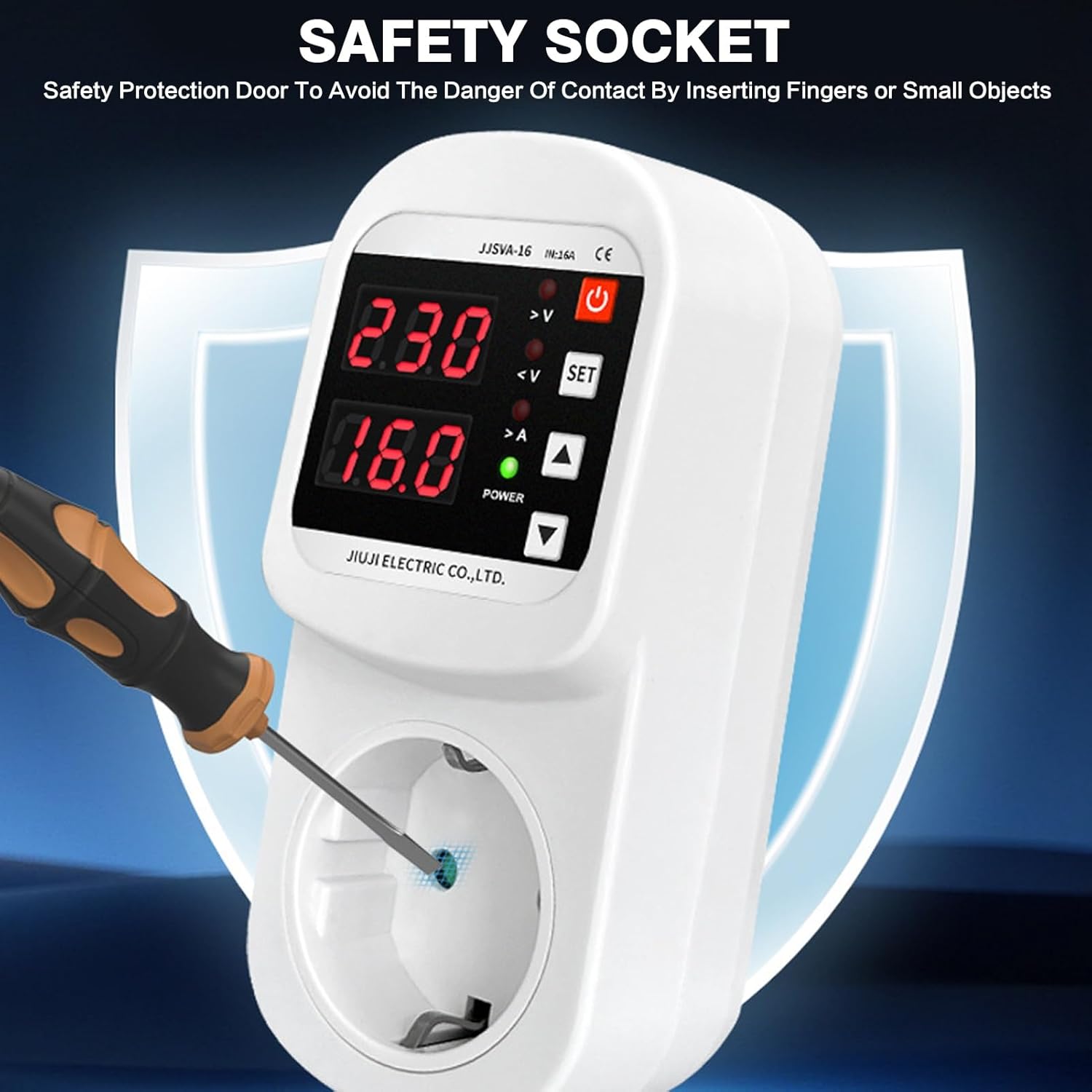
Figure 2: Safety socket design to prevent accidental insertion.
3. Продукт бүтүп калдыview
The DEWIN Voltage Protection Plug features a clear LCD display and user-friendly controls for easy operation.

Figure 3: Product components and display indicators.
Негизги өзгөчөлүктөрү:
- Adjutable Voltage Коргоо: Customize overvoltage (230-300V, default 270V) and undervoltage (140-210V, default 170V) thresholds.
- LCD дисплей: Provides clear, real-time indication of voltage and current status.
- Integrated 16A Magnetic Relay: Ensures immediate power cutoff during voltage anomalies to protect connected appliances.
- Plug-and-Play Дизайн: Жөнөкөй жана тез орнотуу.
- Кеңири колдонуу: Suitable for refrigerators, air conditioners, water heaters, rice cookers, washing machines, televisions, and other electrical appliances.
- Тtage Түзөтүү: Allows for voltage calibration between -20V and 20V if the displayed voltage is inaccurate.
4. Орнотуу
The DEWIN Voltage Protection Plug is designed for easy plug-and-play installation.
- Таңылганын ачуу: Этияттык менен томду алып салыңызtage protection plug from its packaging.
- Текшерүү: Түзмөктө кандайдыр бир көрүнүктүү бузулуулар бар-жогун текшериңиз. Бузулган болсо, колдонбоңуз.
- Плагин: Insert the DEWIN Voltage Protection Plug directly into a standard AC220V wall socket.
- Түзмөктү туташтыруу: Plug your electrical appliance (e.g., refrigerator, TV) into the socket on the front of the voltage protection plug.
- Күйгүзүү: Ensure the appliance is switched on. The LCD display on the protection plug will show the current voltage жана ток.
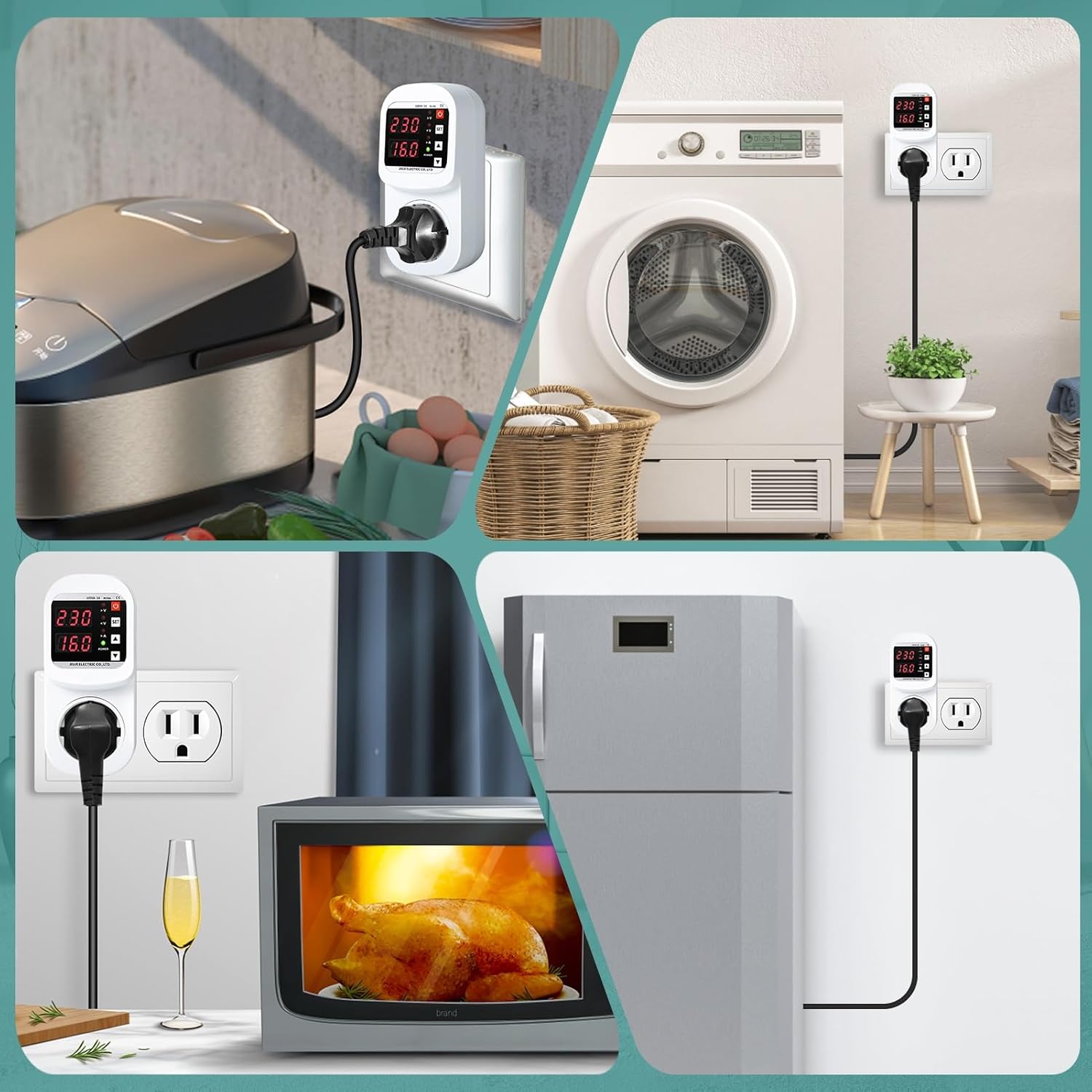
4-сүрөт: Мисamples of appliance connections.
5. Иштөө нускамалары
The device operates automatically to protect your appliances. You can also adjust its settings.
5.1. Monitoring Display
- The LCD screen continuously displays the current voltage (V) and current (A) of the connected appliance.
- Indicators for overvoltage (>V), undervoltage (<V), and overcurrent (>A) will illuminate if these conditions are detected.
- The "POWER" indicator shows if the device is supplying power.
5.2. Орнотууларды тууралоо
To adjust the overvoltage, undervolvoltage, or current limits:
- Орнотуу режимине кириңиз: басыңыз SET button. The display will start flashing, indicating you are in setting mode.
- Select Parameter: колдонуу Өйдө (▲) or Төмөн (▼) adjustment keys to cycle through the adjustable parameters: overvoltage limit, undervoltage limit, and overcurrent limit.
- Маани тууралоо: Once the desired parameter is flashing, use the Өйдө (▲) or Төмөн (▼) маанисин көбөйтүү же азайтуу үчүн баскычтар.
- Жөндөөлөрдү ырастоо: басыңыз SET button again to confirm the adjusted value and move to the next parameter, or wait a few seconds for the device to automatically save the setting and exit setting mode.
Демейки жөндөөлөр:
- Overvoltage Protection: 270V (Adjustable: 230V - 300V)
- Undervoltage Protection: 170V (Adjustable: 140V - 210V)
- Overcurrent Range: 1A - 16A
5.3. Томtage Түзөтүү
Эгерде керсетулген томtage is inaccurate, it can be corrected within a range of -20V to +20V. Refer to the detailed instructions in the full product manual for specific steps on voltage калибрлөө.
5.4. Recovery Delay Time
том кийинtage anomaly, the device has a recovery delay time (1-500 seconds) before restoring power to the appliance. This delay protects sensitive electronics from rapid power cycling.
6. Техникалык тейлөө
The DEWIN Voltage Protection Plug requires minimal maintenance.
- Тазалоо: Disconnect the device from the power outlet before cleaning. Use a soft, dry cloth to wipe the exterior. Do not use liquid cleaners or abrasive materials.
- Сактагыч: If not in use for an extended period, store the device in a cool, dry place away from direct sunlight and extreme temperatures.
- Текшерүү: Periodically inspect the device for any signs of wear or damage, especially the plug pins and socket.
7. Кыйынчылыктарды
If you encounter issues with your DEWIN Voltage Protection Plug, refer to the following common problems and solutions:
| Көйгөй | Мүмкүн себеп | Чечим |
|---|---|---|
| Device not powering on / LCD display is off. | No power from wall socket, device malfunction. | Check if the wall socket is live by plugging in another device. Ensure the plug is fully inserted. If still off, the device may be faulty. |
| Appliance not receiving power. | Тtage/current outside set limits, recovery delay active, appliance fault. | Check the LCD display for overvoltage/undervoltage/overcurrent indicators. Wait for the recovery delay to complete. Test the appliance by plugging it directly into a wall socket. |
| Так эмес томtage reading on LCD. | Калибрлөө керек. | Perform voltage correction as described in section 5.3. |
| Орнотууларды өзгөртүү мүмкүн эмес. | Not in setting mode, buttons unresponsive. | басып, кармап туруңуз SET button to enter setting mode. If buttons are unresponsive, try unplugging and re-plugging the device. |
If the problem persists after attempting these solutions, please contact DEWIN customer support.
8. Техникалык шарттар
| Параметр | Нарк |
|---|---|
| Продукт аты | Over and Under Voltage Socket |
| Модель номери | IXRAQCCRI-GS109785 |
| Материал | Поликарбонат (PC) |
| Socket Specification | Европа стандарты |
| Rated Voltage | 220V AC |
| Номиналдуу ток | 16 А |
| Overvoltage Диапазон | 230-300 V (Standard: 270 V) |
| Undervoltage Диапазон | 140-210 V (Standard: 170 V) |
| Учурдагы диапазон | 1-16 А. |
| Калыбына келтирүү кечигүү убактысы | 1-500 с |
| Энергияны керектөө | ≤ 2 Вт |
| Өлчөмдөр | 12.5 x 5.7 x 4.8 см (болжол менен) |
| Салмагы | 205 грамм |
| Иштөө режими | Автоматтык |
| Байланыш материалы | Silver |
| Шайкештик | VDE |

5-сүрөт: Продукциянын өлчөмдөрү жана деталдуу мүнөздөмөлөрү.
9. Кепилдик жана колдоо
For warranty information and customer support, please refer to the documentation included with your purchase or visit the official DEWIN webсайт.
- Өндүрүүчү: DEWIN
- Байланыш: Refer to your purchase receipt or the DEWIN official webкардарларды тейлөө байланыш маалыматы үчүн сайт.