
FIFINE K688W
ЖАКШЫ AmpliTank K688W Dynamic USB/XLR Microphone User Manual
Model: K688W | Brand: FIFINE
1. Киришүү
Сатып алганыңыз үчүн рахматasing the FIFINE AmpliTank K688W Dynamic USB/XLR Microphone. This microphone is designed for high-quality audio capture in various applications, including gaming, streaming, podcasting, and professional recording. Please read this manual carefully to ensure proper setup and operation.

Сүрөт: FIFINE AmpliTank K688W microphone demonstrating its sound capture capabilities with a visual representation of sound waves.
2. Пакеттин мазмуну
Төмөндө тизмеленген нерселердин баары пакетиңизге камтылганын текшериңиз:
- ЖАКШЫ AmpliTank K688W Microphone Body
- USB-Cден USB-Aга өтүүчү кабель (2.5 м)
- 3/8" to 5/8" Screw Adapter
- Колдонуучунун колдонмосу (жапонча)
Note: A microphone stand and XLR cable are not included and must be purchased separately.

Сүрөт: FIFINE AmpliTank K688W microphone and its included accessories: USB cable and screw adapter, alongside the user guide.
3. Продукт бүтүп калдыview (Components and Controls)
Familiarize yourself with the microphone's components and controls:

Сүрөт: Арткы view FIFINE жөнүндө AmpliTank K688W microphone, highlighting the XLR output terminal and USB connection port.
- XLR Output Terminal: For connecting to audio interfaces, mixers, or other professional audio equipment.
- USB Connection Port (USB Type-C): For direct connection to computers or game consoles.
- 3.5 мм гарнитура уячасы: Реалдуу убакыт режиминдеги аудио мониторинг үчүн.
- Microphone Volume Control (Gain Knob): Adjusts the microphone's input sensitivity. (USB mode only)
- Headphone Jack Volume Control: Adjusts the monitoring volume through the 3.5mm headphone jack. (USB mode only)
- LED индикатору менен Үндү өчүрүү баскычы: Toggles microphone mute. LED indicates mute status. (USB mode only)
4. Орнотуу
4.1 USB туташуу
For direct connection to a computer (Windows/Mac OS) or game console (PS4/PS5):
- Connect the USB-C end of the provided USB cable to the microphone's USB port.
- Connect the USB-A end of the cable to an available USB port on your computer or game console.
- The device will automatically recognize the microphone.
- Select "FIFINE K688W" as your input and output device in your system's sound settings or application settings.

Сүрөт: FIFINE AmpliTank K688W microphone connected to a laptop via its USB-C port, illustrating plug-and-play functionality.
4.2 XLR Connection
For connecting to professional audio equipment (audio interfaces, mixers):
- Connect a standard XLR cable (not included) to the XLR output terminal on the microphone.
- XLR кабелинин экинчи учун аудио интерфейсиңиздеги же миксериңиздеги XLR киргизүүсүнө туташтырыңыз.
- Ensure your audio interface or mixer is properly configured to receive input from the connected XLR channel.
- Adjust gain levels on your audio interface/mixer as needed.

Сүрөт: деталдуу view FIFINE жөнүндө AmpliTank K688W's connectivity panel, showing both USB and XLR ports for versatile audio setups.
5. Иштөө нускамалары
5.1 Gain Control (USB Mode Only)
The gain knob on the microphone allows you to adjust the input sensitivity. Rotate the knob clockwise to increase gain and counter-clockwise to decrease it. Adjust this to achieve an optimal recording level without clipping or distortion.
5.2 Mute Function (USB Mode Only)
Press the touch-sensitive mute button on top of the microphone to instantly mute or unmute the audio input. The LED indicator will change color to show the microphone's status (e.g., green for active, red for muted).
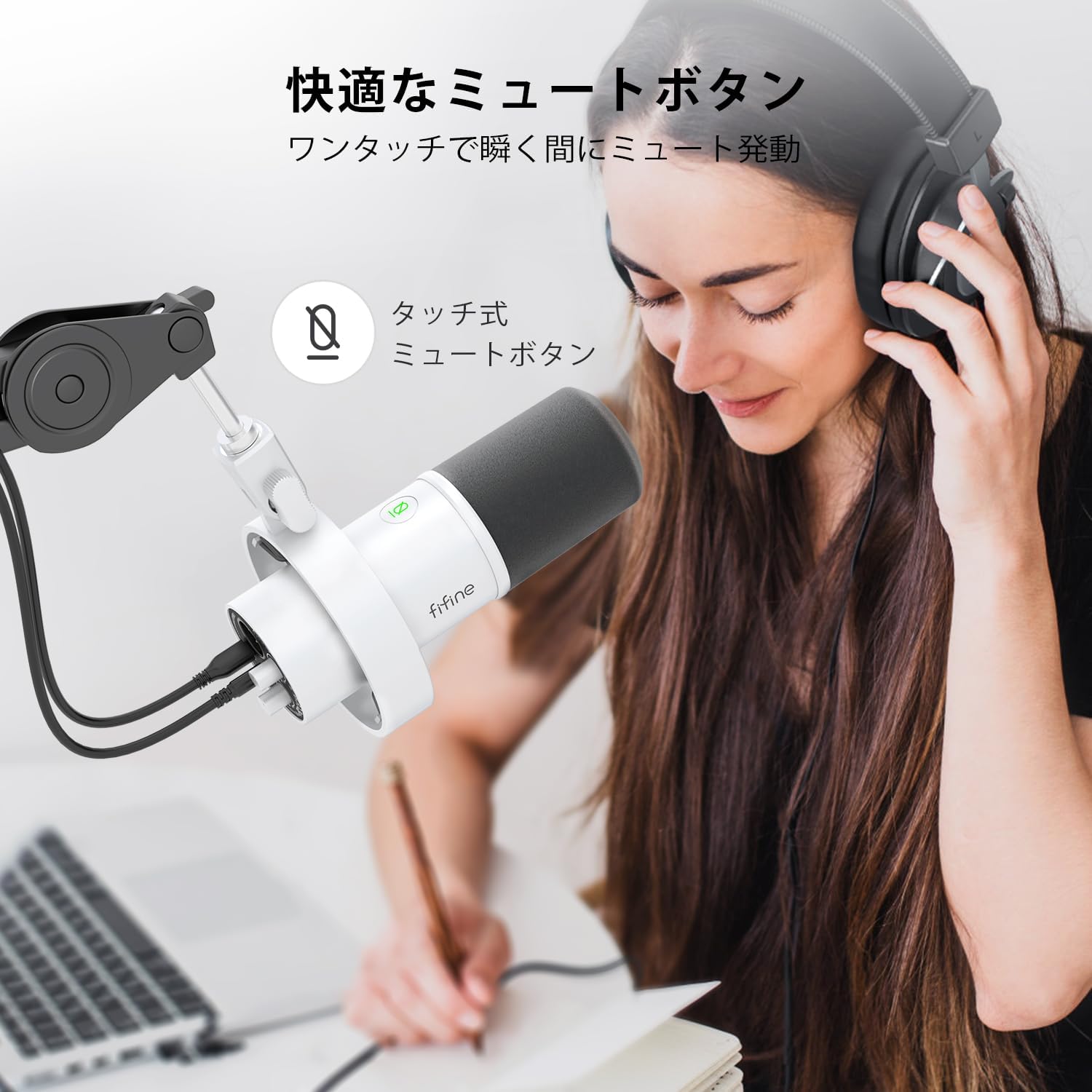
Image: A user interacting with the touch-sensitive mute button on the FIFINE AmpliTank K688W microphone, demonstrating its ease of use.
5.3 Headphone Monitoring (USB Mode Only)
Connect your headphones to the 3.5mm headphone jack on the microphone to monitor your audio in real-time with zero latency. Use the dedicated headphone volume knob to adjust the monitoring level to your preference.
6. Техникалык тейлөө
- Микрофонду таза, жумшак, кургак чүпүрөк менен сүртүңүз.
- Микрофонду экстремалдык температуранын, нымдуулуктун же тике күн нурунун таасиринен сактаңыз.
- Чаңга жана бузулууга жол бербөө үчүн микрофонду колдонбогондо коргоочу капкасында сактаңыз.
- Микрофонду бөлүп алууга аракет кылбаңыз, анткени бул кепилдикти жокко чыгарат.

Сүрөт: FIFINE AmpliTank K688W microphone mounted on a boom arm, showcasing its integrated metal body design suitable for various recording environments.
7. Кыйынчылыктарды
| Көйгөй | Мүмкүн себеп | Чечим |
|---|---|---|
| Үн чыгаруучу жок (USB) |
|
|
| No sound output (XLR) |
|
|
| Бузулган аудио |
|
|
| Өтө фон ызы-чуу |
|
|
8. Техникалык шарттар
| Өзгөчөлүк | Деталь |
|---|---|
| Модел | K688W |
| Бренд | ЖАКШЫ |
| Микрофон түрү | Динамикалык |
| Полярдык үлгү | Бир багыттуу (Кардиоид) |
| Байланыш | USB (Type-C), XLR |
| Frequency Response | 70Гц - 15КГц |
| Сигнал-ызы-чуу катышы (S/N) | 75 дБ |
| Power Type | Электр зымдары (USB менен иштейт) |
| Шайкеш түзмөктөр | PC (Windows/Mac OS), Game Consoles (PS4/PS5), Audio Mixers, Audio Interfaces, Smartphones (with adapter, not included) |
| Өзгөчөлүктөр | Volume Control, Mute Function, Headphone Monitoring |
| Түс | Ак |
| Материалдар | Пластик, металл |
| UPC | 850052511821 |
9. Кепилдик жана колдоо
9.1 Кепилдик маалыматы
Бул продукт менен келет 1 жылдык өндүрүүчүнүн кепилдиги from the date of purchase. The warranty covers defects in materials and workmanship under normal use.
Кепилдик төмөнкүлөрдү камтыбайт:
- Туура эмес пайдалануудан, кыянаттык менен пайдалануудан, кырсыктан же шалаакылыктан улам келтирилген зыян.
- Уруксатсыз оңдоодон же өзгөртүүлөрдөн келтирилген зыян.
- Кадимки эскирүү.
9.2 Кардарларды колдоо
If you encounter any issues with your FIFINE AmpliTank K688W microphone, such as packaging damage, color discrepancies, or product defects, please contact FIFINE Japan customer support immediately. Provide your purchase details and a description of the issue for prompt assistance.
For further support, please visit the official FIFINE webсайт.

Image: Information regarding FIFINE's customer support process, including steps to contact them via Amazon and their operating hours.
Ask a question about this manual
Ask about setup, troubleshooting, compatibility, parts, safety, or missing instructions. Manuals+ will review the question and use this page’s manual context to help answer it.