
1. Киришүү
The km5 Instant Disk Audio CP2 is a portable CD player designed for easy enjoyment of your CD collection. It features an integrated speaker, Bluetooth 5.1 connectivity, and a rechargeable lithium-ion battery for extended playback. The unique design allows for displaying CD jacket art, and it can be used as a standalone unit or mounted on a wall with an optional bracket.
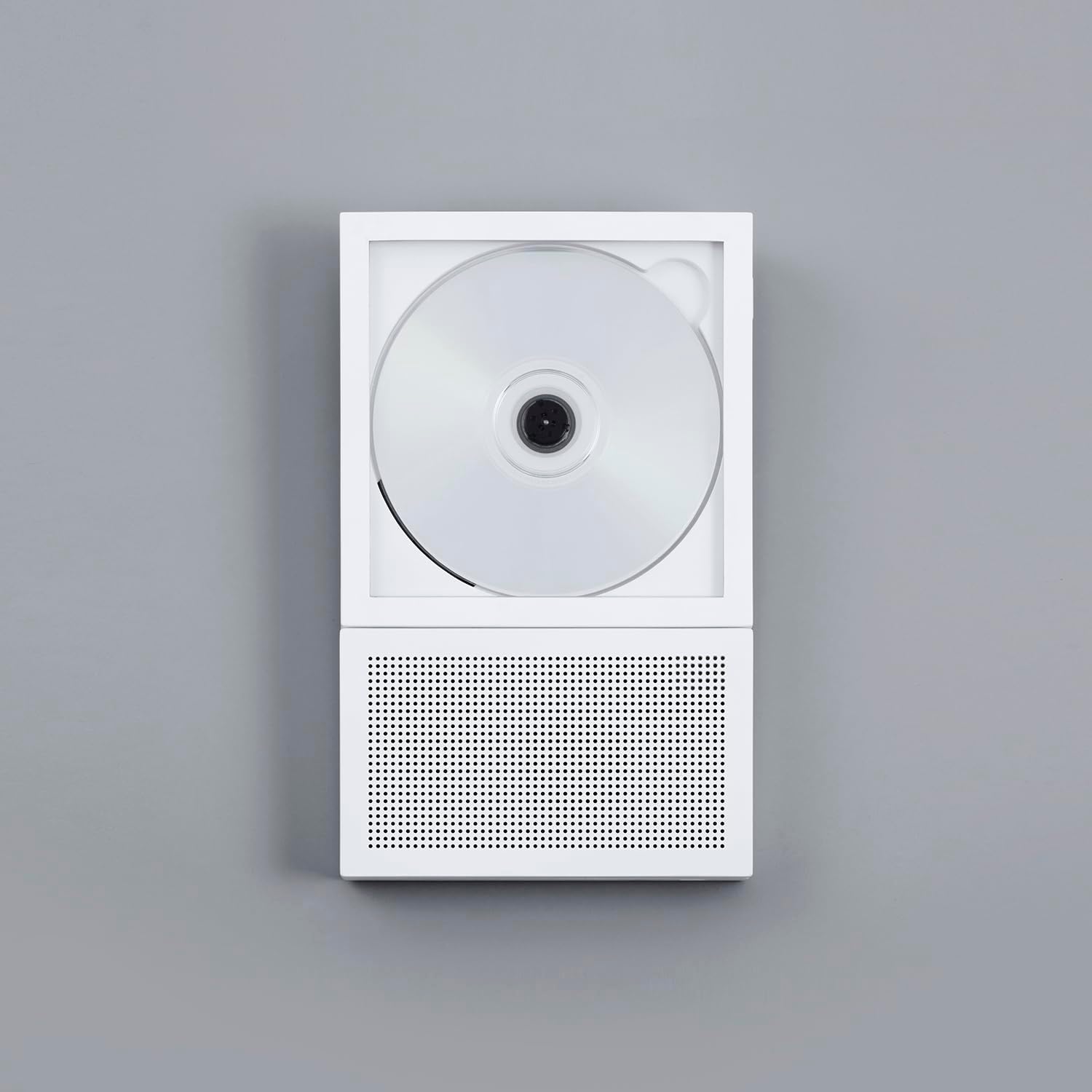
Image 1.1: The km5 Instant Disk Audio CP2 CD Player in white, showcasing анын компакттуу дизайны.
2. Пакеттин мазмуну
Пакетте бардык буюмдар бар экенин текшериңиз:
- km5 Instant Disk Audio CP2 CD Player
- Колдонмо (бул документ)
- Кепилдик картасы
- USB-C Charging Cable (not explicitly listed but implied by 'USB-C Connector Type')
3. Продукциянын өзгөчөлүктөрү
- Instant Photo Frame Design: Allows for displaying CD jackets, enhancing aesthetic appeal. Can be wall-mounted (bracket sold separately).
- Интегралдык спикер: A 27mm-thin speaker with a passive radiator provides balanced audio reproduction.
- Bluetooth 5.1 туташуусу: Enables wireless connection to Bluetooth earbuds or external speakers.
- Кайра заряддалуучу батарея: Provides 6-7 hours of continuous playback with the internal speaker or 7-8 hours via Bluetooth.
- Компакт жана жеңил: Dimensions of 225mm x 140mm x 27mm and a weight of 735g for portability.
- CD-R/RW and MP3 Compatible: Supports various CD formats.
- 3.5 мм гарнитура уячасы: Жеке угуу үчүн.
- USB-C заряддоо: Заманбап жана ыңгайлуу кубаттоо интерфейси.
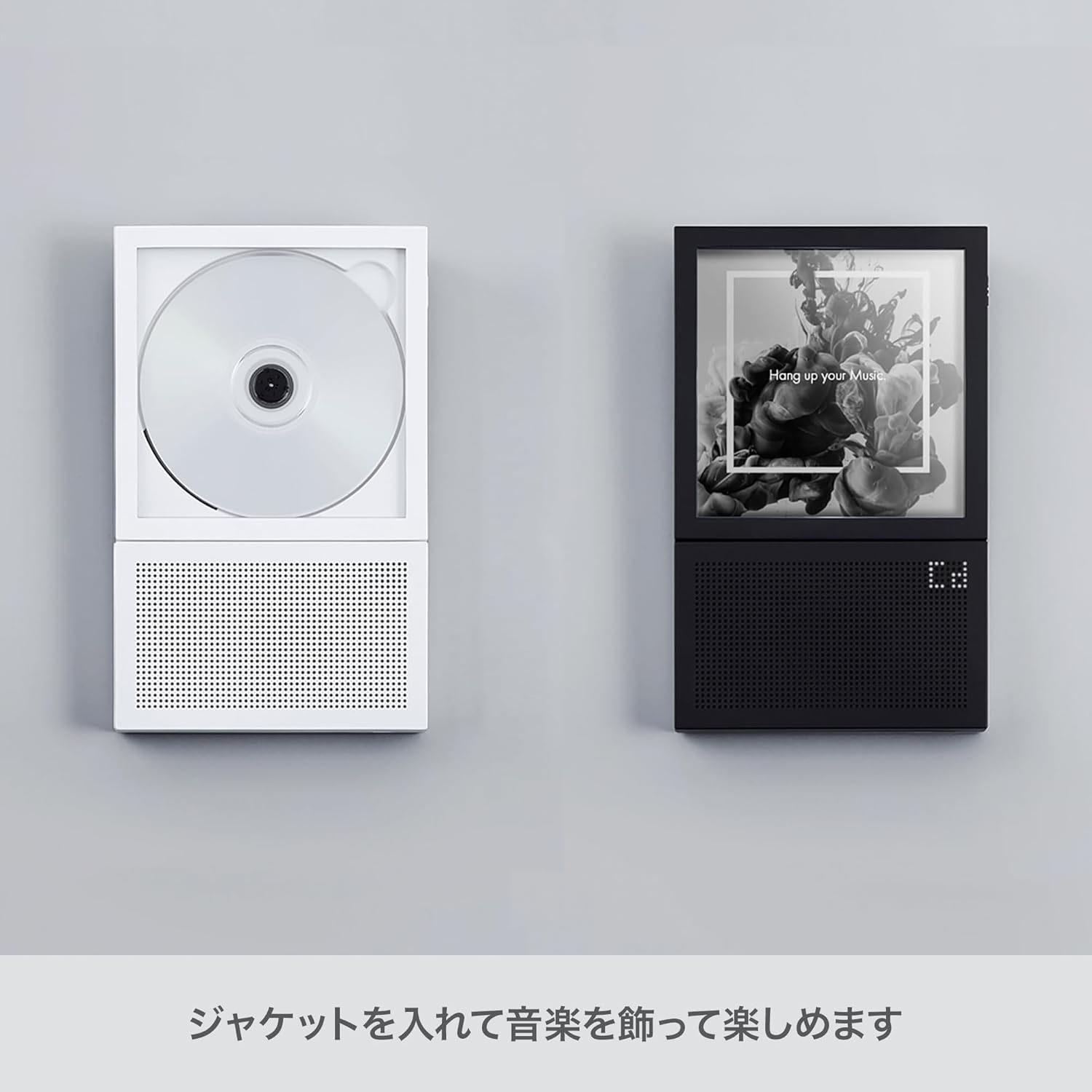
Image 3.1: The CP2 player's design allows for displaying CD jacket art, integrating music into your decor.
4. Орнотуу
4.1 Аппаратты заряддоо
- Locate the USB-C port on the side of the CP2 player.
- Connect the provided USB-C cable to the player and the other end to a compatible USB power adapter (not included) or a computer USB port.
- Заряддоо индикаторунун жарыгы күйөт. Толук заряддалгандан кийин жарыктын түсү өзгөрүшү же моделине жараша өчүшү мүмкүн.
4.2 CDди кыстаруу
- Gently open the CD compartment cover.
- Place the CD onto the spindle with the label side facing up. Ensure the CD is securely seated.
- Close the CD compartment cover firmly until it clicks into place.
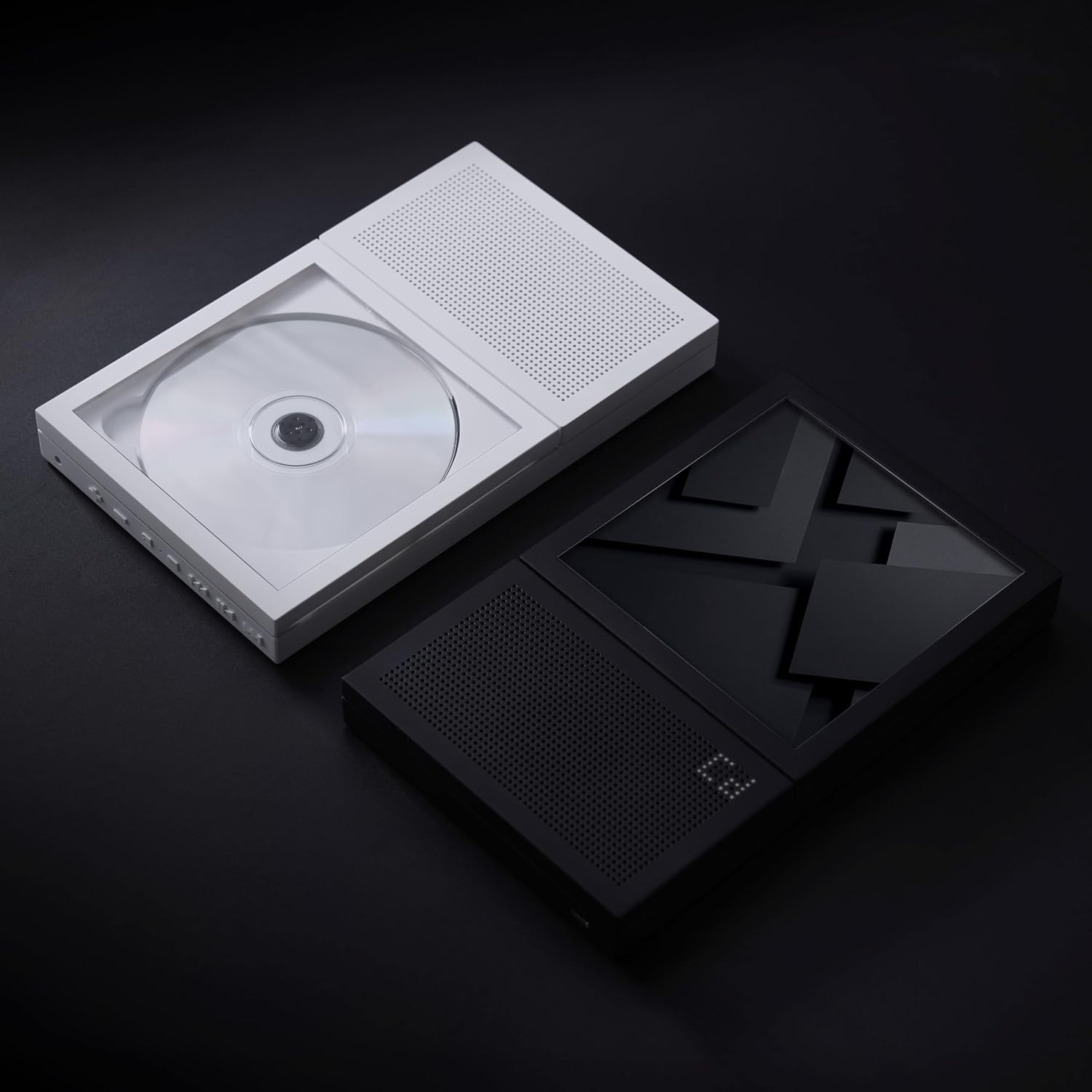
Image 4.1: A CD correctly inserted into the CP2 player's transparent compartment.
4.3 Күйгүзүү/өчүрүү
- To power on, press and hold the Power button (usually located on the side or top edge) for a few seconds until the display illuminates.
- Өчүрүү үчүн, дисплей өчкөнгө чейин Кубат баскычын кайра басып, кармап туруңуз.
5. Иштөө нускамалары
5.1 CD ойнотуу
- After inserting a CD and powering on the device, the player will typically begin reading the disc automatically.
- колдонуу Ойнотуу/Тыныгуу ойнотууну баштоо же убактылуу токтотуу үчүн баскычты басыңыз.
- колдонуу Кийинки трек жана Мурунку трек ырлардын ортосунда өтүү үчүн баскычтар.
- басып, кармап туруңуз Кийинки трек or Мурунку трек buttons to fast-forward or rewind within a track.
- Adjust the volume using the dedicated Үндү көтөрүү жана Үндү төмөндөтүү баскычтар.
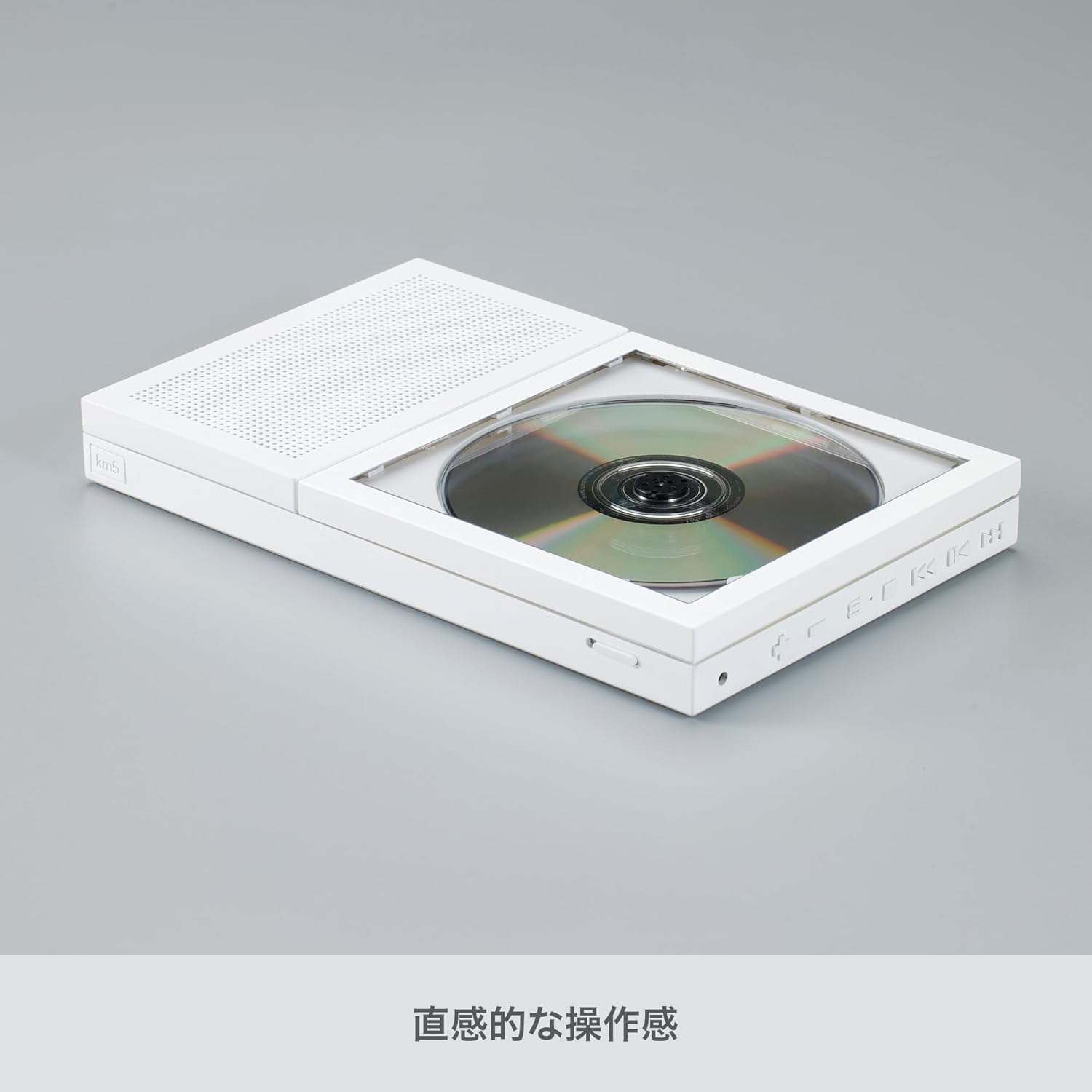
Сүрөт 5.1: Каптал view of the CP2, highlighting the control buttons for playback and volume.
5.2 Bluetooth жупташтыруу
The CP2 can connect wirelessly to Bluetooth earbuds or speakers.
- CP2 күйгүзүлгөнүн текшериңиз.
- басыңыз Bluetooth button on the player. The Bluetooth indicator light will flash, indicating it is in pairing mode.
- Activate Bluetooth on your desired receiving device (earbuds, speaker) and put it into pairing mode.
- Select "km5 CP2" from the list of available devices on your receiving device.
- Once connected, the Bluetooth indicator light on the CP2 will become solid, and audio will stream to your paired device.
5.3 Using the 3.5mm Headphone Jack
For private listening, plug any standard 3.5mm headphones into the headphone jack located on the side of the player.
5.4 Дубалга орнотуу (кошумча)
The CP2 can be mounted on a wall using a separately sold wall bracket. Refer to the instructions provided with the wall bracket for proper installation.

Image 5.2: The CP2 player displayed on an optional aluminum stand.
6. Техникалык тейлөө
- Тазалоо: Ойноткучтун сыртын тазалоо үчүн жумшак, кургак чүпүрөктү колдонуңуз. Суюк тазалоочу каражаттарды же абразивдүү материалдарды колдонбоңуз.
- CD менен иштөө: Always handle CDs by their edges. Avoid touching the playing surface. Store CDs in their cases to prevent scratches and dust accumulation.
- Сактагыч: Ойноткучту көпкө чейин колдонбогондо, аны салкын, кургак жерде, күндүн нуру түз тийбеген жана өтө жогорку температурадан алыс сактаңыз.
7. Кыйынчылыктарды
| Көйгөй | Мүмкүн себеп | Чечим |
|---|---|---|
| Оюнчу күйбөйт. | Батарея түгөнүп калды. | Connect the player to a power source using the USB-C cable and allow it to charge. |
| CD ойнобойт же өткөрүп жибербейт. | CD кир, чийилген же туура эмес салынган. | Clean the CD with a soft cloth. Check for scratches. Re-insert the CD correctly with the label side up. |
| Динамиктен/кулакчындан үн чыкпайт. | Volume is too low or muted. Headphones not fully plugged in. | Increase the volume. Ensure headphones are securely connected. |
| Bluetooth түзмөгү туташа албайт. | CP2 is not in pairing mode. Bluetooth device is out of range or not in pairing mode. | Ensure the CP2's Bluetooth indicator is flashing. Put your receiving device into pairing mode. Move devices closer together. |
8. Техникалык шарттар
- Бренд: km5
- Модель аты: CP2
- Модель номери: CP2-002(W)
- Түсү: Ак
- Байланыш технологиясы: Bluetooth 5.1
- Өзгөчө өзгөчөлүгү: CD-R/RW менен шайкеш келет
- Дисктердин саны: 1
- Колдоого алынган аудио форматы: MP3
- Туташтыргыч түрү: USB-C
- Продукт үчүн атайын колдонуу: CD ойнотуу
- Каналдардын саны: 2
- Медиа форматынын түрү: Аудио CD
- Батареянын орточо иштөө мөөнөтү: 7-8 Hours (Bluetooth), 6-7 Hours (Speaker)
- Шайкеш түзмөктөр: Bluetooth Speakers, Bluetooth Earbuds
- Наушник уячасы: 3.5 мм Jack
- MP3 ойноткучу: Ооба
- Батареялардын саны: 1 Литий-ион (кошулган)
- Элементтин өлчөмдөрү (L x W x Y): 8.86" x 5.51" x 1.06" (225 мм x 140 мм x 27 мм)
- Элемент Салмагы: 735г
9. Кепилдик жана колдоо
The km5 Instant Disk Audio CP2 comes with a 1 жылдык кепилдик сатып алынган күндөн тартып. Кепилдик дооматтары үчүн сатып алганыңыздын далилин сактап коюңуз.
For technical support, troubleshooting assistance, or warranty inquiries, please contact km5 customer service through the retailer where the product was purchased or visit the official km5 webбайланыш маалыматы үчүн сайт.