
1. Киришүү
The Feit Electric UCL24/CCTCA/AG Under Cabinet Lighting fixture is a smart LED light designed to enhance your kitchen or workspace. This 20-watt fixture features integrated LEDs, eliminating the need for bulb replacements. It provides bright 1500-lumen light and offers a tunable white feature, allowing you to select color temperatures from 2700K (soft white) to 6500K (daylight). Control is versatile, with options including a button on the fixture, an included remote control, the Feit Electric mobile app, and voice commands via Google Home and Alexa. Its ultra-slim, low-profile design ensures even light distribution and seamless integration. With a high 90+ Color Rendering Index (CRI), colors appear more vibrant and natural. This energy-efficient light is designed for long-term use, with an average lifespan of 25,000 hours (approximately 22.8 years). It can be powered by plugging into a standard outlet or by direct hardwiring.

Figure 1.1: Feit Electric UCL24/CCTCA/AG Under Cabinet Light.
2. Негизги өзгөчөлүктөрү
- Жагымдуу дизайн: Streamlined and low-profile, seamlessly integrates with your kitchen or workspace.
- Жөнгө салынуучу жарыктык: Customize lighting with adjustable brightness levels for various tasks.
- Түзүлүүчү ак: Select color temperatures from 2700K (Soft White) to 6500K (Daylight).
- Зымсыз алыстан башкаруу: Adjust brightness and turn the light on/off from a distance.
- Smart Control: Works with the Feit Electric app, Amazon Alexa, and Google Home for voice and app control.
- Байланыштуу: Connect up to 8 units for extended lighting coverage.
- Орун үнөмдөө: Compact design maximizes available countertop or workspace.
- Энергияны үнөмдөөчү светодиоддор: Provides bright illumination while minimizing electricity consumption.
- Жогорку CRI: 90+ Color Rendering Index makes colors more vibrant and skin tones natural.
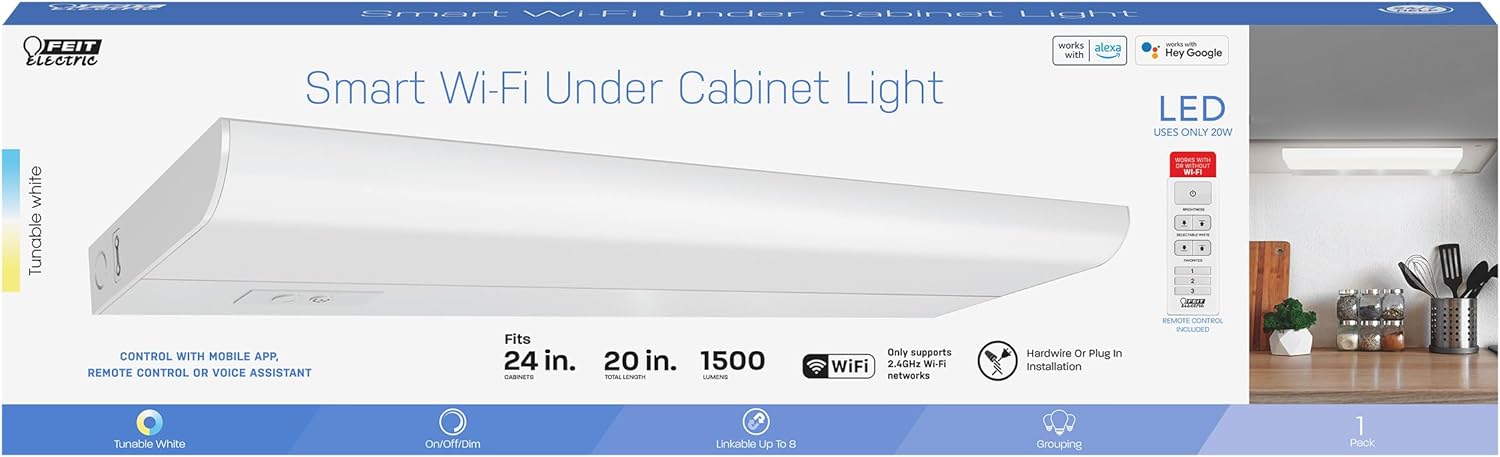
Figure 2.1: ашыкview of smart features and specifications.
3. Орнотуу жана орнотуу
The Feit Electric Under Cabinet Light offers flexible installation options: plug-in or hardwire. Mounting hardware is included for secure placement.
3.1 Орнотуудан мурун
- Бардык компоненттерди таңгактан чыгарып, бардык бөлүктөрү бар экенин текшериңиз.
- Кандайдыр бир электрдик ишти баштоодон мурун автоматтык өчүргүчтөн электр кубатын өчүрүңүз.
- Determine your preferred installation method: plug-in for easy setup or hardwire for a more permanent, concealed installation.
3.2 Арматураны орнотуу
- Identify the desired location under your cabinet. Ensure there is sufficient space and a power source nearby.
- Using the included mounting hardware (screws and clips), secure the light fixture to the underside of the cabinet. Ensure it is firmly attached.
- If linking multiple units, connect them using the provided linking cables.
3.3 Кубат туташтыруу
- Плагинди орнотуу: Simply plug the power cord into a standard 120V outlet.
- Hardwire орнотуу: For hardwiring, consult a qualified electrician. Connect the fixture's wires directly to your home's electrical wiring according to local electrical codes.
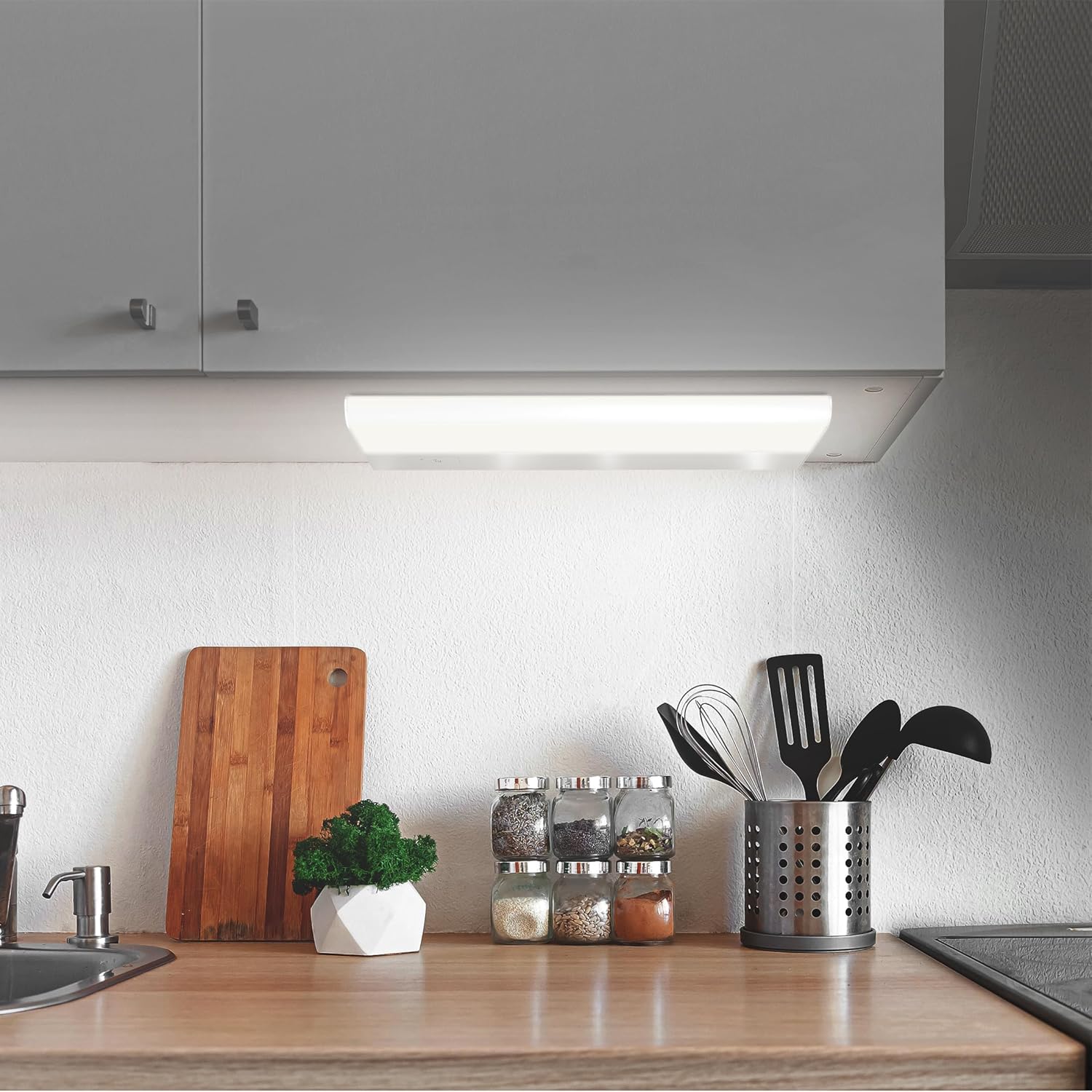
Figure 3.1: The under cabinet light installed in a kitchen setting.
4. Иштөө нускамалары
The Feit Electric Under Cabinet Light offers multiple ways to control its functions.
4.1 Manual Control (Fixture & Remote)
- Күйгүзүү/өчүрүү баскычы: Press the button on the fixture to turn the light on or off.
- Жарыктыкты жөндөө: Use the dimmer buttons on the fixture or the included remote control to adjust the light's brightness.
- Түс температурасын тандоо: Use the CCT (Correlated Color Temperature) button on the fixture or remote to cycle through preset white light temperatures (e.g., Soft White, Cool White, Daylight).
4.2 Smart Control (Feit Electric App)
For full functionality, including tunable white control (2700K-6500K), scheduling, grouping, and voice control integration, download the Feit Electric app.
- Колдонмону жүктөп алыңыз: Издөө "Feit Electric" in the Apple App Store or Google Play Store and download the free app.
- Каттоо эсебин түзүү: Жаңы колдонуучу аккаунтун түзүү же эгер сизде мурунтан эле бар болсо, кирүү үчүн колдонмодогу көрсөтмөлөрдү аткарыңыз.
- Wi-Fi'га туташуу: Ensure your mobile device is connected to a 2.4GHz Wi-Fi network. The light only supports 2.4GHz networks.
- Түзмөк кошуу: In the Feit Electric app, tap the "+" icon to add a new device. Select your under cabinet light from the list of available devices.
- Жупташтыруу: Follow the on-screen prompts to put the light into pairing mode and complete the connection process.
- Контролдоо: Once connected, you can control brightness, color temperature, set schedules, create groups with other Feit Electric smart devices, and enable remote access from anywhere.

Figure 4.1: Controlling the light with the Feit Electric mobile app.
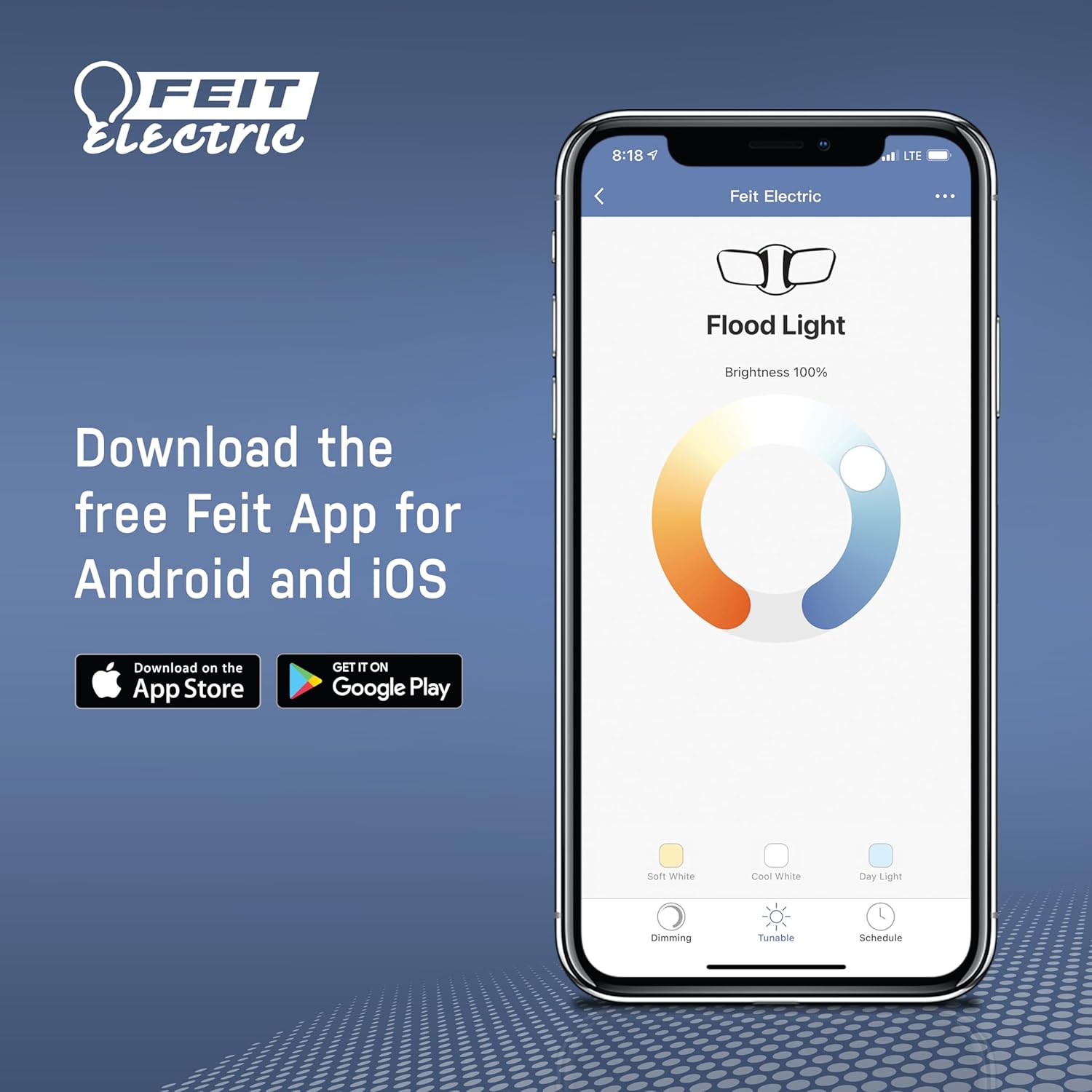
Figure 4.2: Download the Feit Electric app for full smart control.
4.3 Үн менен башкаруу (Alexa жана Google Home)
After connecting your light to the Feit Electric app, you can link your Feit Electric account to Amazon Alexa or Google Home for voice control.
- Alexa же Google Home колдонмосун ачыңыз.
- "Көндүмдөр" (Alexa) же "Google менен иштейт" (Google Home) бөлүмүнө өтүңүз.
- Издөө and enable the "Feit Electric" skill/service.
- Link your Feit Electric account when prompted.
- Discover devices. You can now control your light using voice commands (e.g., "Alexa, turn on the kitchen light," "Hey Google, dim the under cabinet light to 50%").
5. Техникалык тейлөө
The Feit Electric Under Cabinet Light is designed for minimal maintenance.
- Тазалоо: To clean the fixture, ensure it is turned off and unplugged (if applicable). Wipe the surface with a soft, dry, or slightly damp кездеме. Абразивдүү тазалагычтарды же эриткичтерди колдонбоңуз.
- Диоддордон: The light features integrated LEDs, meaning there are no bulbs to replace. The LEDs are designed to last for the lifetime of the fixture.
- Текшерүү: Periodically inspect the power cord and fixture for any signs of damage. If damage is found, discontinue use and contact customer support.
6. Кыйынчылыктарды
If you encounter issues with your Feit Electric Under Cabinet Light, try the following troubleshooting steps:
- Жарык күйбөйт:
- Check if the power cord is securely plugged into the outlet or if the hardwire connection is secure.
- Автоматтык өчүргүчтүн иштебей калганын текшериңиз.
- Ensure the light is turned on via the fixture button, remote, or app.
- Жарык бүлбүлдөп же күңүрт болуп турат:
- Check the brightness setting in the app or with the remote.
- Электр энергиясы туруктуу болушун камсыз кылыңыз.
- Wi-Fi/Колдонмого туташа албай жатат:
- Ensure your Wi-Fi network is 2.4GHz. The light does not support 5GHz networks.
- Check your Wi-Fi signal strength at the light's location.
- Wi-Fi роутериңизди жана жарык берүүчү лампаны өчүрүп-күйгүзүңүз.
- Туура Wi-Fi сырсөзүн киргизип жатканыңызды текшериңиз.
- Try resetting the light to factory settings (refer to app instructions for specific reset procedure).
- Пульт иштебей жатат:
- Эгер керек болсо, алыстан башкаруунун батареясын текшерип, алмаштырыңыз.
- Ensure there are no obstructions between the remote and the light fixture.
If these steps do not resolve the issue, please contact Feit Electric customer support.
7. Техникалык шарттар
| Спецификация | Нарк |
|---|---|
| Модель номери | UCL24/CCTCA/AG |
| Жарык түрү | LED |
| Ватtage | 20 Ватт |
| Жарыктык | 1500 Lumens |
| Тtage | 120 вольт |
| Түс температурасы (CCT) | 2700K - 6500K (Тууралоочу ак) |
| Түстөрдү көрсөтүү индекси (CRI) | 90+ |
| Материал | Алюминий |
| Продукциянын өлчөмдөрү | 20 x 2.6 x 5 дюйм |
| Элемент Салмагы | 1.4 фунт |
| Connectivity Protocol | Wi-Fi (2.4 ГГц гана) |
| Башкаруу ыкмасы | Колдонмо, Пульт, Үн (Alexa, Google Жардамчысы) |
| Орнотуу ыкмасы | Plug-in or Hardwire |
| Орточо жашоо | 25,000 саат / 22.8 жыл |
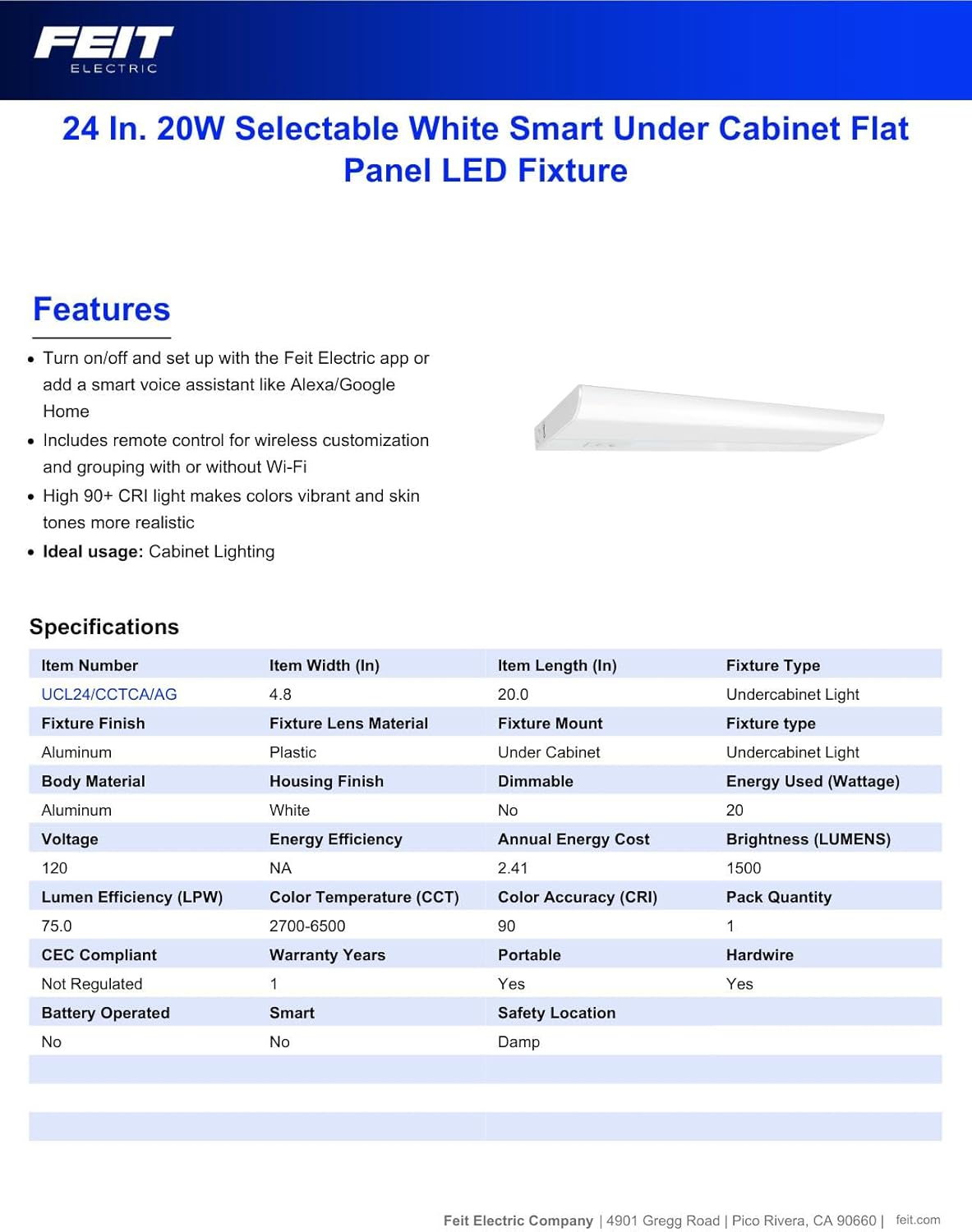
Figure 7.1: Manufacturer's specifications for the under cabinet light.
8. Кепилдик маалыматы
This Feit Electric Under Cabinet Lighting fixture is covered by a 3 жылдык өндүрүүчүнүн кепилдиги сатып алынган күндөн тартып. Бул кепилдик кадимки колдонуудагы материалдардагы жана жасалгалоодогу кемчиликтерди камтыйт. Кепилдик боюнча дооматтар же кошумча маалымат алуу үчүн Feit Electric кардарларды колдоо кызматына кайрылыңыз.
9. Колдоо
For 24/7 customer support and additional assistance, please visit the Feit Electric Help Center:
https://help.feit.com/hc/en-us

Figure 9.1: Feit Electric customer support contact information.