
1. Киришүү
This manual provides essential information for the safe and efficient use of your GOBOULT Y1 Wireless Ear Buds. Please read it thoroughly before using the product and retain it for future reference.
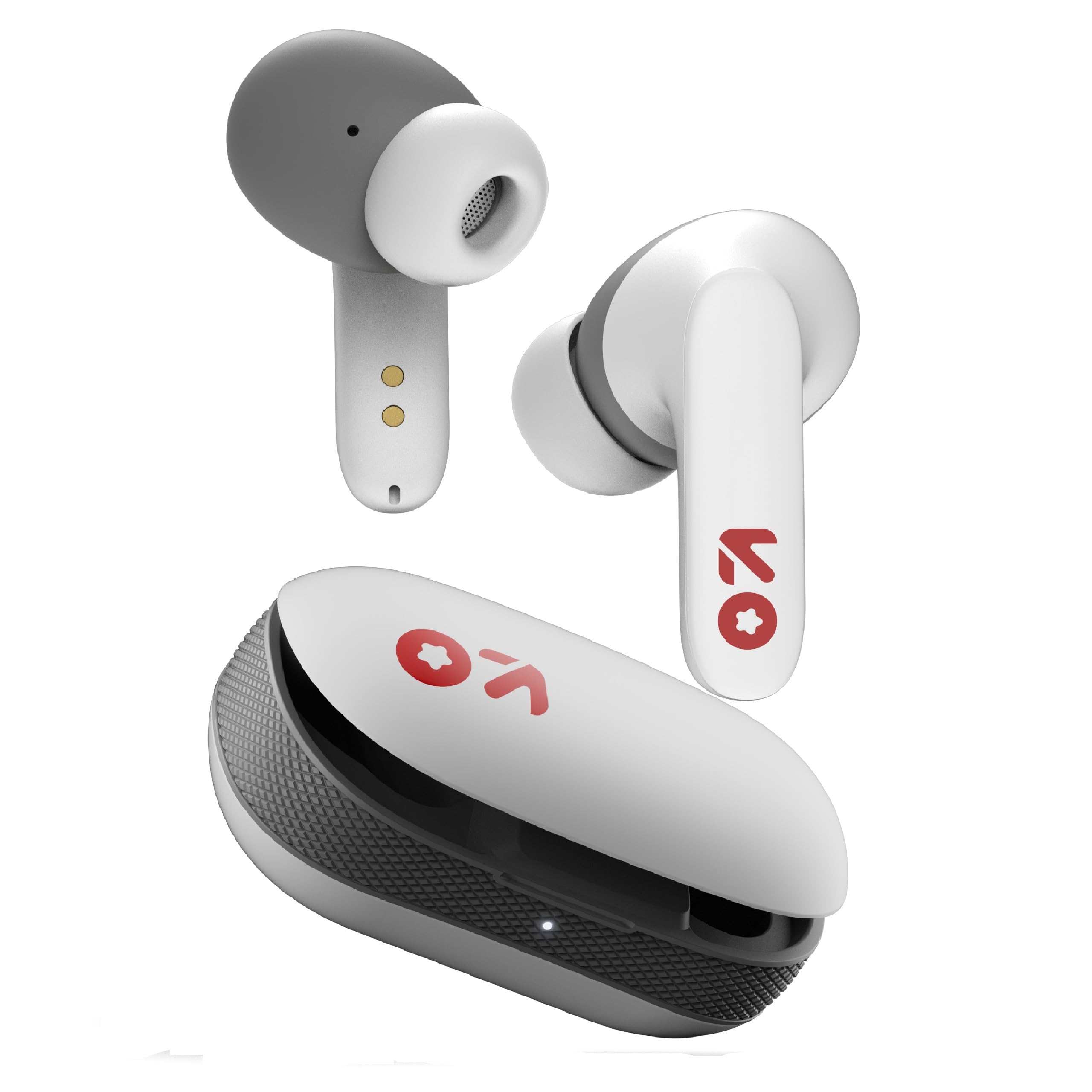
Image: GOBOULT Y1 Wireless Ear Buds and their charging case. The earbuds are white with grey tips and red GOBOULT logos, resting beside the matching white charging case.
2. Кутуда эмне бар
Таңгакта бардык буюмдар бар экенин текшериңиз:
- Y1 Earphones (Left and Right)
- Y1 Charging Case
- USB Type-C кубаттоочу кабель
- Кошумча наушниктер (ар кандай өлчөмдөгү)
- Колдонуучунун Колдонмосу (бул документ)
3. Орнотуу
3.1 Алгачкы заряддоо
Before first use, fully charge the ear buds and the charging case.
- Place the ear buds into the charging case. Ensure they are correctly seated.
- Connect the provided USB Type-C cable to the charging port on the case and to a compatible USB power source (e.g., wall adapter, computer USB port).
- The indicator light on the charging case will show charging status. A full charge typically takes approximately 90 minutes.
- A 10-minute charge provides approximately 100 minutes of playtime.

Image: GOBOULT Y1 Ear Buds and their charging case, illustrating the Type-C fast charging port and cable connection. Text indicates "10 mins = 100 mins playtime".
3.2 Bluetooth жупташтыруу
The GOBOULT Y1 Ear Buds feature Blink & Pair™ Bluetooth 5.3 for fast and stable connection.
- Кулакчындардын заряддалганын текшериңиз.
- Open the lid of the charging case. The ear buds will automatically enter pairing mode, indicated by flashing LED lights.
- Түзмөгүңүздө (смартфон, планшет, ноутбук) Bluetooth иштетиңиз.
- Издөө "GOBOULT Y1" in the list of available Bluetooth devices.
- Select "GOBOULT Y1" to connect. Once connected, a voice prompt will confirm successful pairing, and the LED lights on the ear buds will stop flashing.
- For subsequent use, the ear buds will automatically connect to the last paired device when removed from the case.

Image: GOBOULT Y1 Ear Buds and case with a smartphone displaying music, highlighting Bluetooth v5.3, Blink & Pair, Stable Connection, and Power efficient features.
4. Иштөө нускамалары
4.1 Сенсордук башкаруу
The GOBOULT Y1 Ear Buds feature intuitive touch controls on each ear bud. The specific functions are as follows:

Image: A detailed diagram showing the touch control functions for the GOBOULT Y1 Ear Buds. It illustrates single taps, double taps, triple taps, and long presses for various actions like music playback, call management, and voice assistant activation.
- Single Tap (Left/Right Bud): Музыканы ойнотуу/тындыруу, чалууга жооп берүү
- Double Tap (Left Bud): Мурунку ыр
- Double Tap (Right Bud): Кийинки ыр
- Triple Tap (Left Bud): Үндү төмөндөтүү
- Triple Tap (Right Bud): Үндү көтөрүү
- Long Press (Left/Right Bud): Activate Voice Assistant (Google Assistant/Siri), Reject Call, End Call
- Four Taps (Left/Right Bud): Activate Combat Mode (Low Latency Gaming)
4.2 Үн жардамчысы
Activate your device's voice assistant (Google Assistant or Siri) by long-pressing either ear bud.
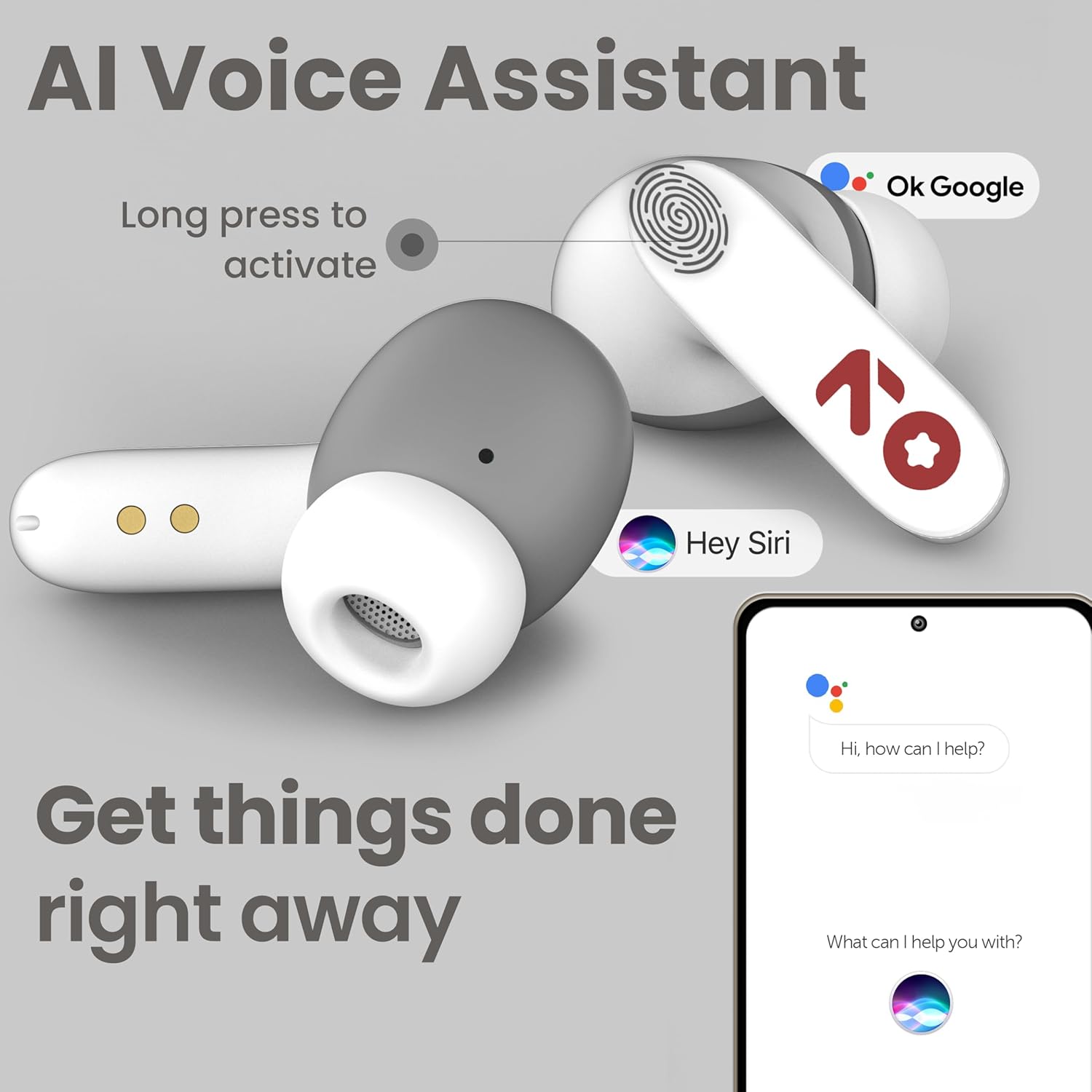
Image: GOBOULT Y1 Ear Buds with an illustration of a long press gesture activating a voice assistant like Google Assistant or Siri on a smartphone.
4.3 Calling with Zen ENC Mic
The GOBOULT Y1 Ear Buds are equipped with a Zen ENC (Environmental Noise Cancellation) microphone for clear call quality.
- Чакырууга жооп берүү: Single tap either ear bud.
- Чакырууну четке кагуу: Long press either ear bud.
- Чакырууну аяктоо: Long press either ear bud during a call.

Image: A diagram illustrating how Environmental Noise Cancellation (ENC) works, showing a user's voice being filtered from environmental noise for clear communication. A detailed view of an earbud highlights the ENC microphone.
4.4 Төмөнкү кечигүү менен ойноо режими
Activate Combat Mode for a low-latency gaming experience, ensuring audio sync with minimal delay.
- Оюн режимин иштетүү: Four taps on either ear bud.
- Оюн режимин өчүрүү: Four taps on either ear bud again.
5. Техникалык тейлөө
5.1 Тазалоо
Оптималдуу аткарууну жана гигиенаны сактоо үчүн:
- Gently wipe the ear buds and charging case with a soft, dry, lint-free cloth.
- Абразивдүү тазалагычтарды, эриткичтерди же аэрозолдук спрейлерди колдонбоңуз.
- Кулактардын учтарын алып салыңыз жана керек болсо, аларды жумшак самын жана суу менен өзүнчө тазалап, кайра кийерден мурун алардын толук кургап калганын текшериңиз.
- Clean the charging contacts on both the ear buds and the case periodically with a dry cotton swab.
5.2 Сууга туруктуулук (IPX5)
The GOBOULT Y1 Ear Buds are IPX5 water-resistant, meaning they are protected against low-pressure water jets from any direction. This makes them suitable for workouts and light rain.

Image: GOBOULT Y1 Ear Buds shown with water droplets, indicating IPX5 water resistance. Icons for sweatproof, rainproof, and splashproof are also displayed.
Маанилүү:
- Do not submerge the ear buds in water.
- Заряддоо кутусу сууга чыдамдуу эмес.
- Avoid exposing the ear buds to saltwater, chlorinated water, or other chemicals.
- If the ear buds get wet, dry them thoroughly before placing them back in the charging case.
6. Кыйынчылыктарды
| Көйгөй | Мүмкүн чечим |
|---|---|
| Кулакчындар жупташпай жатат |
|
| Үн жок же үнү төмөн |
|
| Ear buds not charging |
|
| Чакыруу сапаты маселелери |
|
7. Техникалык шарттар
| Өзгөчөлүк | Деталь |
|---|---|
| Бренд | GOBOULT |
| Модель аты | Y1 (also referred to as Airbass) |
| Bluetooth версиясы | 5.3 |
| Bluetooth диапазону | 10 метрге чейин (33 фут) |
| Кулак жайгаштыруу | Кулакта |
| Аудио драйвер түрү | Dynamic Driver (10mm Bass Drivers) |
| Импеданс | 32 Ом |
| Frequency Response | 20 Гц |
| Сезимталдуулук | 117 дБ |
| Noise Control | Экологиялык ызы -чууну жокко чыгаруу (ENC) |
| Батареянын иштөө мөөнөтү (жалпы) | 51 саатка чейин (заряддоо кутусу менен) |
| Батареяны заряддоо убактысы | Болжол менен. 90 мүнөт |
| Заряддоо порту | USB Type-C |
| Суу каршылык | IPX5 (Ear Buds only) |
| Башкаруу ыкмасы | Тийүү, Үн |
| Шайкеш түзмөктөр | Android, Уюлдук телефондор, Үстөл компьютерлери, Ноутбуктар, Планшеттер |
| Материал | Пластик |
| Weight (Carrying Case) | 65 грамм |
| Келип чыккан өлкө | Индия |
8. Кепилдик жана колдоо
8.1 Өндүрүүчүнүн Кепилдиги
The GOBOULT Y1 Wireless Ear Buds come with a 1 жылдык өндүрүүчү кепилдик сатып алынган күндөн тартып. Бул кепилдик өндүрүш кемчиликтерин камтыйт. Кепилдик дооматтары үчүн сатып алганыңыздын далилин сактап коюңуз.
For warranty service or support, please contact the manufacturer or authorized service center.
8.2 Байланыш маалыматы
Өндүрүүчү: Экзотикалык Майл Жеке Чектелген
Дарек: B-67 Wazirpur Industrial Area, New Delhi 110052, India
Импорттоочу: Exotic Mile Pvt. Ltd.
For further assistance, please refer to the contact details provided on the product packaging or the official GOBOULT webсайт.