
1. Киришүү
The MAGIC-REFINER AKL680 is an ultra-thin wireless mechanical keyboard designed for versatility and comfort. It features an updated low-latency wireless chip, enabling connection to up to three wireless devices simultaneously: one via 2.4G wireless and two via Bluetooth. The compact 68-key layout prioritizes practicality, including a full set of arrow keys and frequently used control keys. This keyboard is battery-powered (batteries not included) and offers extended usage thanks to its smart hibernation function and non-backlit design.
This manual provides essential information for setting up, operating, and maintaining your keyboard.
2. Пакеттин мазмуну
- 1 x MAGIC-REFINER AKL680 Wireless Mechanical Keyboard
- 1 x Баскыч капкагын тарткыч
- 1 x USB Receiver (2.4G dongle)
- 1 x User Manual
3. Продукт бүтүп калдыview
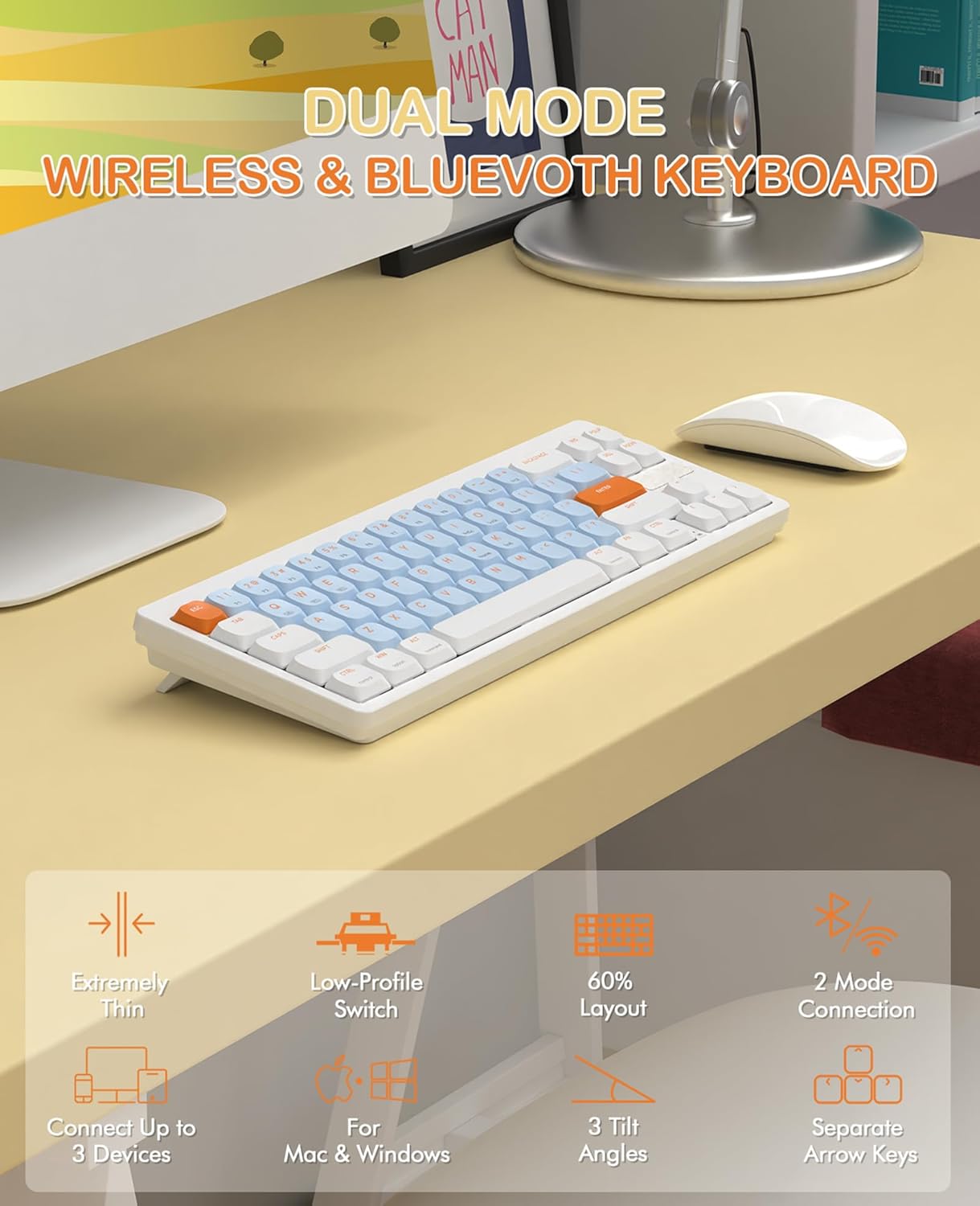
Image 3.1: The MAGIC-REFINER RKL680 keyboard showcasing its dual wireless modes and compact design with low-profile switches and adjustable tilt angles.
Негизги өзгөчөлүктөрү:
- Ультра жука дизайн: Slim profile and lightweight (450g) for portability and reduced wrist strain.
- Dual Wireless Modes: Supports 2.4 GHz wireless and Bluetooth 5.0 connectivity.
- Көп түзмөк байланышы: Connects up to three devices simultaneously (1 x 2.4G, 2 x Bluetooth).
- 68-Ачкыч жайгашуусу: Compact yet practical, including dedicated arrow keys and essential control keys.
- Low-Profile Tactile Brown Switches: Ensures faster response, easier typing, and quiet operation with tactile feedback.
- Adjustable Tilt Angles: Dual-stage kickstands provide 3 different typing angles for ergonomic comfort.
- Туруктуу клавиатуралар: Double-shot ABS keycaps are oil and wear-resistant.
- Кеңири тутум шайкештиги: Supports Windows XP/7/8/10/11, Mac OS, Android, and iOS.
- Батареянын узак иштөө мөөнөтү: Non-backlit design and smart hibernation allow up to 6 months of use (batteries not included).
4. Орнотуу
4.1 Батареяны орнотуу
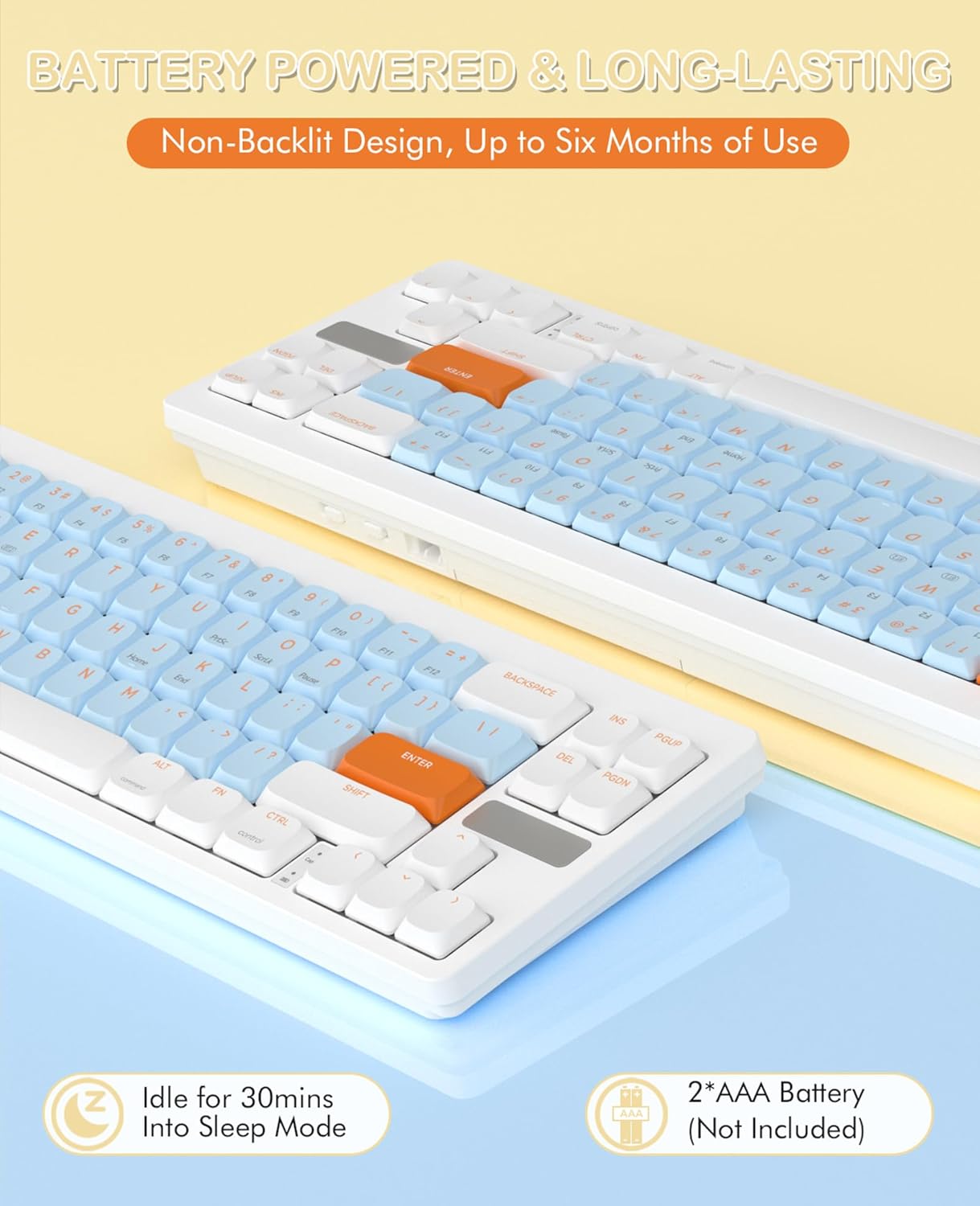
Image 4.1: The keyboard requires two AAA batteries, which are not included in the package. Locate the battery compartment on the underside of the keyboard.
- Батарея бөлүмүнүн капкагын клавиатуранын астыңкы бетинен табыңыз.
- Капкакты акырын жылдырыңыз же ачыңыз.
- Туура полярдуулукту (+/-) камсыз кылуу менен эки AAA батарейкасын салыңыз.
- Батарея уясынын капкагын бекем жабыңыз.
4.2 Байланыш

Image 4.2: The keyboard supports simultaneous connections to up to three devices using 2.4GHz wireless and Bluetooth 5.0.
2.4 ГГц зымсыз режими:
- USB кабыл алгычын (донгл) таңгактын ичинен табыңыз.
- USB ресиверди компьютериңиздеги жеткиликтүү USB-A портуна сайыңыз.
- Баскычтоптон басыңыз Fn + Q to switch to 2.4G wireless mode. The keyboard should automatically connect.
Bluetooth Mode (up to 2 devices):
- Баскычтоптон басыңыз Fn + W or Fn + E Bluetooth каналын тандоо үчүн.
- The keyboard will enter pairing mode.
- On your device (PC, laptop, smartphone, tablet), open Bluetooth settings.
- Издөө available devices and select "AKL680" or "AKL6802" (depending on the channel selected) to pair.
- Once paired, the keyboard will be connected. Repeat for a second Bluetooth device using the other channel.
4.3 Системаны которуу (Windows/Mac)

Image 4.3: The keyboard supports both Windows and Mac operating systems, allowing seamless switching.
The keyboard features a toggle switch to adapt its layout for Windows or Mac OS. Locate the switch on the back or side of the keyboard and set it to the appropriate operating system for optimal key functionality.
5. Иштөө нускамалары
5.1 FN баскыч айкалыштары
The Function (Fn) key allows access to secondary functions printed on certain keys. Press and hold the Fn баскычын басып, андан кийин каалаган функция баскычын басыңыз.
- Fn + Q: Switch to 2.4G wireless mode.
- Fn + W: Switch to Bluetooth device 1.
- Fn + E: Switch to Bluetooth device 2.
- Other Fn combinations may be indicated on the keycaps for multimedia control or system functions (e.g., F1-F12, volume control).
5.2 Эргономикалык жөнгө салуу
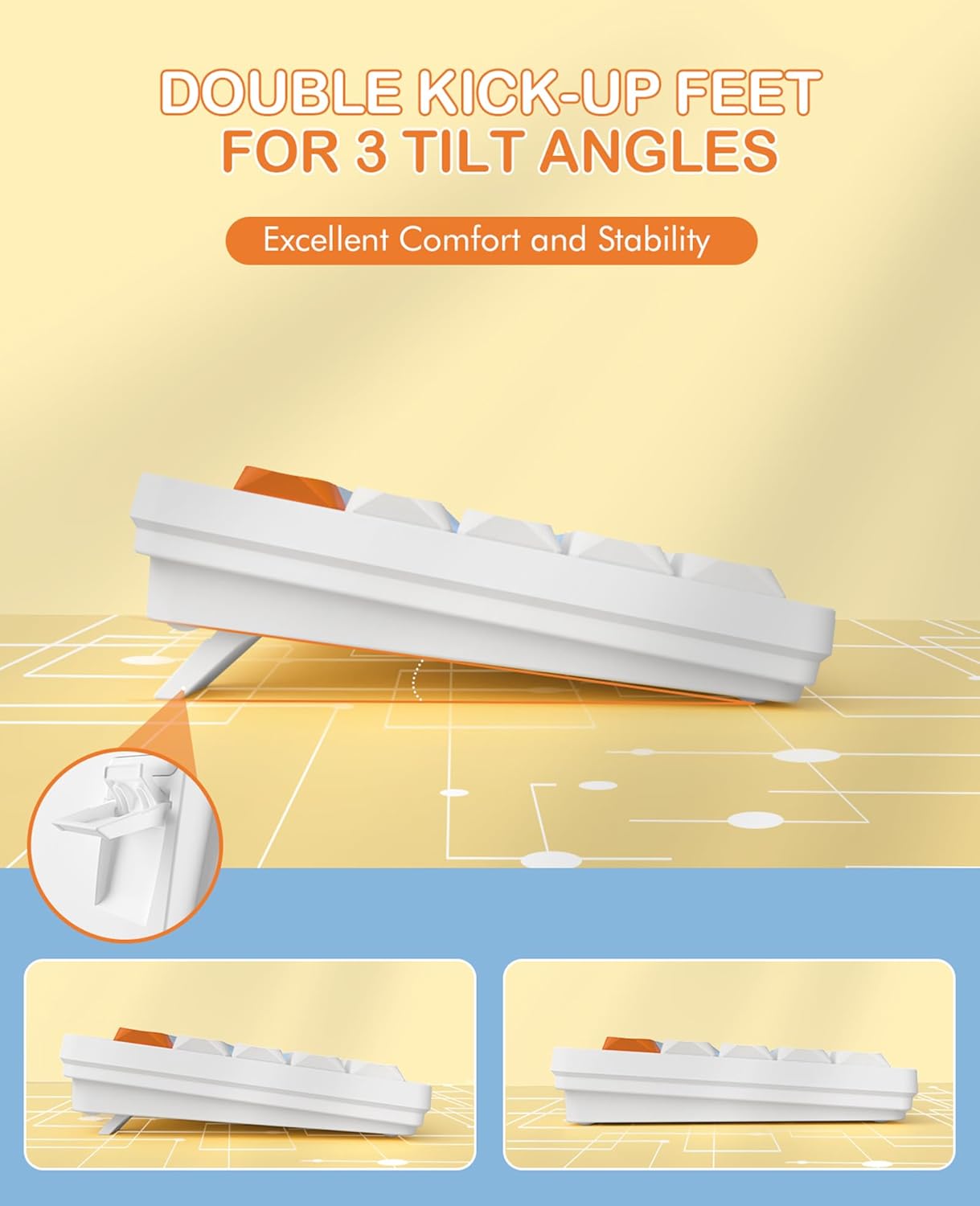
Image 5.1: The keyboard features dual-stage kickstands for three adjustable tilt angles, enhancing typing comfort.
The keyboard is equipped with dual-stage kickstands on its underside. Extend these feet to adjust the typing angle to one of three available positions, optimizing comfort and reducing wrist strain during prolonged use.
6. Техникалык тейлөө
6.1 Баскычтопту тазалоо
- Turn off the keyboard and disconnect it from any devices.
- Бир аз жумшак, түксүз кездемени колдонуңуз dampened with water or a mild cleaning solution to wipe the keycaps and surface. Avoid excessive moisture.
- For deeper cleaning, use the provided keycap puller to carefully remove keycaps. Clean the switches and keyboard plate with compressed air or a small brush.
- Ensure all parts are completely dry before reattaching keycaps and using the keyboard.
6.2 Батареяны алмаштыруу
When the keyboard's performance degrades or it stops responding, it may be time to replace the batteries. Follow the steps in Section 4.1 to replace the two AAA batteries.
7. Кыйынчылыктарды
- Баскычтоп жооп бербей жатат:
- Батареялардын туура орнотулганын жана жетиштүү заряды бар экенин текшериңиз. Керек болсо алмаштырыңыз.
- Check that the keyboard is powered on.
- Verify the correct connection mode (2.4G or Bluetooth) is selected using Fn+Q or Fn+W/E.
- For 2.4G mode, ensure the USB receiver is securely plugged into your device. Try a different USB port.
- For Bluetooth mode, ensure Bluetooth is enabled on your device and the keyboard is paired. Try re-pairing the keyboard.
- Ensure the system switch (Windows/Mac) is set correctly for your operating system.
- Үзгүлтүксүз туташуу же артта калуу:
- Интерференцияны азайтуу үчүн клавиатураны түзмөгүңүзгө жакындатыңыз.
- Avoid using the keyboard near other wireless devices that may cause interference.
- Ensure your device's drivers are up to date.
- Айрым баскычтар иштебей жатат:
- Carefully remove the keycap using the keycap puller and check for any debris obstructing the switch. Clean if necessary.
- Баскыч капкагын которгучка туура орнотулганын текшериңиз.
8. Техникалык шарттар

8.1-сүрөт: Төмөнкү деңгээлдеги пропорционалдуу продуктунун чоо-жайыfile design and mechanical switches, highlighting the slim profile.
| Бренд | СЫЙКЫРДУУ ТАЗАЛООЧУ |
| Модель номери | AKL680 |
| Түс | Blue (silent brown switches) |
| Ачкычтардын саны | 68 |
| Байланыш технологиясы | 2.4 GHz Wireless / Bluetooth 5.0 |
| Шайкеш түзмөктөр | Ноутбук, компьютер, смартфон, планшет |
| Операциялык системаны колдоо | Windows XP/7/8/10/11, Mac OS, Android, iOS |
| Баскычтоптун өлчөмдөрү | 31.2L x 10.2W x 4.2H centimeters (approx. 12.3 x 4 x 1.65 inches) |
| Материал | Plastic or aluminum |
| Өзгөчөлүктөр | Lightweight, Ultra-thin, Low-profile switches, Adjustable tilt angles |
| Power Source | 2 x AAA Батареялар (киргизилген эмес) |
| Жарыктандыруу эффекттери | Арткы жарыксыз |
9. Кепилдик жана колдоо
For warranty information and technical support, please refer to the documentation provided with your purchase or contact MAGIC-REFINER customer service through their official webпродукт сатылып алынган сайт же сатуучу.