
1. Продукт бүтүп калдыview
The ROCAM 11.5-inch Large Display Digital Calendar Clock (Model ROCAM-CR1005) is designed for clear readability, displaying time, period of the day, full day of the week, month, date, and indoor temperature. It features multiple alarm settings, a 5-level adjustable dimmer, and dual USB charging ports for convenience.
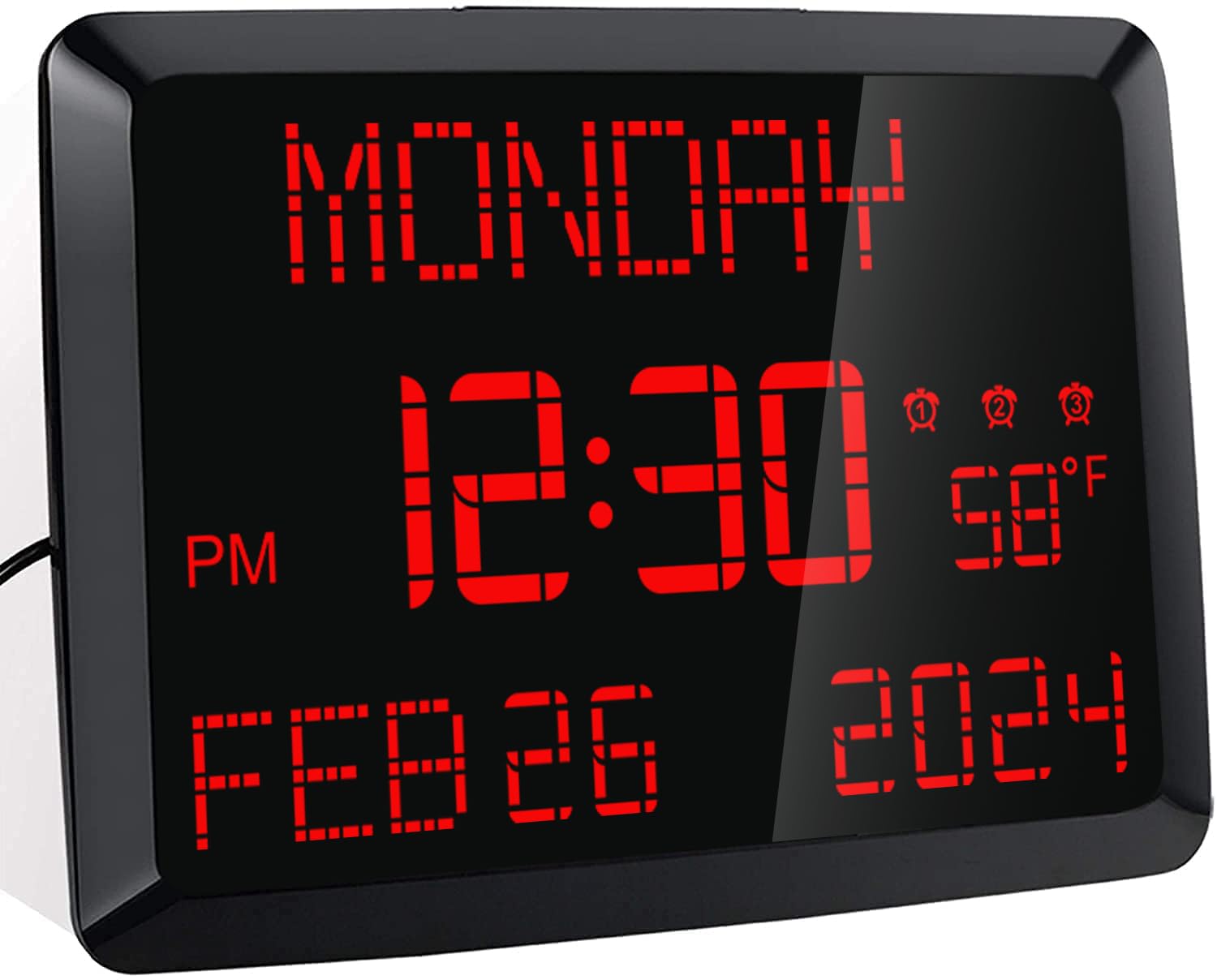
Сүрөт: алдыңкы view of the ROCAM 11.5-inch Digital Calendar Clock displaying time, date, day of the week, and temperature.
2. Пакеттин мазмуну
Пакетте бардык буюмдар бар экенин текшериңиз:
- ROCAM 11.5" Digital Calendar Clock
- Кубаттуу адаптер
- USB кубат кабели
- CR2032 Backup Battery (pre-installed or included separately)
- User Manual
- Desk Stand Bracket
- Wall Mounting Hardware (if applicable)
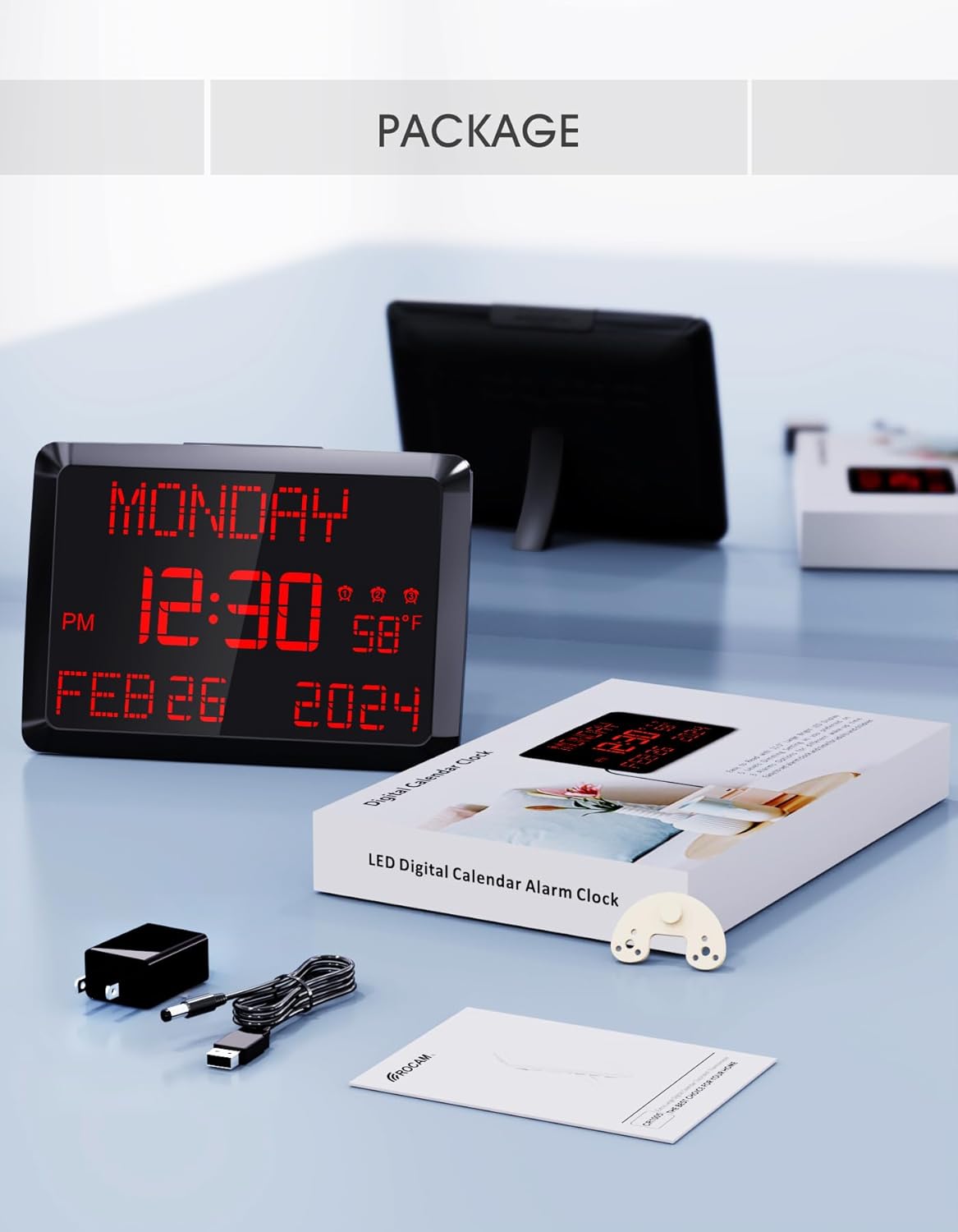
Image: The ROCAM Digital Calendar Clock and its accessories, including the power adapter, USB cable, and user manual.
3. Орнотуу нускамалары
3.1 Кубат туташтыруу
- Connect the USB power cable to the clock's DC 5V input port.
- Кубат адаптерин стандарттуу электр розеткасына сайыңыз.
- Сааттын дисплейи күйөт.
Video: Demonstrates plugging in the power cord and connecting it to the clock, showing the clock's display activating. This video also shows the dual USB charging ports in use.
3.2 Backup Battery Installation (if not pre-installed)
The clock includes a CR2032 backup battery to retain time and settings during power outages. If not already installed, locate the battery compartment on the back of the clock and insert the CR2032 battery with the positive (+) side facing up.

Image: Detail of the CR2032 backup battery slot on the rear of the clock, indicating its location for power failure memory.
3.3 Жайгаштыруу параметрлери
The clock can be placed on a desk or mounted on a wall.
- Үстөлдүн жайгашуусу: Attach the provided stand bracket to the back of the clock.
- Дубалга орнотуу: Use the keyhole slot on the back of the clock to hang it on a screw or nail. Ensure the clock is securely mounted and level.

Сүрөт: Арткы view of the clock illustrating both the desk stand and the wall hanging hole. Dual USB charging ports are also visible.
4. Иштөө нускамалары
4.1 Убакытты жана датаны орнотуу
Use the buttons on the back of the clock to adjust the time and date. Specific buttons are provided for КҮН, АЙ, ЖЫЛ, HOUR, жана MINUTE adjustments. Refer to the labels on the back panel for precise control.
- 12/24 Hour Mode: Use the dedicated switch button on the back to toggle between 12-hour and 24-hour time formats.
- Жайкы убакыт (DST): ' баскычын басыңызDST' button to activate or deactivate Daylight Saving Time.

Image: The clock showing both 12-hour and 24-hour display options, highlighting the switch for changing modes.
4.2 Ойготкучтарды орнотуу
The clock supports up to three independent alarms. Use the alarm setting buttons on the back to configure each alarm.
- Press the corresponding alarm button (1, 2, же 3) ойготкучту орнотуу режимине өтүү үчүн басыңыз.
- колдонуу '+'жана'-' buttons to adjust the alarm time.
- Баскычты басыңызOK' to confirm the time.
- Select the alarm frequency: Everyday, Weekdays Only (Mon-Fri), or Weekend Only (Sat-Sun).
- To turn off an alarm for 24 hours or permanently, use the 'Ойготкуч ӨЧҮК' баскычы.
- Чырым Function: Press the large 'SNOOZE / DIMMER' button on top of the clock to activate a 9-minute snooze.
- Ойготкучтун үнү: The alarm volume is adjustable with 15 levels (60dB-108dB). Adjust using the volume controls during alarm setup.

Image: Visual guide to setting the three alarms, including options for daily, weekday, or weekend activation, and volume adjustment.
Video: Demonstrates setting the alarm time, adjusting volume, and selecting alarm frequency (Mon-Fri, Mon-Sun, Sat-Sun).
4.3 Дисплейдин жарыктыгы (димер)
The clock features a 5-level adjustable dimmer. Press the 'SNOOZE / DIMMER' button on the top of the clock to cycle through the brightness levels to suit your preference.

Image: The clock display at five different brightness settings, illustrating the dimmer function controlled by the top button.
4.4 USB заряддоо порттору
The clock includes two USB charging ports (5V 1A) on the side, allowing you to charge compatible devices such as smartphones or tablets.

Image: The clock with two devices charging simultaneously via its dual USB ports.
5. Техникалык тейлөө
To ensure optimal performance and longevity of your ROCAM Digital Calendar Clock, follow these simple maintenance guidelines:
- Тазалоо: Gently wipe the clock's surface with a soft, dry cloth. Avoid using abrasive cleaners, solvents, or chemical sprays, as these can damage the display or casing.
- Электр кабели: Periodically check the power cord for any signs of damage. If the cord is damaged, discontinue use and contact customer support.
- Жайгашкан жери: Place the clock in a stable location, away from direct sunlight, excessive heat, or moisture.
6. Кыйынчылыктарды
If you encounter issues with your ROCAM Digital Calendar Clock, refer to the following common solutions:
| Көйгөй | Мүмкүн чечим |
|---|---|
| Сааттын дисплейи өчүк. |
|
| Электр кубаты өчүрүлгөндөн кийин убакыт/орнотуулар жоголотtage. |
|
| Сигнализация үнү чыкпай жатат же өтө акырын иштеп жатат. |
|
| Дисплей өтө жарык же өтө күңүрт. |
|
| USB кубаттоо порттору иштебей жатат. |
|
7. Продукттун спецификациялары
| Өзгөчөлүк | Деталь |
|---|---|
| Модель номери | ROCAM-CR1005 |
| Дисплей түрү | Digital LED |
| Дисплей өлчөмү | 11.5 дюйм (диагоналдык) |
| Продукциянын өлчөмдөрү | 9.96" W x 7" H |
| Power Source | Corded Electric, Outlet Powered (DC 5V) |
| Камдык батарея | 1 x CR2032 (included, for memory retention only) |
| Ойготкучтар | 3 independent alarms with 7-5-2 setting modes (Everyday, Weekdays, Weekends) |
| Тындырма функциясы | 9 мүнөт |
| Dimmer Levels | 5 levels (manual adjustment) |
| USB заряддоо порттору | 2 ports, 5V 1A output each |
| Температура дисплей | °F / °C switchable |
| Убакыт форматы | 12H / 24H switchable |
| Монтаж түрү | Wall Mount & Tabletop |
| Материал | Пластик |
| Элемент Салмагы | 16 унция (1 фунт) |
8. Кепилдик жана колдоо
ROCAM provides an 18-month warranty for this product. For any questions, technical assistance, or warranty claims, please contact ROCAM customer support. Lifetime free user support is available.
Contact information can typically be found on the product packaging or the official ROCAM webсайт.