
1. Киришүү
This manual provides detailed instructions for the VOLT PLUS TECH F9 Wireless Bluetooth 5.3 Earbuds. Please read this manual carefully before using the product to ensure proper operation and to maximize your user experience. Keep this manual for future reference.
2. Пакеттин мазмуну
Upon opening your VOLT PLUS TECH F9 Earbuds package, please verify that all the following items are included:
- Two (2) F9 Wireless Earbuds
- One (1) 2000mAh Charging Case with Power Bank Functionality
- Бир (1) USB-C кубаттоочу кабели
- Three (3) Pairs of Ear Adapters (Small, Medium, Large)
- Бир (1) Колдонуучунун колдонмосу

Image: Contents of the VOLT PLUS TECH F9 Earbuds package, including earbuds, charging case, USB-C cable, ear tips, and user manual.
3. Орнотуу жана алгачкы колдонуу
3.1 Кулакчындарды жана кутучаны заряддоо
Before first use, fully charge the charging case and earbuds. Place the earbuds into the charging case. Connect the USB-C charging cable to the charging port on the case and plug the other end into a USB power adapter (not included).
- Кубаттоочу кутучадагы LED дисплей батареянын зарядынын пайызын көрсөтөтtage.
- The earbuds will show a red indicator light while charging, which turns off when fully charged.
- A full charge typically takes approximately 30 minutes for the earbuds and longer for the case.
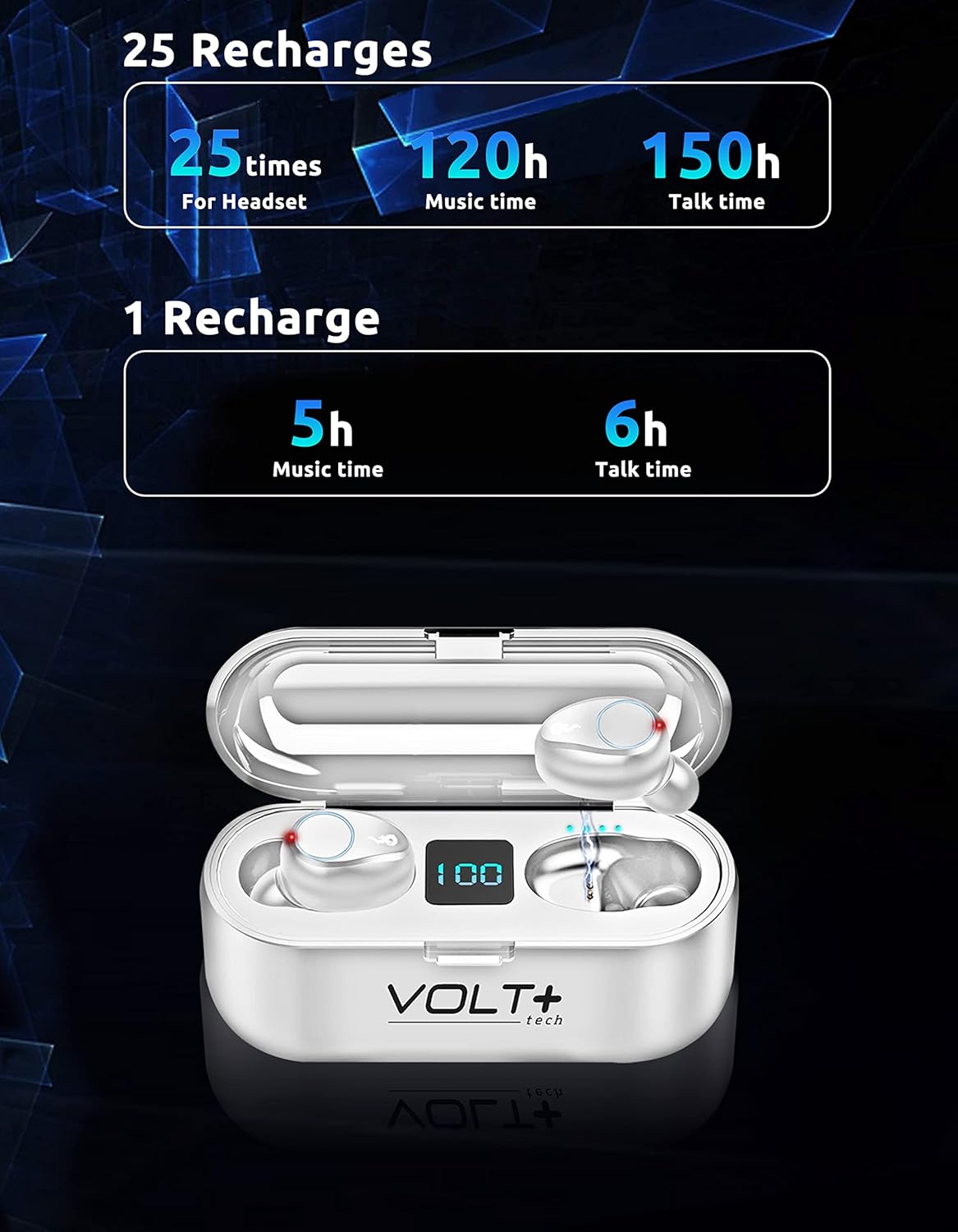
Image: White VOLT PLUS TECH F9 Earbuds inside their charging case, displaying '100' on the LED screen, indicating a full charge.
3.2 Күйгүзүү/өчүрүү
- Күйгүзүү: Кулакчындар заряддоо кутусунан чыгарылганда автоматтык түрдө күйөт.
- Өчүрүү: Кулакчындар автоматтык түрдө өчүп, кайра заряддоо кутусуна салынганда кубаттала баштайт.
3.3 Bluetooth жупташтыруу
Кулакчыныңызды Bluetooth иштетилген түзмөк менен жупташтыруу үчүн төмөнкү кадамдарды аткарыңыз:
- Кулакчындар толук заряддалганын текшериңиз.
- Remove both earbuds from the charging case. They will automatically enter pairing mode, indicated by flashing lights (typically blue and red).
- Түзмөгүңүздө (мисалы, смартфон, планшет) Bluetooth иштетип, жеткиликтүү түзмөктөрдү издеңиз.
- Select "F9" from the list of available devices.
- Туташтырылгандан кийин, кулакчындын индикатор жарыгы күйүп-өчүүнү токтотот.
Түзмөктө Bluetooth иштетилген болсо, кулакчындар кутудан чыгарылганда акыркы жупташтырылган түзмөккө автоматтык түрдө кайра туташат.

Image: White VOLT PLUS TECH F9 Earbuds positioned near a smartphone, illustrating the pairing process.
4. Операция
4.1 Кулакчындарды тагынуу
Select the ear tips that provide the most comfortable and secure fit for your ears. Insert the earbuds gently into your ear canal and rotate them slightly to ensure a snug fit. A proper fit enhances sound quality and noise isolation.

Image: A woman wearing an earbud, highlighting the ergonomic and secure-fit design for comfortable, all-day use.
4.2 Сенсордук башкаруу
The F9 earbuds feature smart touch controls on each earbud. The functions are as follows:
| Акция | Сол кулакчын (L) | Оң кулакчын (R) |
|---|---|---|
| Музыканы ойнотуу/тындыруу | Бир жолу басыңыз | Бир жолу басыңыз |
| Кийинки ыр | Эки жолу тез басыңыз | Жок |
| Мурунку ыр | Жок | Эки жолу тез басыңыз |
| Үндү көтөрүү | Жок | Үч жолу басыңыз |
| Үндү төмөндөтүү | Үч жолу басыңыз | Жок |
| Чалууга жооп берүү/аяктоо | Бир жолу басыңыз | Бир жолу басыңыз |
| Чакырууну четке кагуу | 2 секунд басып, кармап туруңуз | 2 секунд басып, кармап туруңуз |
| Activate Voice Assistant (Siri/Android) | 3 секунд басып, кармап туруңуз | 3 секунд басып, кармап туруңуз |

Image: Visual guide illustrating the touch control functions on the VOLT PLUS TECH F9 Earbuds, showing actions for calls, music playback, volume, and voice assistant activation.
4.3 Power Bank функциясы
The charging case for your F9 earbuds doubles as a 2000mAh power bank, capable of charging your smartphone or other small devices. To use this feature:
- Connect your device's charging cable to the USB output port on the charging case.
- The charging case will begin to supply power to your connected device.

Image: The VOLT PLUS TECH F9 Earbuds charging case connected via a cable to a smartphone, demonstrating its power bank capability.
5. Техникалык тейлөө жана кам көрүү
5.1 Тазалоо
- Кулакчындарды жана заряддоо кутусун жумшак, кургак, түксүз чүпүрөк менен дайыма тазалап туруңуз.
- Кулагынын учтарын алып салып, жумшак самын жана суу менен тазалаңыз, анан кайра кийер алдында жакшылап кургатып алыңыз.
- Абразивдүү тазалагычтарды, эриткичтерди же аэрозолдук спрейлерди колдонуудан алыс болуңуз.
5.2 Сууга туруктуулук (IPX7)
The F9 earbuds are rated IPX7 waterproof, meaning they can withstand immersion in water up to 1 meter for 30 minutes. This makes them suitable for sports and outdoor activities where they might be exposed to sweat or rain.
- Do not intentionally submerge the earbuds for extended periods or beyond the specified depth.
- The charging case is not waterproof. Avoid exposing it to water.
- Кулакчындардын бузулуп калбашы үчүн, аларды кайра заряддоо кутусуна коюудан мурун толугу менен кургаганын текшериңиз.

Image: Two white VOLT PLUS TECH F9 Earbuds submerged in water with splashes, illustrating their IPX7 waterproof capability.
5.3 Сактоо
When not in use, store the earbuds in their charging case to protect them and keep them charged. Store the product in a cool, dry place away from extreme temperatures and direct sunlight.
6. Кыйынчылыктарды
If you encounter issues with your VOLT PLUS TECH F9 Earbuds, please refer to the following common solutions:
- Кулакчындар жупташкан жок: Ensure both earbuds are removed from the case and are in pairing mode. Turn off and on your device's Bluetooth. Forget the device in your Bluetooth settings and try pairing again.
- Бир гана кулакчын иштейт: Place both earbuds back into the charging case, close the lid, then remove them again. Ensure both are fully charged.
- Үн жок: Түзмөгүңүздөгү жана кулакчындардын үнүнүн деңгээлин текшериңиз. Кулакчындар түзмөгүңүзгө туура туташтырылганын текшериңиз.
- Заряддоо маселелери: Кубаттоочу кабелдин корпуска жана кубат булагына бекем туташтырылганын текшериңиз. Кулакчындардын жана корпустун ичиндеги кубаттоочу контакттар таза жана таштандылардан таза экенин текшериңиз.
- Үн сапаты начар: Ensure the earbuds are properly seated in your ears with the correct size ear tips. Move closer to your connected device to avoid interference.
If the issue persists, try resetting the earbuds by placing them in the charging case, then performing a factory reset if available (refer to specific instructions if provided with the product, as this model does not detail a specific reset procedure in the provided data).
7. Продукттун спецификациялары
Below are the technical specifications for the VOLT PLUS TECH F9 Wireless Bluetooth 5.3 Earbuds:
| Өзгөчөлүк | Спецификация |
|---|---|
| Модель аты | F9 |
| Bluetooth версиясы | 5.3 |
| Bluetooth диапазону | 33 Фут (болжол менен 10 метр) |
| Заряддоо корпусунун батареясынын сыйымдуулугу | 2000mAh |
| Earbud Battery Life (Music) | Заряддоого 5 саатка чейин |
| Earbud Battery Life (Talk) | Заряддоого 6 саатка чейин |
| Заряддоо кутусу менен жалпы ойноо убактысы | 24-26 саат |
| Заряддоо убактысы | Approx. 30 minutes (earbuds) |
| Сууга туруктуулук рейтинги | IPX7 |
| Noise Control | Active Noise Cancellation, Passive Noise Cancellation, Sound Isolation (CVC 8.0) |
| Аудио драйвер түрү | Динамикалык драйвер |
| Аудио драйверинин өлчөмү | 26 миллиметр |
| Импеданс | 25.94 Ом |
| Сезимталдуулук | 103 дБ |
| Башкаруу ыкмасы | тийүү |
| Шайкеш түзмөктөр | Android, iOS, Mac, Vivo V23e 5G, Windows |
| Буюмдун салмагы (кулакчын) | Approx. 4 Ounces (total) |
| Продукциянын өлчөмдөрү | 1 x 1.7 x 1.5 дюйм |

Image: Diagram showing the dimensions of the VOLT PLUS TECH F9 Earbuds and their charging case.
8. Кепилдик жана колдоо
VOLT PLUS TECH products are designed for reliability and performance. For warranty information, please refer to the documentation included with your purchase or contact VOLT PLUS TECH customer support directly.
If you require further assistance or have questions not covered in this manual, please contact our customer support team through the retailer's platform or the official VOLT PLUS TECH webсайт.