
Vicimwann M98B
Vicimwann Wireless Bluetooth Headset M98B User Manual
Модел: M98B
Introduction
This user manual provides comprehensive instructions for the Vicimwann Wireless Bluetooth Headset M98B. It covers setup, operation, maintenance, and troubleshooting to ensure optimal performance and longevity of your device. The M98B headset features Bluetooth 5.3 connectivity, a noise-cancelling microphone, multipoint pairing, and a lightweight design for extended comfort during calls and meetings.
Кутуда эмне бар
- Vicimwann Wireless Bluetooth Headset with Mic
- Заряддоо стенди
- USB-C заряддоо кабели
- User Manual
Жайгашуу
1. Баштапкы заряддоо
Before first use, fully charge your Vicimwann M98B headset. You can charge it using the included charging stand or by plugging the USB-C cable directly into the headset.
- Заряддоо стенди колдонуу: Place the headset onto the charging base. Ensure it is properly seated; the indicator light on the base will illuminate to confirm charging has begun. The dock is weighted for stability.
- Түздөн-түз заряддоо: Connect the USB-C charging cable to the headset's charging port and to a compatible USB power source.
A full charge takes approximately 2 hours and provides up to 20 hours of music time or 14 hours of talk time.
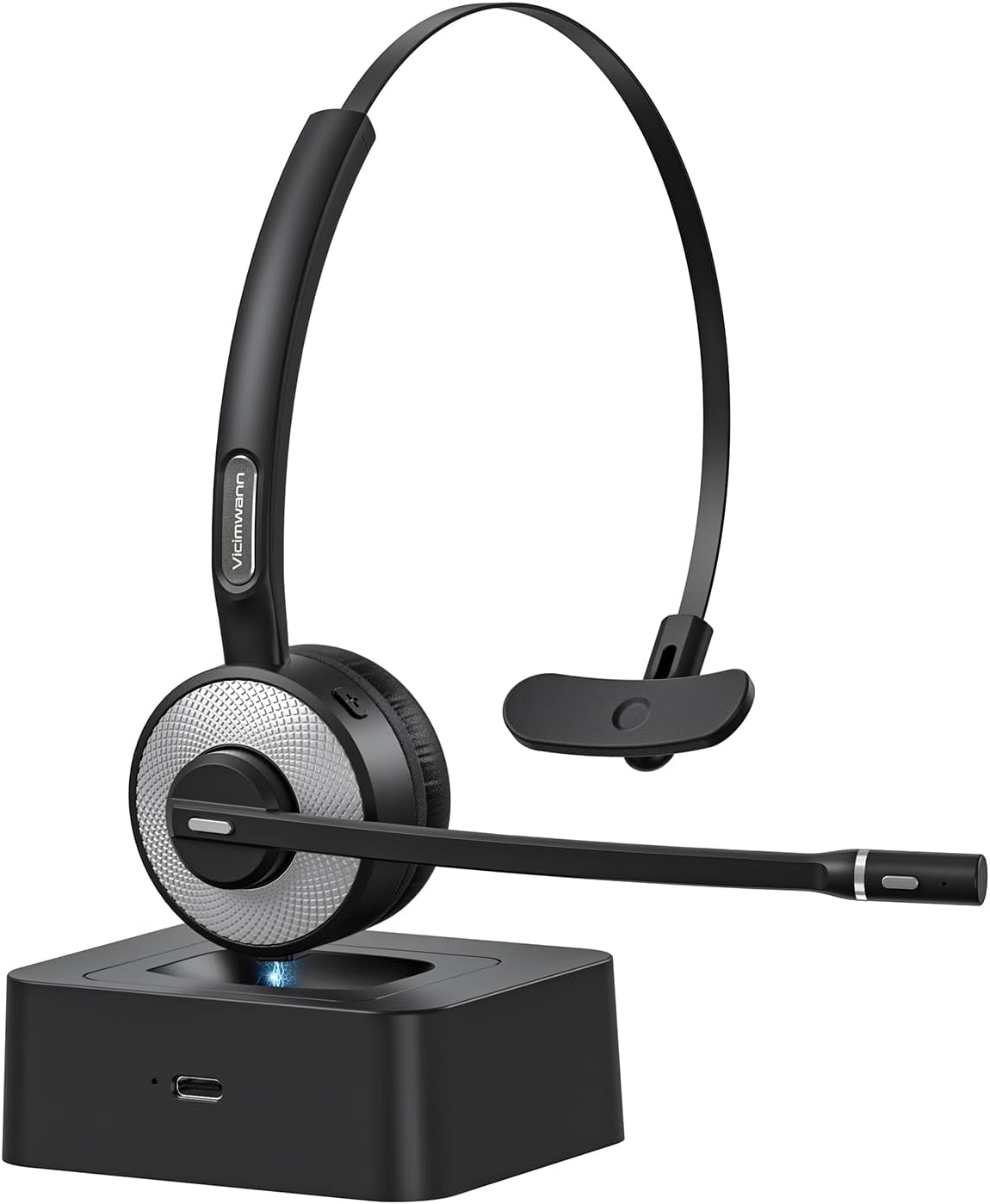
Image: The Vicimwann M98B headset resting on its charging base, ready for use or charging.
2. Bluetooth Жупташтыруу
The M98B headset utilizes advanced Bluetooth 5.3 technology for a stable and efficient connection.
- Гарнитура өчүрүлгөнүн текшериңиз.
- Press and hold the Multi-Function Button (MFB) until the indicator light flashes red and blue, indicating pairing mode.
- On your device (phone, laptop, tablet), enable Bluetooth and search for available devices.
- Select "M98B" from the list of found devices to connect.
- Туташкандан кийин индикатор жарыгы катуу көк түскө айланат.

Сүрөт: деталдуу view of the headset's earcup, emphasizing its Bluetooth 5.3 capability for enhanced performance.
3. Гарнитураны тагынуу
The M98B is designed for all-day comfort and can be worn on either ear.
- Башыңыздын үстүнкү боосун башыңызга ыңгайлуу кылып тууралаңыз.
- The microphone boom is 270-degree rotatable, allowing you to position it on your left or right side.
- Position the microphone approximately 1-2 inches from your mouth for optimal voice pickup.

Image: A woman comfortably wearing the Vicimwann M98B headset, highlighting its lightweight and ergonomic design for extended use.
Иштөө нускамалары
1. Негизги башкаруу элементтери
| Баскыч/Функция | Акция | Description |
|---|---|---|
| Көп функциялуу баскыч (MFB) | Бир жолу басыңыз | Чалууга жооп берүү/аяктоо, музыканы ойнотуу/тындыруу |
| Көп функциялуу баскыч (MFB) | 1 секунд басып туруңуз | Үн жардамчысын иштетүү (Siri/Google Жардамчы) |
| Үнүн жогорулатуу (+) | Бир жолу басыңыз | Үнүн жогорулатуу |
| Үнүн азайтуу (-) | Бир жолу басыңыз | Үндү азайтуу |
| Mute Button (on mic boom) | Бир жолу басыңыз | Mute/Unmute Microphone (announces "Mute on" / "Mute off") |

Image: The mute button located on the microphone boom, designed for quick and easy access during calls.
2. Call Clarity and Noise Cancellation
The M98B features an enhanced noise-cancelling microphone and an AI noise-cancelling algorithm to isolate your voice from background noise, ensuring crystal-clear communication.

Image: A user experiencing clear communication with the headset, depicting its noise-cancelling capabilities for productive conversations.
3. Көп чекиттүү жупташуу
The headset can connect to two devices simultaneously, such as a cell phone and a laptop, allowing seamless switching between audio sources.
- Pair the headset with your first device following the Bluetooth pairing steps.
- Once connected, disable Bluetooth on the first device.
- Put the headset back into pairing mode and connect to your second device.
- Re-enable Bluetooth on the first device. The headset should now be connected to both devices.
- The headset will intelligently switch audio to the device receiving an incoming call or active media.

Image: The headset simultaneously connected to a laptop and a smartphone, demonstrating its ability to manage connections with multiple devices.
4. Расмий продукт Video
Video: An official product video demonstrating the features and usage of the M98B Wireless Bluetooth headset with Microphone for Work.
Техникалык тейлөө
1. Тазалоо
To maintain the headset's condition and hygiene:
- Wipe the earpads and headband with a soft, dry cloth.
- өжөр кир үчүн, бир аз d колдонууamp жумшак самын менен чүпүрөк, андан кийин дароо кургатуу.
- Катуу химиялык заттарды же абразивдүү материалдарды колдонбоңуз.
2. Сактоо
When not in use, store the headset on its charging base or in a cool, dry place away from direct sunlight and extreme temperatures. This helps preserve battery life and material integrity.
Проблемаларды чечүү
| Көйгөй | Мүмкүн себеп | Чечим |
|---|---|---|
| Гарнитура күйбөй жатат | Батарея аз | Гарнитураны толук заряддаңыз. |
| Түзмөк менен жупташтыруу мүмкүн эмес | Гарнитура жупташтыруу режиминде эмес; түзмөктүн Bluetooth'у өчүк; түзмөктөн өтө алыс | Ensure headset is in pairing mode (flashing red/blue). Turn on device Bluetooth. Move headset closer to device (within 33 feet). |
| Аудио жок же аудио сапаты начар | Volume too low; headset not selected as audio output; interference | Increase volume on headset and device. Select M98B as audio output in device settings. Move away from other wireless devices. |
| Микрофон иштебей жатат | Microphone muted; incorrect audio input selected | Press the mute button to unmute. Ensure M98B is selected as the microphone input in your device's sound settings. |
| Заряддоо базасы заряддалбай жатат | Headset not properly seated; faulty cable/power source | Ensure headset is firmly placed on the base. Try charging directly with the USB-C cable to rule out base issue. Check cable and power adapter. |
For more detailed troubleshooting, please refer to the complete user guide or contact customer support.
Техникалык шарттар
| Өзгөчөлүк | Деталь |
|---|---|
| Модель аты | M98B |
| Байланыш технологиясы | Зымсыз (Bluetooth) |
| Зымсыз байланыш технологиясы | Bluetooth 5.3 |
| Bluetooth диапазону | 33 фут чейин |
| Заряддоо убактысы | 2 саат |
| Батареянын иштөө мөөнөтү (сүйлөшүү убактысы) | 14 саатка чейин |
| Батареянын иштөө мөөнөтү (музыка убактысы) | 20 саатка чейин |
| Элемент Салмагы | 1.76 унция (50 грамм) |
| Noise Control | Active Noise Cancellation (Mic) |
| Микрофон | 270-degree Rotatable Boom Mic |
| Шайкеш түзмөктөр | Cellphones, Tablets, Laptops, iPads |
| Камтылган компоненттер | Headset, Charging Stand, USB-C Cable, User Manual |
Кепилдик жана колдоо
Your Vicimwann M98B Wireless Bluetooth Headset comes with a standard manufacturer's warranty. Please refer to the included user manual for specific warranty terms and conditions.
For technical support, product inquiries, or warranty claims, please contact Vicimwann customer service through their official webсайт же продукт таңгагында көрсөтүлгөн байланыш маалыматы.
We recommend registering your product on the manufacturer's webжаңыртууларды жана колдоолорду алуу үчүн сайт.
Ask a question about this manual
Ask about setup, troubleshooting, compatibility, parts, safety, or missing instructions. Manuals+ will review the question and use this page’s manual context to help answer it.