
Universal Audio Apollo Solo
Apollo Solo Heritage Edition колдонуучу колдонмосу
Brand: Universal Audio | Model: Apollo Solo
Introduction
The Apollo Solo Heritage Edition Desktop 2x4 Thunderbolt 3 Audio Interface is designed for high-quality audio recording and processing on both Mac and Windows systems. It features superior audio conversion, two Unison mic preamps, and integrated UAD plug-ins for real-time processing. This interface allows users to record with near-zero latency through emulations of classic studio tools, including the UA 610-B Tube Preamp & EQ, LA-2A, and 1176 compressors. The Unison technology provides authentic mic and guitar preamp emulations, offering the tone and feel of sought-after hardware. This edition also includes closed-back studio monitor headphones for accurate sound reproduction and noise isolation, making it suitable for professional recording and mixing environments.
Негизги өзгөчөлүктөрү
- Desktop 2x4 Thunderbolt 3-powered audio interface with class-leading 24-bit/192 kHz audio conversion.
- Unison mic preamp and guitar amp emulations from Neve, API, Manley, Marshall, Fender, and more.
- Realtime UAD Processing allows near-zero latency tracking with classic UAD plug-in effects, regardless of software buffer setting.
- Includes studio compressors, EQs, reverbs, and guitar amp emulations, and more as part of "Realtime Analog Classics" bundle.
- Best-in-class headphone ampкатуу, деталдуу, аз ызы-чуу мониторинг жүргүзүү үчүн көтөргүч.
Орнотуу колдонмосу
1. Кутудан чыгаруу жана алгачкы текшерүү
Carefully remove all components from the packaging. Verify that the Apollo Solo interface, included headphones, and any accompanying cables are present and undamaged. Retain the packaging for future transport or storage.
2. Программалык камсыздоону орнотуу
- Before connecting the Apollo Solo, visit the Universal Audio website to download the latest UAD software and drivers compatible with your operating system (Mac or Windows).
- Run the installer and follow the on-screen prompts to complete the software installation. This includes installing necessary drivers and the UAD Console application.
- Орнотуудан кийин суралса, компьютериңизди өчүрүп-күйгүзүңүз.
3. Аппараттык туташуу
- Connect the Apollo Solo to your computer using a Thunderbolt 3 cable (sold separately). The interface is bus-powered via Thunderbolt 3, eliminating the need for an external power supply.
- Connect your studio monitors to the "OUTPUTS" jacks on the rear panel of the Apollo Solo using appropriate cables.
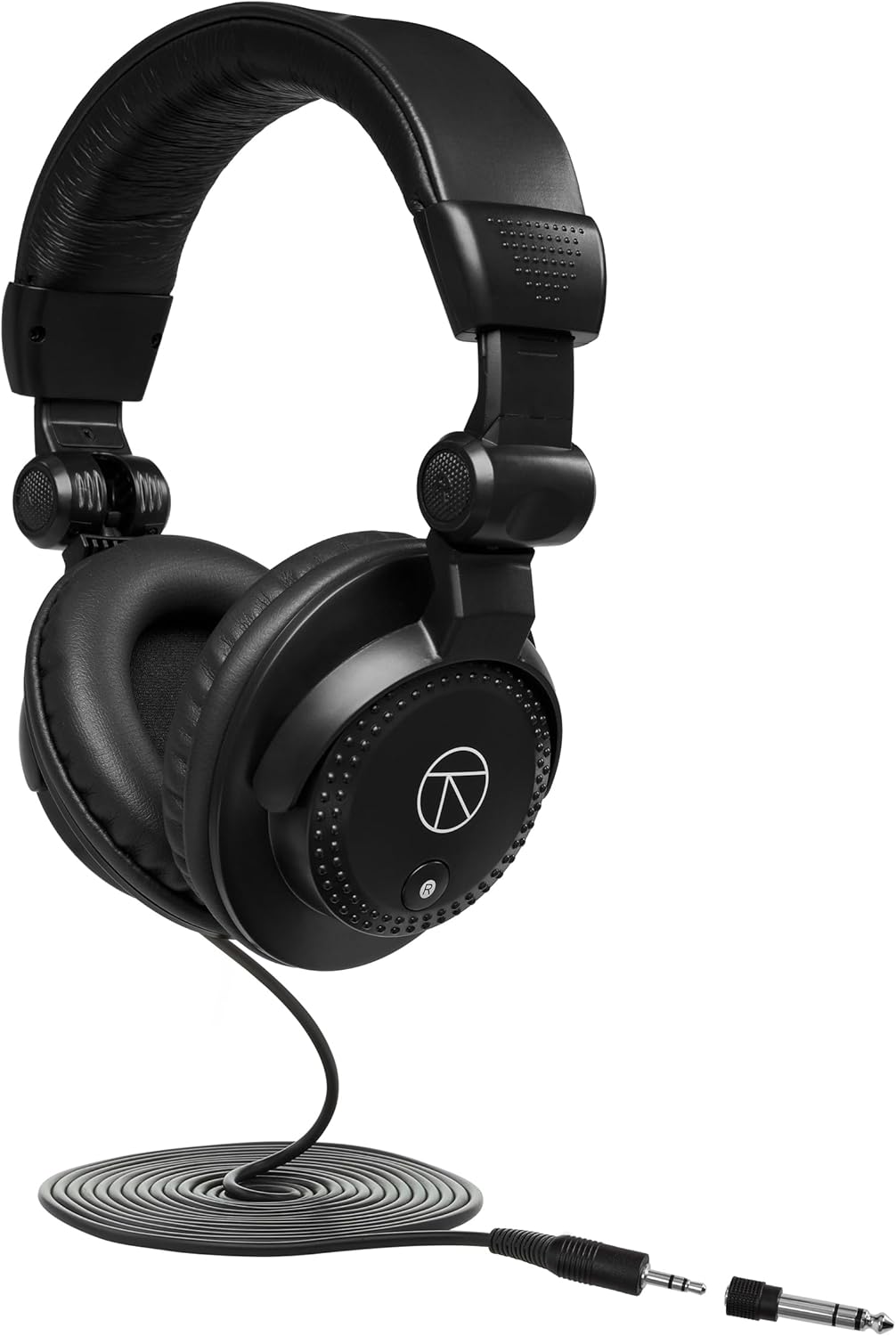
- Plug the included closed-back studio monitor headphones into one of the headphone jacks on the front panel.
- Connect your microphones or instruments to the "MIC/LINE" or "HI-Z" input jacks as needed.
4. Системанын конфигурациясы
After connecting the hardware, launch the UAD Console application. Ensure the Apollo Solo is recognized by your system and the Console. Configure your audio settings within your Digital Audio Workstation (DAW) to use the Apollo Solo as your primary audio input and output device.
Иштөө нускамалары
Input and Gain Control
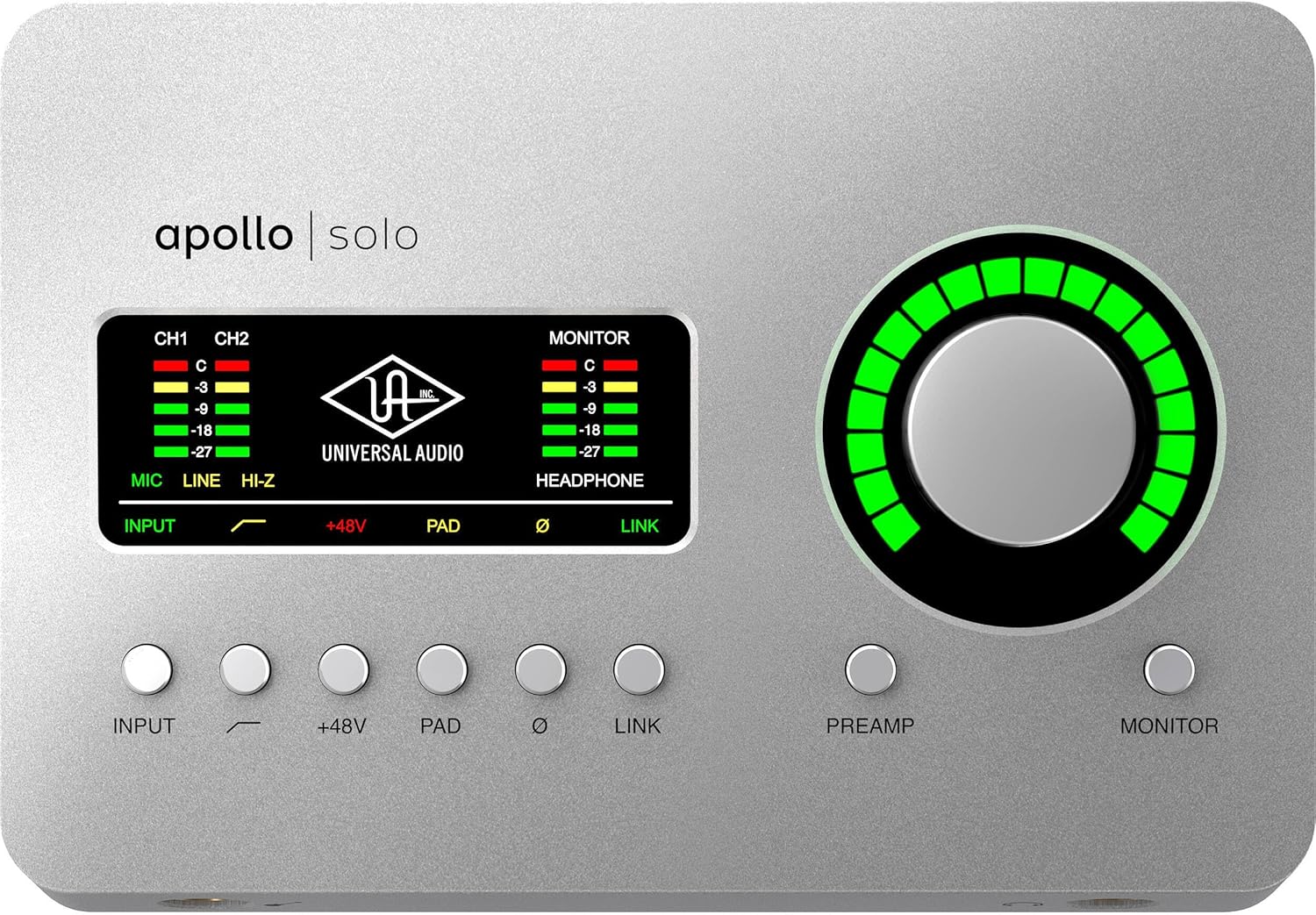
The Apollo Solo features two Unison-enabled mic/line preampс. Колдонуу INPUT buttons to select the desired input channel (CH1 or CH2). The large PREAMP knob controls the input gain for the selected channel. Adjust this knob to achieve optimal input levels, aiming for signals that are strong but do not clip. The smooth rotation of this knob allows for precise adjustments.
Phantom Power and Pad
- басыңыз +48V button to enable phantom power for condenser microphones. Ensure phantom power is only used with microphones that require it.
- The PAD button attenuates the input signal by a fixed amount, useful for very loud sources to prevent clipping.
Monitoring and Headphone Output
чоң МОНИТОР knob controls the output volume for your studio monitors. The headphone output has its own dedicated volume control, allowing independent adjustment of headphone levels. The headphone amplifier is designed for clear, low-noise monitoring.
реалдуу убакыт UAD иштетүү
Utilize the UAD Console application to access and apply Realtime UAD Processing. This allows you to track through UAD Powered Plug-Ins with near-zero latency, emulating classic analog hardware. You can insert UAD plug-ins on input channels within the Console application before the signal reaches your DAW.
Техникалык тейлөө
- Тазалоо: Use a soft, dry cloth to clean the exterior of the Apollo Solo. Avoid abrasive cleaners or solvents.
- Программалык камсыздоо жаңыртуулары: Universal Audio'ну үзгүлтүксүз текшерип туруңуз website for software and firmware updates. Keeping your software up-to-date ensures optimal performance and access to new features.
- Сактагыч: When not in use for extended periods, store the device in a cool, dry place, ideally in its original packaging or a protective case.
- Кабелдик башкаруу: Ensure all cables are neatly organized and not under strain to prevent damage to the ports or cables themselves.
Проблемаларды чечүү
Үн чыгышы жок
- Verify that the monitor and headphone volume knobs are turned up.
- Check all cable connections to your monitors and headphones.
- Ensure the Apollo Solo is selected as the audio output device in your computer's sound settings and your DAW.
- Confirm that the UAD Console application is running and the interface is recognized.
Input Signal Issues
- Check that the correct input channel is selected on the Apollo Solo.
- Adjust the PREAMP gain knob to an appropriate level.
- Эгер конденсатордук микрофонду колдонсоңуз, +48V фантом кубаты күйгүзүлгөнүн текшериңиз.
- Verify that your microphone or instrument cable is functioning correctly.
Connection or Software Instability
- Ensure your Thunderbolt 3 cable is securely connected to both the Apollo Solo and your computer.
- Confirm that your computer's operating system and Thunderbolt drivers are up-to-date.
- For Windows users, ensure your system meets the compatibility requirements and that BIOS settings are optimized as per Universal Audio's recommendations to avoid potential lag or crashes.
- Try restarting both the Apollo Solo (by disconnecting and reconnecting the Thunderbolt cable) and your computer.
- Reinstall the UAD software if issues persist.
Техникалык шарттар
| Өзгөчөлүк | Деталь |
|---|---|
| Элемент Салмагы | 3.54 фунт |
| Продукциянын өлчөмдөрү | 10 x 7.5 x 4 дюйм |
| ASIN | B0CRDFGP9V |
| Элемент моделинин номери | Apollo Solo |
| Дата биринчи жеткиликтүү | 28-декабрь, 2023-жыл |
| Шайкеш түзмөктөр | Персоналдык компьютер |
| Колдоого алынган программалык камсыздоо | Mac OS, Windows |
| Операция системасы | Windows |
| Бренд | Universal Audio |
| Байланыш технологиясы | Wired (Thunderbolt 3) |
| Каналдардын саны | 2x4 (2 inputs, 4 outputs) |
Продукт сүрөттөрү





Расмий продукт Videos
No official seller videos are available for embedding at this time. Please refer to the manufacturer's website for any available product demonstrations or tutorials.
Кепилдик жана колдоо
For detailed warranty information and technical support, please refer to the official Universal Audio webсайтка же түздөн-түз кардарларды тейлөөгө кайрылыңыз. Кепилдик дооматтар үчүн сатып алганыңыздын далилин сактаңыз.
Онлайн ресурстар: For the most up-to-date drivers, software, and comprehensive support documentation, visit the Universal Audio support page. Many common questions and troubleshooting steps can be found in their online knowledge base.
Ask a question about this manual
Ask about setup, troubleshooting, compatibility, parts, safety, or missing instructions. Manuals+ will review the question and use this page’s manual context to help answer it.