
Thinkware Q200
THINKWARE Q200 Dash Cam User Manual
Модели: Q200
1. Киришүү
This manual provides detailed instructions for the installation, operation, and maintenance of your THINKWARE Q200 Dash Cam. Please read this manual thoroughly before using the device to ensure proper functionality and safety.
2. Продукт бүтүп калдыview
The THINKWARE Q200 is a high-performance 2K QHD dash camera designed to capture clear video evidence and enhance driving safety. Key features include:
- 2K QHD Recording: Captures clear evidence at 30fps with WDR and Super Night Vision 2.0.
- Distortion-Free 125° Wide Angle: Dewarped lens covers more of the road without fisheye effects.
- Акылдуу унаа токтотуучу жайды көзөмөлдөө топтому: Automatically records motion or impacts while parked, with Time Lapse or Energy Saving modes.
- Incident Lock & File Бүтүндүк: Built-in 3-axis G-sensor auto-saves critical footage.
- Wi-Fi App Control: Connect via the THINKWARE DASH CAM LINK app for settings adjustment and footage жүктөө.
3. Кутуда эмне бар
Орнотууну улантуудан мурун бардык компоненттердин бар экендигин текшериңиз:
- Dash Cam
- 3M Windshield Mount with Spare Tape
- 12V унаа заряддоо кабели
- Hardwiring Cable
- Adhesive Cable Holders
- Quick Start Guide
- CS маалыматы
- 32 ГБ MicroSD картасы

Image: All components included in the THINKWARE Q200 Dash Cam package.
4. Орнотуу жана орнотуу
Proper installation ensures optimal performance and recording coverage. It is recommended to install the dash cam near the center of your windshield, behind the rearview күзгүгө, тоскоол болбоо үчүн view.
4.1 Камераны орнотуу
- Багыттоочу камера орнотула турган алдыңкы айнектин бетин тазалаңыз.
- Attach the 3M adhesive pad to the windshield mount.
- Securely attach the mount with the dash cam to the chosen location on the windshield.
- Тунук болушу үчүн камеранын бурчун тууралаңыз view алдыдагы жолдун.
4.2 Кубат туташтыруу
The Q200 can be powered via the included 12V car charger cable or the hardwiring cable for continuous parking surveillance.
- 12V унаа кубаттагычы: Plug the cable into your vehicle's cigarette lighter socket and the dash cam's power input.
- Зымдарды туташтыруу кабели: For parking mode functionality, connect the hardwiring cable to your vehicle's fuse box. Professional installation is recommended for this method.
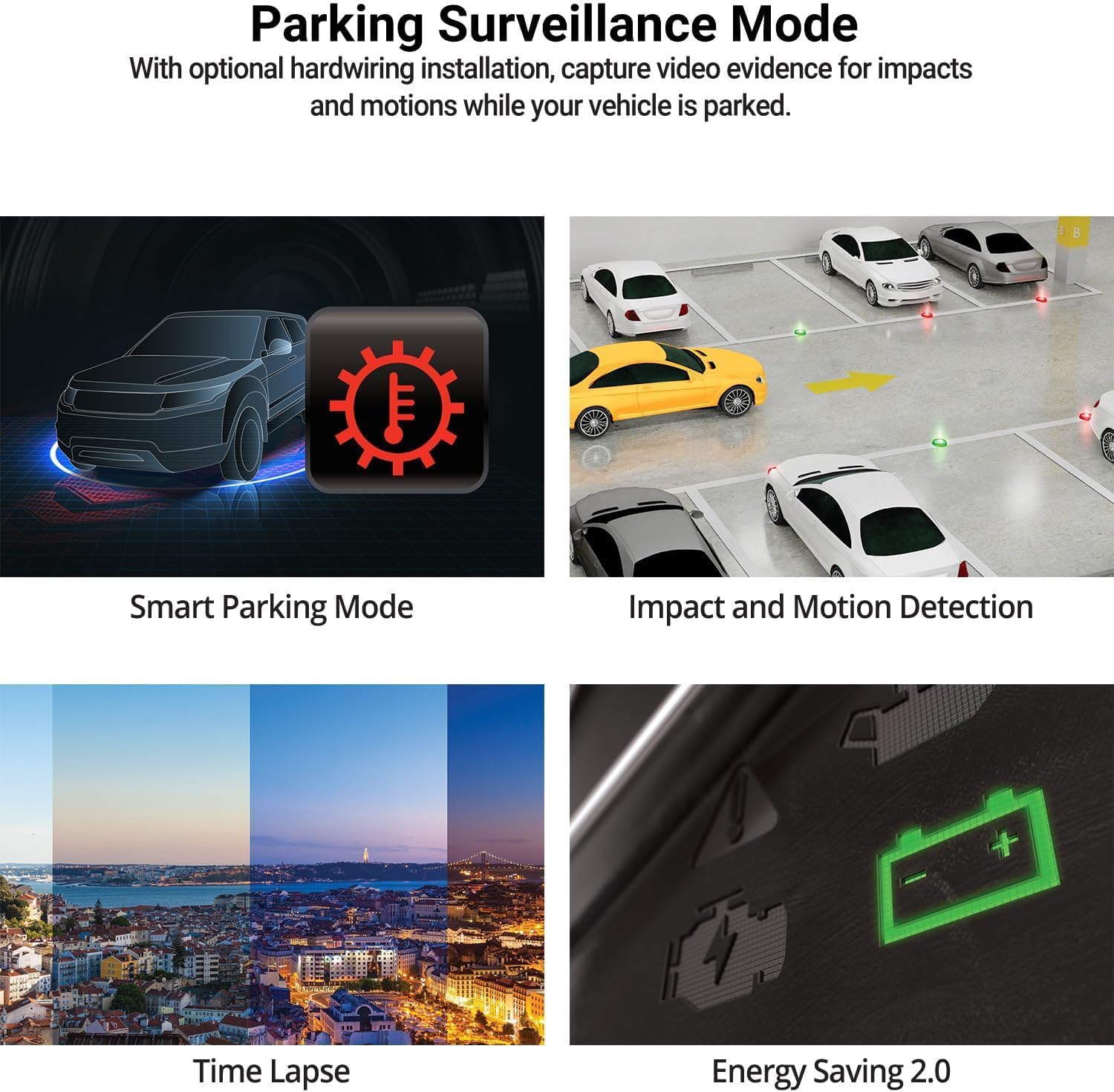
Image: The THINKWARE Q200 Dash Cam installed on a vehicle's windshield.
Видео: Бүттүview of the THINKWARE Q200 Dash Cam, demonstrating its features and installation.
5. Иштөө нускамалары
5.1 Автоматтык жаздыруу
The Q200 Dash Cam automatically powers on and begins continuous recording when the vehicle's ignition is turned on. It will power off automatically when the ignition is turned off.
5.2 Жазуу режимдери
- Тынымсыз жаздыруу: Standard recording while driving.
- Окуяны жаздыруу: Triggered by the built-in G-sensor upon impact, saving a 20-second clip (10 seconds before and 10 seconds after the event) to a protected folder.
- Кол менен жаздыруу: Press the REC button to manually initiate an incident recording.
6. Parking Surveillance Mode
When connected via the hardwiring cable (or optional OBD II cable), the Q200 automatically switches to Parking Surveillance Mode when the ignition is off, providing continuous protection for your parked vehicle.
- Motion & Impact Detection: Records video when motion or impact is detected around the vehicle.
- Убакыттын өтүшү: Records at 2 frames per second to minimize storage space, ideal for prolonged parking.
- Энергияны үнөмдөө режими: Reduces power consumption by recording only when impacts are detected, extending parking surveillance duration.
- Акылдуу унаа токтотуу режими: Automatically disables power during high temperatures to prevent overheating and resumes recording seamlessly.

Image: Visual representation of the various parking surveillance features.
7. Wi-Fi тиркемесин башкаруу
The THINKWARE DASH CAM LINK app (available on iOS and Android) allows you to connect to your Q200 Dash Cam via Wi-Fi for convenient control and access to recordings.
- Download the THINKWARE DASH CAM LINK app from your device's app store.
- Enable Wi-Fi on your smartphone and connect to the dash cam's Wi-Fi network.
- Use the app to adjust settings, view жаша фооtage, and download recorded videos directly to your phone.

Image: The THINKWARE DASH CAM LINK app interface on a smartphone.
8. Advanced Driver Assistance System (ADAS) & Safety Camera Alerts
The Q200 features ADAS functions and safety camera alerts to assist drivers and enhance road safety. An optional GPS module is required for full ADAS functionality and safety camera alerts.
- Алдыңкы унаанын кетип калуу жөнүндө эскертүүсү (FVDW): Alerts when the vehicle in front starts to move.
- Алдыга кагылышуу жөнүндө эскертүү системасы (FCWS): Warns of potential forward collisions based on speed and distance.
- Тилкеден чыгып кетүү жөнүндө эскертүү системасы (LDWS): Alerts if the vehicle drifts from its lane.
- Коопсуздук камералары жөнүндө эскертүүлөр: Provides real-time alerts for speed cameras and red light cameras.

Image: Illustration of ADAS and safety camera alert features.
9. Video Quality Features
The Q200 is equipped with advanced video technology to ensure high-quality recordings in various conditions.
- 2K QHD Recording: Captures video at 2560x1440 resolution at 30 frames per second, providing clear and detailed footage.
- Супер түнкү көрүнүш 2.0: Enhances video brightness and reduces noise in low-light environments for improved night recordings.
- Кең динамикалык диапазон (WDR): Corrects images for optimal color balance and clarity in challenging lighting conditions, such as strong sunlight or shadows.
- Акылдуу автоэкспозиция (AE): Automatically adjusts exposure to ensure clear footage, especially when facing bright headlights or direct sunlight.
- Видеонун бурмаланышын азайтуу технологиясы: Provides a distortion-free 125-degree wide-angle view, preserving clarity across the entire frame.

Сүрөт: Мисamples of 2K QHD video quality in various lighting conditions.
10. Техникалык тейлөө
- MicroSD картасын башкаруу: Regularly format the microSD card to prevent data corruption and ensure optimal recording performance. Replace the card periodically (e.g., every 6-12 months) as they have a limited lifespan.
- Линзаны тазалоо: Keep the camera lens clean using a soft, lint-free cloth to ensure clear video recordings.
- Программалык камсыздоонун жаңыртуулары: Check the THINKWARE website for the latest firmware updates to ensure your dash cam has the most current features and bug fixes.
11. Кыйынчылыктарды
| Көйгөй | Мүмкүн чечим |
|---|---|
| Dash камерасы күйбөйт. | Check the power cable connection to the dash cam and the vehicle's power source. Ensure the vehicle's ignition is on if using the 12V car charger. If hardwired, check fuse connections. |
| Recording is not working. | Ensure a microSD card is inserted and properly formatted. Check if the card is full; if so, format it or replace it. Verify the recording mode settings via the app. |
| Wi-Fi туташуу маселелери. | Restart the dash cam and your smartphone. Ensure you are within range of the dash cam's Wi-Fi signal. Re-establish the connection through the THINKWARE DASH CAM LINK app. |
| Видеонун сапаты начар. | Clean the camera lens. Ensure the protective film has been removed. Check the video resolution settings in the app. |
12. Техникалык шарттар
| Өзгөчөлүк | Деталь |
|---|---|
| Продукциянын өлчөмдөрү | 0.87 x 3.88 x 1.34 дюйм |
| Элемент Салмагы | 2.56 унция |
| Элемент моделинин номери | TW-Q200CH |
| Connectivity Technologies | Wi-Fi |
| Өзгөчөлүктөр | G-сенсор |
| Башка дисплей өзгөчөлүктөрү | Зымсыз |
| Түс | 1CH Front |
| Өндүрүүчү | ОЙЛОНУҢУЗ |
| Модель аты | Q200 |
| Унаа кызматынын түрү | Автобус, Жеңил унаа, Минивэн, RV, Жүк ташуучу унаа |
| Видео тартуунун резолюциясы | 1440p |
| Монтаж түрү | Алдынкы айнек тоосу |
| Field Of View | 125 градус |
13. Кепилдик жана колдоо
The THINKWARE Q200 Dash Cam comes with a standard manufacturer's warranty. For specific warranty terms, conditions, and duration, please refer to the warranty information included in your product packaging or visit the official THINKWARE webсайт.
For technical support, troubleshooting assistance, or service inquiries, please contact THINKWARE customer support through their official channels. Contact information can typically be found in the Quick Start Guide or on the THINKWARE webсайт.
Ask a question about this manual
Ask about setup, troubleshooting, compatibility, parts, safety, or missing instructions. Manuals+ will review the question and use this page’s manual context to help answer it.