
iProda 15.6-inch Portable Monitor
iProda 15.6-inch Portable Monitor User Manual
Model: 15.6-inch Portable Monitor
Бренд: iProda
1. Киришүү
Thank you for choosing the iProda 15.6-inch Portable Monitor. This device is designed to enhance your productivity and entertainment by providing a versatile second screen for your laptop, PC, smartphone, and gaming consoles. This manual will guide you through the setup, operation, and maintenance of your new monitor.
2. Продукциянын өзгөчөлүктөрү
- 15.6-inch Full HD (1080p) IPS Display: Experience vibrant colors and wide viewбурчтар.
- 60Hz жаңыртуу ылдамдыгы: Ensures smooth visuals for work and entertainment.
- Anti-Glare Screen: Reduces reflections for comfortable viewар кандай жарык шарттарында.
- Жеңил жана портативдик: Weighing approximately 1.2 kg (2.6 lbs) and only 0.6 cm (0.24 inches) thick, it's ideal for on-the-go use.
- Plug and Play туташуусу: Simple setup with USB-C or HDMI.
- Камтылган динамиктер: Integrated audio for convenience.
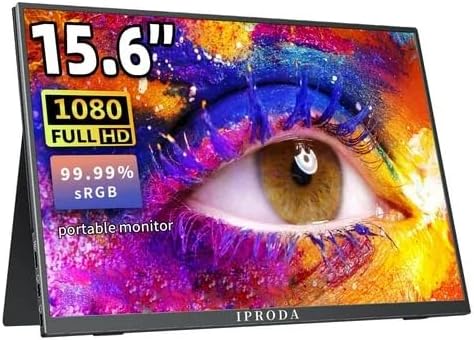
Figure 2.1: iProda 15.6-inch Portable Monitor showcasing its 1080 Full HD resolution and sRGB color accuracy.

Figure 2.2: Close-up of the iProda portable monitor screen highlighting IPS technology and a 178-degree super wide viewing angle for an excellent visual experience.
3. Орнотуу колдонмосу
The iProda portable monitor is designed for easy plug-and-play setup. Follow these steps to connect your device:
- Кубат туташуу: Connect the monitor to a power source using the provided USB-C cable and a compatible power adapter (not always included, check packaging).
- Видео туташуу:
- USB-C (толук функция): If your device (laptop, smartphone) has a full-function USB-C port that supports video output and power delivery, simply connect a single USB-C cable from your device to one of the monitor's USB-C ports.
- Мини HDMI: Connect a mini HDMI to HDMI cable from the monitor's mini HDMI port to your device's HDMI port. You will also need to connect a USB-C cable for power.
- Аудио (милдеттүү эмес): If you prefer to use external headphones or speakers, connect them to the 3.5mm audio jack on the monitor.
- Түзмөктүн жөндөөлөрү: Your device should automatically detect the monitor. If not, you may need to adjust display settings in your operating system (e.g., Windows Display Settings, macOS System Preferences).
4. Иштөө нускамалары
The monitor features intuitive controls for adjusting settings:
- Power Button / Return Button: Press and hold to power on/off. Short press to return to the previous menu in OSD settings.
- Dial-wheel Switch (OSD Settings):
- Пресс: Enter the On-Screen Display (OSD) menu.
- Өйдө/ылдый жылдыруу: Меню параметрлери аркылуу өтүңүз же маанилерди тууралаңыз.
- Press (while in menu): Тандоону ырастоо.
The OSD menu allows you to adjust brightness, contrast, color settings, input source, and other display parameters.
5. Connectivity and Compatibility
The iProda portable monitor offers broad compatibility with various devices:
- USB-C (x2, Full Function): Connects to laptops, PCs, tablets, and smartphones that support DisplayPort Alternate Mode and Power Delivery.
- Mini HDMI (x1): Connects to devices with an HDMI output, including laptops, PCs, gaming consoles (Xbox, PlayStation, Nintendo Switch), and media players.
- 3.5 мм гарнитура уячасы (x1): Тышкы аудио түзүлүштөрдү туташтыруу үчүн.
Шайкеш келген түзмөктөр төмөнкүлөрдү камтыйт:
- Үстөл компьютерлери
- Ноутбуктар (Windows, macOS)
- Планшеттер
- Smartphones (with full-function USB-C)
- Nintendo Switch
- PlayStation 4/5
- Xbox One/Series X|S

Figure 5.1: Port layout and compatible devices for the iProda portable monitor.
6. Колдонуу режимдери
When connected to a laptop or PC, the iProda portable monitor supports various display modes:
- Кайталануу режими: Displays the same content on both your primary screen and the portable monitor. Ideal for presentations or sharing content.
- Узартуу режими: Extends your desktop across both screens, providing more screen real estate for multitasking. Drag windows between screens.
- Экинчи экран гана режими: Displays content only on the portable monitor, with your primary screen turned off. Useful for focusing on a single display or when using the portable monitor as the main display.

Figure 6.1: Display modes (Duplicate, Extend, Second Screen Only) with a laptop.
7. Applications and Use Cases
The iProda portable monitor is versatile for various scenarios:
- Daily Work & Business: Enhance productivity by extending your workspace for spreadsheets, documents, and presentations.
- Phone Extension: Transform your smartphone into a larger display for media consumption or light productivity tasks.
- On-the-GO: Its lightweight design makes it perfect for travel, remote work, or mobile presentations.
- Оюн: Connect to your favorite gaming consoles for an immersive gaming experience anywhere.
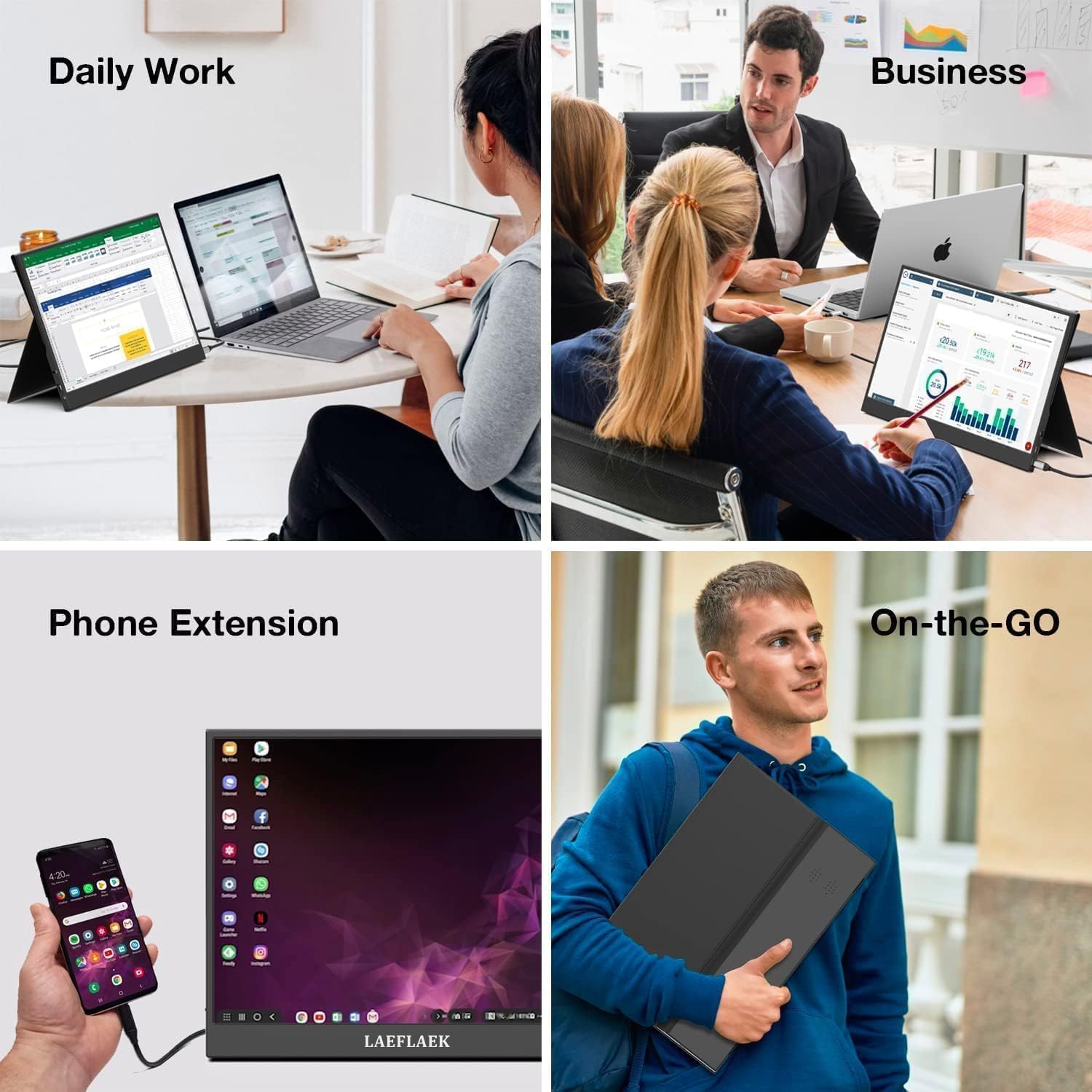
Figure 7.1: Various applications of the iProda portable monitor.

Figure 7.2: iProda portable monitor used for gaming with various consoles.
8. Техникалык тейлөө
To ensure the longevity and optimal performance of your iProda portable monitor, follow these maintenance guidelines:
- Экранды тазалоо: Бир аз жумшак, түксүз кездемени колдонуңуз dampened with water or a screen-cleaning solution. Do not spray liquid directly onto the screen. Avoid using harsh chemicals or abrasive materials.
- Тазалоо Casing: Монитордун экранын сүртүңүзasing жумшак, кургак чүпүрөк менен.
- Сактагыч: Колдонулбай турган учурда, мониторду салкын, кургак жерде, мүмкүн болсо, баштапкы таңгагында же чаң жана чийик түшпөшү үчүн коргоочу капта сактаңыз.
- Колдонуу: Мониторду ар дайым четинен кармаңыз. Экранга басым жасоодон алыс болуңуз.
9. Кыйынчылыктарды
If you encounter issues with your iProda portable monitor, refer to the following common problems and solutions:
| Көйгөй | Мүмкүн себеп | Чечим |
|---|---|---|
| Сигнал жок / Кара экран | Туура эмес киргизүү булагы тандалды; Кабелдин туташуусу бошоп калды; Кубат жетишсиз; Түзмөк видео чыгарбай жатат. | Check cable connections; Ensure monitor is powered; Select correct input source via OSD; Verify device's video output settings. |
| Күч жок | Power cable not connected; Power adapter faulty; USB-C port on device not providing enough power. | Ensure power cable is securely connected; Try a different power adapter/USB-C port; Use an external power source if needed. |
| Жаркылдаган экран | Faulty cable; Interference; Graphics driver issue. | Try a different cable; Ensure no strong electromagnetic interference; Update graphics drivers on your connected device. |
| No Audio from Monitor | Monitor volume too low; Audio output not set to monitor; External speakers/headphones connected. | Adjust monitor volume via OSD; Set audio output to the monitor in your device's sound settings; Disconnect external audio devices if using monitor speakers. |
If the problem persists after trying these solutions, please contact iProda customer support for further assistance.
10. Техникалык шарттар
| Өзгөчөлүк | Спецификация |
|---|---|
| Screen Size | 15.6 дюйм |
| Дисплей түрү | IPS, Anti-glare |
| Резолюция | Толук HD (1920 x 1080) |
| Жаңыртуу ылдамдыгы | 60Hz |
| Аспект катышы | 16:9 |
| Байланыш | 2x USB-C (толук функциялуу), 1x Mini HDMI, 1x 3.5 мм аудио уяча |
| Салмагы | Болжол менен 1.2 кг (2.6 фунт) |
| Калыңдыгы | Болжол менен 0.6 см (0.24 дюйм) |
| Камтылган динамиктер | Ооба |
11. Кепилдик жана колдоо
Your iProda portable monitor comes with a standard manufacturer's warranty. Please refer to the warranty card included in your product packaging for specific terms and conditions.
For technical support, troubleshooting assistance, or warranty claims, please contact iProda customer service through the contact information provided on the official iProda webсайт же сатып алуу платформаңыз.
Колдоо кызматына кайрылганыңызда продуктуңуздун үлгүсүн жана сатып алуу чоо-жайын даяр болуңуз.
Ask a question about this manual
Ask about setup, troubleshooting, compatibility, parts, safety, or missing instructions. Manuals+ will review the question and use this page’s manual context to help answer it.