
1. Киришүү
The Foscam FNA108HE is an 8-channel Network Video Recorder (NVR) designed for surveillance systems. It supports up to 8 PoE (Power over Ethernet) IP cameras, allowing for simplified installation with power and data transmission over a single Ethernet cable. This NVR records video at up to 8MP resolution per channel and utilizes H.264+ video compression for efficient storage. It offers continuous, motion-detection, and scheduled recording options, and supports a hard drive up to 16TB (not included) for extensive storage. View and manage your surveillance system locally via HDMI/VGA monitor or remotely through a web интерфейс.
2. Пакеттин мазмуну
- Foscam FNA108HE 8-Channel PoE NVR
- Кубаттуу адаптер
- USB чычкан
- Ethernet кабели
- Quick Start Guide
- Mounting Screws for HDD (Hard Disk Drive not included)
3. Продукт бүтүп калдыview
3.1-сүрөт: алдыңкы панел
This image shows the front of the Foscam FNA108HE NVR, featuring the Foscam logo on the left and indicator lights (ALARM, REC, POWER) on the right, along with a navigation button.

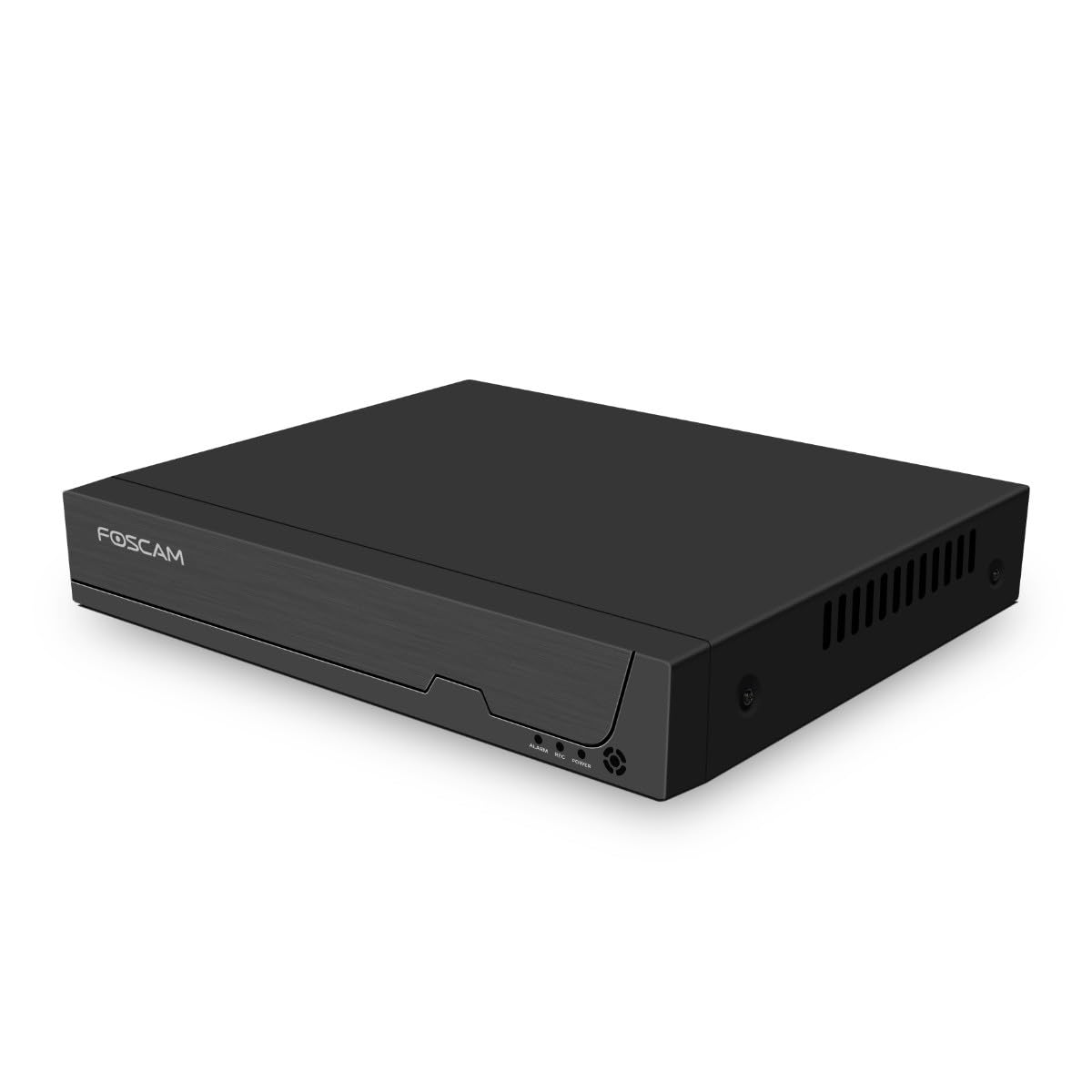
3.2-сүрөт: Бурчтуу View
An angled perspective of the Foscam FNA108HE NVR, highlighting its compact design and the Foscam branding.

3.3-сүрөт: Арткы панель
This image displays the rear panel of the Foscam FNA108HE NVR, showing various ports including the power switch, DC 48V power input, 8 PoE ports, LAN port, A-OUT (audio output), VGA port, HD-OUT (HDMI port), and two USB ports.
3.1 Алдыңкы панелдин көрсөткүчтөрү
- КҮЧ: Indicates the NVR is powered on.
- РЕК: Flashes when video is being recorded.
- ЭСКЕРТҮҮ: Illuminates when an alarm event (e.g., motion detection) is triggered.
3.2 Арткы панелдин порттору
- ON/OFF которуу: Powers the NVR on or off.
- DC 48V: Power input for the NVR.
- PoE порттору (1-8): Connect PoE IP cameras. These ports provide both power and data.
- LAN порту: Connects the NVR to your local network/router for internet access and remote viewing.
- A-OUT (Audio Output): Connects to an external speaker for audio output.
- VGA порту: Connects to a VGA monitor for local display.
- HD-OUT (HDMI Port): Connects to an HDMI monitor or TV for local display.
- USB порттору (x2): Connect a USB mouse for local control and for USB backup devices.
4. Орнотуу
4.1 Hard Drive Installation (Optional, HDD not included)
For video recording, a 3.5-inch SATA hard drive is required. Ensure the NVR is powered off before installation.
- NVRдин үстүнкү капкагын бурап, алып салыңыз.
- Connect the SATA data and power cables from the NVR to the hard drive.
- Берилген бурамаларды колдонуп, катуу дискти NVR корпусуна бекитиңиз.
- Үстүнкү капкакты ордуна коюп, бурама менен бекитиңиз.
4.2 Аппараттык туташуу
- Connect your PoE IP cameras to the PoE ports (1-8) on the NVR's rear panel using Ethernet cables.
- Мониторду NVRдин HD-OUT (HDMI) же VGA портуна туташтырыңыз.
- Connect the USB mouse to one of the NVR's USB ports.
- Connect the NVR's LAN port to your router or network switch using an Ethernet cable.
- Connect the power adapter to the DC 48V input on the NVR and then plug it into a power outlet.
- Press the ON/OFF switch to power on the NVR.
5. Иштөө
5.1 Initial Setup and Access
Upon first boot, the NVR will guide you through an initial setup wizard (password creation, network settings, etc.). You can access the NVR interface locally via the connected monitor and mouse, or remotely via a web бир тармакка туташкан компьютердеги браузер.
5.2 Live View
After logging in, the NVR will display the live video feeds from connected cameras. You can switch between single-camera view, көп камералуу торчо view, and customize the display layout.
5.3 Жазуу режимдери
The NVR supports the following recording modes:
- Тынымсыз жаздыруу: Үзгүлтүксүз күнү-түнү жаздырат.
- Кыймылды аныктоо жазуусу: Камералар кыймылды аныктаганда гана жаздырат.
- Пландаштырылган жаздыруу: Records according to a predefined schedule (e.g., specific hours of the day).
Configure these settings in the NVR's menu under 'Record' or 'Schedule'.
5.4 Ойнотуу
Кайраview foo жазылганtage:
- Access the 'Playback' menu on the NVR interface.
- Каалаган камераны(ларды) жана дата/убакыт диапазонун тандаңыз.
- Use the timeline to navigate through recordings and play back events.
5.5 Remote Access
NVRга алыстан кирүү үчүн:
- NVR интернетке туташкандыгын текшериңиз.
- Configure network settings (e.g., port forwarding) on your router if necessary, or use Foscam's cloud service/P2P feature if available.
- Use the Foscam web interface or mobile application to view live feeds and manage settings from anywhere.
6. Техникалык тейлөө
6.1 Катуу дискти башкаруу
Regularly check the status of your hard drive in the NVR's storage settings. If the hard drive is new or has issues, it may need to be formatted through the NVR interface. Ensure sufficient free space for continuous recording.
6.2 Микропрограмма жаңыртуулары
Foscam кызматкерин мезгил-мезгили менен текшерип туруңуз website for firmware updates. Keeping your NVR's firmware updated ensures optimal performance, security, and access to new features. Follow the instructions provided with the firmware update carefully.
7. Кыйынчылыктарды
- Видео дисплей жок: Check HDMI/VGA cable connections, ensure monitor is on and set to correct input. Verify NVR is powered on.
- Cameras Not Showing: Ensure cameras are properly connected to PoE ports. Check camera power and network status. Verify camera IP addresses are within the NVR's range.
- Жаздыруу жок: Confirm a hard drive is installed and formatted. Check recording schedules and motion detection settings. Ensure HDD has free space.
- Алыстан кирүү маселелери: Verify NVR has internet access. Check network settings, port forwarding, or P2P status. Ensure correct login credentials.
- NVR күйбөй жатат: Check power adapter connection and power outlet. Ensure the ON/OFF switch is in the 'ON' position.
8. Техникалык шарттар
| Өзгөчөлүк | Спецификация |
|---|---|
| Модель номери | FNA108HE |
| Бренд | Foscam |
| Каналдардын саны | 8 |
| Max. Storage Capacity | 16 TB (Hard Drive not included) |
| Видеону кысуу | H.264 + |
| Видео киргизүү түрү | PoE IP камерасы |
| Video Output | Сапаттуу, VGA |
| Аудио чыгаруу | A-OUT |
| USB порттору | 2 |
| Байланыш технологиясы | HDMI, USB, VGA, Ethernet (LAN, PoE) |
| Шайкеш түзмөктөр | Camera, Smartphone, Television |
| Элемент Салмагы | 880 грамм |
| Запастык бөлүктөрдүн болушу | 1 жыл |
9. Кепилдик жана колдоо
This Foscam NVR (Model FNA108HE) typically comes with a manufacturer's warranty. Spare parts are available for 1 year. For detailed warranty information, technical support, or service inquiries, please refer to the official Foscam webсайтка же түздөн-түз кардарларды колдоо менен байланышыңыз. Кепилдик дооматтар үчүн сатып алуу дүмүрчөгүңүздү сактаңыз.