1. Киришүү
Thank you for choosing the Infinix Smart 6 X6511b / Smart 6 Plus X6511b Phone Case. This manual provides essential information on how to properly install, use, and maintain your new phone case to ensure optimal protection and longevity. This case is designed to offer robust protection against drops and impacts, while maintaining the sleek profile аппаратыңыздан.
2. Негизги өзгөчөлүктөрү
- Шайкештик: Specifically designed for Infinix Smart 6 X6511b and Infinix Smart 6 Plus X6511b models.
- Камераны коргоо: Features raised edges around the camera module to prevent scratches and direct impact on the lens.
- Соккуга чыдамдуу дизайн: Engineered with shock-absorbing materials to provide excellent drop protection, safeguarding your phone from accidental bumps and falls.
- Так кесүү: Ensures easy access to all ports, buttons, sensors, and cameras without removing the case. Buttons are designed for responsive and effortless pressing.
- Стильдүү көрүнүшү: Gradient plating anti-drop design adds a visually appealing and fashionable touch to your device.
- Comfortable Hand Feel: Designed with classic straight edges for a comfortable and secure grip.
- High-Grade Material: Constructed from high-grade Thermoplastic Polyurethane (TPU) material, which resists yellowing and maintains clarity over time.
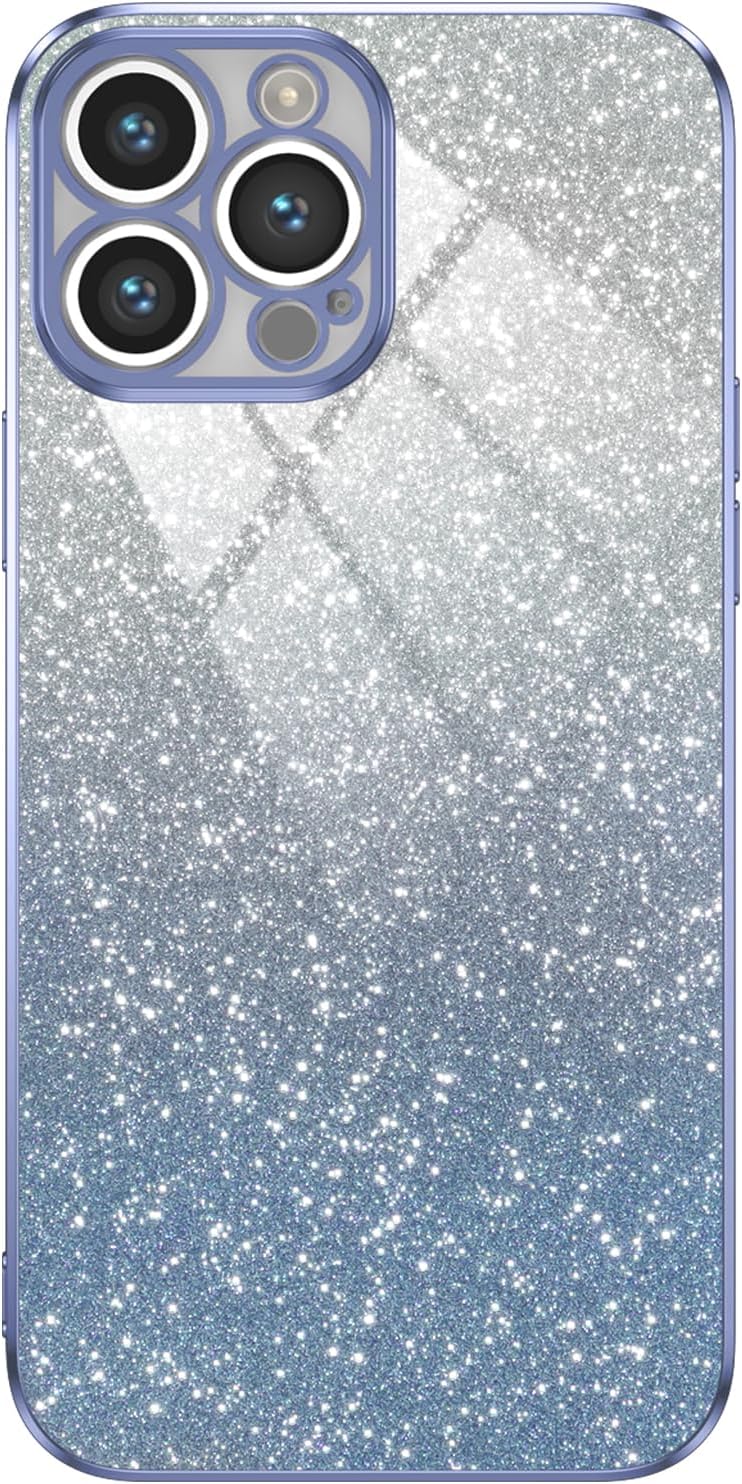
Сүрөт 2.1: Алдыңкы view of the phone case, showcasing its gradient design and camera cutout.

Figure 2.2: Illustration of the phone case absorbing impact during a fall, highlighting its shockproof capabilities.

Сүрөт 2.3: Жакын пландан view of the phone case's raised camera bezel, designed to protect the lens from scratches.

Figure 2.4: Image demonstrating the independent and responsive buttons on the phone case, providing a bare metal-like touch experience.

Figure 2.5: The phone case featuring a star-studded, glittery design that illuminates the device's beauty.

Figure 2.6: A hand holding the phone case, illustrating its silky tactile feel and comfortable grip due to classic straight edges.

2.7-сүрөт: Детальдуу view of the phone case from various angles, showcasing its overall design and fit.
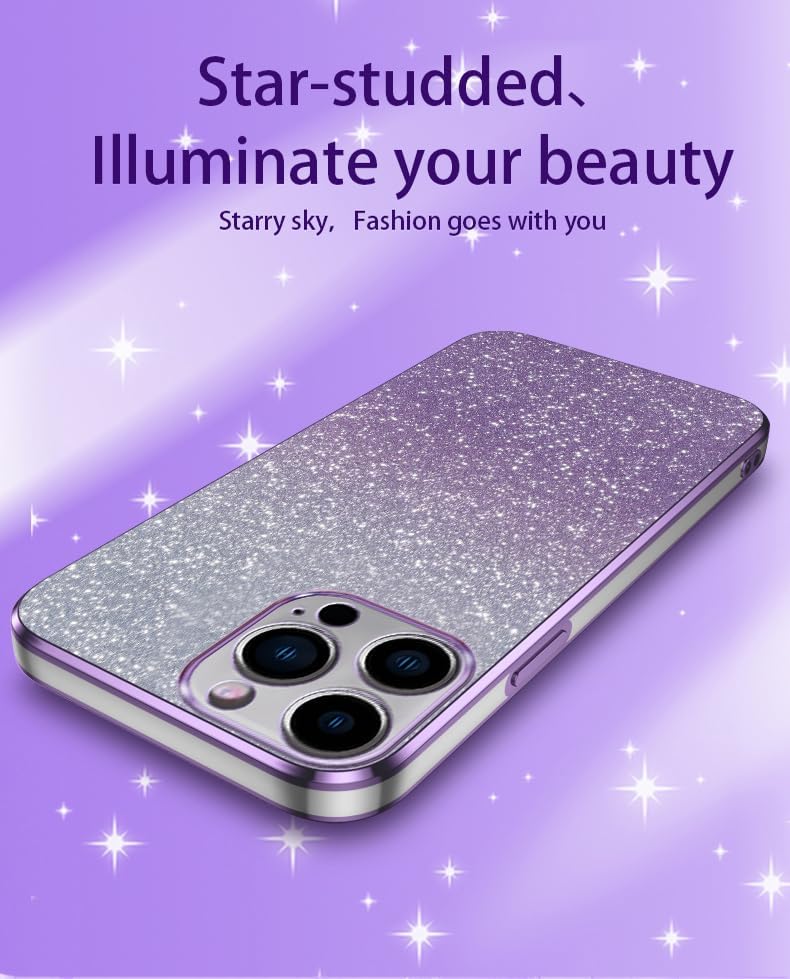
Figure 2.8: Close-up of the phone case material, emphasizing its high-grade PET composition for no yellowing and purer clarity.
3. Орнотуу жана орнотуу
Installing your phone case is a simple process:
- Түзмөгүңүздү тазалоо: Before installation, ensure your Infinix Smart 6 X6511b or Smart 6 Plus X6511b is clean and free of dust or debris. Use a soft, lint-free cloth if necessary.
- Ишти тегиздөө: Hold the phone case with the camera cutout aligned with your phone's camera module.
- Телефонду салыңыз: Gently push your phone into the case, starting with one side (e.g., the top or bottom). Ensure all corners snap securely into place.
- Fit текшерүү: Once installed, gently press around the edges of the case to ensure it is fully seated and all buttons and ports are accessible and aligned.
4. Иштөө нускамалары
Once installed, the phone case operates seamlessly with your device:
- Жетүү баскычы: The case features precise button covers that allow for easy and responsive pressing of your phone's power and volume buttons.
- Порт мүмкүндүк алуу: All charging ports, headphone jacks (if applicable), and speaker grilles remain fully accessible through the case's accurate cutouts.
- Камераны колдонуу: The raised camera protection does not interfere with photo or video capture. Ensure no dust or debris accumulates in the camera cutout for clear images.
5. Техникалык тейлөө
To keep your phone case in optimal condition:
- Тазалоо: Ишти дайыма жумшак менен сүртүп туруңуз, гamp cloth to remove dust, fingerprints, and smudges. For tougher stains, a small amount of mild soap can be used, followed by rinsing and thorough drying.
- Катуу химиялык заттардан алыс болуңуз: Do not use abrasive cleaners, solvents, or harsh chemicals, as these can damage the material and finish of the case.
- Сактагыч: Колдонулбаган учурда, материалдын бузулушуна жол бербөө үчүн, кутучаны салкын, кургак, күн нуру түз тийбеген жерде сактаңыз.
6. Кыйынчылыктарды
Эгерде телефонуңуздун капкагында кандайдыр бир көйгөйлөр пайда болсо, төмөнкүлөрдү карап көрүңүз:
- Корпус туура эмес орнотулган: Ensure you have the correct model of phone case for your device (Infinix Smart 6 X6511b or Smart 6 Plus X6511b). Remove and re-install the case, ensuring all corners snap into place.
- Баскычтар катуу сезилет: New cases may have slightly stiffer buttons initially. Repeated use will typically soften them. Ensure the case is correctly aligned, as misalignment can cause stiffness.
- Scratches on Case: While the case offers protection, it is not entirely scratch-proof. Minor scratches are normal wear and tear.
7. Техникалык шарттар
| Өзгөчөлүк | Деталь |
|---|---|
| Продукциянын өлчөмдөрү | 0.39 x 0.39 x 0.39 дюйм |
| Элемент Салмагы | 2.46 унция |
| ASIN | B0CS9T3B37 |
| Өзгөчөлүктөр | High quality Phone Case, Travel, Enhanced protection, Camera Protection, Phone Case |
| Форма фактору | Негизги учур |
| Түс | Көк |
| Кутуда эмне бар | Gradient plating anti-drop phone case |
| Өндүрүүчү | Жалпы |
| Келип чыккан өлкө | Кытай |
| Дата биринчи жеткиликтүү | 13-январь, 2024-жыл |
| Шайкеш телефон моделдери | Infinix Smart 6 X6511b / Smart 6 Plus X6511b |
| Шайкеш түзмөктөр | Infinix Smart 6 X6511b / Smart 6 Plus X6511b |
| Материал | Термопластикалык полиуретан |
8. Кепилдик жана колдоо
This product is typically covered by a standard return policy, allowing for returns or replacements within 30 days of purchase if the item is new and unused. For specific warranty details or support inquiries, please refer to the seller's policy on the platform where the product was purchased. Keep your proof of purchase for any warranty claims.
For further assistance, please contact the seller directly through the platform's messaging system.


