
1. Киришүү
Thank you for choosing the OSALO Desktop Calculator OS-8812T. This 12-digit desktop calculator is designed for both home and office use, offering a large display, comfortable keys, and essential functions including a tax calculation feature. This manual provides detailed instructions for setup, operation, maintenance, and troubleshooting to ensure optimal performance and longevity of your device.
2. Негизги өзгөчөлүктөрү
- Tax Rate Calculator Function: Simplifies tax calculations with integrated tax rate adjustments (TAX+, TAX-).
- Чоң 12 орундуу LCD дисплей: High-resolution display for clear and easy readability, tilted at 15 degrees for improved viewсооронуч.
- Ergonomic Concave Round Buttons: Designed for comfortable and accurate input, adapting to your fingertips.
- Сезимтал баскычтар: Ensures quick and precise typing.
- Кош кубат булагы: Operates on solar energy and a single LR44 battery (included), providing reliable power and energy efficiency.
- Слипке каршы дизайн: Features anti-slip mats for stability during use.
3. Продукт бүтүп калдыview жана Өлчөмдөр
Familiarize yourself with the calculator's layout and physical specifications.

Сүрөт: алдыңкы жана каптал view of the OSALO Desktop Calculator OS-8812T, illustrating its dimensions (189mm length, 140mm width, 31mm height, 15-degree display tilt).

Сүрөт: деталдуу view of the OSALO Desktop Calculator OS-8812T with key functions labeled, including Operation Symbol Display, Grand Total (GT), Memory Plus/Minus (M+, M-), Back Space, All Clear (AC), Tax Rate Settings (TAX+, TAX-), Memory Load/Clear (MRC), and Root (√).
4. Орнотуу
4.1 Кубат булагы
The OSALO OS-8812T calculator operates using a dual power system: solar energy and a single LR44 battery. The calculator will automatically switch to battery power in low light conditions.
Батареяны орнотуу/алмаштыруу:
- Калькулятор өчүрүлгөнүн текшериңиз.
- Калькулятордун артындагы батарея бөлүкчөсүн табыңыз.
- Батареянын капкагын ачуу үчүн кичинекей бурагычты колдонуңуз.
- Insert one LR44 battery, ensuring the correct polarity (+/-).
- Батарейканын капкагын ордуна коюп, бекемдеңиз.

Image: The underside of the OSALO Desktop Calculator, highlighting the battery compartment and the anti-slip mats at each corner.
4.2 Алгачкы колдонуу
басыңыз AC (All Clear) button to clear any previous calculations and ensure the display shows '0'. The calculator is now ready for use.
5. Иштөө нускамалары
5.1 Негизги арифметикалык амалдар
Perform addition, subtraction, multiplication, and division using the respective keys (+, -, ×, ÷) and the equals (=) key.
5.2 Tax Calculation Function
The calculator features dedicated keys for tax calculations (TAX+, TAX-). This function simplifies adding or subtracting a predefined tax rate.
Салык ставкасын белгилөө:
- Басыңыз AC дисплейди тазалоо үчүн.
- басыңыз БАА баскычы.
- Enter the desired tax rate (e.g., 8 for 8%).
- Басыңыз БАА again to save the tax rate. The display will show the set rate.
Using Tax Functions:
- TAX+: To add tax to an amount, enter the amount, then press САЛЫК+. The display will show the amount including tax.
- TAX-: To subtract tax from an amount, enter the amount, then press САЛЫК-. The display will show the amount excluding tax.
- ЭСКЕ АЛУУ: To check the currently set tax rate, press ЧАКЫРУУ.

Image: A table demonstrating the purpose, operation, and result for various tax functions, including setting an 8% tax rate, calculating total amount after tax, and total amount before tax.
5.3 Эстутум функциялары
- M+: Көрсөтүлгөн маанини эс тутумга кошот.
- М-: Көрсөтүлгөн маанини эстутумдан чыгарат.
- MRC: Recalls the memory content. Pressing it twice clears the memory.
- GT (жалпы жалпы): Accumulates the results of all calculations. Pressing it twice clears the grand total.
5.4 Башка функциялар
- %: Персенtage key.
- √: Square root key.
- Back Space (►): Deletes the last entered digit.
- C/CE: Clear Entry. Clears the last entry without clearing the entire calculation.
5.5 Эргономикалык дизайн
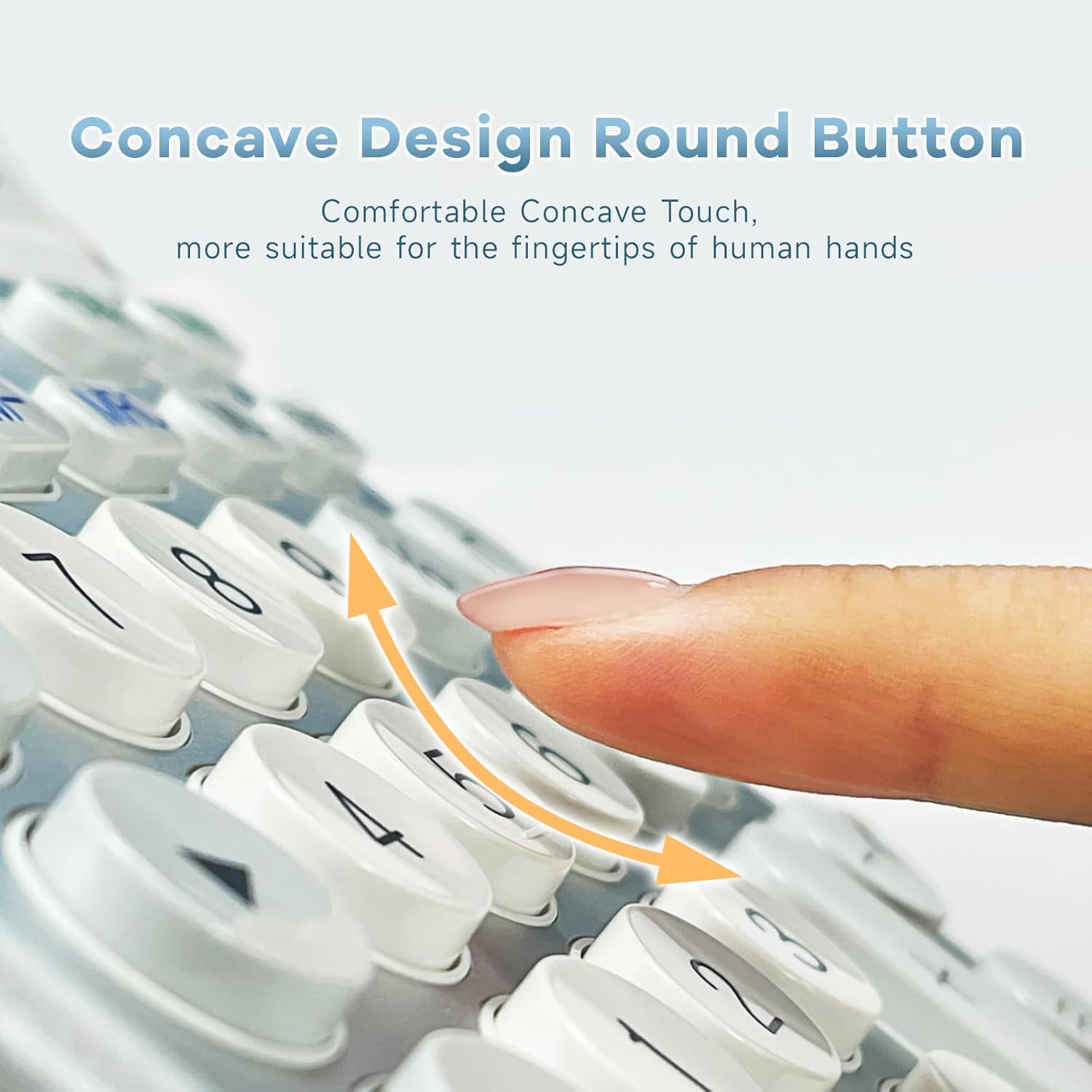
Сүрөт: жакын план view of the calculator's concave round buttons, designed for comfortable and precise finger placement during operation.

Image: A diagram illustrating the 30-degree ergonomic tilt of the calculator, showing how it provides an optimal viewing angle for users at a desk.
5.6 Окуу видеолору
Video: This video demonstrates the OSALO Desktop Calculator's large display, comfortable buttons, and solar power feature, showcasing its quick response and suitability for office and financial tasks.
Video: This video highlights the OSALO Calculator's large display, large buttons, and solar power capabilities, emphasizing its ease of use for various calculations.
6. Техникалык тейлөө
6.1 Тазалоо
Калькуляторду тазалоо үчүн анын бетин жумшак, кургак чүпүрөк менен акырын сүртүңүз. өжөр кир үчүн, бир аз гampen the cloth with water and mild soap, then wipe dry immediately. Avoid using abrasive cleaners, solvents, or spraying liquids directly onto the calculator.
6.2 Батареяга кам көрүү
If the calculator will not be used for an extended period, it is recommended to remove the LR44 battery to prevent leakage and potential damage to the device.
6.3 Сактоо
Калькуляторду салкын, кургак жерде, күндүн түз нурунан, өтө жогорку температурадан жана жогорку нымдуулуктан алыс сактаңыз. Аны күчтүү магниттик талаалардан алыс кармаңыз.
7. Кыйынчылыктарды
- Дисплей бош же күңүрт:
- Ensure sufficient light for solar power.
- Check if the LR44 battery is correctly installed and not depleted. Replace if necessary.
- Басыңыз AC баштапкы абалга келтирүү.
- Туура эмес эсептөөлөр:
- Басыңыз AC to clear all previous operations and memory.
- Verify the input sequence and numbers.
- Check if any memory functions (M+, M-, GT) are active and affecting the result.
- Ачкычтар жооп бербейт:
- Ensure the calculator is powered on.
- Бардык калдыктарды алып салуу үчүн баскычтардын айланасын тазалаңыз.
- If the issue persists, try replacing the battery.
8. Техникалык шарттар
| Өзгөчөлүк | Спецификация |
|---|---|
| Бренд | ОСАЛО |
| Модель аты | OS 8812T |
| Дисплей түрү | LCD |
| Дисплей өлчөмү | 12 Centimeter (approx. 4.7 inches) |
| Сандардын саны | 12 |
| Power Source | Күн жана Батарея |
| Батарея түрү | 1 x LR44 (кошулган) |
| Материалдын түрү | Металл, пластик |
| Продукциянын өлчөмдөрү | 18.9 x 14 x 0.1 см (7.44 x 5.5 x 0.04 дюйм) |
| Салмагы | 240 г |
| Түс | White & Silver |
9. Коопсуздук маалыматы
- Калькуляторду ажыратууга же өзгөртүүгө аракет кылбаңыз.
- Keep the calculator away from water and other liquids to prevent damage.
- Калькуляторду түшүрүп алуудан же катуу соккуга кабылтуудан алыс болуңуз.
- Батареяларды балдар жетпеген жерде сактаңыз. Эгер жутуп алса, дароо медициналык жардамга кайрылыңыз.
10. Кепилдик жана колдоо
For warranty information and customer support, please refer to the documentation provided with your purchase or contact OSALO customer service directly. Keep your proof of purchase for any warranty claims.