
Introduction
Thank you for choosing the Xmenha Mini Invisible Bluetooth Earbuds Y9. These earbuds are designed for discreet, comfortable listening, featuring a compact size and ergonomic fit suitable for small ears. This manual provides essential information for setting up, operating, maintaining, and troubleshooting your earbuds to ensure optimal performance and longevity.
Пакеттин мазмуну
- Xmenha Mini Invisible Bluetooth Earbuds (1 pair)
- Заряддоо кутусу
- USB заряддоо кабели
- User Manual
- Силикон кулакчындардын учтары (ар кандай өлчөмдөрдө)
Продукт бүттүview
The Xmenha Y9 earbuds are engineered for a low-profile fit and high-quality audio. Below are visual representations of the product and its key features.

Image: The Xmenha Y9 mini earbud is shown held by a finger, highlighting its exceptionally small and discreet design next to its charging case.

Сүрөт: жакын план view of a woman's ear demonstrates how the Xmenha Y9 earbud sits almost entirely within the ear canal, making it nearly invisible.

Image: A visual guide illustrating the simple one-step Bluetooth pairing process between the Xmenha Y9 earbuds and a smartphone.
Video: Official product video demonstrating the features and compact design of the Xmenha Y9 Mini Bluetooth Earbuds.
Жайгашуу
1. Кулакчындарды жана кутуну кубаттоо
Before first use, fully charge the earbuds and charging case. The charging case provides additional power for on-the-go use.
- Кулакчындарды кубаттоочу кутуга салыңыз. Кубаттоону баштоо үчүн алардын туура орнотулганын текшериңиз.
- USB кубаттоочу кабелди корпустагы кубаттоочу портко жана кубат булагына (мисалы, компьютердин USB портуна, дубал адаптерине) туташтырыңыз.
- Корпустагы индикатор жарыктары кубаттоо абалын көрсөтөт. Толук кубаттоо көрсөткүчү үчүн корпустун өзгөчө жарык үлгүлөрүн караңыз.
- A single charge provides approximately 4 hours of playback time. The fully charged case can extend total listening time to about 30 hours.

Image: This graphic illustrates the battery performance, showing 4-5 hours of playback on a single earbud charge and up to 30 hours total with the charging case.
2. Bluetooth Жупташтыруу
The earbuds feature automatic pairing for convenience.
- Биринчи жолу жупташтыруу: Заряддоо кутучасын ачыңыз. Кулакчындар автоматтык түрдө күйүп, жупташтыруу режимине өтөт.
- Түзмөгүңүздө (смартфон, планшет ж.б.) Bluetooth иштетиңиз жана жеткиликтүү түзмөктөрдү издеңиз.
- Select "Y9" from the list of available devices to connect. Once connected, you will hear a confirmation tone.
- Кийинки жупташтыруу: After the initial connection, the earbuds will automatically connect to the last paired device when removed from the charging case.
Иштөө нускамалары
1. Кулакчын тагынуу
For optimal sound quality and comfort, ensure the earbuds are properly seated in your ear canal.
- Сол (L) жана Оң (R) кулакчындарды аныктаңыз.
- Ар бир кулакчынды тиешелүү кулак каналына акырын киргизиңиз.
- Rotate the earbud slightly until it feels secure and comfortable. The ergonomic design is intended to fit snugly and discreetly.
- Experiment with different silicone eartip sizes to find the best fit for noise isolation and comfort.

Сүрөт: А тарап профессионалfile view showing the Xmenha Y9 earbud worn discreetly, demonstrating its low-profile дизайн.

Image: A man and woman are shown wearing the Xmenha Y9 invisible Bluetooth earbuds, highlighting their comfortable and discreet fit for various ear sizes.
2. Башкаруу элементтерине тийүү
The Xmenha Y9 earbuds feature intuitive touch controls on each earbud for managing audio playback and calls.
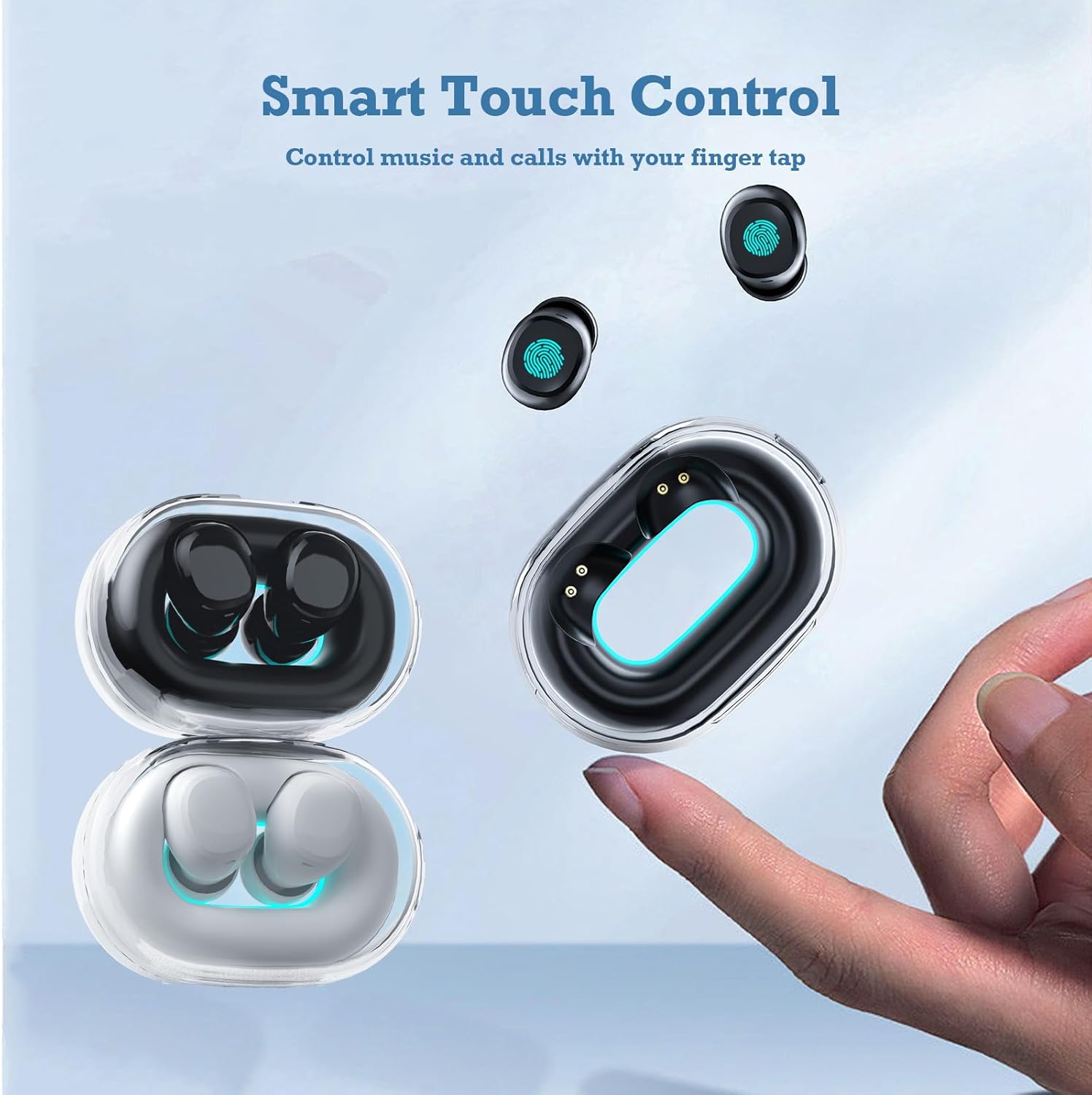
Image: A hand interacts with an Xmenha Y9 earbud, illustrating the smart touch control functionality for managing media and calls.
| Акция | Функция |
|---|---|
| Бир таптоо (Сол/Оң) | Музыка ойнотуу/тындыруу, Чалууга жооп берүү/аяктоо |
| Эки жолу таптаңыз (оңго) | Кийинки трек |
| Эки жолу таптаңыз (солго) | Мурунку трек |
| Үч жолу таптап (Сол/Оң) | Үн жардамчысын жандырыңыз |
| Узак басуу (2 секунд) | Чакырууну четке кагуу |
Техникалык тейлөө
1. Тазалоо
Үзгүлтүксүз тазалоо үн сапатын жана гигиенаны сактоого жардам берет.
- Кулакчындарды жана кубаттоочу кутуну сүртүү үчүн жумшак, кургак, түксүз чүпүрөктү колдонуңуз.
- өжөр кир үчүн, бир аз гampкездемени суу же жумшак, абразивдүү эмес тазалоочу каражат менен сүртүңүз. Тешиктерине суюктуктун киришинен сактаныңыз.
- Remove silicone eartips and clean them separately with water and mild soap, then dry thoroughly before reattaching.
- Катуу химиялык заттарды, спиртти же абразивдик материалдарды колдонбоңуз.
2. Сактоо
Proper storage extends the lifespan of your earbuds.
- Кулакчындарды коргоо жана кубаттоо үчүн колдонулбаган учурда аларды кубаттоо кутучасында сактаңыз.
- Store the case and earbuds in a cool, dry place, away from direct sunlight, extreme temperatures, and humidity.
Проблемаларды чечүү
If you encounter issues with your Xmenha Y9 earbuds, try the following solutions:
- Кулакчындар жупташкан жок: Ensure both earbuds are charged. Place them back in the case, close it, then open it again to re-enter pairing mode. Delete "Y9" from your device's Bluetooth list and try pairing again.
- Бир кулакчындан үн чыкпайт: Ensure both earbuds are charged. Try resetting the earbuds (refer to the full product manual if available for specific reset instructions). Re-pair with your device.
- Заряддоо маселелери: Check the charging cable and power source. Ensure the earbuds are correctly seated in the charging case. Clean the charging contacts on both the earbuds and the case.
- Үн сапаты начар: Ensure the earbuds are properly inserted and the correct size eartips are used for a good seal. Clean any debris from the earbud nozzles. Move closer to your connected device to avoid interference.
- Кулакчындардын түшүп калышы: Try different sizes of silicone eartips to find a more secure fit. Ensure they are inserted correctly as described in the "Wearing the Earbuds" section.
Техникалык шарттар
| Өзгөчөлүк | Деталь |
|---|---|
| Бренд | Xmenha |
| Модель номери | Xmenha-GWC-Y9-Black |
| Модель аты | AK57 |
| Түс | Dark Black |
| Кулак жайгаштыруу | Кулакта |
| Форма фактору | Кулакта |
| Noise Control | Үн изоляциясы |
| Байланыш технологиясы | Зымсыз (Bluetooth) |
| Bluetooth версиясы | 5.0 |
| Bluetooth диапазону | 10 метр |
| Башкаруу түрү | Noise Control |
| Башкаруу ыкмасы | Алыстан башкаруу (сенсордук) |
| Аудио драйвер түрү | Динамикалык драйвер |
| Жыштык диапазону | 20 Гц - 20 000 Гц |
| Коргоочу материал | Пластик |
| Сууга туруктуулук деңгээли | Суу өткөрбөйт |
| Battery Average Life (Single Charge) | 4 саат |
| Батареянын жалпы иштөө мөөнөтү (заряддоо кутусу менен) | 30 саатка чейин |
| Салмагы (наушник) | Approximately 0.71 ounces (total for both) |
| Өлчөмдөрү (кулакчын) | Болжол менен 0.3 x 0.2 x 0.5 дюйм |
Кепилдик жана колдоо
For detailed warranty information, please refer to the documentation included with your purchase or contact the retailer. If you require further assistance or have questions not covered in this manual, please reach out to Xmenha customer support through their official channels or the platform where you purchased the product.