
1. Киришүү
This manual provides detailed instructions for the installation, operation, and maintenance of your EZoneTronics RM-26VW93-2G32 9-inch Android 11 Car Stereo. This universal car radio is designed for various VW models including Passat, Golf MK5, Golf MK6, Jetta, T5, EOS, POLO, Touran, Seat, and Sharan. It features an Android 11 operating system, integrated CarPlay and Android Auto, Bluetooth 5.0, FM/RDS radio, and GPS navigation. Please read this manual thoroughly before using the product to ensure proper function and safety.
2. Коопсуздук маалыматы
- Аппаратты ар дайым жоопкерчиликтүү жана жергиликтүү жол мыйзамдарына ылайык иштетиңиз. Айдоолорду алаксытуу кырсыкка алып келиши мүмкүн.
- Do not attempt to install or repair the unit yourself if you are not qualified. Improper installation can cause damage to the vehicle's electrical system or the unit itself.
- Кыска туташуунун алдын алуу үчүн бардык зымдар туура туташтырылганын жана изоляцияланганын текшериңиз.
- Агрегатты суудан жана ашыкча нымдан алыс кармаңыз.
- Аппаратты экстремалдык температурага тийгизүүдөн сактаңыз.
3. Пакеттин мазмуну
Төмөндө тизмеленген нерселердин баары пакетиңизге камтылганын текшериңиз:
- 1 x EZoneTronics Android Car Stereo Unit
- 1 x GPS антеннасы
- 1 x VW Wiring Harness
- 1 x CANBUS Box
- 1 x Радио антенна адаптери
- 1 x USB адаптер
- 1 х Колдонуучунун колдонмосу (бул документ)
4. Продукт бүтүп калдыview
The EZoneTronics RM-26VW93-2G32 is a 9-inch universal car stereo designed to enhance your driving experience with advanced features and seamless integration. Key features include:
- Android 11 системасы: Provides a fast, stable, and user-friendly operating environment.
- 9-inch TFT Capacitive Touchscreen: High-definition display with 1280 x 720 pixels for clear visuals.
- Integrated CarPlay & Android Auto: Connect your smartphone via USB for navigation, music, calls, and messages.
- Bluetooth 5.0: For hands-free calling, phonebook access, and audio streaming (A2DP).
- GPS навигациясы: Built-in receiver compatible with various navigation apps like Waze, Navfree, and Google Maps.
- FM/RDS радиосу: Automatic memory and preset scanning for your favorite stations.
- Руль дөңгөлөктөрүн башкаруу колдоо: Retains original vehicle steering wheel control functionality via CANBUS.
- Мультимедиа ойноткуч: Supports various audio and video formats.
- Арткы камера киргизүү: Supports CVBS/AHD cameras for parking assistance.
- 32 ГБ флеш эстутум: Ample storage for music, map data, and videos.
- 4 x 45W Output Power: Так жана күчтүү аудиону камсыз кылат.
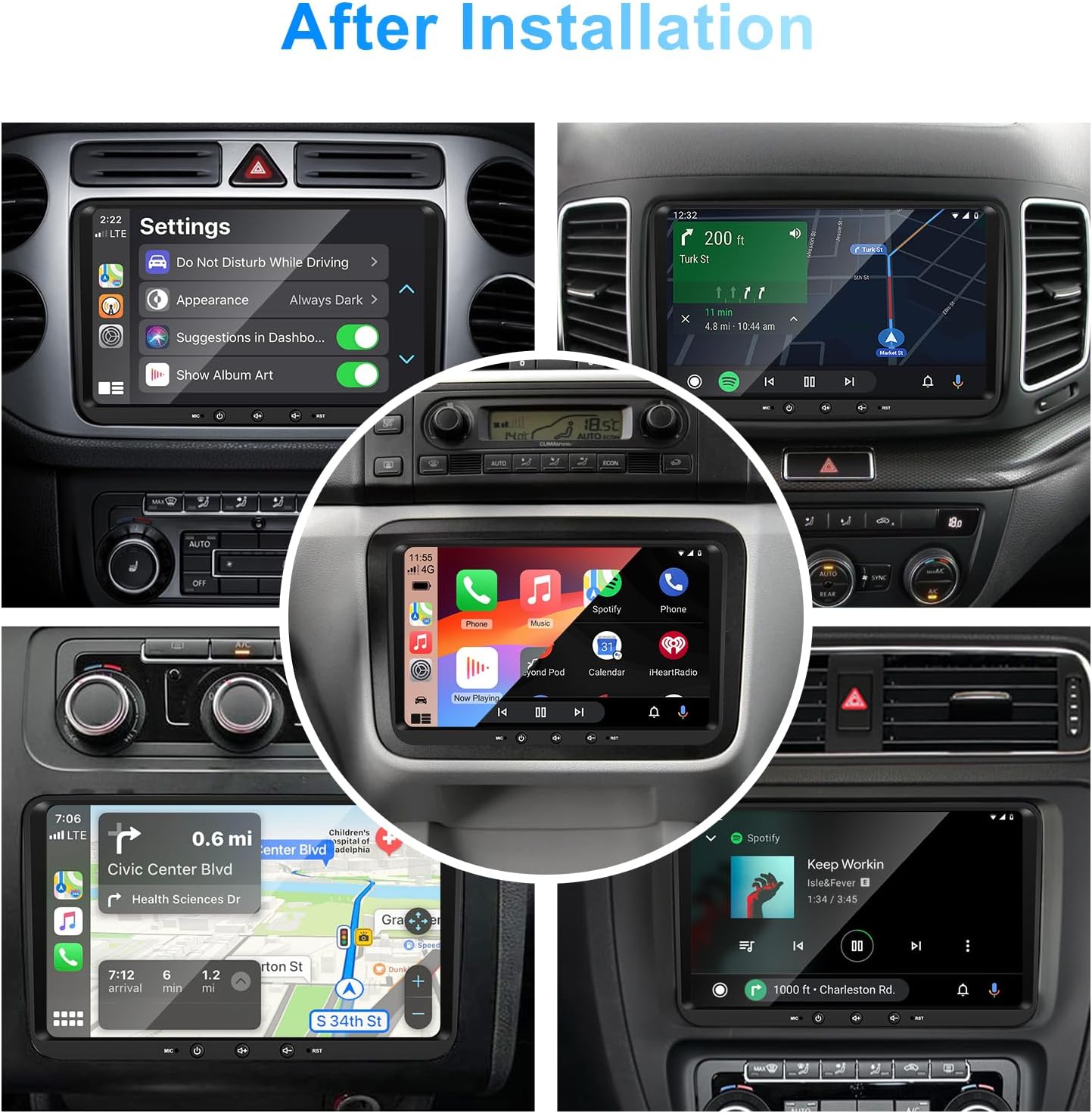
Сүрөт 1: Алдыңкы view of the EZoneTronics 9-inch Android 11 Car Stereo unit, showcasing its large touchscreen display and sleek design.
5. Орнотуу жана орнотуу
Кесиптик орнотуу сунушталат. Орнотууну баштоодон мурун унаанын кубаты өчүрүлгөнүн текшериңиз.
5.1 Электр өткөргүч схемасы
Refer to the following diagram for proper wiring connections. Each connector is labeled for clarity.

Image 2: Detailed wiring diagram illustrating connections for the power harness, CANBUS box, USB extension, backup camera video input, radio antenna adapter, and GPS antenna.
5.2 Орнотуу кадамдары (Жалпы)
- Баштапкы блокту алып салуу: Carefully remove your vehicle's existing car stereo unit and trim panels.
- Электр жабдыктарын туташтыруу: Connect the provided VW wiring harness to the vehicle's wiring and then to the car stereo unit. Ensure all connections are secure.
- Connect CANBUS Box: Integrate the CANBUS box as shown in the wiring diagram. This enables steering wheel controls and other vehicle data integration.
- GPS антеннасын туташтыруу: GPS антеннасын ачык жерге орнотуңуз view асмандын (мисалы, башкаруу панелинин же алдыңкы айнектин бурчун) тандап, аны түзмөккө туташтырыңыз.
- Радио антеннасын туташтыруу: Use the provided radio antenna adapter to connect the vehicle's radio antenna to the unit.
- Connect USB Adapters: Connect the USB extension harnesses for external USB devices.
- Кошумча туташуулар: Connect any optional accessories such as a backup camera (CVBS/AHD), external amplifier (RCA output), or additional video inputs/outputs.
- Сыноо функциясы: Before fully reassembling the dashboard, temporarily connect the unit and test all functions (power, audio, radio, GPS, Bluetooth, steering wheel controls, camera).
- Коопсуздук бирдиги: Once all functions are verified, secure the car stereo unit in the dashboard and reassemble all trim panels.
6. Иштөө нускамалары
This section details the primary functions and operations of your EZoneTronics car stereo.
6.1 Негизги операция
- Күйгүзүү/өчүрүү: Press and hold the power button (usually on the front panel) to turn the unit on or off. A short press typically mutes/unmutes audio.
- Үндү көзөмөлдөө: Use the physical volume knob or the on-screen controls to adjust the audio level.
- Сенсордук экран интерфейси: Navigate through menus and applications by tapping, swiping, and pinching on the 9-inch capacitive touchscreen.
6.2 Android 11 системасы
The unit runs on Android 11, providing a familiar smartphone-like experience. You can download and install various applications from the Google Play Store.

Image 3: Screenshot of the Android 11 system interface, showing various applications and media options available on the car stereo.
6.3 CarPlay жана Android Auto
Connect your iPhone or Android smartphone via USB to access CarPlay or Android Auto. This allows for safe and convenient use of phone features while driving.
- Байланыш: Connect your smartphone to one of the unit's USB ports using a certified USB cable.
- Жандандыруу: The unit should automatically detect and prompt you to launch CarPlay or Android Auto. Follow on-screen instructions.
- Өзгөчөлүктөрү: Access navigation, make calls, send/receive messages, and play music using voice commands (Siri or Google Assistant) or the touchscreen.

Image 4: Display showing the CarPlay interface with Siri voice commands and the Android Auto interface with Google Assistant commands, demonstrating smartphone integration.
6.4 GPS навигациясы
The unit includes a built-in GPS receiver and supports various navigation applications.
- Pre-installed Maps: Sygic Maps are typically pre-installed. For offline use, download regional map data as needed.
- Онлайн навигация: Connect to Wi-Fi or use a mobile hotspot to access real-time traffic information and online map services like Google Maps.
- External GPS Antenna: Ensure the external GPS antenna is properly connected and positioned for optimal signal reception.

Image 5: The car stereo displaying an online navigation map, showing a route and real-time traffic conditions within a vehicle dashboard.
6.5 Bluetooth 5.0
Connect your smartphone via Bluetooth for hands-free communication and audio streaming.
- Жупташтыруу: Enable Bluetooth on your smartphone and search for the car stereo (e.g., "EZoneTronics"). Select the device and confirm the pairing code.
- Hands Free Чалуу: Make and receive calls directly from the car stereo. Access your phonebook and recent call history.
- Аудио агымы (A2DP): Play music from your smartphone through the car stereo's speakers.

Image 6: The car stereo displaying music playback via Bluetooth 5.0, with a smartphone shown next to it also playing music, illustrating the wireless audio connection.
6.6 FM/RDS радиосу
Орнотулган FM/RDS тюнери менен жергиликтүү радиостанцияларга кириңиз.
- тюнинг: Use the on-screen controls to manually tune to frequencies or perform an automatic scan for available stations.
- Алдын ала орнотуулар: Тез жетүү үчүн сүйүктүү станцияларыңызды алдын ала коюлган баскычтарга сактаңыз.
- RDS (Radio Data System): Displays station information such as song title, artist, or program type where available.
6.7 Рулду башкаруу
The unit supports your vehicle's original steering wheel controls through the CANBUS box, allowing you to manage audio and other functions without taking your hands off the wheel.
- Функционалдык: Control volume, change tracks, answer calls, and switch modes directly from your steering wheel.
- Конфигурация: In some cases, steering wheel controls may require initial configuration in the unit's settings menu.

Image 7: Illustration showing a steering wheel with control buttons and corresponding icons on the car stereo display, indicating seamless integration of steering wheel controls.
6.8 Audio Settings (32-Band EQ)
Customize your audio experience with the built-in 32-band equalizer and other sound controls.
- Мадам: Үн чыгарууну өзүңүз каалагандай так жөндөө үчүн жыштык тилкелерин тууралаңыз.
- Preset EQ Modes: Select from various preset equalizer modes (e.g., Pop, Rock, Jazz, Classic).
- Фейдер / Баланс: Adjust the audio distribution between front/rear and left/right speakers.
- Үн: Enhance bass and treble at low volume levels.

Image 8: Screenshot of the car stereo's 32-band equalizer interface, showing adjustable frequency sliders and preset sound modes, along with a visual representation of sound distribution in a car cabin.
6.9 After Installation Overview
Once installed, the unit provides a comprehensive interface for various functions, including system settings, navigation, media playback, and vehicle information.
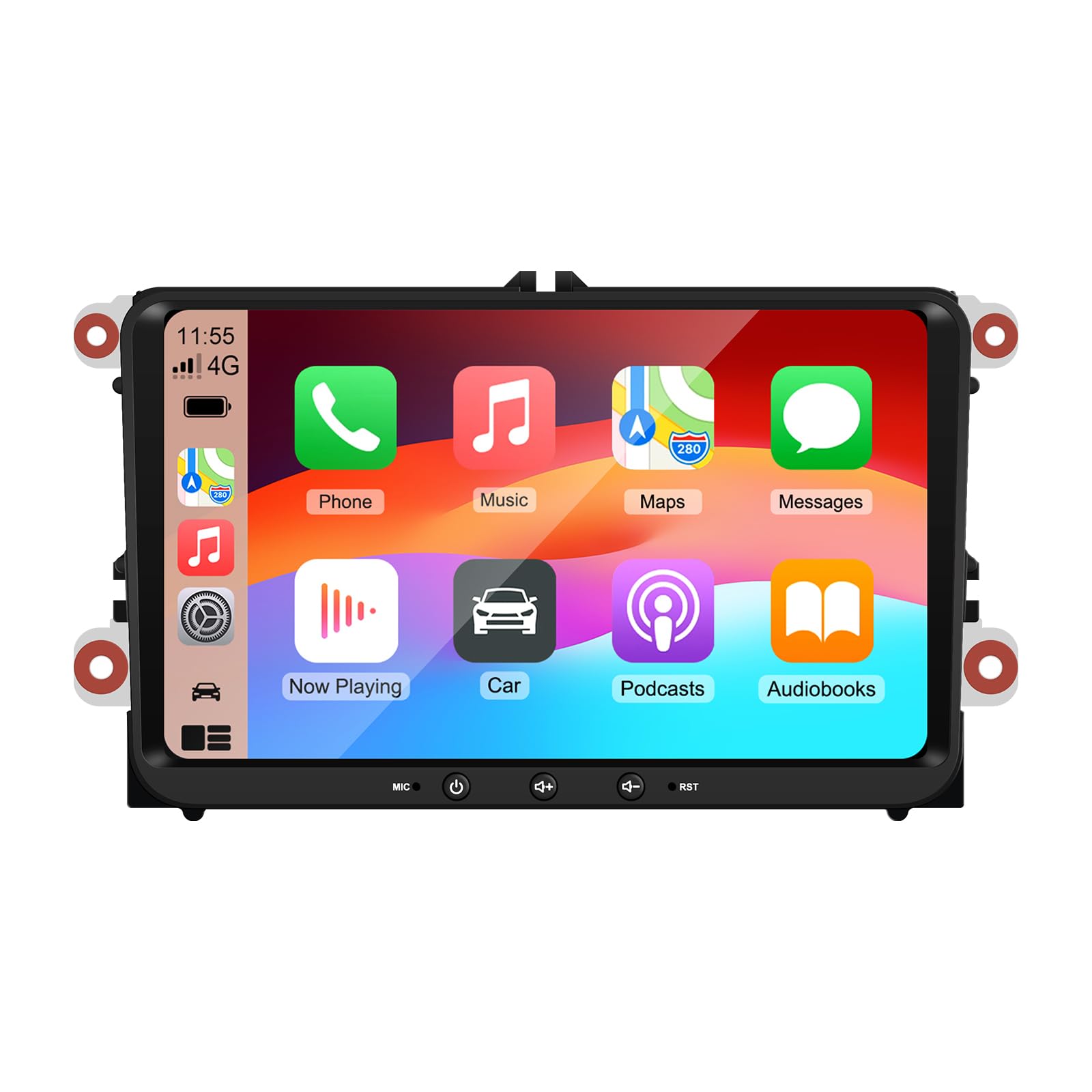
Image 9: A collage of various screen displays from the car stereo after installation, showing settings, navigation, CarPlay, Spotify, and vehicle information screens.
7. Техникалык тейлөө
- Экранды тазалоо: Сенсордук экранды акырын сүртүү үчүн жумшак, түксүз чүпүрөктү колдонуңуз. өжөр тактар үчүн, бир аз гampчүпүрөккө суу же экранды тазалоочу каражат. Катуу химиялык заттардан алыс болуңуз.
- Программалык камсыздоо жаңыртуулары: Periodically check for software updates through the unit's settings menu or the manufacturer's webоптималдуу аткарууну жана жаңы функцияларга жетүүнү камсыз кылуу үчүн сайт.
- Системаны баштапкы абалга келтирүү: If the unit experiences persistent issues, a factory reset option is available in the settings. Note that this will erase all user data and settings.
8. Кыйынчылыктарды
If you encounter problems with your EZoneTronics car stereo, refer to the following common issues and solutions:
| Көйгөй | Мүмкүн себеп | Чечим |
|---|---|---|
| Түзмөк күйбөйт. | Туура эмес зымдар; Сактагыч күйүп кеткен; Унаанын кубаттуулук көйгөйү. | Электр туташууларын жана сактагычтарды текшериңиз. Кесипкөй орнотуучуга кайрылыңыз. |
| Үн жок. | Volume muted; Speaker wiring incorrect; Ampкөтөргүч маселеси. | Check volume and mute settings. Verify speaker connections. |
| GPS сигналы жоголду же так эмес. | GPS антеннасы туура эмес орнотулган же ажыратылган. | GPS антеннасынын таза болушун текшериңиз view асмандын жана коопсуз байланышта. |
| Bluetooth жупташуусу болбой жатат. | Bluetooth not enabled on phone/unit; Incorrect pairing process. | Ensure Bluetooth is active on both devices. Restart pairing process. |
| Рулдун башкаруулары иштебейт. | CANBUS box not connected; Incorrect configuration. | Verify CANBUS box connection. Check steering wheel control settings in the unit. |
9. Техникалык шарттар
Technical specifications for the EZoneTronics RM-26VW93-2G32 car stereo:
| Өзгөчөлүк | Спецификация |
|---|---|
| Модель номери | RM-26VW93-2G32 |
| Операция системасы | Android 11 |
| Screen Size | 9 дюйм |
| Display Resolution | 1280 x 720 пиксель |
| Процессор | Quad Core 1.5G |
| RAM | 2G DDR4 |
| Ички сактагыч | 32 ГБ флеш эстутум |
| Bluetooth версиясы | 5.0 |
| Чыгуу күчү | 4 x 45 Вт (жалпысынан 180 Ватт) |
| Каналдардын саны | 2 |
| GPS кабыл алуучу | Built-in, with external antenna |
| Wi-Fi | Камтылган |
| USB киргизүү | 2 x Арткы USB |
| Камера киргизүү | CVBS/AHD compatible |
| Өндүрүүчү | Rhythm Electronics Limited |
10. Кепилдик жана колдоо
10.1 Кепилдик маалыматы
The EZoneTronics RM-26VW93-2G32 car stereo comes with a 1 жылдык кепилдик сатып алынган күндөн тартып. Бул кепилдик өндүрүштүк кемчиликтерди жана нормалдуу колдонуудагы бузулууларды камтыйт. Бул туура эмес орнотуу, туура эмес колдонуу, кырсыктар же уруксатсыз өзгөртүүлөрдөн келип чыккан зыянды камтыбайт.
10.2 Кардарларды колдоо
For technical assistance, warranty claims, or any questions regarding your product, please contact our customer support team:
- Электрондук почта: support@ezonetronics.com
When contacting support, please provide your product model number (RM-26VW93-2G32) and a detailed description of the issue.