
1. Киришүү
This manual provides detailed instructions for the installation, operation, and maintenance of your Luqeeg Digital Door Viewer. Please read this manual thoroughly before using the product to ensure proper function and safety. Keep this manual for future reference.
2. Продукциянын өзгөчөлүктөрү
- 2.4 дюймдук LCD дисплей: Provides a clear and vivid view of visitors at your door.
- 0.3MP Professional Camera: Captures crisp images for easy identification, even in low light conditions.
- 120° кең бурчтуу объектив: кенен сунуш кылат view of your doorstep, minimizing blind spots and enhancing security.
- Туруктуу цинк эритмесинин курулушу: Engineered for superior wear resistance and impact strength, preventing prying and smashing.
- Кош энергия менен камсыздоо: Operates using either 3 x 1.5V AAA batteries (not included) or a 5V 1A USB power source for continuous operation.
- Автоматтык дисплей активдештирүү: The screen automatically displays the outside view when the doorbell is pressed, providing convenience for all users.
3. Пакеттин мазмуну
Пакетте бардык буюмдар бар экенин текшериңиз:
- 1 x Digital Door Viewer Camera Unit
- 1 x Digital Door Viewer Monitor Unit
- 1 x Accessory Kit (includes 2 x Washers, 8 x Screws)
- 1 x User Manual
Note: AAA batteries and a small memory card are not included and must be purchased separately.
4. Продукт бүтүп калдыview
Familiarize yourself with the components of your Luqeeg Digital Door Viewэ.

Figure 4.1: Monitor Unit Components
- LCD экран: Түз эфирди көрсөтөт view камерадан.
- Monitoring/Power On/Off Button: Press to activate the screen or power the device on/off.
- USB интерфейси: For connecting a 5V 1A USB power source.
- Small Memory Card Slot: Insert a memory card (not included) for potential recording features (if supported by firmware).

Figure 4.2: Monitor Unit Rear View (Батарея бөлүмү)
- Батарея бөлүмү: Houses 3 x AAA batteries (not included).
5. Орнотуу боюнча колдонмо
The Luqeeg Digital Door Viewer is designed for simple installation, fitting standard door peephole holes without requiring special tools.
5.1 Даярдоо
- Ensure your door has an existing peephole or a suitable hole for installation.
- Gather necessary components: Camera unit, Monitor unit, washers, and screws.
- Prepare 3 x AAA batteries (not included) or a 5V 1A USB power source.
5.2 Орнотуу кадамдары

5.1-сүрөт: Орнотуу аяктадыview
- Step 1: Remove Existing Peephole (if applicable)
Carefully unscrew and remove any existing traditional peephole from your door. - Step 2: Insert Camera Unit
From the outside of the door, insert the camera unit through the peephole hole. Ensure the camera is facing outwards and is flush with the door surface. - Step 3: Secure Monitor Unit
From the inside of the door, connect the cable from the camera unit to the monitor unit. Align the monitor unit with the camera unit and secure it to the door using the provided screws and washers. Ensure the monitor is firmly attached and stable.
5.3 Аппаратты кубаттоо
- Батарея кубаттуулугу: Open the battery compartment on the back of the monitor unit and insert 3 x AAA batteries, observing correct polarity.
- USB Power: Connect a 5V 1A USB power adapter (not included) to the USB interface on the side of the monitor unit. This can serve as a backup or primary power source.
6. Иштөө нускамалары
6.1 Күйгүзүү/өчүрүү
- Күйгүзүү үчүн: Press and hold the Monitoring/Power On/Off button located below the LCD screen until the screen illuminates.
- Өчүрүү үчүн: Press and hold the Monitoring/Power On/Off button until the screen turns off.
6.2 Viewing Visitors
- Manual View: Press the Monitoring/Power On/Off button once to activate the screen and view the outside area. The screen will automatically turn off after a short period of inactivity to conserve power.
- Автоматтык View: When someone presses your doorbell (if connected and compatible, or if the device detects motion/sound, depending on model features), the screen will automatically activate and display the outside view.
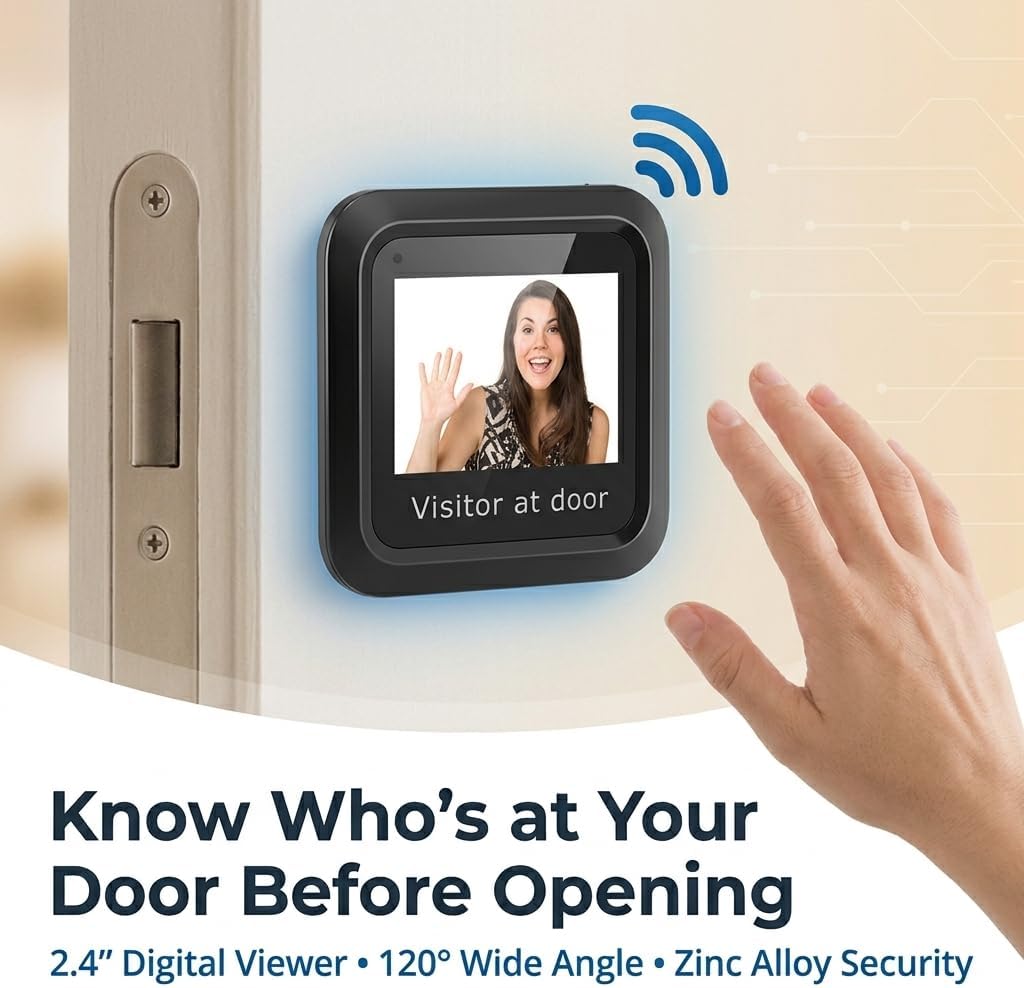
6.1-сүрөт: Viewing a Visitor
6.3 Memory Card Usage (Optional)
If your model supports recording and you have inserted a small memory card into the slot:
- Refer to the on-screen menu or additional documentation for specific instructions on how to initiate recording, view playback, or manage stored footage.
7. Техникалык тейлөө
- Тазалоо: Экранды жана камеранын линзасын тазалоо үчүн жумшак, кургак чүпүрөктү колдонуңуз. Абразивдүү тазалоочу каражаттарды же эриткичтерди колдонбоңуз.
- Батареяны алмаштыруу: When the battery indicator shows low power, replace all 3 AAA batteries simultaneously. Do not mix old and new batteries.
- Экологиялык шарттар: Аппарат экстремалдык температурага, күн нурунун түз нуруна узак убакытка же ашыкча нымдуулукка дуушар болбошун текшериңиз.
8. Кыйынчылыктарды
| Көйгөй | Мүмкүн себеп | Чечим |
|---|---|---|
| Түзмөк күйбөйт. | Төмөн же өлүп калган батарейкалар. Батареянын туура эмес полярдуулугу. USB power not connected or faulty. | Туура полярдуулукту камсыз кылуу менен батарейкаларды жаңысына алмаштырыңыз. Check USB cable and power adapter connection. |
| Screen is blank or blurry. | Камеранын линзасы кир. Poor connection between camera and monitor. Insufficient lighting outside. | Камера линзасын жумшак чүпүрөк менен тазалаңыз. Ensure the camera and monitor cables are securely connected. The device performs best in adequate lighting. |
| No image when doorbell is pressed. | Doorbell not connected or incompatible. Түзмөктүн жөндөөлөрү. | Verify doorbell connection and compatibility with the digital viewэ. Check device settings for automatic activation options. |
| Image quality is poor compared to expectations. | Environmental factors (e.g., glare, extreme darkness). Camera lens obstruction. | Камера объективинин таза жана тоскоолдуксуз экенин текшериңиз. Image quality may vary based on external lighting conditions. |
9. Техникалык шарттар
| Өзгөчөлүк | Деталь |
|---|---|
| Модель номери | Luqeegbupzxet1rs |
| Дисплей өлчөмү | 2.4 дюйм |
| Камеранын чечилиши | 0.3 мегапиксел |
| Viewбурч | 120 градус |
| Курулуш материалы | Цинк эритмеси |
| Электр камсыздоо | 3 x 1.5V AAA Batteries (not included) or 5V 1A USB |
| Элемент Салмагы | 8.1 унция |
| Пакеттин өлчөмдөрү | 7.87 x 4.72 x 1.97 дюйм |
| Камтылган компоненттер | 1 x Camera, 1 x Monitor, 1 x Accessory Kit (2 x Washers, 8 x Screws), 1 x Manual |
10. Колдоо
For any questions, technical assistance, or support regarding your Luqeeg Digital Door Viewer, please refer to the contact information provided with your purchase or visit the official Luqeeg website. Our customer support team is available to assist you.