
1. Продукт бүтүп калдыview
The VIMIN VM-S250501M is a 2.5G Web Managed Ethernet Switch designed for high-performance network environments. It features five 2.5 Gigabit RJ45 ports and one 10 Gigabit SFP+ port, providing flexible connectivity options for various devices. This switch supports multiple speeds (100Mbps, 1Gbps, 2.5Gbps) with intelligent auto-negotiation, making it suitable for 2.5G NAS, gaming PCs, WiFi 6 routers, and 4K video streaming. It incorporates essential Layer 2 management features such as Link Aggregation, IGMP Snooping, Quality of Service (QoS), and VLAN support, all accessible through a user-friendly web-based graphical interface.
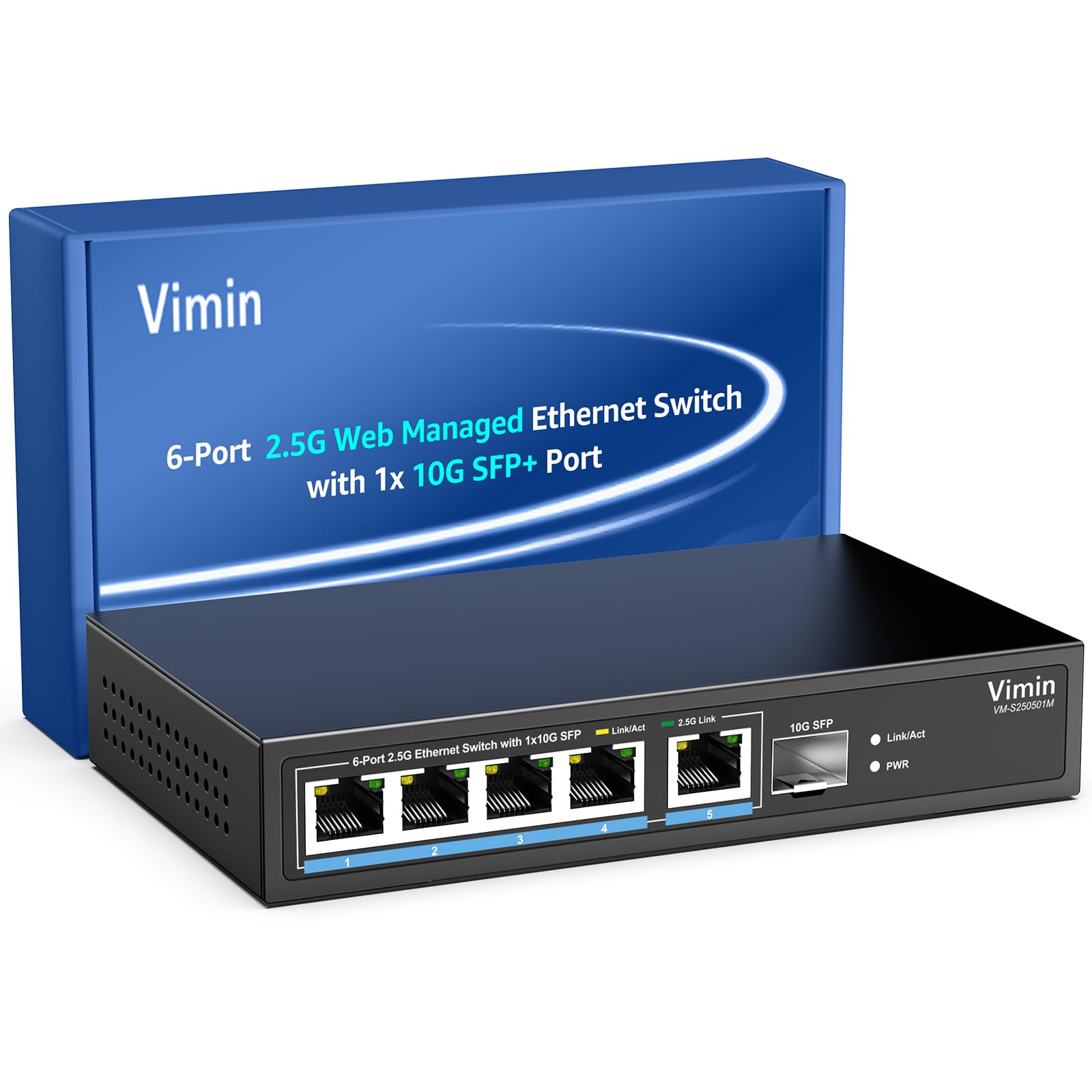
Сүрөт 1: Алдыңкы view of the VIMIN VM-S250501M switch, showing the 2.5G RJ45 ports, 10G SFP+ port, and LED indicators.

Figure 2: Illustration highlighting the durability, high compatibility, and versatility of the switch.
2. Орнотуу нускамалары
2.1 Пакеттин мазмуну
Пакетиңизге төмөнкү буюмдардын киргизилгенин текшериңиз:
- 1 x VIMIN VM-S250501M 2.5G Web Башкарылган Ethernet Switch
- 1 х кубат адаптери
- 1 x User Manual

Figure 3: The switch, power cable, and user manual are included in the package.
2.2 Физикалык орнотуу
The switch can be placed on a desktop or mounted on a wall. Ensure proper ventilation around the device.
- Иш тактада жайгаштыруу: Которгучту жалпак, туруктуу бетке коюңуз.
- Дубалга орнотуу: The switch features two mounting holes at the base for wall installation. Use appropriate screws (not included) to secure the device to a wall.
2.3 Кубатты туташтыруу
- Connect the power adapter to the DC 12V/1A power port on the rear panel of the switch.
- Кубат адаптеринин экинчи учун стандарттуу электр розеткасына сайыңыз.
- The Power LED indicator on the front panel will illuminate when the switch is powered on.
2.4 Тармактык түзүлүштөрдү туташтыруу
Connect your network devices (e.g., computers, NAS, routers, access points) to the switch using appropriate Ethernet cables.
- RJ45 порттору (1-5): Use Category 5e (Cat5e) or Category 6 (Cat6) UTP cables for optimal performance with 1G/2.5G connections. For 100Mbps, Cat5 cables are sufficient.
- SFP+ порту (6): Insert a compatible 1G/2.5G/10G SFP+ optical fiber module (not included) into the SFP+ slot, then connect a fiber optic cable.

Figure 4: Illustrates connecting devices to the switch and recommended cable types for different speeds.
3. Которгучту иштетүү
3.1 LED көрсөткүчтөрү
Алдыңкы панелдеги LED индикаторлору реалдуу убакыт режиминдеги абал жөнүндө маалымат берет:
- 5*2.5G Ports (RJ45):
- Yellow: Indicates a 10/100/1000Mbps link or activity.
- Green: Indicates a 2.5Gbps link.
- 1*10G SFP (SFP+ Port):
- Green: Indicates a 1G/2.5G/10G link.
- Flashing: Indicates data transmission.
- PWR (кубат):
- Күйүк: түзмөк күйгүзүлгөн.
- Өчүк: түзмөк өчүк.

Figure 5: Detailed explanation of the LED indicators on the switch.
3.2 Кирүү Web Башкаруу интерфейси
The switch can be configured and managed via a web- негизделген графикалык колдонуучу интерфейси (GUI).
- Компьютериңиз коммутатордун RJ45 портторунун бирине туташкандыгын текшериңиз.
- ачуу а web браузер (мисалы, Chrome, Firefox, Edge).
- In the address bar, enter the default IP address: 192.168.1.199.
- Press Enter. A login page will appear.
- Enter the default username and password:
- Колдонуучунун аты: админ
- Купуя сөз: админ
- Click "Log In" to access the management interface.
Коопсуздук максатында баштапкы логинден кийин демейки сырсөздү өзгөртүү сунушталат.

6-сүрөт: Сүрөттүн скриншоту web management interface login page.
3.3 Basic Management Features
The web interface provides access to various Layer 2 management functions:
- Шилтемелерди бириктирүү: Combine multiple physical links into a single logical link for increased bandwidth and redundancy. Supports static link aggregation.
- Jumbo Frame: Support for larger Ethernet frames (up to 12KB) to improve network efficiency for large data transfers.
- VLAN (Virtual Local Area Network): Segment your network into smaller, isolated broadcast domains. Supports up to 32 VLANs (on 4K VLAN IDs), MTU/Port/802.1Q VLAN.
- Кызматтын сапаты (QoS): Prioritize network traffic to ensure critical applications receive sufficient bandwidth. Supports port-based, 802.1p, and DSCP priority, with 4 priority queues, rate limiting, and storm control.
- IGMP Snooping: Көп каналдуу трафикти жеткирүүнү оптималдаштырыңыз, бардык портторго көп каналдуу пакеттердин керексиз агып кетишинин алдын алыңыз.
- Порт чагылдыруу: Тармакты көзөмөлдөө жана талдоо үчүн бир же бир нече булак портунан трафикти көздөгөн портко көчүрүңүз.
- Кабелдик тест: A diagnostic tool to check the status and length of connected Ethernet cables.

Figure 7: ашыкview of the basic management features available through the web интерфейс.
4. Техникалык тейлөө
4.1 Жалпы кам көрүү
- Keep the switch in a cool, dry environment, away from direct sunlight, heat sources, and moisture.
- Ашыкча ысып кетүүнүн алдын алуу үчүн түзмөктүн айланасында жетиштүү аба айланышын камсыз кылыңыз.
- Clean the exterior of the switch with a soft, dry cloth. Do not use liquid cleaners or aerosols.
4.2 Микропрограмма жаңыртуулары
Periodically check the VIMIN official webмикропрограммалык камсыздоону жаңыртуу сайты. Микропрограммалык камсыздоону жаңыртуу жаңы функцияларды, иштин натыйжалуулугун жана коопсуздукту жакшыртууларды камсыз кыла алат. Микропрограммалык камсыздоону жаңыртуу топтому менен берилген көрсөтмөлөрдү кылдаттык менен аткарыңыз.
4.3 Аппаратты баштапкы абалга келтирүү
If the switch is not functioning correctly or you forget the login credentials, you can reset it to factory default settings. Locate the "Reset" button on the rear panel of the switch. With the switch powered on, use a paperclip or a similar pointed object to press and hold the Reset button for approximately 5-10 seconds until the LEDs flash, then release. The switch will restart with factory default settings.
5. Кыйынчылыктарды
5.1 Күч жок
- Кубат адаптери өчүргүчкө да, иштеп жаткан электр розеткасына да бекем туташтырылганын текшериңиз.
- Башка аспапка сайып, розетка иштеп жатканын текшериңиз.
- Электр адаптеринде көрүнгөн зыяндын бар-жоктугун текшериңиз.
5.2 No Link/Connectivity
- Check the Ethernet cables connected to the switch and your devices. Ensure they are securely plugged in and not damaged.
- Verify the Link/Act LEDs on the switch for the connected ports. If they are off, there might be a cable issue or the connected device is not powered on/configured correctly.
- Try using a different Ethernet cable or port.
- Ensure the connected device's network adapter is enabled and configured correctly.
5.3 Тармактын ылдамдыгы жай
- Ensure you are using Cat5e or Cat6 cables for 1G/2.5G connections. Lower category cables may limit speed.
- Check the Link/Act LED color for the connected port. A yellow LED on a 2.5G port indicates a 1G or lower connection.
- Verify that your connected devices (e.g., network card, NAS) support 2.5G or 10G speeds.
- Тармагыңызда тармактын тыгынын же трафиктин көптүгүн текшериңиз.
- Consider updating the switch firmware.
5.4 Кирүү мүмкүн эмес Web Интерфейс
- Ensure your computer is on the same network segment as the switch. The default IP is 192.168.1.199, so your computer's IP should be in the 192.168.1.x range (e.g., 192.168.1.100) with a subnet mask of 255.255.255.0.
- Verify that the Ethernet cable is properly connected and the Link/Act LED is on.
- Браузериңиздин кэшин тазалаңыз же башка браузерди колдонуп көрүңүз.
- If you have changed the switch's IP address and forgotten it, or forgotten the login password, perform a factory reset (refer to Section 4.3).
6. Техникалык шарттар
| Модел | VM-S250501M |
| Стандарттар | IEEE 802.3/802.3u/802.3ab/802.3bz/802.3x/802.3cb |
| Порттар | 5 x 10/100/1000/2500 Mbps RJ45, 1 x 10G SFP+ slot |
| Switching Capacity | 45 Гбит/сек |
| MAC дарек таблицасы | 4K |
| Пакетти жөнөтүү ылдамдыгы | 33.48 Mpps |
| Jumbo Frame | 12 KB |
| Пакет буфери | 8 Мбит |
| Электр камсыздоо | 12V/1A DC |
| Network Cable (Max 100m) |
|
| Монтаждоо ыкмасы | Desktop and Wall Mount |
| Иштөө температурасы | 0℃ ~ 45℃ (32℉ ~ 113℉) |
| Сактоо температурасы | -40℃ ~ 70℃ (-40℉ ~ 158℉) |
| Иштөө нымдуулугу | 10% ~ 90% конденсацияланбайт |
| Сактоочу нымдуулук | 5% ~ 95% конденсацияланбайт |
| Салмагы | 380 г |
| Өлчөмдөрү (L x W x Y) | 160 x 95 x 30 мм (6.3 x 3.7 x 1.2 дюйм) |
| Турак жай материалы | Металл |
| Түс | Кара |
7. Кепилдик жана колдоо
7.1 Продукциянын кепилдиги
The VIMIN VM-S250501M 2.5G Web Managed Ethernet Switch comes with a бир жылдык кепилдик сатып алынган күндөн тартып. Бул кепилдик өндүрүштүк кемчиликтерди камтыйт жана өнүм нормалдуу колдонууда белгиленген аткаруу стандарттарына жооп берерин камсыздайт. Кепилдик дооматтары үчүн сатып алганыңыздын далилин сактап коюңуз.
7.2 Техникалык колдоо
VIMIN provides өмүр бою техникалык колдоо for this product. If you encounter any issues or have questions regarding the setup, operation, or troubleshooting of your switch, please contact our support team.
Байланыш маалыматы:
- Электрондук почта: support@vimintech.com
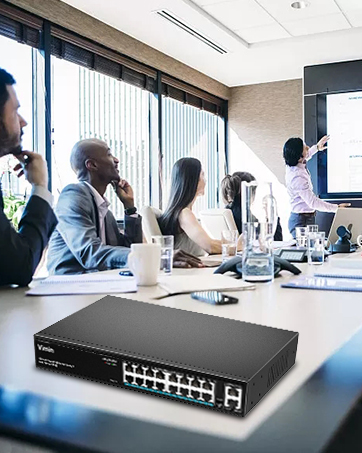
Figure 8: VIMIN support information, including email contact.