
NGS Roller Furia 2
NGS Roller Furia 2 Portable Bluetooth Speaker User Manual
Model: Roller Furia 2 | Brand: NGS
1. Киришүү
Thank you for choosing the NGS Roller Furia 2 Portable Bluetooth Speaker. This manual provides essential information for the safe and efficient use of your device. Please read it carefully before use and retain it for future reference.
2. Коопсуздук маалыматы
- Динамикти өтө жогорку температурага же түз күн нуруна дуушар кылбаңыз.
- Спикерди түшүрүүдөн же катуу таасирлерге дуушар кылуудан качыңыз.
- Динамикти медициналык шаймандардан алыс кармаңыз.
- Динамикти өз алдынча ажыратууга же оңдоого аракет кылбаңыз. Квалификациялуу тейлөө кызматкерлерине кайрылыңыз.
- Ensure the charging port cover is securely closed when near water to maintain IPX7 waterproofing.
3. Пакеттин мазмуну
Пакет төмөнкү нерселерди камтыйт:
- NGS Roller Furia 2 Portable Bluetooth Speaker
- USB Type-C кубаттоочу кабель
- Колдонуучунун Колдонмосу (бул документ)
4. Продукциянын өзгөчөлүктөрү
- Bluetooth 5.3 туташуусу: Advanced and stable wireless connection for music streaming.
- Күчтүү үн: 30W output for high-quality audio.
- IPX7 Суу өткөрбөйт: Can be submerged up to 1 meter for 30 minutes.
- Чыныгы зымсыз стерео (TWS): Pair two Roller Furia 2 speakers for enhanced sound.
- Бир нече ойнотуу параметрлери: Bluetooth, USB port, TF card slot, and 3.5mm AUX input.
- Батареянын узак иштөө мөөнөтү: Үн көлөмүнүн 50% менен 9 саатка чейин ойнотуу.
- Интегралдык башкаруу каражаттары: Easy music control directly from the speaker.
- LED жарыктары: Party mode with dynamic LED lighting.
5. Башкаруу элементтери жана байланыштар
Динамиктин башкаруу элементтери жана туташтыруу порттору менен таанышып алыңыз.

Image: Top controls and side connection panel of the NGS Roller Furia 2 speaker.
5.1. Top Controls
- Кубат баскычы: Күйгүзүү/өчүрүү үчүн басып кармап туруңуз. Ойнотуу/тындыруу үчүн кыска басыңыз.
- Үнүн жогорулатуу (+): Үнүн жогорулатуу.
- Үнүн төмөндөтүү (-): Үнүн азайтуу.
- Режим баскычы: Switch between Bluetooth, AUX, USB, and TF card modes.
- LED жарык баскычы: Change LED light modes or turn off lights.
5.2. Туташуу порттору

Сүрөт: деталдуу view of the connection ports on the NGS Roller Furia 2 speaker, including AUX, USB, and Micro SD slots.
- AUX киргизүү (3.5 мм уяча): 3.5 мм аудио кабелин колдонуу менен тышкы аудио түзмөктөрдү туташтырыңыз.
- USB киргизүү: Connect a USB flash drive for MP3 playback (up to 32GB).
- TF карта уячасы (Micro SD): Insert a TF/Micro SD card for MP3 playback (up to 32GB).
- USB Type-C заряддоо порту: Connect the provided USB-C cable for charging.
6. Орнотуу
6.1. Баштапкы төлөм
Before first use, fully charge the speaker. Connect the USB Type-C cable to the speaker's charging port and the other end to a USB power adapter (not included) or a computer's USB port. The LED indicator will show charging status.
6.2. Күйгүзүү/өчүрүү
Кубат баскычын басып, кармап туруңуз (ⓘ) for approximately 3 seconds to turn the speaker on or off.
7. Иштөө нускамалары
7.1. Bluetooth Жупташтыруу
- Динамикти күйгүзүңүз. Ал автоматтык түрдө Bluetooth жупташтыруу режимине кирет, жаркыраган LED менен көрсөтүлгөн.
- Смартфонуңузда, планшетиңизде же башка түзмөгүңүздө Bluetooth'ду иштетиңиз.
- Издөө "NGS Roller Furia 2" in the list of available Bluetooth devices.
- Select it to connect. Once connected, you will hear a confirmation sound, and the LED will stop flashing.
- The speaker will automatically reconnect to the last paired device when turned on, if available.
7.2. Чыныгы зымсыз стерео (TWS) функциясы
To pair two NGS Roller Furia 2 speakers for a stereo sound experience:
- Ensure both speakers are turned on and not connected to any Bluetooth device.
- On one speaker (this will be the primary speaker), press and hold the TWS button (often indicated by a Wi-Fi-like symbol or two interlocking circles) for 2-3 seconds.
- Негизги динамик кошумча динамикти издейт. Туташтырылгандан кийин, сиз ырастоо үнүн угасыз.
- Now, connect your Bluetooth device to the primary speaker as described in section 7.1. Both speakers will play audio in stereo.
7.3. Playing Music from USB/TF Card
- Insert a USB flash drive or TF/Micro SD card (with MP3 fileс) тиешелүү портко.
- The speaker will automatically switch to USB/TF card mode and begin playing music. If not, press the Mode button to select the correct input.
7.4. AUX киргизүү
- 3.5 мм аудио кабелинин бир учун (киргизилген эмес) динамиктеги AUX киргизүү портуна туташтырыңыз.
- Экинчи учун тышкы түзмөгүңүздүн (мисалы, MP3 ойноткуч, компьютер) аудио чыгышына туташтырыңыз.
- The speaker will automatically switch to AUX mode. If not, press the Mode button to select AUX input.
7.5. LED жарык режимдери
Press the LED Light button to cycle through different light modes or turn the lights off. The speaker features dynamic LED lighting for a party atmosphere.
Video: Demonstrates the NGS Roller Furia series features, including LED lights, TWS pairing, robust design, waterproofing, various connection options, and battery life.
8. Заряддоо
When the battery is low, the speaker will indicate this with an audible alert or LED behavior. Connect the USB Type-C cable to the speaker and a power source to recharge. A full charge takes approximately 3-4 hours. The speaker can be used while charging.
9. Техникалык тейлөө
- Динамикти жумшак, кургак чүпүрөк менен тазалаңыз. Абразивдүү тазалагычтарды же эриткичтерди колдонбоңуз.
- Динамикти узак убакытка колдонбогондо салкын, кургак жерде сактаңыз.
- Ensure the charging port cover is sealed when not charging, especially in wet environments.
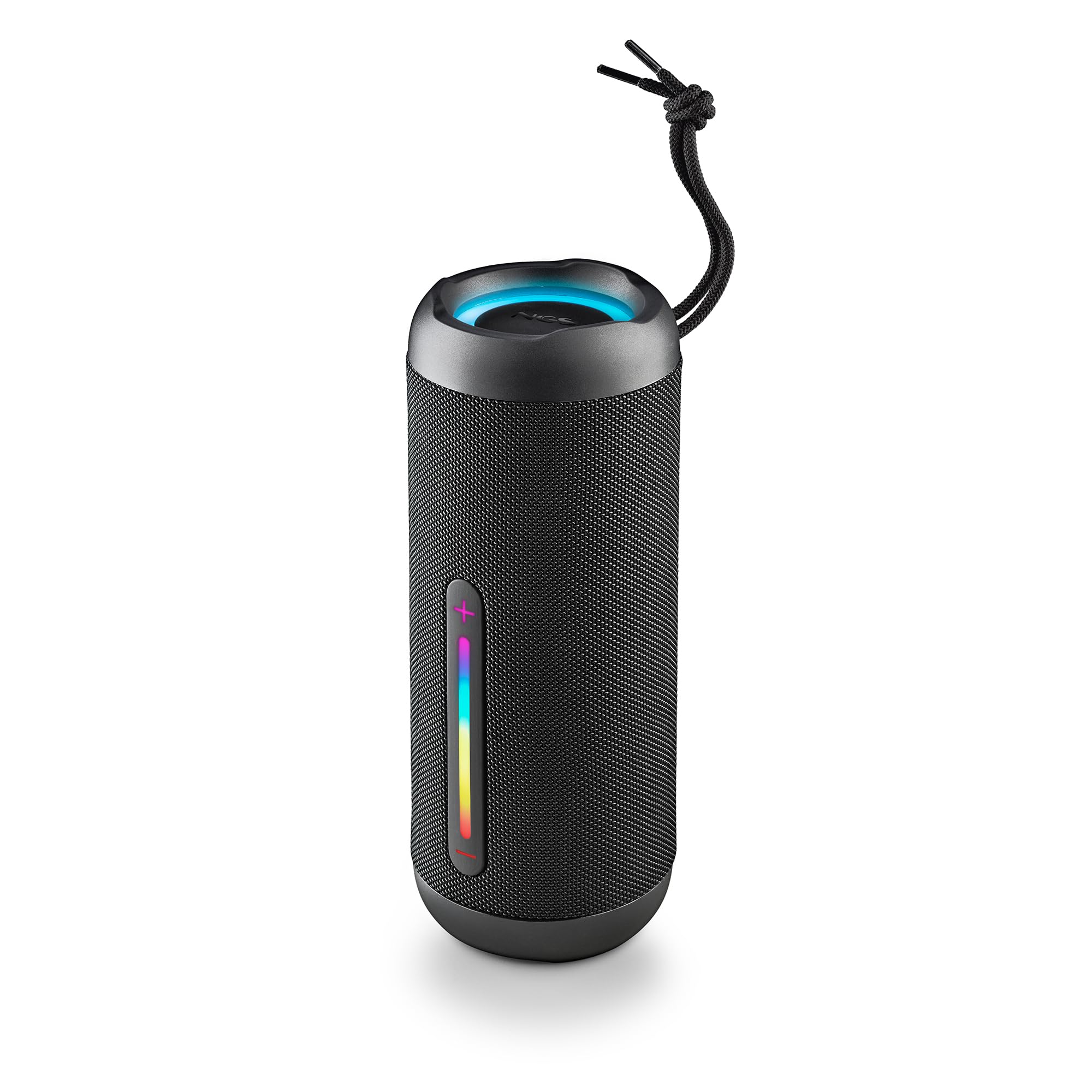
Image: The NGS Roller Furia 2 speaker demonstrating its IPX7 water resistance by being partially submerged in water.
10. Кыйынчылыктарды
| Көйгөй | Мүмкүн чечим |
|---|---|
| Динамик күйбөйт. | Батарея заряддалганын текшериңиз. Кубат булагына туташып, кайра аракет кылыңыз. |
| Bluetooth аркылуу жупташтыруу мүмкүн эмес. | Динамик жупташтыруу режиминде экенин текшериңиз. Түзмөгүңүздөгү Bluetooth'ту өчүрүп, кайра иштетиңиз. Динамикке башка түзмөктөр туташпаганын текшериңиз. Динамикке жакыныраак жылыңыз. |
| Үн жок. | Check volume levels on both the speaker and your connected device. Ensure the correct input mode (Bluetooth, AUX, USB, TF) is selected. |
| TWS жупташтыруу ишке ашпай калды. | TWS жупташтырууну баштоодон мурун, эки динамик тең башка Bluetooth түзмөгүнө туташпаганын текшериңиз. Эки динамикти тең баштапкы абалга келтирип көрүңүз. |
11. Техникалык шарттар
| Өзгөчөлүк | Деталь |
|---|---|
| Модель аты | Roller Furia 2 Black |
| Модель номери | ELEC-SPK-0871 |
| Бренд | NGS |
| Байланыш технологиясы | Bluetooth 5.3, AUX, USB, TF картасы |
| Динамик чыгаруу күчү | 30W (RMS) |
| Сууга туруктуулук деңгээли | IPX7 (Суу өткөрбөйт) |
| Батарея түрү | 2 Литий-ион (кошулган) |
| Батарея сыйымдуулугу | 7.4V/2500mAh |
| Ойнотуу убактысы | 9 саатка чейин (50% көлөмдө) |
| Bluetooth диапазону | 10 метрге чейин |
| Өлчөмдөрү (L x W x Y) | 7.4 x 7.4 x 19.4 см |
| Салмагы | 712 грамм |
| Шайкеш түзмөктөр | MP3 Player, Laptop, Projector, Smartphone, Tablet, TV |
12. Кепилдик жана колдоо
Бул продукт менен келет 2 жылдык чектелген кепилдик сатып алынган күндөн тартып. Кепилдик дооматтары үчүн сатып алганыңыздын далилин сактап коюңуз.
For technical support or warranty inquiries, please visit the official NGS webсайтына кириңиз же жергиликтүү сатуучуңузга кайрылыңыз.
Ask a question about this manual
Ask about setup, troubleshooting, compatibility, parts, safety, or missing instructions. Manuals+ will review the question and use this page’s manual context to help answer it.