
WalkerFit SW205-A1PRO
WalkerFit Smart Watch for Men User Manual
Model: SW205-A1PRO
1. Киришүү
Thank you for choosing the WalkerFit Smart Watch for Men. This 1.84-inch big screen fitness watch is designed to enhance your daily life with features like heart rate monitoring, sleep tracking, stress management, and a wide array of sports modes. It offers seamless connectivity with Android phones and iPhones, ensuring you stay connected and informed. This manual provides detailed instructions to help you get the most out of your new smartwatch.

Image: The WalkerFit Smart Watch displaying its main interface and call functions.
2. Пакеттин мазмуну
Бардык нерселер бар экенин текшерүү үчүн кутучаны белгилеңиз:
- Акылдуу саат x 1
- Колдонуучунун колдонмосу x 1
- х 1 кабелин түзүлүшү
3. Баштоо
3.1 Аппаратты заряддоо
Биринчи жолу колдонуудан мурун, акылдуу саатыңызды толугу менен кубаттаңыз. Магниттик кубаттоочу кабелди сааттын арткы жагындагы кубаттоочу чекиттерге туташтырып, USB учун кубат адаптерине (кошулмага кирбейт) же компьютердин USB портуна сайыңыз.
- Заряддоо убактысы: Болжол менен 2.5 саат
- Active Usage: Up to 7 days
- Күтүү убактысы: 25 күнгө чейин

Image: The WalkerFit Smart Watch being charged, highlighting its fast charging and extended battery life.
3.2 Колдонмону орнотуу жана жупташтыруу
- Scan the QR code in the manual or search for the companion app (e.g., 'FitCloudPro' or similar, check manual for exact name) on your smartphone's app store (Google Play Store for Android, Apple App Store for iOS).
- Колдонмону орнотуп, суралса каттоо эсебин түзүңүз.
- Смартфонуңузда Bluetooth'ду иштетиңиз.
- Open the app, navigate to 'Device' or 'My Device', and select 'Add Device'.
- Select 'SW205-A1PRO' or the corresponding device name from the list to pair. Follow the on-screen prompts to complete the pairing process.
3.3 Саат тагынуу
Wear the watch comfortably on your wrist, about one finger's width from your wrist bone. Ensure the sensor on the back of the watch is in contact with your skin for accurate health monitoring.
4. Негизги операция
4.1 Интерфейсте навигация
The WalkerFit Smart Watch features a vibrant 1.84-inch touchscreen. Swipe left, right, up, or down to access different functions and menus. The side button typically serves as a power button or a return-to-home button.
4.2 Чалууларды кабыл алуу жана кабыл алуу
The watch is equipped with a built-in speaker and microphone, allowing you to handle calls directly from your wrist via Bluetooth 5.3 connection to your smartphone.
- Чалууларды жасоо: Access the phone function on the watch to view recent calls, use a dial pad, or access contacts (synced from your phone).
- Чалууларды кабыл алуу: When a call comes in, the watch will display the caller ID. You can answer, reject, or mute the call directly from the watch screen.

Image: Bluetooth 5.3 connectivity features, including call handling and notifications.
4.3 Билдируулер
Stay synchronized with your iPhone or Android phone for real-time notifications from social media, texts, and apps like Facebook, WhatsApp, and Twitter. Ensure notification permissions are enabled in the companion app and your phone settings.
4.4 Сааттын жүзүн ыңгайлаштыруу
Personalize your watch by changing the watch face. Long press on the current watch face to access available options. You can also customize styles through the smartphone app, with numerous digital and analog options available.
5. Ден соолук мониторингинин өзгөчөлүктөрү
The WalkerFit Smart Watch provides continuous 24/7 health monitoring to help you track your well-being.

Image: The watch's health sensors and examples of health data graphs.
5.1 Жүрөктүн кагышын көзөмөлдөө
Monitor your heart rate throughout the day. The watch provides real-time heart rate data, which can be viewed on the watch or in the app for historical trends.
5.2 Уйкунун мониторинги
The watch automatically tracks your sleep patterns, including deep sleep, light sleep, and awake times. Review your sleep quality and duration in the app to improve your rest.
5.3 Stress Tracking
The watch can help monitor your stress levels, providing insights into your mental well-being. Refer to the app for detailed stress data and trends.
5.4 Pedometer and Activity Tracking
The built-in pedometer accurately tracks your daily walking steps and miles. It also monitors calories burned and active time, serving as an indispensable health companion.
5.5 Female Health Tracking
The watch supports period tracking, allowing users to log and predict menstrual cycles through the companion app.
6. Спорт режимдери
Pursue your fitness goals with over 120 sports modes available on this activity tracker. The watch can track various metrics depending on the sport, including calories, steps, time, and distances.
- Setting Workout Targets: Set specific goals for your workouts within the watch or app.
- Суу өткөрбөйт дизайн: The watch's waterproof design makes it suitable for various exercise routines, including those involving sweat or light water exposure.

Image: The watch's sports tracking interface and various sport mode icons.
7. Additional Smart Functions
The WalkerFit Smart Watch offers several convenient functions to enhance your daily experience.
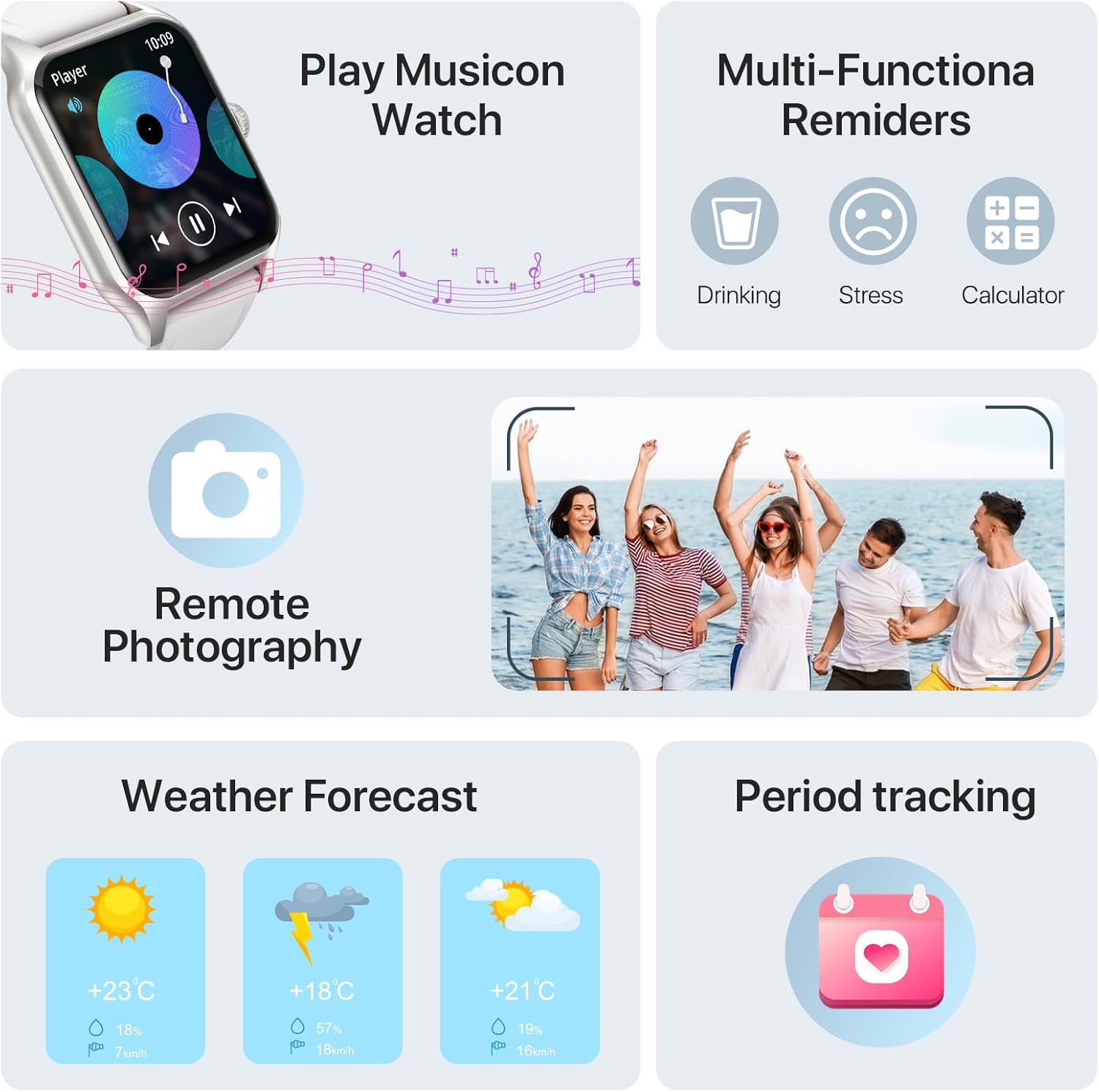
Image: Various smart functions including music control, reminders, remote camera, weather, and period tracking.
7.1 Музыкалык башкаруу
Control music playback on your smartphone directly from your watch. Play, pause, skip tracks, and adjust volume without needing to take out your phone.
7.2 Алыстан башкаруу камерасы
Use your watch as a remote shutter for your smartphone's camera. Open the remote camera function on the watch and shake your wrist to take a photo.
7.3 Аба ырайы
Check the current weather conditions and forecast directly on your smartwatch by raising your wrist.
7.4 Alarms and Reminders
Set alarms on your watch to wake up or for important reminders. The watch also supports multi-functional reminders such as drinking water reminders and stress reminders.
7.5 AI Voice Recognition
Utilize AI voice recognition for quick commands and information, such as asking about the weather or initiating calls.
8. Техникалык шарттар
| Өзгөчөлүк | Деталь |
|---|---|
| Модель номери | SW205-A1PRO |
| Screen Size | 1.83 Inches (visible screen diagonal: 2" / 5 cm) |
| Байланыш технологиясы | Bluetooth 5.3 |
| Батарея сыйымдуулугу | 260 мАч литий полимери |
| Заряддоо убактысы | Болжол менен 2.5 саат |
| Active Usage Time | 7 күнгө чейин |
| Күтүү убактысы | 25 күнгө чейин |
| Операция системасы | Android шайкеш |
| Өзгөчөлүктөр | Cycle Tracking, Multisport Tracker, Activity Tracker, Notifications, Music Player, Heart Rate Monitor, Sleep Monitor, Stress Monitor, Pedometer |
| Элемент Салмагы | 160 грамм (5.6 унция) |
| Өлчөмдөрү (Сааттын бети) | 37mm (1.45in) width, 52mm (2.04in) height, 10mm (0.39in) thickness |
| Total Length (Watch + Strap) | 250мм (9.8in) |

Image: Detailed product dimensions of the WalkerFit Smart Watch.
9. Кыйынчылыктарды
9.1 Саат күйбөйт
- Саат толук заряддалганын текшериңиз. Аны заряддоо кабелине жана кубат булагына кеминде 30 мүнөт туташтырыңыз.
- Press and hold the side button for several seconds to power on.
9.2 Смартфон менен жупташтыруу мүмкүн эмес
- Смартфонуңузда Bluetooth иштетилгенин текшериңиз.
- Саат телефонуңуздун Bluetooth диапазонунда экенин текшериңиз.
- Саатыңызды да, смартфонуңузду да өчүрүп күйгүзүңүз.
- Check if the companion app has necessary permissions (location, Bluetooth, notifications).
- If previously paired, try unpairing the device from your phone's Bluetooth settings and re-pairing through the app.
9.3 Ден соолук боюнча так эмес маалыматтар
- Ensure the watch is worn snugly on your wrist, with the sensors in proper contact with your skin.
- Сааттын арткы бетиндеги сенсордук аймакты үзгүлтүксүз тазалап туруңуз.
- Өлчөө учурунда ашыкча кыймылдан качыңыз.
9.4 Эскертмелер көрүнбөйт
- Verify that notifications are enabled in the companion app.
- Check your smartphone's notification settings to ensure the app is allowed to send notifications.
- Саат Bluetooth аркылуу туташып турганын текшериңиз.
10. Кепилдик жана колдоо
At WalkerFit, we are committed to providing high-quality products and excellent customer service. Your WalkerFit Smart Watch undergoes rigorous quality checks before leaving the factory.
- Кепилдик: All WalkerFit smartwatches carry a two-year warranty from the date of purchase.
- Сатуудан кийинки колдоо: If you encounter any issues upon receiving or using your smartwatch, please contact our 24/7 after-sales team immediately. We are committed to swift issue resolution.
Thank you for choosing WalkerFit.
Ask a question about this manual
Ask about setup, troubleshooting, compatibility, parts, safety, or missing instructions. Manuals+ will review the question and use this page’s manual context to help answer it.