
Introduction
This user manual provides comprehensive instructions for the Retevis L61 Network Walkie Talkie. The L61 is a rugged 4G-enabled Push-to-Talk over Cellular (POC) radio designed for long-range communication, featuring GPS functionality, group calling, and over-the-air programming. Please read this manual thoroughly before operating your device to ensure proper use and optimal performance.
Пакеттин мазмуну

Сүрөт 1: Камтылган аксессуарлар
Пакетти ачкандан кийин, төмөнкү нерселердин бардыгы камтылганын текшериңиз:
- L61 4G Network Radio (x2)
- Кур клип (x2)
- Charging Line (x2)
- 2500mAh Li-ion Battery (x2)
- Колдонуучунун колдонмосу (x2)
Эгерде кандайдыр бир нерселер жок болсо же бузулса, дароо кардарларды колдоо менен байланышыңыз.
Продукт бүттүview
The Retevis L61 is designed for robust and reliable communication across vast distances, leveraging 2G/4G network capabilities. Its compact design ensures portability while offering advanced features for various professional and personal uses.
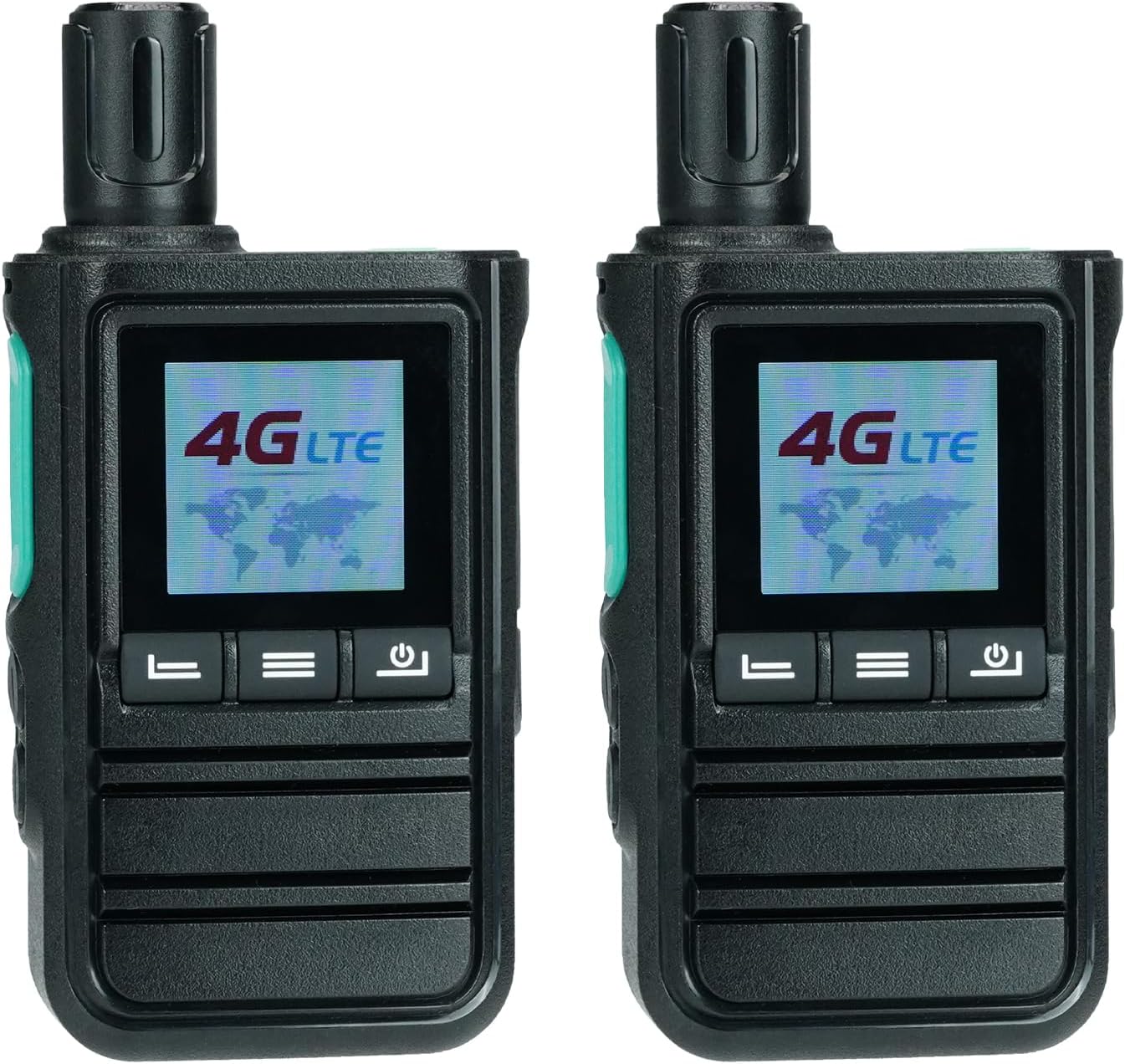
Figure 2: Retevis L61 Network Walkie Talkies
Негизги өзгөчөлүктөрү:
- Unlimited Range: Supports 2G/4G networks for communication without distance limitations, even in remote areas.
- GPS функциясы: Enables real-time location tracking for team coordination and emergency alerts, enhancing safety.
- Ийкемдүү байланыш: Supports individual, group, and friend communication modes to suit various operational needs.
- Dual Alarm Modes: Includes a walkie talkie alarm for personal safety and a GPS fencing alarm for driving safety.
- Over-the-Air Edition: Allows for easy configuration and updates without the need for physical cable connections.
- Компакт дизайн: Measuring 116mm high, it is easy to hold and carry for extended periods.
- Батареянын узак иштөө мөөнөтү: Equipped with a 2500mAh battery, providing up to 30 hours of standby time and 12 hours of work time.
- Type-C заряддоо: Conveniently rechargeable via computer or power bank, with a low battery alert feature.
- Dual SIM Card Support: Features two card slots for utilizing different networks, ensuring versatile connectivity.
Жайгашуу
1. Батареяны орнотуу
The Retevis L61 comes with a 2500mAh Li-ion battery. To install:
- Аппараттын өчүрүлгөнүн текшериңиз.
- Радионун артындагы батарея бөлүкчөсүнүн капкагын табыңыз.
- Slide the cover downwards or unlatch it to open.
- Insert the 2500mAh Li-ion battery, aligning the contacts correctly.
- Батарея уясынын капкагын ордуна коюп, аны бекитиңиз.

3-сүрөт: Батарея жана кубаттоо бүттүview
2. SIM картаны орнотуу
The L61 supports dual SIM cards for flexible network connectivity.
- With the battery removed, locate the two SIM card slots.
- Insert your 2G/4G compatible SIM cards into the designated slots, ensuring correct orientation.
- Replace the battery and battery cover.

Figure 4: Dual SIM Card Slots
3. Баштапкы заряддоо
Биринчи колдонуудан мурун, аппаратты толук заряддаңыз.
- Connect the provided Type-C charging cable to the radio's charging port.
- Connect the other end of the cable to a compatible USB power adapter, computer, or power bank.
- The charging indicator will show the charging status. Once fully charged, the indicator will change (refer to device screen for details).
Иштөө нускамалары
1. Күйгүзүү/өчүрүү
- To power on, long press the power button until the screen illuminates.
- To power off, long press the power button until the device shuts down.
2. Basic Communication (PTT Button)
The Push-to-Talk (PTT) button is central to communication.
- To transmit: Press and hold the PTT button on the side of the radio. Speak clearly into the microphone.
- To receive: Release the PTT button to listen for incoming transmissions.
Video 1: Demonstrates how to use the Retevis L61 walkie talkies, including basic PTT operation and menu navigation.
3. Group, Individual, and Friend Calls
The L61 supports various call types for flexible communication scenarios.
- Топтук чалуу: Communicate with all members within a pre-defined group.
- Жеке чалуу: Initiate a private conversation with a specific user.
- Friend Call: Communicate with designated contacts.

Figure 5: Call Modes
4. GPS функциясы
Utilize the integrated GPS for location tracking and safety features.
- Чыныгы убакыттагы жайгашкан жер: Track the precise location of team members on a dispatch system.
- GPS Fencing: Set virtual boundaries to receive alerts if a device enters or exits a specified area, useful for route adherence and safety.

Figure 6: GPS Tracking and Fencing
5. Over-the-Air Edition (OTA)
The L61 supports over-the-air programming, eliminating the need for physical cables for configuration updates.
- Connect the radio to a network.
- Access the programming software (details typically provided by your service provider or Retevis support).
- Update settings, channels, or features remotely.

Figure 7: Over-the-Air Programming
6. SOS сигнализациясы
In emergencies, the SOS alarm can be activated to alert your team.
- Long press the designated SOS button (refer to your device's physical layout for exact button location).
- The device will emit an alarm sound and send an emergency signal to pre-configured contacts or the dispatch system.

8-сүрөт: SOS сигнализациясын иштетүү
7. Үндү тууралоо
Adjust the speaker volume to a comfortable level using the navigation buttons.
Video 2: Demonstrates how to adjust the volume settings on the Retevis L61 walkie talkie.
Техникалык тейлөө
Proper maintenance ensures the longevity and optimal performance of your Retevis L61.
- Батареяга кам көрүү:
- Батареяны бат-баттан толук кубаттап калуудан алыс болуңуз.
- Charge the battery in a cool, dry place.
- If storing the radio for extended periods, charge the battery to about 50% before storage.
- Тазалоо:
- Радионун бетин жумшак, гamp кездеме.
- Катуу химиялык заттарды же абразивдүү тазалоочу каражаттарды колдонбоңуз.
- Заряддоо порту жана башка тешиктер чаңдан жана таштандыдан таза экенин текшериңиз.
- Сактагыч:
- Store the radio in a dry, cool environment away from direct sunlight and extreme temperatures.
- Балдар жетпеген жерде сактаңыз.
Проблемаларды чечүү
| Көйгөй | Мүмкүн себеп | Чечим |
|---|---|---|
| Тармак туташуусу жок. | No SIM card installed, incorrect SIM card, or out of network coverage. | Ensure SIM cards are correctly installed. Check network coverage in your area. Contact your network provider if issues persist. |
| Өткөрүп же кабыл албайт. | PTT button not pressed correctly, device not powered on, or not in a group/channel. | Press and hold the PTT button firmly. Ensure the device is powered on and properly configured for the desired communication group. |
| Back clip cannot be installed. | Misalignment or manufacturing variation. | Carefully align the back clip with the designated slots. If the issue persists, please contact Retevis customer support via Amazon message for assistance. |
| GPS location not accurate. | Poor satellite signal, indoor use, or interference. | Ачык асманы бар ачык жерге көчүңүз view. Avoid areas with high buildings or dense foliage. |
Техникалык шарттар
| Өзгөчөлүк | Деталь |
|---|---|
| Бренд | Retevis |
| Модель номери | L61 |
| Батареялар | 2 литий-иондук батарейкалар талап кылынат (кошулган) |
| Продукциянын өлчөмдөрү | 3.51 x 5.46 x 11.6 cm; 293 g (or 35L x 55W x 116H millimetres) |
| Байланыш технологиясы | Type-C |
| Өзгөчөлүктөр | Programming Over-The-Air, Dual SIM card, Single/Group/Friend Call, 2G/4G Network, GPS function |
| Power Source | Батарея менен иштейт |
| Радио топтору колдоого алынат | 4G |
| Сууга туруктуулук деңгээли | Сууга чыдамдуу эмес |
| Келип чыккан өлкө | Кытай |
Кепилдик жана колдоо
Retevis products are designed for reliability and performance. For warranty information, please refer to the documentation included with your purchase or visit the official Retevis website. For technical support, troubleshooting assistance, or inquiries regarding your Retevis L61 Network Walkie Talkie, please contact Retevis customer service through the platform where you purchased the product.
For specific issues like the back clip installation, as noted in the troubleshooting section, direct contact via Amazon message to the seller "RetevisDirect" is recommended.