
1. Киришүү
This manual provides essential information for the safe and efficient operation of your Next YE-43020GG4 43-inch Full HD Google Android TV. Please read this manual thoroughly before using the product and retain it for future reference.

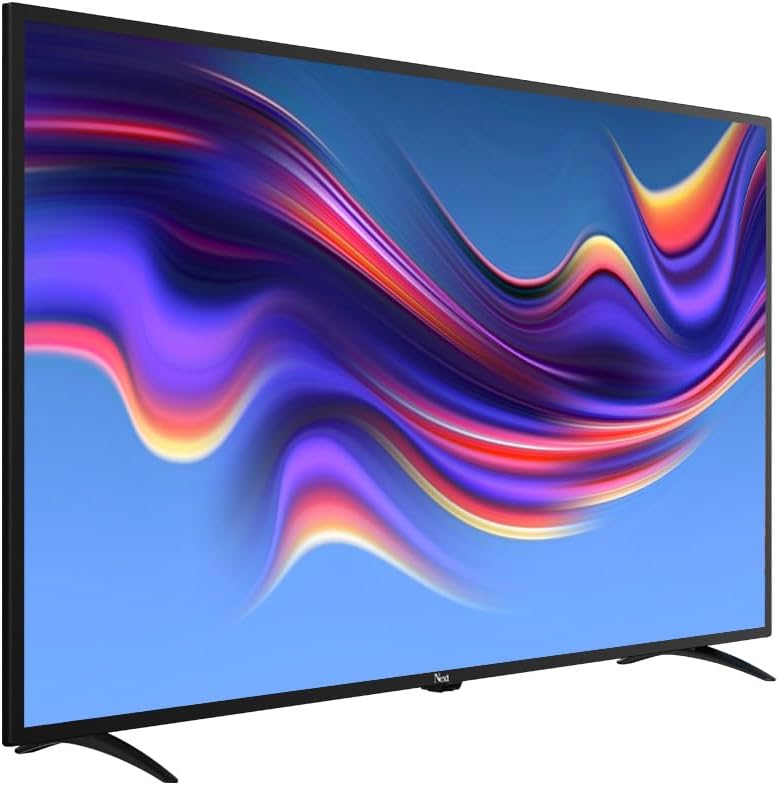
Сүрөт 1.1: Фронт view of the Next YE-43020GG4 43-inch Full HD Google Android TV, showcasing its sleek design and the Google Android TV interface.
The Next YE-43020GG4 is a 43-inch Full HD (1920x1080p) LED television featuring the Google Android TV operating system. It offers a dynamic contrast enhancer for improved picture quality and integrated Wi-Fi for seamless internet connectivity. This model is designed for ease of use and provides access to a wide range of applications and streaming services.
2. Коопсуздук маалыматы
Телевизордун бузулуп калышынын алдын алуу жана жеке коопсуздугуңуз үчүн төмөнкү коопсуздук чараларын сактаңыз:
- Электр камсыздоо: Connect the TV only to an AC 100-240V, 50/60Hz power source. Ensure the power cord is not damaged or pinched.
- Вентиляция: Вентиляция тешиктерин жаап албаңыз. Ашыкча ысып кетүүнүн алдын алуу үчүн телевизордун айланасында туура аба агымы үчүн жетиштүү орун калтырыңыз.
- Суу жана ным: Do not expose the TV to rain, moisture, or place objects filled with liquids on or near the TV.
- Тазалоо: Тазалоодон мурун сыналгыдан ажыратыңыз. Жумшак, кургак чүпүрөктү колдонуңуз. Суюк тазалагычтарды же аэрозолдук спрейлерди колдонбоңуз.
- Жайгашкан жери: Place the TV on a stable, level surface. If wall-mounting, ensure the mount is compatible and installed by qualified personnel.
- Чагылган: During lightning storms or when unused for long periods, unplug the TV from the power outlet and disconnect the antenna cable.
- Тейлөө: Телевизорду өзүңүз тейлөөгө аракет кылбаңыз. Бардык тейлөөлөрдү квалификациялуу тейлөө кызматкерлерине тапшырыңыз.
3. Пакеттин мазмуну
Пакетте бардык буюмдар бар экенин текшериңиз:
- Next YE-43020GG4 43-inch Full HD Google Android TV Unit
- Алыстан башкаруу
- Телевизор (2 даана)
- Электр кабели
- Колдонуучунун Колдонмосу (бул документ)
- Алыстан башкаруу үчүн батареялар (аймакка жараша өзгөрүшү мүмкүн)
4. Физикалык өзгөчөлүктөрү жана байланыштары
Familiarize yourself with the physical layout and connection ports of your television.

Сүрөт 4.1: Арткы view of the TV with labeled connection ports.
4.1. Арткы панелдин туташуулары
| Порт | Description |
|---|---|
| HDMI 1 (ARC) | High-Definition Multimedia Interface with Audio Return Channel support. Connect external devices like Blu-ray players or soundbars. |
| HDMI 2 | High-Definition Multimedia Interface. Connect external devices. |
| USB (2x) | Universal Serial Bus ports for connecting USB storage devices (e.g., flash drives) to play media or for software updates. |
| Ethernet | RJ45 port for wired internet connection. |
| DVB-S / DVB-S2 | Satellite input for connecting a satellite dish. |
| DVB-T / DVB-T2 | Terrestrial antenna input for connecting a digital terrestrial antenna. |
| DVB-C | Cable input for connecting to a cable TV network. |
| CI MODULE | Common Interface slot for inserting a CI+ module and smart card, typically used for encrypted digital TV services. |
| MINI AV-IN | Mini Audio/Video input for connecting older devices using an adapter cable (not always included). |
4.2. Side Profile

Сүрөт 4.2: Сол тарап проfile телевизордун.

Сүрөт 4.3: Оң жактагы профессионалfile телевизордун.
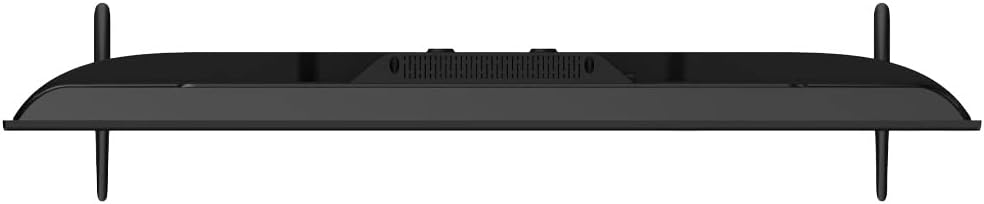
The slim design of the television allows for versatile placement options, whether on a stand or wall-mounted. The side profiles illustrate the minimal depth of the unit.
5. Орнотуу
5.1. Телевизордун отургучун бекитүү
- Carefully place the TV face down on a soft, flat surface (e.g., a blanket or foam) to prevent screen damage.
- Сол жана оң жактагы стенд бөлүктөрүн аныктагыла.
- Ар бир тирөөч бөлүгүн телевизордун түбүндөгү тиешелүү бурама тешиктери менен тегиздеңиз.
- Берилген бурамалар менен тирөөчтөрдү бекитиңиз. Өтө катуу тартпаңыз.
- Carefully lift the TV to an upright position and place it on a stable surface.
5.2. Дубалга орнотуу (кошумча)
If you choose to wall-mount your TV, ensure you use a VESA-compatible wall mount kit (not included) and follow the instructions provided with the wall mount. It is recommended to have this installation performed by a qualified professional.
5.3. Connecting Power and External Devices
- Кубат шнурун телевизордун кубат киргизүү булагына, андан кийин розеткага туташтырыңыз.
- Connect your antenna, satellite dish, or cable TV source to the appropriate input ports (DVB-T/T2, DVB-S/S2, DVB-C).
- Connect any external devices (e.g., game consoles, Blu-ray players) to the HDMI ports.
- For wired internet, connect an Ethernet cable to the ETHERNET port. For Wi-Fi, ensure your router is on and within range.
5.4. Баштапкы орнотуу устасы
- Пульттун кубат баскычын же сыналгынын өзүндө сыналгыны күйгүзүңүз.
- Тилди, өлкөнү жана тармак жөндөөлөрүн (Wi-Fi же Ethernet) тандоо үчүн экрандагы көрсөтмөлөрдү аткарыңыз.
- Sign in with your Google Account to access Google Play Store, Google Assistant, and other Google services.
- Complete the channel scan for terrestrial, satellite, or cable broadcasts.
6. Иштөө нускамалары
6.1. Remote Control Overview

Сүрөт 6.1: The remote control for your Next Google Android TV, featuring quick access buttons for popular streaming services and voice control.
The remote control provides access to all TV functions. Insert two AAA batteries (not included) into the battery compartment, observing polarity.
- Кубат баскычы: Телевизорду күйгүзөт же өчүрөт.
- Навигация тактасы (өйдө/төмөн/сол/оң/ОК): Менюларды багыттоо жана тандоолорду ырастоо.
- Артка баскычы: Мурунку экранга кайтат.
- Үй баскычы: Android TV башкы экранына жетет.
- Үнүн жогорулатуу/төмөндөтүү: Үн деңгээлин тууралайт.
- Канал өйдө/төмөн: Телеканалдарды өзгөртөт.
- Netflix, YouTube, Prime Video, Google Play Buttons: Бул тиркемелерге түз жетүү.
- Google Assistant Button (Microphone Icon): Үн менен башкарууну иштетет.
6.2. Google Жардамчыны колдонуу

Сүрөт 6.2: Voice search functionality via the remote control, activated by the Google Assistant button.
Пульттагы Google Жардамчы баскычын басып, микрофонго сүйлөңүз:
- Издөө кинолор, телешоулар же маалымат.
- Акылдуу үй түзмөктөрүн башкаруу.
- Ачык тиркемелер.
- Суроолорго жооп алыңыз.
6.3. Accessing Applications and Streaming Services
From the Android TV home screen, you can access pre-installed applications or download new ones from the Google Play Store. Use the dedicated buttons on the remote for quick access to popular streaming platforms.
Сүрөт 6.3: The Next Google Android TV provides access to a wide range of streaming applications, enhancing your entertainment options.
7. Техникалык тейлөө
7.1. Телевизорду тазалоо
- Экран: Экранды жумшак, түксүз чүпүрөк менен акырын сүртүңүз. өжөр белгилери үчүн, бир аз гampкездемени суу же атайын экран тазалагыч менен сүртүңүз (LED экрандар үчүн коопсуз экенин текшериңиз) жана акырын сүртүңүз. Суюктукту экранга түз чачпаңыз.
- Кабинет: Телевизордун шкафын жумшак, кургак чүпүрөк менен сүртүңүз. Абразивдүү тазалагычтарды, момдорду же эриткичтерди колдонуудан алыс болуңуз.
- Тазалоодон мурун: Тазалоодон мурун телевизорду розеткадан сууруп алыңыз.
7.2. Программалык камсыздоону жаңыртуу
Your Android TV may receive software updates periodically. It is recommended to keep your TV's software updated to ensure optimal performance and access to the latest features and security patches. You can usually check for updates in the TV's settings menu under "About" or "System Update."
8. Кыйынчылыктарды
Жалпы маселелер жана аларды чечүү үчүн төмөнкү таблицаны караңыз:
| Көйгөй | Мүмкүн болгон себеп / Чечим |
|---|---|
| Күч жок |
|
| Сүрөт жок, бирок Үн бар |
|
| Үн жок, бирок Сүрөт бар |
|
| Пульт иштебейт |
|
| Wi-Fi туташуу маселелери |
|
| Колдонмолор бузулуп жатат же катып жатат |
|
9. Техникалык шарттар
Technical specifications for the Next YE-43020GG4 43-inch Full HD Google Android TV:
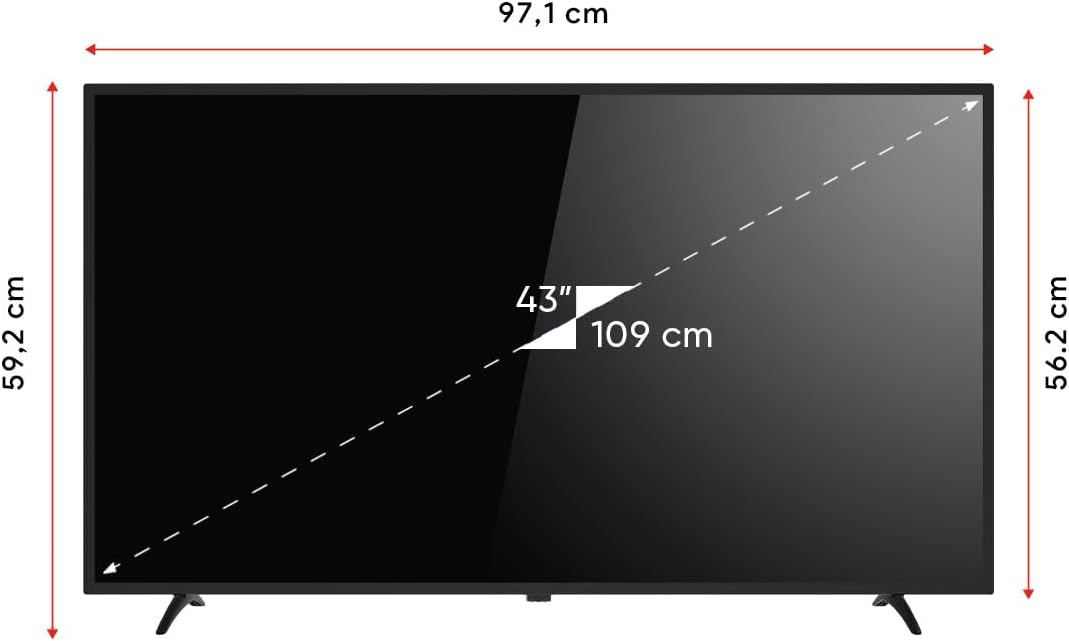
Сүрөт 9.1: Dimensions of the Next YE-43020GG4 TV.
| Өзгөчөлүк | Деталь |
|---|---|
| Модель аты | YE-43020GG4 |
| Бренд | Кийинки |
| Screen Size | 43 дюйм (109 см) |
| Дисплей технологиясы | LED |
| Резолюция | Full HD (1920x1080p) |
| Жаңыртуу ылдамдыгы | 60 Гц |
| Операция системасы | Google Android TV |
| Байланыш | Wi-Fi, Ethernet |
| HDMI порттору | 2 (1x ARC) |
| USB порттору | 2 |
| Аспект катышы | 16:9 |
| Контраст катышы | 3000:1 |
| Өзгөчөлүктөр | Dynamic Contrast Enhancer, Google Assistant |
| Продукциянын өлчөмдөрү (WxDxH) | 97.1 x 19.4 x 59.2 см |
| Продукт Салмагы | 5.9 килограмм |
| Модель жылы | 2024 |
Сүрөт 9.2: EU Energy Label for the Next YE-43020GG4, indicating its energy efficiency rating and consumption.
10. Кепилдик жана колдоо
10.1. Кепилдик маалыматы
Your Next YE-43020GG4 television comes with a manufacturer's warranty. Please refer to the warranty card included in your product packaging for specific terms, conditions, and duration of the warranty. Keep your purchase receipt as proof of purchase for warranty claims.
10.2. Кардарларды колдоо кызматы
For technical assistance, troubleshooting beyond this manual, or warranty service, please contact Next customer support. Contact details can typically be found on the manufacturer's official webсайтында же кепилдик картасында.
Колдоо кызматына кайрылганда, төмөнкү маалыматты даярдаңыз:
- Модель аты: YE-43020GG4
- Serial Number (located on the back of the TV)
- Сатып алуу күнү
- Маселенин так сүрөттөлүшү