
Nuroum OW20B
Nuroum OW20B Open-Ear Bluetooth Earphones with Microphone User Manual
Модель: OW20B
Introduction
Thank you for choosing the Nuroum OW20B Open-Ear Bluetooth Earphones. This manual provides detailed instructions for the safe and efficient use of your new earphones. Please read it thoroughly before use and retain it for future reference.
Маанилүү коопсуздук маалыматы
- Кулакчындарды өтө жогорку температурага же нымдуулукка дуушар кылбаңыз.
- Кулакчындарды түшүрүүдөн же катуу таасирлерден сактаныңыз.
- Кулакчындарды бөлүктөргө бөлбөңүз же өзгөртпөңүз. Бул кепилдикти жокко чыгарып, зыян келтириши мүмкүн.
- Балдар жана үй жаныбарлары жетпеген жерде сактаңыз.
- Берилген заряддоо кабелин гана колдонуңуз.
- Avoid using the earphones at high volume for extended periods to prevent hearing damage.
Пакеттин мазмуну
Сураныч, бардык элементтер бар экенин текшериңиз:
- Nuroum OW20B Bluetooth Earphones x 1
- Заряддоо кабели x 1
- Колдонмо колдонмо x 1
Продукт бүттүview
The Nuroum OW20B features an open-ear design for comfort and situational awareness, a rotatable boom microphone for clear communication, and integrated controls for ease of use.

Figure 1: Nuroum OW20B Open-Ear Bluetooth Earphones. This image shows the overall design of the earphones, highlighting their open-ear form factor and the integrated boom microphone.
Компоненттери:
- Кулак илгичтери: Designed for a secure and comfortable fit over the ear.
- Динамик бирдиктери: Deliver audio without blocking the ear canal.
- Rotatable Boom Microphone: Can be positioned for optimal voice pickup during calls or rotated away when not in use.
- Башкаруу баскычтары: For power, volume, track control, and call management.
- Заряддоо порту: Заряддоо кабелин туташтыруу үчүн.
Дизайн жана Комфорт
The Nuroum OW20B earphones are engineered for comfort and a secure fit, weighing only 22g. Their open-ear design allows you to stay aware of your surroundings while enjoying audio, preventing the stuffiness often associated with in-ear headphones. The soft silicone ear hooks ensure a snug fit without discomfort, even during extended wear or active use like running or cycling.

Figure 2: Open-Ear Comfort & Fit. This image illustrates the benefits of the open-ear design compared to traditional in-ear headphones, emphasizing comfort and a secure fit with soft silicone ear hooks.
Жайгашуу
1. Наушниктерди заряддоо
Before first use, fully charge the earphones. A full charge takes approximately 2 hours and provides up to 15 hours of continuous playback.
- Connect the provided charging cable to the charging port on the earphones.
- Кубаттоочу кабелдин экинчи учун USB кубат адаптерине (кошулмада жок) же компьютердин USB портуна туташтырыңыз.
- The indicator light will show the charging status. It will typically turn off or change color once fully charged.
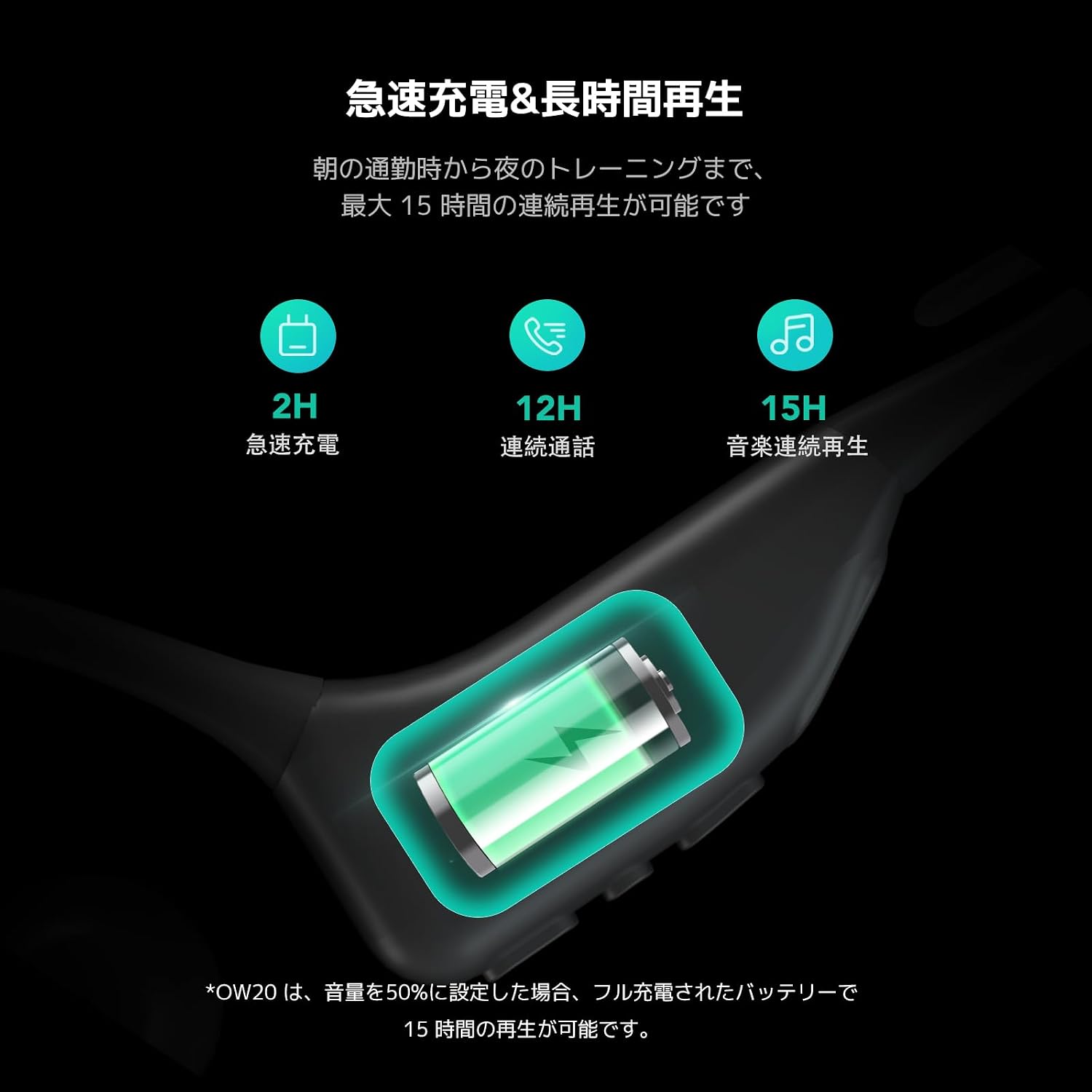
Figure 3: Fast Charging & Long Playback. This image displays the charging process and highlights the battery performance, including 2 hours for fast charging and up to 15 hours of continuous music playback.
2. Күйгүзүү / Өчүрүү
- Күйгүзүү үчүн: Press and hold the Multi-Function Button (MFB) for approximately 3 seconds until you hear a power-on prompt and the indicator light flashes.
- Өчүрүү үчүн: Press and hold the MFB for approximately 5 seconds until you hear a power-off prompt and the indicator light turns off.
3. Bluetooth Жупташтыруу
The Nuroum OW20B uses Bluetooth 5.3 for a stable and seamless connection.
- Наушниктердин өчүрүлгөнүн текшериңиз.
- Press and hold the MFB for about 5-7 seconds until the indicator light flashes red and blue alternately, indicating pairing mode.
- Түзмөгүңүздө (смартфон, планшет, компьютер) Bluetooth иштетип, жеткиликтүү түзмөктөрдү издеңиз.
- Select "Nuroum OW20B" from the list of found devices.
- Once connected, the indicator light will flash blue slowly, and you will hear a connection confirmation prompt.
Note: The earphones support multi-point connection, allowing simultaneous connection to two devices. After pairing with the first device, disable Bluetooth on it, then pair with the second device. Re-enable Bluetooth on the first device, and the earphones should connect to both.
Иштөө нускамалары
Controls
The earphones feature intuitive controls for managing audio and calls.

Figure 4: User-Friendly Integrated Controls. This image highlights the control buttons on the earphone body, including volume up (+), volume down (-), and the Multi-Function Button (MFB), along with the mute button on the microphone boom.
| Функция | Акция |
|---|---|
| Күйгүзүү | MFB баскычын 3 секунд басып туруңуз |
| Өчүрүү | MFB баскычын 5 секунд басып туруңуз |
| Музыканы ойнотуу/тындыруу | MFB бир жолу басуу |
| Кийинки трек | MFBди эки жолу басыңыз |
| Мурунку трек | MFBди үч жолу басыңыз |
| Үндү көтөрүү | Single press '+' button |
| Үндү төмөндөтүү | Single press '-' button |
| Чалууга жооп берүү/аяктоо | MFB бир жолу басуу |
| Чакырууну четке кагуу | MFB баскычын 2 секунд басып туруңуз |
| Микрофондун үнүн / үнүн басуу | Single press the mute button on the boom mic |
Микрофонду колдонуу
The rotatable boom microphone is designed for optimal voice clarity during calls, featuring ENC (Environmental Noise Cancellation) and a DSP chip to reduce ambient noise by 99.9%.
- For calls, rotate the microphone boom forward so it is positioned near your mouth.
- When listening to music or not needing the microphone, rotate it backward behind your ear for convenient storage and a less obtrusive profile.

Figure 5: Rotatable Boom Microphone. This image demonstrates how to position the rotatable boom microphone for clear calls (forward, near mouth) and for storage (backward, behind ear).

Figure 6: Industry-leading Noise Cancelling with HiFi 4 DSP. This image illustrates the ENC (Environmental Noise Cancellation) and DSP chip technology, showing how it processes and reduces background noise for clearer voice transmission during calls.
Аудио сапаты
Equipped with a large driver and a private bass boost algorithm powered by HiFi4 DSP, the Nuroum OW20B delivers powerful volume and rich bass. This ensures an enjoyable listening experience for your favorite music, whether you are running outdoors or traveling on an airplane.
Техникалык тейлөө
- Clean the earphones regularly with a soft, dry cloth. Do not use abrasive cleaners or solvents.
- Наушниктерди салкын, кургак жерде, күндүн тике тийген нурунан жана экстремалдык температурадан алыс сактаңыз.
- Avoid prolonged exposure to liquids. While designed for sports, excessive moisture can still cause damage.
- When not in use for extended periods, charge the earphones at least once every three months to maintain battery health.
Проблемаларды чечүү
| Көйгөй | Чечим |
|---|---|
| Наушник күйбөйт. | Ensure the earphones are charged. Connect to a power source using the provided cable. |
| Түзмөк менен жупташтыруу мүмкүн эмес. |
|
| Үн жок же үнү төмөн. |
|
| Микрофон иштебей жатат. |
|
| Байланыш тез-тез үзүлөт. |
|
Техникалык шарттар
| Өзгөчөлүк | Деталь |
|---|---|
| Модель аты | AW-OW20B-JP |
| Бренд | Nuroum |
| Байланыш технологиясы | Зымсыз (Bluetooth 5.3) |
| Наушник форма фактору | Open-Ear, Ear-hook |
| Өзгөчөлүктөр | ENC Noise Cancelling, Microphone, Lightweight (22g) |
| Үзгүлтүксүз ойнотуу убактысы | 15 саатка чейин |
| Заряддоо убактысы | Болжол менен 2 саат |
| Зымсыз диапазон | 10 метрге чейин (33 фут) |
| Түс | Кара |
Кепилдик жана колдоо
The Nuroum OW20B Open-Ear Bluetooth Earphones come with a 1 жылдык кепилдик сатып алынган күндөн тартып.
For warranty claims, technical support, or any inquiries regarding your product, please contact Nuroum customer service through the retailer where you purchased the product or visit the official Nuroum webбайланыш маалыматы үчүн сайт.
Кепилдикти текшерүү үчүн сатып алганыңыздын далилин сактап коюңуз.