
1. Киришүү
The TNICER T3 Motorcycle Bluetooth Headset is designed to enhance your riding experience with advanced communication and audio features. This manual provides detailed instructions for installation, operation, and maintenance to ensure optimal performance and safety.
Key features include 8-way group intercom, audio multitasking, advanced noise reduction, three EQ sound effects, and universal pairing capabilities.
2. Пакеттин мазмуну
Сураныч, пакетте төмөнкү нерселерди текшериңиз:
- Домофон бирдиги
- Speaker & Boom Microphone
- Soft Tube Microphone
- Use Manual (this document)
- Кронштейн орнотуу
- Type-C кабели
- 3M Single Sided Silicone Pad
- 3M Double Sided Silicone Pad
- Big Square Velcro
- Баскычтуу микрофон
- Тегерек липучка
- Металл клип

Figure 2.1: Included components in the TNICER T3 package.
3. Продукт бүтүп калдыview
The TNICER T3 headset features a robust design with intuitive controls for easy operation while riding. It integrates a Qualcomm Bluetooth 5.0 dual chip for stable and efficient performance.

3.1-сүрөт: Ички view highlighting the Qualcomm Bluetooth 5.0 dual chip architecture.
The dual chip design allows for audio multitasking, enabling simultaneous intercom communication and music or GPS navigation playback without interruption.
4. Орнотуу жана орнотуу
Proper installation is crucial for optimal performance and comfort. The T3 headset offers multiple mounting options to suit various helmet types.
4.1 Домофон блогун орнотуу
Choose between the metal clip or adhesive pads for mounting the intercom unit to your helmet. Ensure the chosen location allows for easy access to controls and does not obstruct helmet functionality.
- Клип орнотуу: Slide the metal clip between the helmet shell and the inner padding. Secure the intercom unit to the clip.
- Жабышкак орнотуу: Clean the helmet surface thoroughly. Attach the 3M adhesive pad to the mounting bracket, then firmly press the bracket onto the desired location on the helmet. Allow sufficient time for the adhesive to cure before use.
4.2 Динамиктерди жана микрофонду орнотуу
Position the speakers inside the helmet's ear pockets. For helmets without dedicated speaker pockets, careful placement is required to ensure comfort and clear audio. Route the microphone towards your mouth, ensuring it is close enough for clear voice pickup but does not interfere with helmet closure or comfort.
- Use the boom microphone for open-face or modular helmets.
- Use the soft tube microphone for full-face helmets.
- Secure all wires within the helmet padding to prevent discomfort or damage.
5. Иштөө нускамалары
5.1 Күйгүзүү/өчүрүү
- Күйгүзүү: Күч баскычын индикатор жарыгы күйгүчө басып туруңуз.
- Өчүрүү: Индикатор жарыгы өчкөнчө Кубат баскычын басып, кармап туруңуз.
5.2 Bluetooth Pairing (Mobile Phone)
To connect your T3 headset to your mobile phone:
- T3 гарнитурасынын өчүрүлгөнүн текшериңиз.
- Press and hold the Power button until the indicator light flashes red and blue, indicating pairing mode.
- On your mobile phone, enable Bluetooth and search for "TNICER T3".
- Select "TNICER T3" from the list of available devices to connect. The indicator light will turn blue when successfully paired.
5.3 Intercom Communication (8 Riders Group)
The T3 supports real-time intercom for up to 8 riders with a maximum effective communication distance of approximately 1000 meters in obstacle-free environments.

Figure 5.1: 8-way group intercom in action.
One-Click Auto-Pairing: The T3 features simplified pairing for multiple units. Refer to the quick start guide for specific button sequences for group pairing.
5.4 Аудио көп тапшырма
The T3's audio multitasking technology allows you to listen to music or GPS navigation while simultaneously engaging in intercom conversations. Audio sources will overlay for a smooth listening experience without interruptions.
5.5 Ызы-чууну азайтуу жана үн сапаты
Equipped with CSR's CVC technology, high-power, high-definition headphones, and a professional wind-noise-proof microphone, the T3 provides clear audio even at speeds up to 120 km/h (75 mph). DSP+CVC noise reduction actively reduces ambient noise while allowing you to hear important environmental sounds for safety.

Figure 5.2: Noise reduction effectiveness.
5.6 Үн эффекттери (эквалайзер)
Customize your audio experience with three switchable EQ sound effects:
- POP: Optimized for popular music.
- Вокал: Enhances clarity for spoken word and vocals.
- РОК: Boosts bass and treble for a dynamic rock music experience.
Refer to the quick start guide for instructions on how to switch between EQ modes.
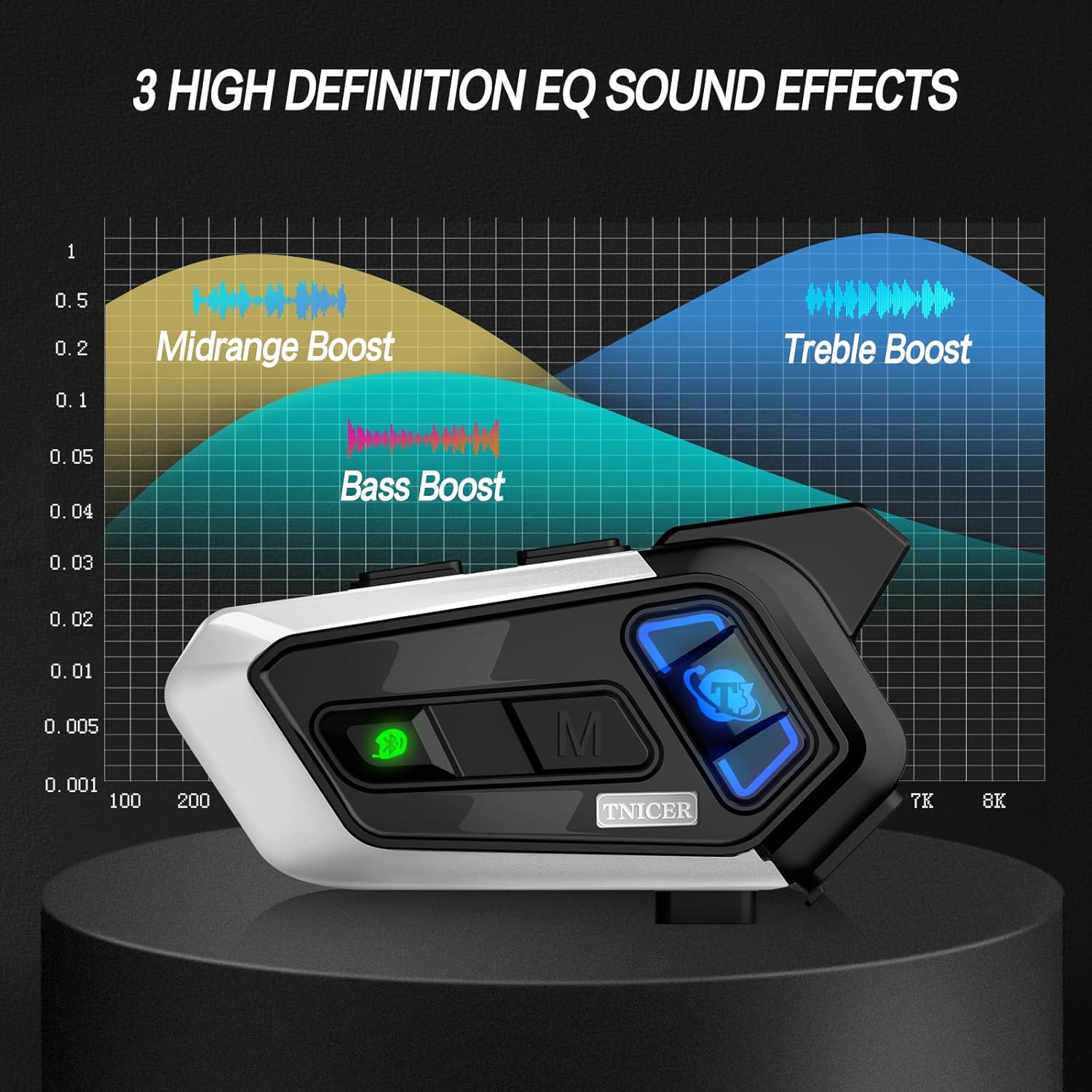
Figure 5.3: Visual representation of EQ sound effects.
5.7 Музыка бөлүшүү
Share your music with another rider. This feature is ideal for rider-passenger communication over shorter distances.
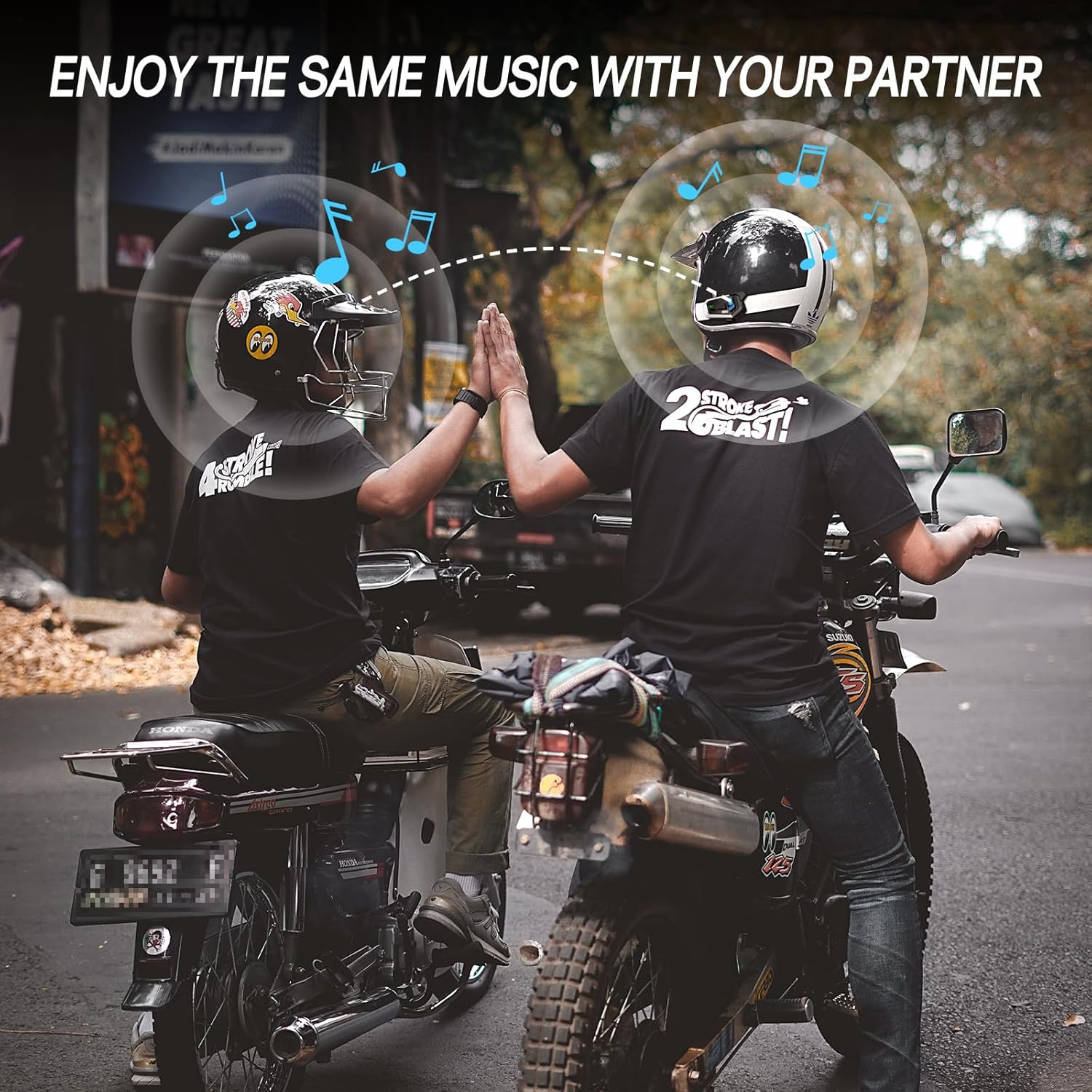
Figure 5.4: Music sharing between two riders.
5.8 Универсалдуу жупташтыруу
The T3 headset supports open-source Bluetooth protocols, allowing it to pair with most other brands of helmet Bluetooth devices on the market.
5.9 Телефон чалуулары жана үн жардамчысы
Once paired with your phone, you can manage calls and activate your phone's voice assistant (e.g., Siri, Google Assistant) directly from the headset. Refer to the quick start guide for specific button controls for these functions.
6. Техникалык тейлөө
6.1 Батареяны заряддоо
The T3 is equipped with a 1000mAh Li-Polymer battery, providing up to 25 hours of music, 15 hours of intercom, and 350 hours of standby time. A full charge takes approximately 2.5 hours.
- Connect the headset to a power source using the provided Type-C cable.
- Индикатор кубаттоо абалын көрсөтөт (мисалы, кубаттоо үчүн кызыл, толук заряддалган үчүн көк).

Сүрөт 6.1: Батареянын иштөө мөөнөтү жана заряддоо деталдары.
6.2 Тазалоо
Гарнитураны жумшак менен сүртүңүз, damp cloth. Do not use harsh chemicals or abrasive cleaners. Ensure the charging port cover is securely closed to maintain water resistance.
6.3 Сууга туруктуулук
The T3 headset is IP67 waterproof, meaning it is protected from dust and can withstand immersion in water up to 1 meter for 30 minutes. It is suitable for use in rainy conditions.

Figure 6.2: IP67 waterproof feature.
6.4 Сактоо
Store the headset in a cool, dry place away from direct sunlight and extreme temperatures when not in use for extended periods.
7. Кыйынчылыктарды
If you encounter issues with your TNICER T3 headset, refer to the following common problems and solutions:
| Көйгөй | Мүмкүн себеп | Чечим |
|---|---|---|
| Күч жок | Батарея түгөнүп калды. | Гарнитураны кеминде 2.5 саат кубаттаңыз. |
| Cannot Pair with Phone | Headset not in pairing mode; Bluetooth off on phone; interference. | Ensure headset is in pairing mode (flashing red/blue). Turn phone's Bluetooth off and on. Move away from other Bluetooth devices. |
| Intercom Disconnects | Out of range; obstacles; low battery. | Move closer to other riders. Avoid large obstacles. Ensure sufficient battery charge. The unit should auto-reconnect when back in range. |
| Poor Audio Quality / Noise | Microphone placement; speaker placement; high speed wind noise. | Adjust microphone closer to mouth. Ensure speakers are centered over ears. Check helmet's wind noise reduction. |
| Баскычтар жооп бербейт | Убактылуу программалык ката. | Perform a soft reset by powering off and on. If issue persists, contact support. |
8. Техникалык шарттар
| Өзгөчөлүк | Деталь |
|---|---|
| Модель аты | T3 |
| Бренд | TNICER |
| Байланыш технологиясы | Зымсыз (Bluetooth) |
| Bluetooth версиясы | 5.0 |
| Батареянын иштөө мөөнөтү (Музыка) | 25 саатка чейин |
| Батареянын иштөө мөөнөтү (домофон) | 15 саатка чейин |
| Күтүү убактысы | 350 саатка чейин |
| Заряддоо убактысы | Болжол менен 2.5 саат |
| Батарея сыйымдуулугу | 1000 мАч Li-полимер |
| Домофон диапазону | Up to 1000 meters (between two motorcycles, obstacle-free) |
| Max Intercom Riders | 8 |
| Noise Control | Passive Noise Cancellation (CVC Technology) |
| Сууга туруктуулук деңгээли | IP67 суу өткөрбөйт |
| Башкаруу түрү | Медиа башкаруу, алыстан |
| Өзгөчө өзгөчөлүк | Microphone Included, Audio Multitasking, 3 EQ Sound Effects, Universal Pairing |
| Элемент Салмагы | 13.4 унция |
9. Кепилдик жана колдоо
Кепилдик жөнүндө маалымат жана техникалык колдоо алуу үчүн, расмий TNICERге кайрылыңыз webсайтка же түздөн-түз кардарларды тейлөөгө кайрылыңыз. Сатып алуу квитанциясын кепилдик дооматтары үчүн сатып алуунун далили катары сактаңыз.
Онлайн колдоо: зыярат кылыңыз Amazon'догу TNICER дүкөнү продукт жөнүндө маалымат жана байланыш параметрлери үчүн.