
1. Киришүү
This manual provides comprehensive instructions for the setup, operation, and maintenance of your Lecoo WS208 Wireless Mouse. Please read this manual carefully before using the product to ensure proper function and longevity. Keep this manual for future reference.
2. Продукт бүтүп калдыview
The Lecoo WS208 is a wireless optical mouse designed for comfort and efficiency. It features a 1200 DPI sensor for precise tracking and a silent click mechanism for a quiet user experience.
Негизги өзгөчөлүктөрү:
- 1200 DPI оптикалык сенсор: Provides accurate and responsive cursor control.
- 3 баскычтуу дизайн: Standard left, right, and scroll wheel buttons for essential functions.
- Унчукпай чыкылдатуу: Тынчыраак иштөө чөйрөсү үчүн чыкылдатуу ызы-чуусун азайтат.
- Зымсыз туташуу: Operates via a 2.4GHz USB receiver, offering a range of up to 10 meters.
- Ergonomic and Compact Design: Lightweight (54g) and shaped for comfortable use over extended periods.
- Батареянын узак иштөө мөөнөтү: Powered by one AA battery, providing up to 6 months of usage depending on conditions.
- Жалпы шайкештик: Supports Windows XP/7/8/10/11, Mac OS X 10.4+, Linux Kernel 2.6+, and Android devices.
Пакеттин мазмуну:
- Lecoo WS208 Wireless Mouse
- USB Mini Receiver
- User Manual
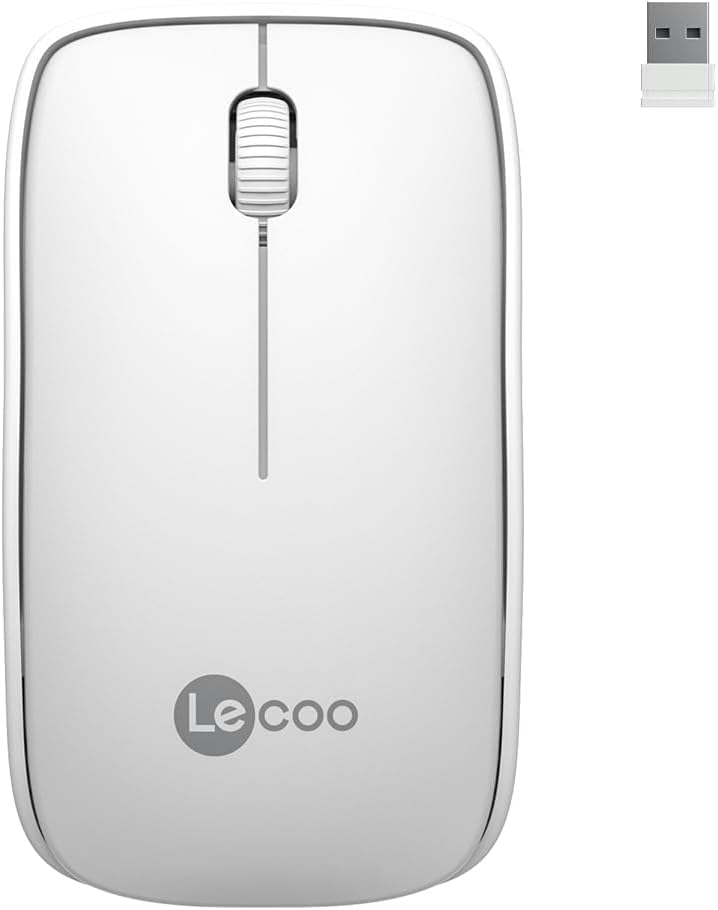
Image: Lecoo WS208 Wireless Mouse and its USB receiver.

Image: Diagram illustrating the components of the Lecoo WS208 mouse. Key features include the scroll wheel, left and right buttons, optical sensor, and USB dongle storage slot.
3. Орнотуу
3.1 Батареяны орнотуу
- Чычкандын астыңкы жагынан батарея бөлүмүнүн капкагын табыңыз.
- Бөлүмдү ачуу үчүн капкакты акырын жылдырыңыз же көтөрүңүз.
- Insert one AA battery (not included) into the compartment, ensuring the positive (+) and negative (-) terminals align correctly with the indicators.
- Батарея бөлүкчөсүнүн капкагын бекем чыккыча ордуна коюңуз.
3.2 USB кабылдагычты туташтыруу
- Remove the USB mini receiver from its storage slot, usually located inside the battery compartment or on the bottom of the mouse.
- Plug the USB receiver into an available USB port on your computer (PC, Mac, Laptop) or compatible device.
- Операциялык системаңыз керектүү драйверлерди автоматтык түрдө аныктап, орнотушу керек. Бул бир нече мүнөткө созулушу мүмкүн.
3.3 Чычканды күйгүзүү
After installing the battery and plugging in the receiver, the mouse should automatically power on. Some models may have a power switch on the bottom; ensure it is in the 'ON' position if present.
4. Иштөө нускамалары
4.1 Негизги функциялар
- Сол баскыч: Primary click function (e.g., select items, open links).
- Оң баскыч: Secondary click function (e.g., open context menus).
- Жылдыруу дөңгөлөгү: Документтерди өйдө же ылдый сыдырыңыз жана web барактар. Жылдыруу дөңгөлөгү басылганда ортоңку баскыч катары да иштейт.
4.2 DPI Sensitivity
The Lecoo WS208 operates at a fixed 1200 DPI (Dots Per Inch) sensitivity, providing a balanced speed and precision for most daily tasks. No manual DPI adjustment is available on this model.
4.3 Иштөө диапазону
The mouse maintains a stable connection within a 10-meter range from the USB receiver. Performance may vary depending on environmental factors and obstacles.

Image: Icons representing universal compatibility with Android, Apple (macOS), Windows, Linux, and ChromeOS.
5. Техникалык тейлөө
5.1 Тазалоо
- Тазалоодон мурун, чычканды өчүрүп коюңуз.
- Чычкандын бетин сүртүү үчүн жумшак, кургак, түксүз чүпүрөктү колдонуңуз.
- өжөр кир үчүн, бир аз гampчүпүрөктү суу же жумшак, абразивдүү тазалагыч менен жууп салыңыз. Ашыкча нымдуулуктан сактаныңыз.
- Катуу химиялык заттарды, эриткичтерди же абразивдүү материалдарды колдонбоңуз, анткени алар чычканды бузуп коюшу мүмкүн.
5.2 Батареяны алмаштыруу
When the mouse's performance degrades or it stops responding, it may be time to replace the AA battery. Follow the battery installation steps in Section 3.1.
6. Кыйынчылыктарды
Жалпы маселелер жана чечимдер:
- Чычкан жооп бербей жатат:
- Батарея туура орнотулганын жана жетиштүү заряддалганын текшериңиз. Зарыл болсо, алмаштырыңыз.
- USB кабыл алгыч иштеп жаткан USB портуна бекем сайылганын текшериңиз. Башка USB портун колдонуп көрүңүз.
- Ensure the mouse is within the 10-meter operating range of the receiver.
- Компьютериңизди өчүрүп күйгүзүңүз.
- Erratic or jumpy cursor movement:
- Чычкандын түбүндөгү оптикалык сенсорду жумшак, кургак чүпүрөк менен тазалаңыз.
- Чычканды ылайыктуу бетте колдонуп жатканыңызды текшериңиз. Өтө жарык чагылдыруучу же тунук беттерден алыс болуңуз.
- Башка зымсыз аппараттардын кийлигишүүсүн текшериңиз.
- Туташуу маселелери:
- USB кабыл алгычты сууруп, кайра туташтырыңыз.
- Чычканды USB кабыл алгычка жакыныраак жылдырыңыз.
7. Техникалык шарттар
| Бренд | Lecoo |
| Модел | WS208 |
| Байланыш технологиясы | Wireless (2.4GHz USB Receiver) |
| Кыймылды аныктоо | Оптикалык |
| DPI сезгичтиги | 1200 DPI |
| баскычтардын саны | 3 (Сол, Оң, Айлантуу дөңгөлөгү/Орто) |
| Иштөө диапазону | 10 метрге чейин |
| Батарея түрү | 1 x AA Батарея (киргизилген эмес) |
| Батареянын иштөө мөөнөтү | 6 айга чейин (колдонууга жараша) |
| Өлчөмдөрү (L x W x Y) | 95мм x 54мм x 31мм |
| Салмагы | 54g (mouse only) |
| Шайкештик | Windows XP/7/8/10/11, Mac OS X 10.4+, Linux Kernel 2.6+, Android |

Image: Visual representation of the Lecoo WS208 mouse dimensions (95mm length, 54mm width, 31mm height) and weight (54g).
8. Кепилдик жана колдоо
Lecoo products are designed for reliability and performance. For warranty information or technical support, please refer to the warranty card included with your product or visit the official Lecoo webсайт. Сатып алуу квитанциясын кепилдик дооматтары үчүн сатып алуунун далили катары сактаңыз.